

A dark triad CapCut template is a fast photo edit cut to the beat: about 17 pictures in roughly 16 seconds, an average allocation close to one second per picture. It's a trend name, not a personality test. Among the 36 named templates compared here, the most used was DARK TRIAD by Prxo1 [MM], with 10 clips, 16 seconds and about 162K uses. Most of these templates are square or 3:4, so check the frame and gather your photos before you tap Use template.
The name comes from psychology, and CapCut's gallery pages lean on that. CapCut's dark triad page opens with copy about narcissism, Machiavellianism and psychopathy, then shows a grid of edit templates; those listings are not a personality assessment. Below I name the five templates worth opening, show what 36 dark triad templates have in common, and cover photo prep, dead links, the end logo and a hand rebuild for PC.
What the dark triad edit is
The term belongs to personality research. Simply Psychology's overview of the Dark Triad describes three linked traits, narcissism, Machiavellianism and psychopathy, credits Paulhus and Williams (2002) with the name, and treats the traits as sub-clinical dimensions rather than diagnoses. So the label on an edit isn't a verdict on anyone. It's a mood.
CapCut files its dark triad edit gallery under Meme and pitches an edgy, mysterious look for a character analysis, a personal statement or a trending meme. The tags on the templates show where that goes in practice: anime and TV characters (#hunterxhunter, #dexter, #goku), football edits (#cr7edits) and glow-up edits. Light triad names the opposite set of traits. Google's result for TikTok's page for dark triad CapCut templates listed it among related searches and showed 15.8M posts when I pulled the results.
One song keeps coming up. Kltekk X Xltrex's Dark triad edit names it in the description as "Boom,Boom,Boom,Boom! Dark triad version", and the Google result for a YouTube tutorial mentions "Boom Boom Boom Boom!!" in its snippet. Plenty of templates in the collections use hardtekk versions of other songs instead, such as Mutilator, so the sound isn't fixed: the template you open decides it.
Which dark triad template to open
The first four below have the highest shown use counts in the 36-record dark triad comparison. The fifth is there for a different reason. Use counts are what CapCut showed when I pulled them, and they can change.
| Template | Creator | Clips | Length | Frame | Uses | Open it when |
|---|---|---|---|---|---|---|
| DARK TRIAD | Prxo1 [MM] | 10 | 16 s | Not listed | 162.02K | You have about 10 strong photos |
| Play hard (BP) | underatededitzz | 19 | 22 s | 9:16 | 159.12K | You want it full screen on TikTok or Reels |
| the dark triad trend | Ka Joestar. | 17 | 16 s | 1:1 | 121.43K | You want the typical count and pace |
| MY DARK TRIAD | Leviiee | 16 | 14 s | 1:1 | 104.83K | You want the shortest of the big four |
| The Dark Triad | RxyEdits | 34 | 17 s | 1:1 | 74.93K | You have a big folder and want a fast pace |
My pick depends on where the edit is going. For TikTok or Reels I'd open Play hard (BP), because it's the only 9:16 template among the four templates with the highest shown use counts in this comparison, so it fills a phone screen. If you only have about ten good photos, Prxo1's DARK TRIAD is the safer start: it has the highest shown use count in this sample and asks for the fewest pictures among those four. Its page lists no aspect ratio, so judge the frame in the preview.
RxyEdits' template fits 34 photos into 17 seconds, an average allocation of half a second per photo. That's the version for a big photo dump, not for pictures that need a moment to land.
What 36 captured dark triad listings have in common
The saved comparison contains 48 template-detail records found through four CapCut galleries and two direct search results. I dropped one unrelated upload, kept the 36 that carry dark triad in the title or description, and put their clip count, length, frame and uses side by side.
| Measure | Result across 36 saved dark triad listings |
|---|---|
| Clips needed | Median 17, range 2 to 34; 31 of 36 ask for 10 or more |
| Length | Median 16.5 s, average 17.2 s, range 13 to 27 s; 31 of 36 run 20 s or less |
| Runtime divided by clip count | Median 0.93 s; 27 of 36 average 1.2 s or less per clip |
| Frame | 1:1 in 17, 3:4 in 11, 9:16 in 5, one each at 16:9 and 4:3, one not listed |
| Uses | Median about 20.3K, range 3 to 162.02K; 4 above 100K, 21 above 10K |
So the dark triad edit is a photo dump cut to the beat, with an average allocation of about a second of runtime per input in this sample. Square is the most common frame and 3:4 comes next; 5 of the 36 list 9:16. The practical takeaway: for a starting point, gather 15 to 20 images that read at a glance, and you need to know whether the post is square or full screen.
The other 11 retained records in the sample are hardtekk and phonk edits that ride the tag, such as MUTILATOR HARDTEKK and CURE FOR ME HARDTEKK. They follow the same pattern, and across all 47 the median is 18 clips and 17 seconds. For fast photo edits beyond this name, our CapCut slideshow templates guide and trending CapCut templates cover the wider set, and CapCut meme templates covers the gallery CapCut files this trend under.
How to use a dark triad template on your phone
Use the phone app for this template-link route. These steps follow CapCut's guide to using and exporting templates:
- Open the template. From TikTok, tap the CapCut template link in the bottom-left corner of a video made with it, then tap "Use template in CapCut". Inside CapCut, tap Template at the bottom of the screen and open the one you picked.
- Tap "Use template" and choose Photos, then select your pictures.
- Tap "Preview" to open the template editing page.
- Fix the crops. Select a segment at the bottom and tap Edit to replace or crop it. In a square frame, keep each face or subject in the middle.
- Play it with sound and watch every slot. For a fast sequence like this, choose photos that read at a glance.
- Check the last seconds, then tap "Export" in the top-right corner.
To keep a template for later, tap the "…" button on its playback page and choose Copy link. Save video only saves the template's demo video to your phone, not an editable template. If there's no Template button at all, CapCut says the feature isn't available in your region or app version yet. Our CapCut templates guide covers finding and editing templates in general, and how to post on CapCut covers sharing the finished edit.
Get your photos ready first
The template does the timing. The photos decide whether anyone watches twice.
- Match the count. Pick a template whose clip count is close to what you have; the listing shows it before you start. A 34-slot template with 12 good photos leaves 22 slots to fill or repeat.
- One subject per photo. Close crops and strong contrast read in a second. Group shots, wide scenery and screenshots full of text don't.
- Crop for the frame. Filling a square or 3:4 frame with a tall 9:16 phone photo crops the top and bottom, so keep the face or subject in the center. Cropping in CapCut helps if you prepare stills first.
- Use large, sharp images. If a template punches in or shakes on the beat, a small picture gets enlarged further, and CapCut warns in the shake guide linked below that too much enlargement shows softness. For a small image you can't replace, the CapCut image upscaler is worth a try.
- Photos missing from the picker? On an iPhone, CapCut not showing photos walks through the permission fix.
One habit I'd keep: play the preview once before replacing anything and note which slot lands on the hardest hit of the song. Put your strongest photo there, because that's the beat the whole edit builds toward, and the rest can be good rather than perfect.
Can you use it on PC or CapCut Online?
Template availability on PC and CapCut Online varies by version, region and the particular template. CapCut's template-search help describes routes on both platforms, while some desktop versions have more limited support. Try the phone route above for these linked edits. If a template is unavailable on your computer, rebuild it by hand with the steps below so you can choose each cut.
The link opens nothing, or the template won't load
Work down this list in order, cheapest check first. It draws on CapCut's fix for templates that can't be used and its reasons templates don't appear.
- Update CapCut from the App Store or Google Play. Don't uninstall it first: CapCut warns that this can delete local drafts and unfinished projects.
- Reset the connection. Templates download from CapCut's servers, so switch between Wi-Fi and mobile data, or turn Airplane mode on and off.
- Check permissions. Allow storage access for CapCut, then close the app fully and reopen it.
- Sign in. Some templates only show up after you log in.
- Try another template from the table. Some templates are limited by region, and a creator can delete a template or make it private, which leaves its link pointing at nothing.
If none of that works, our CapCut templates not working guide goes deeper, and CapCut after an update covers controls that moved after a new version.
Logo at the end, or a Pro template?
Two different problems, two different fixes.
The ending clip. CapCut's template watermark page describes an editable ending clip carrying the CapCut logo. Scroll to the end of the timeline, tap that clip and delete it, then preview and export. The same page says to check text overlays, stickers and effects for branding, and to skip third-party template downloaders, which can lower quality or carry security risks. Our guide to removing the CapCut watermark covers the other places a logo hides.
A Pro template. A Pro template shows a purple "Pro" badge on its thumbnail, and its detail page says CapCut Pro is required for watermark-free export. Before export, check the Pro or paid-template notice for your account. CapCut's page on paid templates adds that a creator or the platform can switch a template to Pro later. Seven dark triad templates carry a #proeffects hashtag, MY DARK TRIAD among them; that's a creator's tag, not the badge. The six captured detail texts showed no Pro notice; check the current thumbnail and export prompt before you put work in. CapCut Pro features explains what the plan adds if you're weighing it.
Rebuild the dark triad edit by hand
When the link is dead, the template turned Pro, you're on a computer or you want your own song, building the edit yourself is a short job, and you control every cut.
- Set the frame. Start a project with your photos and set the canvas to 1:1 for a square post or 9:16 for full screen, using how to change the aspect ratio in CapCut.
- Add the song with our guide to adding music in CapCut and trim it to about 16 seconds, close to the 16.5-second median in this sample.
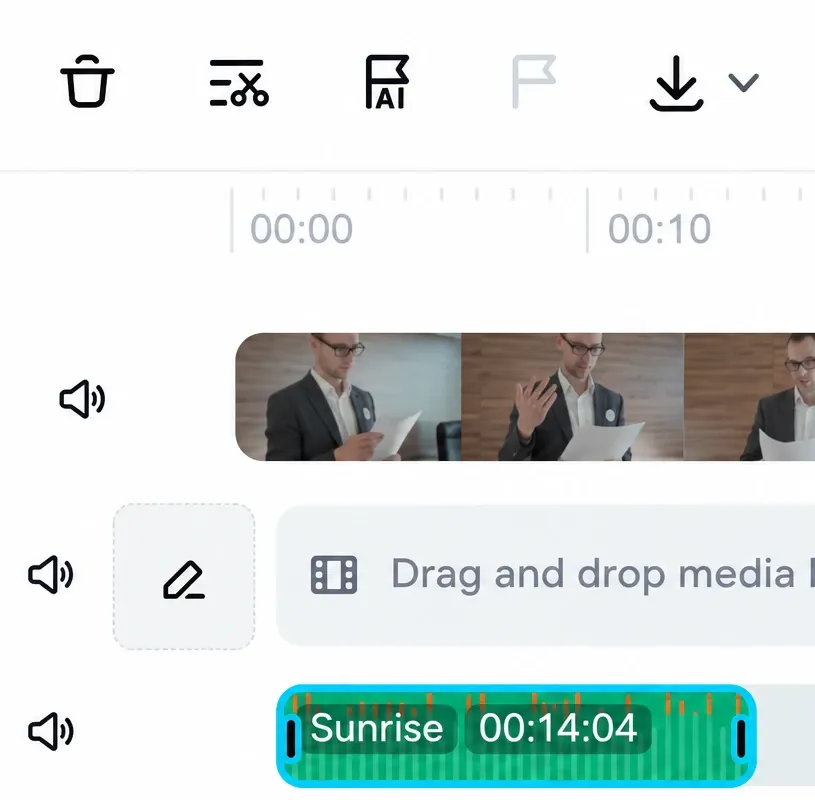
- Mark the beats. Select the audio and put markers on the hits. For Web, our beat sync guide shows the controls from CapCut's music tutorial, Add beat (a flag icon) and Beats detection, and the markers don't cut anything for you.
- Cut one photo to each beat. Drag each photo's end to the next marker, or split at the playhead with cut, trim and split in CapCut. As a planning example, roughly one second per photo puts about 15 to 17 pictures into 16 seconds.
- Add movement on the big hits. A slow push in with keyframes in CapCut or CapCut zoom in and out keeps stills alive. For a hard hit, add a short shake the way CapCut's camera shake guide describes: enlarge the picture slightly, alternate small horizontal and vertical position keyframes, return to the original framing, then check all four edges for empty canvas.
- Use transitions sparingly. They need clips sitting next to each other with no gap. On the phone, tap the white square between two clips; on PC, open the Transitions tab and drag one between them, as CapCut's transitions help shows. I'd keep them to three or four of the hardest hits, because a transition on every photo can overwhelm a fast sequence. Our CapCut transitions guide covers which styles suit fast cuts.
- Export with our CapCut export settings, and check TikTok video size or CapCut for Instagram Reels for where it's going.
Menu names vary by version, but the order holds on phone and PC. CapCut's gallery lists filters among the parts you can change, and our CapCut effects guide shows where they live if you want a darker look. If you have eligible Creator Center access and the needed soundtrack rights, you can publish it as your own CapCut template.
Get CapCut from the official store, not an APK
Template links open inside the official CapCut app, so use the official store route for these steps. Install it from the App Store or Google Play using our iPhone download guide or our Android download guide. Is CapCut safe covers permissions and account settings once it's installed.
Dark triad CapCut template: questions
What is the dark triad CapCut template?
It's a trend name for fast photo edits cut to the beat. Across the 36 saved dark triad listings compared here, the median is 17 clips in 16.5 seconds, an average allocation a little under a second per input, and the most common frame is square.
Is the dark triad edit a personality test?
No. The name comes from a psychology term for narcissism, Machiavellianism and psychopathy, but the templates are ordinary edits. The psychology copy on those gallery pages is not a personality assessment of anyone shown in an edit.
What song is used in the dark triad edit?
It depends on the template. A "Boom, Boom, Boom, Boom!" track shows up most clearly: one template names its dark triad version in the description and a Google result for a YouTube tutorial mentions it in the snippet. Many others use hardtekk versions of different songs.
How many photos do I need for the dark triad template?
Gather 15 to 20 as a starting point. The median of the 36 compared listings is 17 clips, Prxo1's DARK TRIAD needs 10, and RxyEdits' The Dark Triad needs 34. Check the clip count on the listing before you start.
Can I use the dark triad template on CapCut PC?
Availability on PC and CapCut Online varies by version, region and template. Try the phone route above, or check the template options in your computer version. If the edit is unavailable there, rebuild it on PC with beat markers, one photo per beat and a few transitions.
Why does my dark triad edit leave empty space on TikTok?
Most of the 36 compared listings are square or 3:4, so they don't fill a 9:16 phone screen. Pick a 9:16 template such as Play hard (BP), or rebuild the edit on a 9:16 canvas.
How do I get rid of the CapCut logo at the end?
Scroll to the end of the timeline, tap the short ending clip with the CapCut logo, delete it and export. If the template has a purple Pro badge, the watermark stays unless you have CapCut Pro.