

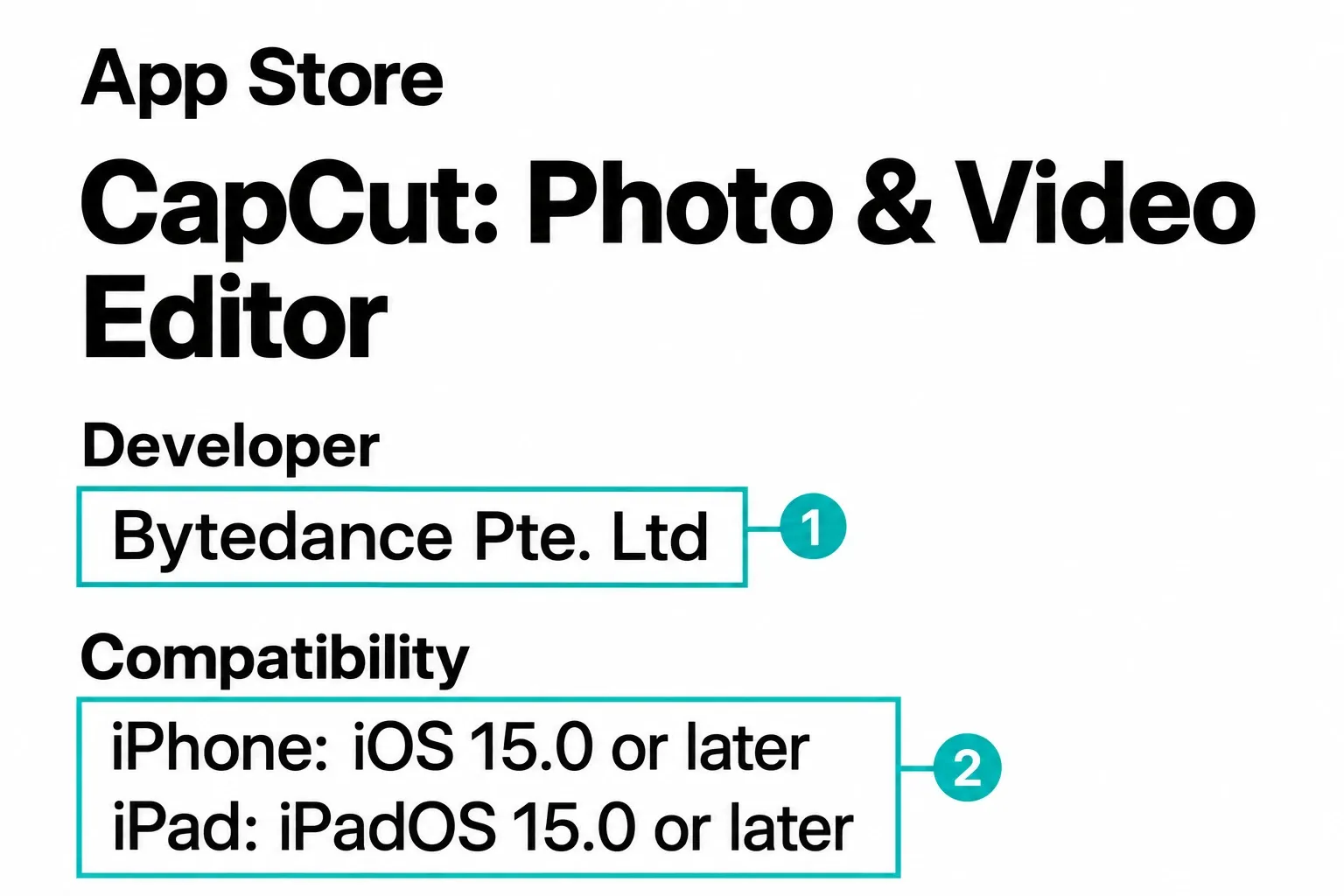
Download CapCut for iPhone or iPad from the official Apple App Store listing, then tap Get. Check the developer, Bytedance Pte. Ltd, and listing ID 1500855883 before confirming the download.
The US listing is free with in-app purchases. It requires iOS 15.0 or later on iPhone or iPadOS 15.0 or later on iPad. Those are operating-system minimums, not CapCut app version numbers. Your device's App Store decides which build it gets, based on its hardware, OS and storefront. iPad users also get a separate CapCut Pad option, covered below.
How to Download CapCut on iPhone or iPad
- Open the direct Apple listing. A direct link removes most ambiguity from App Store search results. If you search manually, use “CapCut” and verify the details below before installing.
- Check identity and compatibility. Match the developer and listing ID above, then open Compatibility. An icon alone is not enough to identify the app.
- Tap Get and confirm with Apple. Face ID, Touch ID or the Apple Account password may be required. Complete the confirmation through iOS, not through a website asking for an Apple password.
- Wait for the App Store to finish. Tap Open only when Apple's progress indicator becomes the Open button. The initial package size shown by Apple is not the app's future storage footprint.
CapCut also publishes an official iOS download guide, but the app itself still comes from Apple's App Store. A normal install doesn't involve an iPhone configuration profile, enterprise certificate, mirror, “IPA installer” or free-Pro package.
Verify the Listing, Not the Icon
The web address should be on apps.apple.com; on your device, the link opens Apple's App Store. Under Information, the seller is BYTEDANCE PTE. LTD., the same company shown as the developer above. Review counts, chart positions, size and age badges can change, so don't use them as permanent identity checks.
CapCut costs nothing to download, but the listing includes in-app purchases. So the Get button doesn't promise that every template, effect, cloud benefit, AI action or export choice comes included. Our maintained CapCut Free vs Pro comparison covers the plan details separately.
Which CapCut App Should You Use on iPad?
iPad now has two official Apple listings. The standard CapCut app keeps the familiar mobile, template-oriented interface and currently requires iPadOS 15.0 or later. The separate CapCut Pad listing requires iPadOS 14.0 or later and describes a desktop-style workspace with multi-track editing.
- Choose standard CapCut if you already edit on iPhone, rely on the mobile layout or use templates frequently.
- Try CapCut Pad if you want a denser desktop-like timeline and your iPad meets its separate compatibility requirement.
Treat them as separate apps. To compare them, start a new project in each with the same non-sensitive clip, then check the timeline, text and a short export before you pick one for important work. You don't need to move an existing draft for that. The help pages below don't show a universal way to transfer editable projects between standard CapCut and CapCut Pad, so keep the original app and its projects intact.
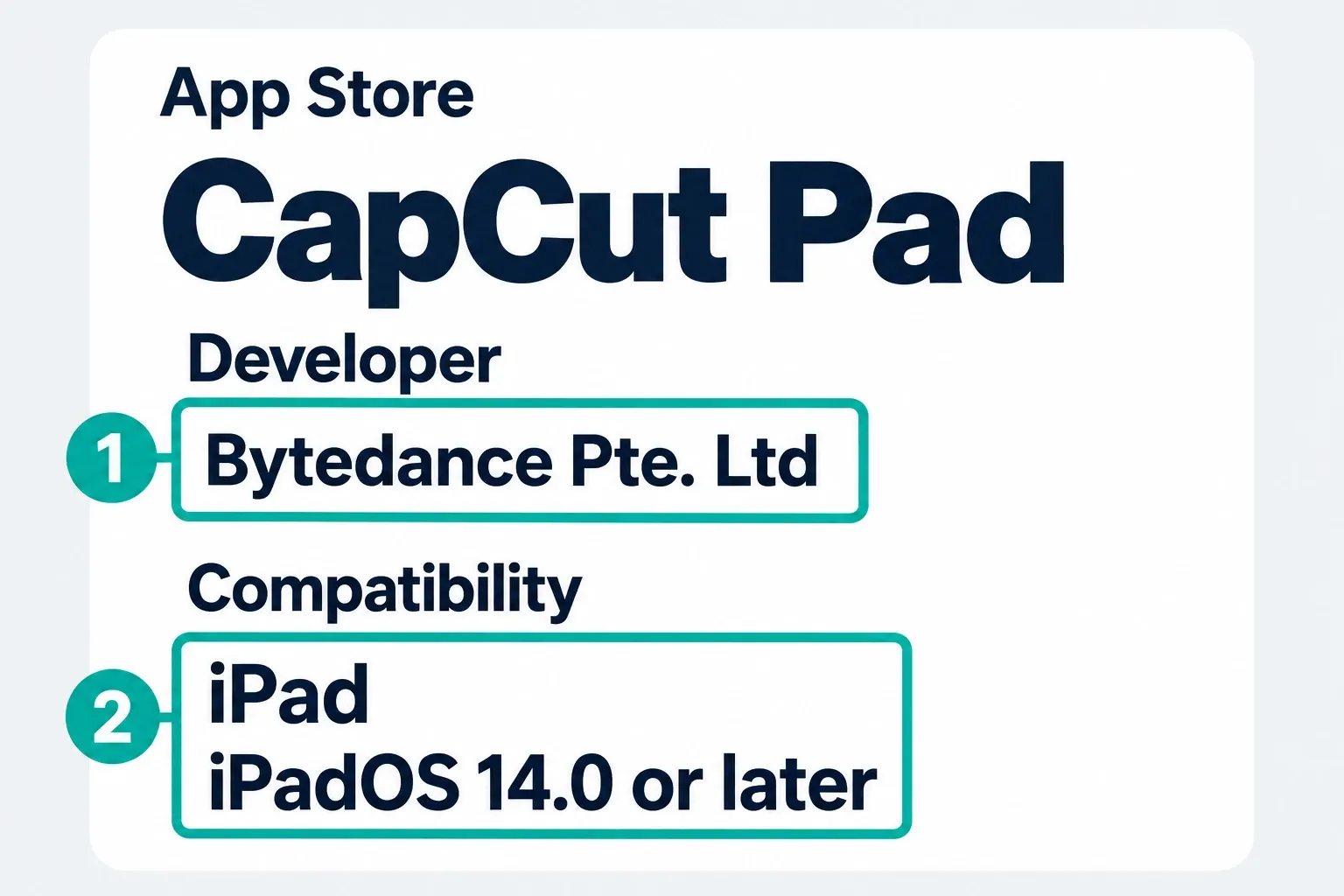
CapCut's current iPad support note says the standard mobile app is still supported and CapCut Pad is an extra option, not a replacement. Its feature comparison pitches the mobile app at quick edits and CapCut Pad at multi-track, layered work. Whether you can get either one still depends on the App Store tied to your Apple Account.
Why CapCut Is Missing or Will Not Install
Pin down the exact symptom first. “Not available in your country or region,” a missing Get button, a grayed-out control and a download stuck on Waiting are different problems.
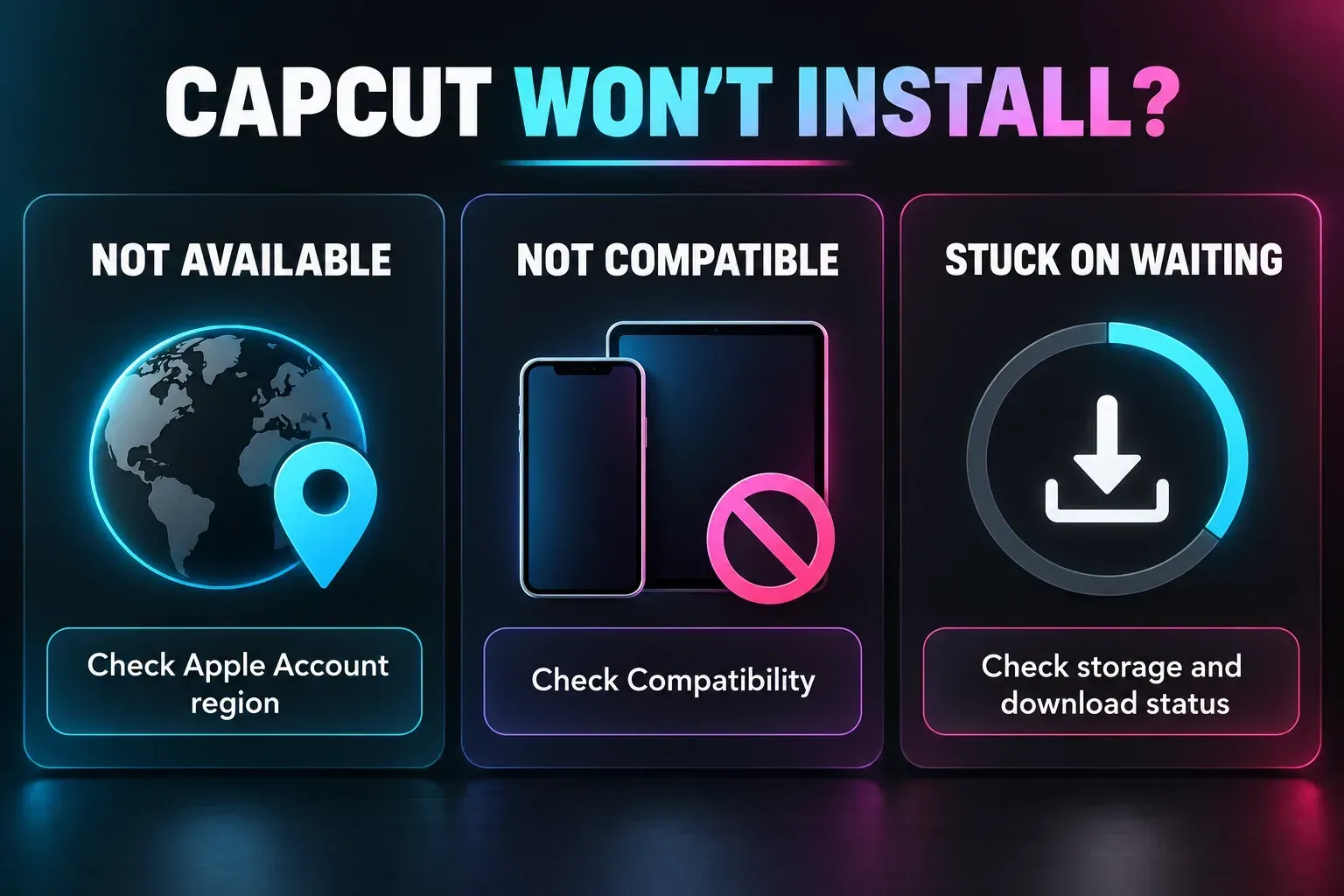
1. Check the Apple Account country or region
App Store availability follows the storefront tied to your Apple Account. A VPN changes your network route, but it doesn't rewrite the account's country. If the Apple page says CapCut is unavailable, switching networks over and over won't move the storefront.
If you've really moved countries, follow Apple's country or region instructions. Apple says you may need to spend your remaining balance, cancel subscriptions that block the change, wait for rentals or pre-orders, leave Family Sharing and add a valid payment method. That's a real account migration, not a quick CapCut trick. Don't enter a false billing address to get around distribution rules.
The US listing was accessible on September 25, 2026. That doesn't mean it's available in every country, or that a particular account is eligible. The CapCut US ban status guide covers the legal background. If your storefront doesn't offer the app, pick an official alternative video editor instead of an IPA mirror or a configuration profile.
2. Check iOS or iPadOS compatibility
Check the Compatibility block for the app you picked. Standard CapCut and CapCut Pad have different minimums, and neither one promises support for every old device. If Apple says your device is incompatible, don't force an IPA install or count on Apple offering an older compatible release.
Meeting the listed OS minimum covers only one part of install eligibility, and it doesn't guarantee smooth playback on a long 4K project with multiple overlays, captions and AI effects. Performance depends on the device, source codec, resolution, timeline complexity, thermal state, background apps and free storage. Test the kind of clip you plan to edit instead of trusting a universal iPhone-model list.
3. Check Screen Time installation controls
A missing or disabled Get button can come from installation restrictions, age limits or purchase approval. Ask the parent, guardian or device administrator to check the control in question, and don't disable their restrictions just to get CapCut.
- Updated iOS/iPadOS 27 family controls: Apple's parental-control instructions use Settings → Family → the child's name → Apps & Websites → App Store → Installing Apps. Age-based limits are separate, under the child's Content & Privacy Restrictions → Content Restrictions.
- Earlier Screen Time layout: open Settings → Screen Time (select the child under Family when managing remotely) → Content & Privacy Restrictions. Installing Apps is under iTunes & App Store Purchases; app age limits are under App Store, Media, Web & Games → Apps on the iOS 26 layout. Older releases may call that section Content Restrictions.
- Approval request: Ask to Buy is a separate parent-approval step. Follow the request shown rather than creating another account.
Apple says the updated family controls need compatible updated devices and the family-control upgrade. Follow the set of steps that matches the screens on your device. A store age rating isn't permission to ignore the app's own minimum-age terms.
4. Free storage and restart the download
The number beside Size in the App Store isn't enough to plan around. CapCut also needs room for local project data, source media, downloaded effects, caches, temporary render files and the exported video, and iOS needs working headroom of its own. Check Settings → General → iPhone Storage or iPad Storage. Don't delete CapCut drafts or their source clips to free space until you've verified a backup.
For a download stuck on Waiting, Apple's download troubleshooting gives a specific step: touch and hold the app on the Home Screen and choose Prioritize Download if you see it. Let an active update finish, and don't uninstall halfway through. If it's still stuck, save your work in other apps before you restart the device.
Apple may ask for a valid payment method even for a free app. A “billing problem” or “verification required” message can point to an unpaid Apple balance, not a requirement to buy CapCut Pro. Sort that out only through Apple's own account settings or Support. Some countries also require adult-age confirmation for certain downloads. Never hand account credentials or payment details to a third-party installer.
CapCut's installation help also lists network, storage and compatibility checks. On a school or work device, contact the administrator instead of removing management profiles. If the App Store still can't download or update apps, contact Apple.
Is CapCut Safe to Download on iPhone?
The answer has two parts. First, install from Apple's official listing, not a clone, sideload or repackaged IPA. Second, an App Store listing doesn't take every privacy decision off your plate. Apple's product page has an App Privacy section that the developer supplies and Apple explicitly doesn't verify, and CapCut publishes its own privacy policy. If the footage is sensitive, read both.
On first launch, give CapCut only the access your edit needs. Its photo-access guide recommends All Photos, but you don't have to expose your entire library for every import. If your iOS version and CapCut build offer Selected Photos or limited access, start with just the clips you need. If a clip is missing, check that it's in the allowed selection and stored on the device.
Apple separates library permission from a system photo picker, which can return only the items you choose without granting full library access. Use the picker where the app offers it, but don't expect the same picker in every CapCut build. Apple introduced Limited Photos Library in iOS 14, but the permission choices CapCut shows still depend on the app and device. Allow the microphone when you want to record audio, not just because you downloaded an editor. Skip connecting extra social accounts you don't need.
Downloading from the official store helps you confirm who the publisher is. It isn't a confidentiality guarantee. Before you import footage, decide whether it can be processed under the applicable policy.
A Local Project label tells you where the editable project shows up. It doesn't prove that no content reaches CapCut. The CapCut Privacy Policy served in our check, labeled UK and last updated April 15, 2026, says user content may be collected during creation, import or upload even when it isn't saved or published. Its jurisdiction-specific terms can change which provisions apply, so check the heading and operator served to your region. Keep originals outside CapCut, and don't import sensitive client, legal, health or employer-controlled media unless the policy and your project rules allow it.
First Launch: Account, Photos and a Test Project
CapCut's screens move as the app updates, but the safe first-run sequence is stable:
- Review the permission prompt. Select the photos and videos needed for the test. Expand access later only if the workflow calls for it.
- Choose the account path. CapCut's current mobile login help lists TikTok, Google, email and Facebook. Reuse the method that created the account unless you have already verified another method is linked to that same account. Do not log out of your only working session to experiment. The CapCut login guide explains missing methods and account mismatches.
- Create a short test project. Import one disposable clip, trim it, add a short text layer and preview it. Use non-sensitive footage you are allowed to import. This tests only that clip and workflow, not every format or a demanding project.
- Run a short export. Save it to Photos where offered and open the result outside CapCut. Play the complete short file and confirm its duration, video, audio, text and orientation. Do not approve a paid export just to complete the test.
Continue with the complete CapCut beginner tutorial, then use the focused guides for adding text, auto captions and export settings.
Local Projects, Spaces and iPhone Storage
A draft that only shows up in Local Projects isn't a verified cloud backup. Signing into the same CapCut account on another device doesn't, on its own, prove the draft transferred.
CapCut's cross-platform project guidance says a project must be uploaded to Spaces before you can open it on Mobile, Desktop or Web. The same help page also says, more loosely, that signed-in projects save to the cloud. Because of that explicit Spaces requirement, confirm where the project ended up instead of assuming automatic sync. Duplicate important work before you try a transfer. Tools can differ across platforms, and this general guidance doesn't confirm that standard-app projects work in CapCut Pad.
Keep independent copies of the source media and a reference export outside CapCut. If you'll keep editing later, hold on to a second editable copy as well: open it where you plan to work, check its clips and layers, make a harmless change in the copy, then reopen it to confirm the change saved. An MP4 can't bring back separate layers or edit decisions. Go through the project backup and transfer checklist before you delete anything.
Some local editing may work offline once the app, project and required assets are on the device. A Photos thumbnail doesn't prove the full original has downloaded from iCloud, though. Before you rely on offline editing, prepare a disposable copy while connected, then open it, play it and export a short file with the network disconnected. Reconnect afterwards. Sign-in, Spaces, online templates, new assets and many AI services need a connection, and the CapCut connection guide separates those failures from local work.
Update or Reinstall Without Losing a Local Draft
Use Apple's manual-update route: App Store → your photo or My Account → App Updates → Update beside CapCut. On older App Store layouts, the update list sits below the account details instead. CapCut's update note says releases may roll out gradually by region and device. If you see Open instead of Update, no update is offered there right now. It doesn't mean every device worldwide runs the same build. Updating in place is also different from deleting the app.
I wouldn't make a reinstall the first fix when you have important Local Projects. Apple's iPhone and iPad storage guidance separates Offload App, which keeps documents and data, from Delete App, which removes the app and its related data. Offloading isn't an independent backup, and a reinstall still depends on App Store availability and compatibility. Before you do either, keep the sources and finished exports somewhere separate and verify a second editable copy of every draft you still need. Upload only if the footage's privacy rules allow it. If the copy won't open, the transfer route isn't supported, or there's no restorable backup, stop. Don't delete or offload CapCut.
On Android, Windows, Mac or Web, pick your platform in the CapCut Download hub. iPhone instructions don't apply to an APK or desktop installer.
On an iPad, a full multi-track timeline may matter more than CapCut's template flow. The LumaFusion review covers that heavier mobile editing route.
CapCut iPhone and iPad FAQ
Is CapCut free to download on iPhone?
Yes. Apple's current listing marks CapCut free with in-app purchases. Core editing is available without buying every paid feature, but Pro tools, selected assets, AI actions, credits and cloud benefits can require payment. Check badges and the export screen in the current account.
What is the official CapCut App Store ID?
The official iPhone and iPad listing uses App Store ID 1500855883 and currently names Bytedance Pte. Ltd as the developer. Opening the direct Apple link is safer than choosing between look-alike search results.
Why can't I find CapCut in the App Store?
Availability follows the Apple Account storefront and can vary by country or region. Also check the current iOS or iPadOS requirement, Screen Time installation controls and whether the device can use the latest compatible build. A VPN alone doesn't change the account's App Store country.
Can I install CapCut on an iPad?
Yes. The standard CapCut listing supports iPhone and iPad. Apple also lists CapCut Pad as a separate iPad-only app with a desktop-style interface. Check each listing's iPadOS requirement and create a new test project from a non-sensitive clip in the app you want to try. Do not assume existing drafts transfer between standard CapCut and CapCut Pad.
Do CapCut projects automatically sync between iPhone and iPad?
Do not assume they do. CapCut's help says cross-platform project use requires an upload to Spaces and the same account. Keep independent originals and verify the editable copy on the destination before removing anything. That generic guidance does not confirm transfer into the separate CapCut Pad app.
Can CapCut work on iPhone without internet?
Some local editing may work when the app, project and full source files are already on the iPhone. Test a disposable copy, playback and a short export offline before relying on it. Photos thumbnails alone do not prove originals are local. Downloads, sign-in, Spaces and online services need a connection.
Should I change my Apple Account region just to get CapCut?
Don't use a false region or payment address. If you have genuinely moved, follow Apple's country-change process; it can require spending account credit, ending subscriptions that block the change, leaving Family Sharing and adding a valid payment method. If CapCut is unavailable in the real storefront, use an official alternative instead of a mirror or sideload.