

Short answer: LumaFusion is a serious CapCut alternative when your iPad or phone is the editing desk, you want a real multi-track timeline, and you'd rather pay once than build a project around social templates. It isn't the better choice for every creator, though. CapCut still wins for fast captions, trend effects, template-driven Shorts and a free starting point.
This review was rechecked on September 4, 2026 against the live US App Store and Google Play listings, LumaTouch's current Apple and Android/ChromeOS feature pages, its purchase documentation, the observable review/comparison results and dated store feedback. Prices are US snapshots; your store can show a different currency, tax-inclusive total or regional offer.
Facts at a Glance
| Question | Current answer |
|---|---|
| Best fit | iPad, iPhone, Apple Silicon Mac, Android tablet or Chromebook users who want hands-on multi-track editing. |
| Base price | US Apple and Google Play listings: $29.99 one-time base purchase. Regional prices vary. |
| Optional spend | US Apple snapshot: Creator Pass $9.99/month or $69.99/year; four separate $19.99 purchases are also listed. |
| Tracks | iOS feature page: 12 video/audio/graphic tracks plus 12 audio-only tracks with the enhanced option. Android/ChromeOS page: 6 plus 6. |
| Social video | Portrait, square and landscape projects are supported, but there is no CapCut-style template marketplace. |
| Export | Resolution, quality and frame rate are configurable; 4K, ProRes, HDR and high frame rates depend on source, device and platform. |
| Watermark | The current store and product pages list no editor-watermark restriction for the paid base app; verify the export and every third-party asset license. |
Quick Verdict: A Paid Middle Ground Between CapCut and Resolve
LumaFusion occupies a useful middle lane. It feels more like an approachable non-linear editor than a feed-first app: tracks stay visible, clips can be locked or muted, effects can be keyframed, and audio has room for an actual mix. On a large iPad, that combination is the reason people keep it installed after trying simpler editors.
The trade-off is obvious within the first project. LumaFusion asks you to decide how the edit is built. CapCut often gives you a template, an auto-caption pass or a ready-made effect and gets you to a publishable vertical video faster. If your output is mostly a talking-head Short with animated words, LumaFusion can feel like extra setup. If you're cutting interviews, travel footage, lessons, music performances or a multi-camera event, that setup buys control.
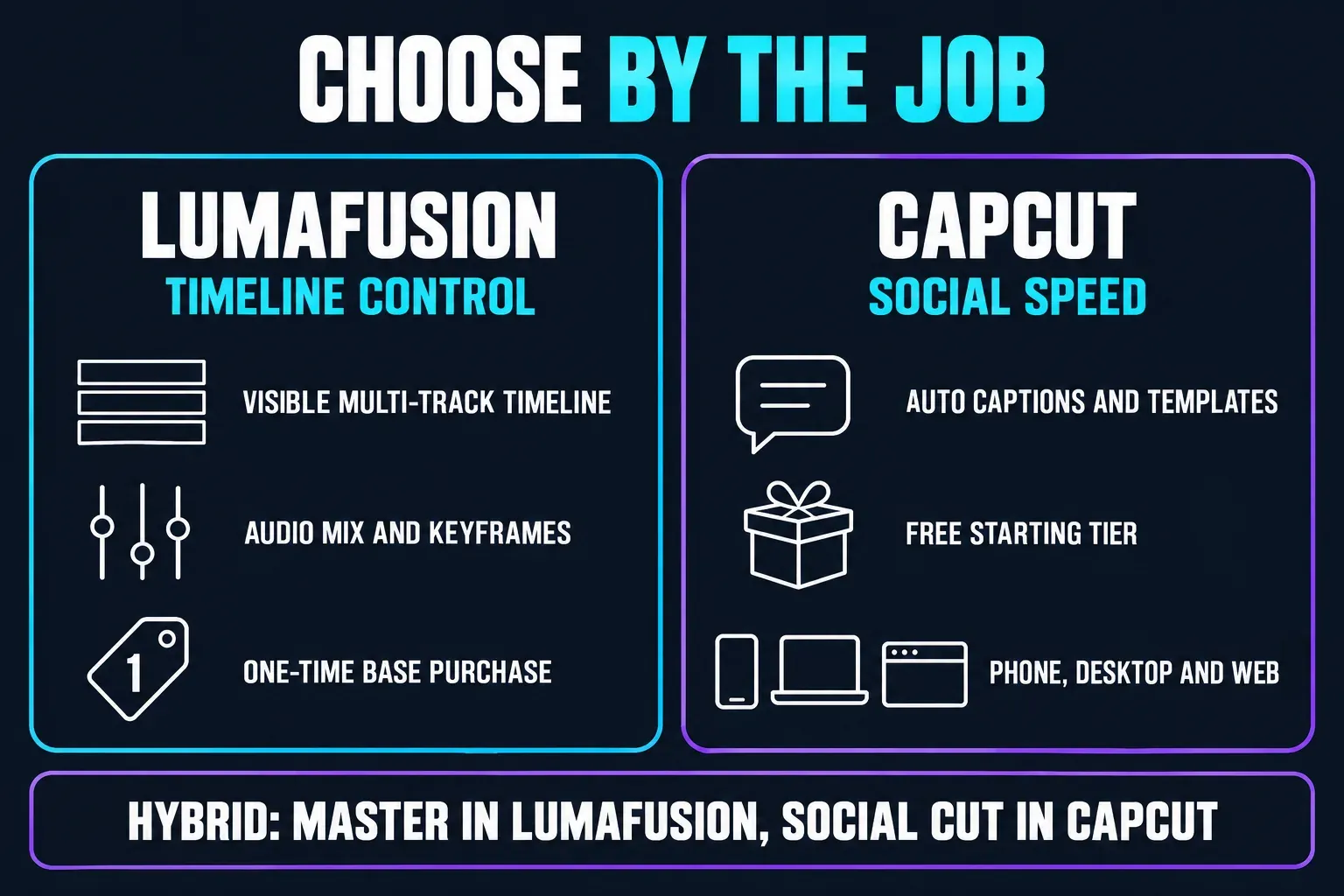
My verdict is simple: choose LumaFusion when the timeline is the product. Stay with CapCut when the feed is the product. A hybrid workflow also makes sense when you need both: serious assembly in LumaFusion, then social packaging in CapCut.
What LumaFusion Is in 2026
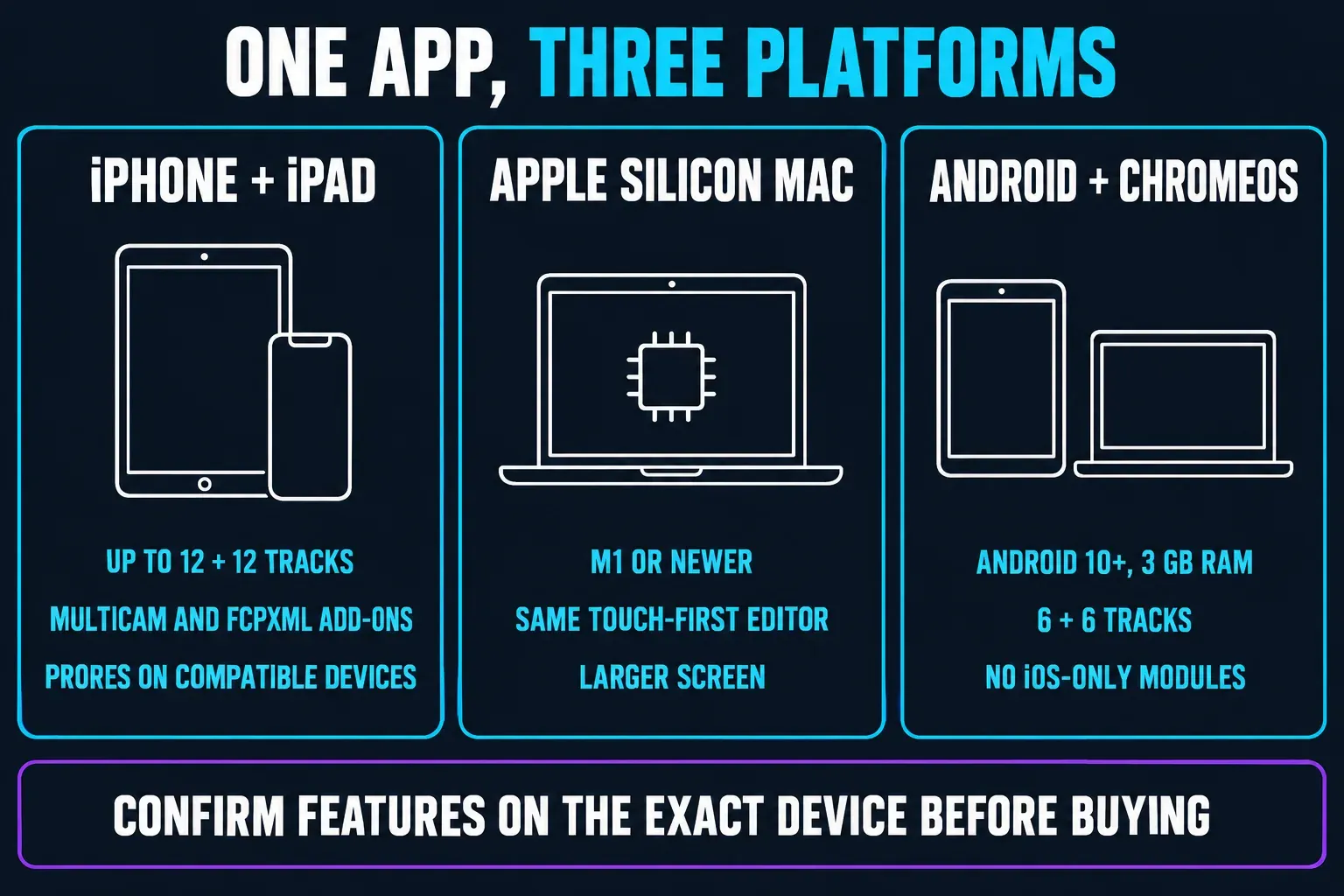
LumaFusion is a touch-first video editor from LumaTouch. The current product pages cover iPhone, iPad and Apple Silicon Mac, plus a separate Android/ChromeOS edition. At the October 17, 2026 check, the US Apple listing showed version 5.5.3, released October 2, and required iOS 26, iPadOS 26 or macOS 26 on an M1-or-later Mac. LumaTouch's Android page sets a different floor: Android 10 and at least 3 GB of RAM.
That platform split matters more than the marketing headline. For track count and enhanced features, the iPad version is the flagship. The Android/ChromeOS edition is still a capable editor, but its published feature list is smaller and device variation is much wider. Don't treat a high-end Android tablet and a low-cost Chromebook as the same test machine just because both show up in the compatibility list.
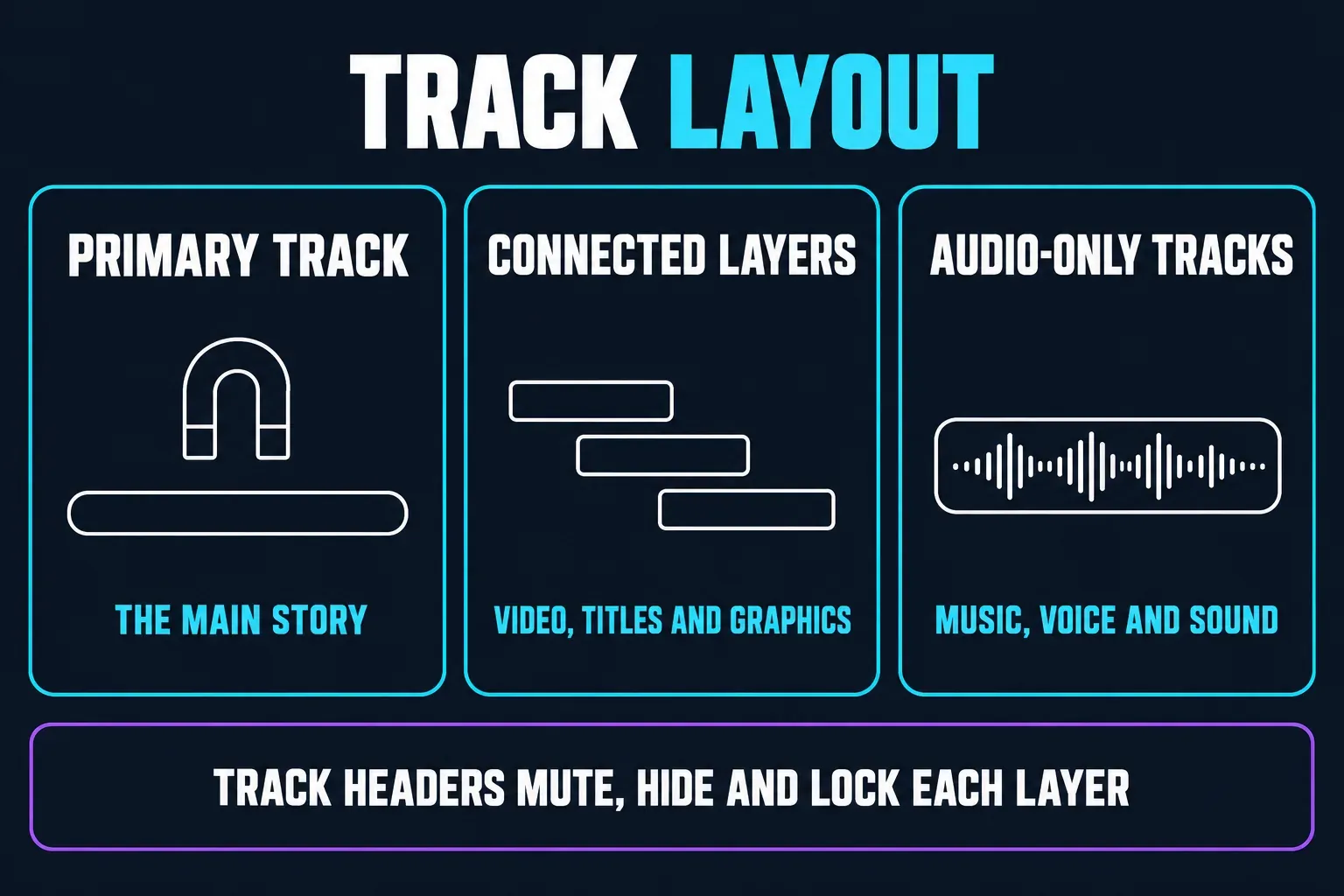
The app combines a magnetic-style primary track with track-based layers. You can insert or overwrite, link and unlink clips, add markers and notes, lock or hide tracks, and switch between 16:9, 9:16, square and other project shapes. If you're coming from CapCut, that makes it approachable, and it still leaves more room for manual decisions.
Price, Creator Pass and the Real Cost of Ownership
The current US listings show LumaFusion at $29.99 as a one-time base purchase on both the Apple App Store and Google Play. Treat those as dated US snapshots, not a worldwide price promise. Store taxes, education pricing, promotions, bundles and currency conversion can all change the number you see.
The base app isn't a crippled demo. You can cut, trim, mix, title and export without a monthly subscription. The purchase model gets more complicated with the optional Creator Pass. The current US App Store lists it at $9.99 monthly or $69.99 yearly and describes Storyblocks access plus enhanced features. Speed Ramping & Enhanced Keyframing, Multicam Studio and FCPXML Export are each listed at $19.99 as separate purchases. CoreMelt PaintX is another $19.99 third-party plug-in, and the current Creator Pass overview doesn't promise that PaintX is included.
On iOS, Creator Pass also unlocks adjustment clips and raises the published track ceiling from the 6+6 base layout to 12 video/audio/graphic tracks plus 12 audio-only tracks. LumaTouch's current purchase overview identifies Multicam Studio and FCPXML as iOS-only extras. Don't assume the Android subscription unlocks every iPad feature. Check the Features screen on the device where you'll edit.
The Timeline and Learning Curve
The timeline is LumaFusion's strongest reason to exist. Clips aren't hidden behind a single strip of thumbnails. You see the primary storyline, connected video layers and audio tracks, with headers for mute, hide and lock. Insert and overwrite editing sit beside the more forgiving magnetic behavior, so you can work quickly without giving up track control.
On an iPad you can work the timeline by touch, with Apple Pencil, or with a keyboard or trackpad where supported. For detailed trims and title work, pick whichever input gives you enough control on your device. You don't need a desktop monitor, but a long 4K project is easier to judge on a larger iPad than on an iPhone. The Android and ChromeOS build keeps the same broad model, with six video/audio or graphic tracks and six additional audio tracks in LumaTouch's published feature list.
The learning curve is gentler than DaVinci Resolve but steeper than CapCut's one-tap workflow. New users usually pick up trimming and transitions quickly. The slower part is learning the difference between a primary clip, an attached clip and an audio-only layer, especially when a project is imported from another device. LumaTouch's in-app help and reference guide are worth a read before a deadline.
Effects, LUTs, Keyframes and Motion Control
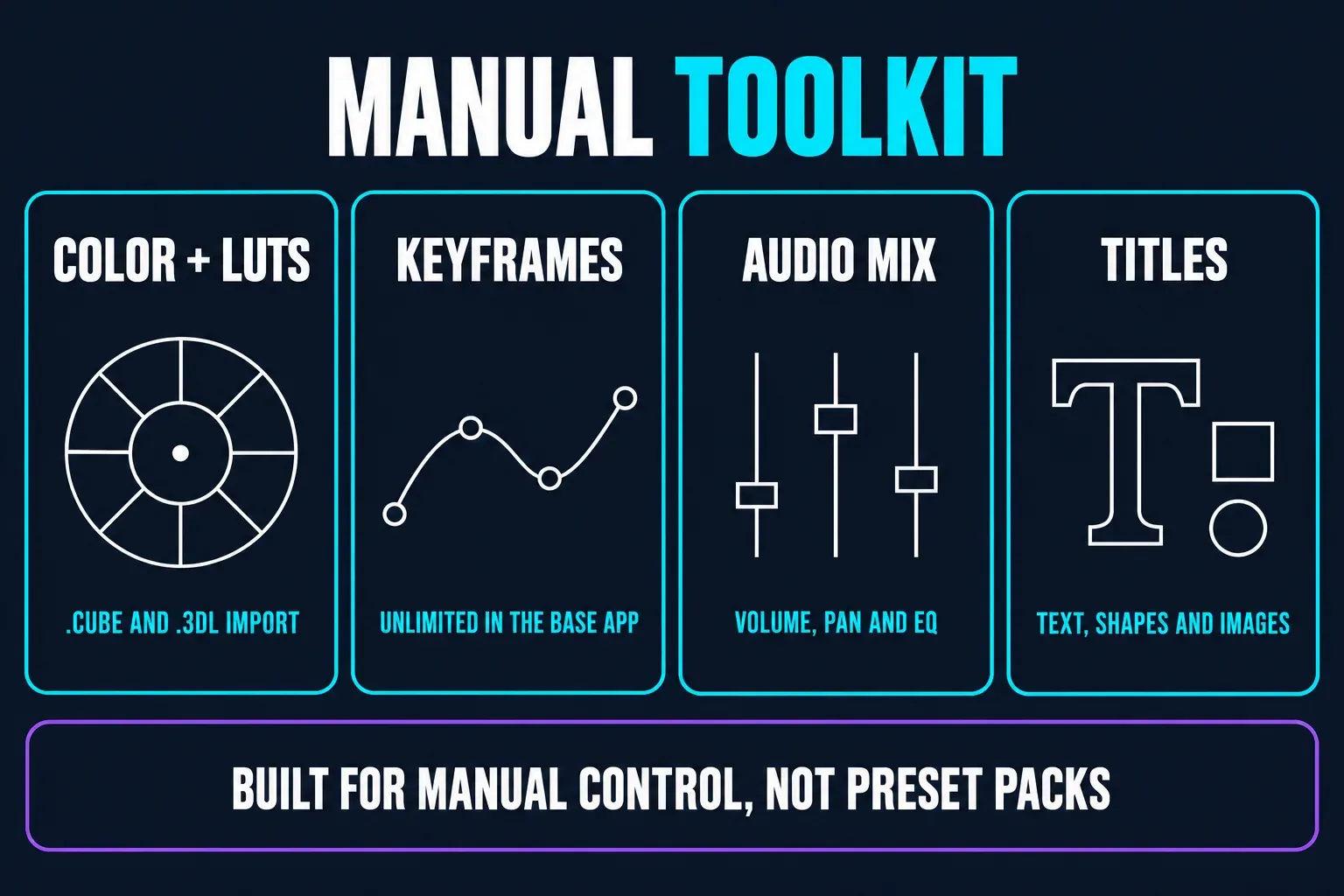
The base feature set is already more manual than CapCut's typical social workflow. LumaTouch lists color correction, green-screen and chroma/luma keying, blur and distortion effects, blending modes, stabilization and unlimited keyframes. You can import LUTs in .cube or .3dl formats, save effect presets and build layered titles with custom fonts, shapes and images.
Enhanced Keyframing adds speed ramps, Bézier motion paths, easing and more tracks on iOS. These are practical tools rather than a pile of novelty effects. You can animate a logo along a curve, keep a lower third attached to a moving subject, or change the speed of a sports clip without leaving the timeline. When a matching preset exists, CapCut can do some of this faster. When the shot doesn't fit a preset, LumaFusion gives you a steadier result.
It has limits. LumaFusion isn't a full compositing package, and the touch interface makes complex masking slower than it is in a desktop application. Stabilization, HDR handling and high-resolution playback depend on the device and the source media. Seeing a feature named on a product page doesn't mean an old Android phone will preview it in real time.
Audio, Titles and Captions
LumaFusion treats audio as a real part of the edit instead of a soundtrack sticker. You can keyframe volume, panning and EQ, duck music under dialogue, work with dual-mono recordings and use voice isolation or third-party audio plugins where supported. The iOS listing advertises six additional audio tracks in the base layout and more with the enhanced track purchase.
For branded work, the titler is another clear advantage. A title can hold multiple text layers, shapes and images, with custom fonts, borders, shadows and saved presets. That's useful for a channel intro, a course lesson or a documentary lower third. It's less useful if what you want is a bank of kinetic caption presets.
Don't buy LumaFusion for a CapCut-style auto-caption workflow. The current LumaTouch and store feature pages list multilayer titles and title presets, but they don't list an equivalent speech-to-text caption generator. Product pages can lag behind a rollout, so if captions decide the purchase, check the build on your device. For a talking-head video today, CapCut's automatic-caption workflow or a dedicated caption tool is the clearer documented choice.
iPad, Apple Silicon Mac, Android and ChromeOS Differences
LumaFusion is cross-platform, with qualifications. The name and project concept travel, but feature parity isn't promised. iOS/iPadOS gets the widest published feature set: up to 12 video/audio or graphic tracks plus 12 additional audio tracks with the enhanced option, Creator Pass access to Multicam Studio and FCPXML, and ProRes editing/export on compatible devices.
The Apple Silicon Mac version makes sense when you want the same touch-first editor on a larger screen. The current App Store listing requires an M1-or-newer Mac. Don't confuse it with a full Final Cut Pro or desktop Premiere replacement. Its appeal is that an iPad project model follows you to a Mac without changing the whole editing language.
Android and ChromeOS vary more. LumaTouch's official page lists Android 10+, 3 GB RAM, six video/audio or graphic tracks and six additional audio tracks. The edition supports portrait projects, keyframed effects, LUT import, color correction, title layers, cloud media and archive projects, but don't assume iOS-only modules are there. The Google Play listing showing a September 17, 2026 update at the October 19 check also shows device categories for phones, tablets and Chromebooks. That's useful confirmation that this is a shipped Android/ChromeOS product and not an abandoned beta.
Export, 4K, HDR and High Frame Rates
LumaFusion lets you set resolution, quality and frame rate at export, and it supports aspect ratios from widescreen to 9:16 portrait. Its current Apple listing names project frame rates from 18 to 240 fps, and LumaTouch lists full ProRes editing and export on compatible Apple devices. The same version history says newer iPads and iPhones can export 5K, 6K and 8K. Read those as separate capability ceilings. They don't mean every device can decode, preview or export every resolution, codec and frame-rate combination.
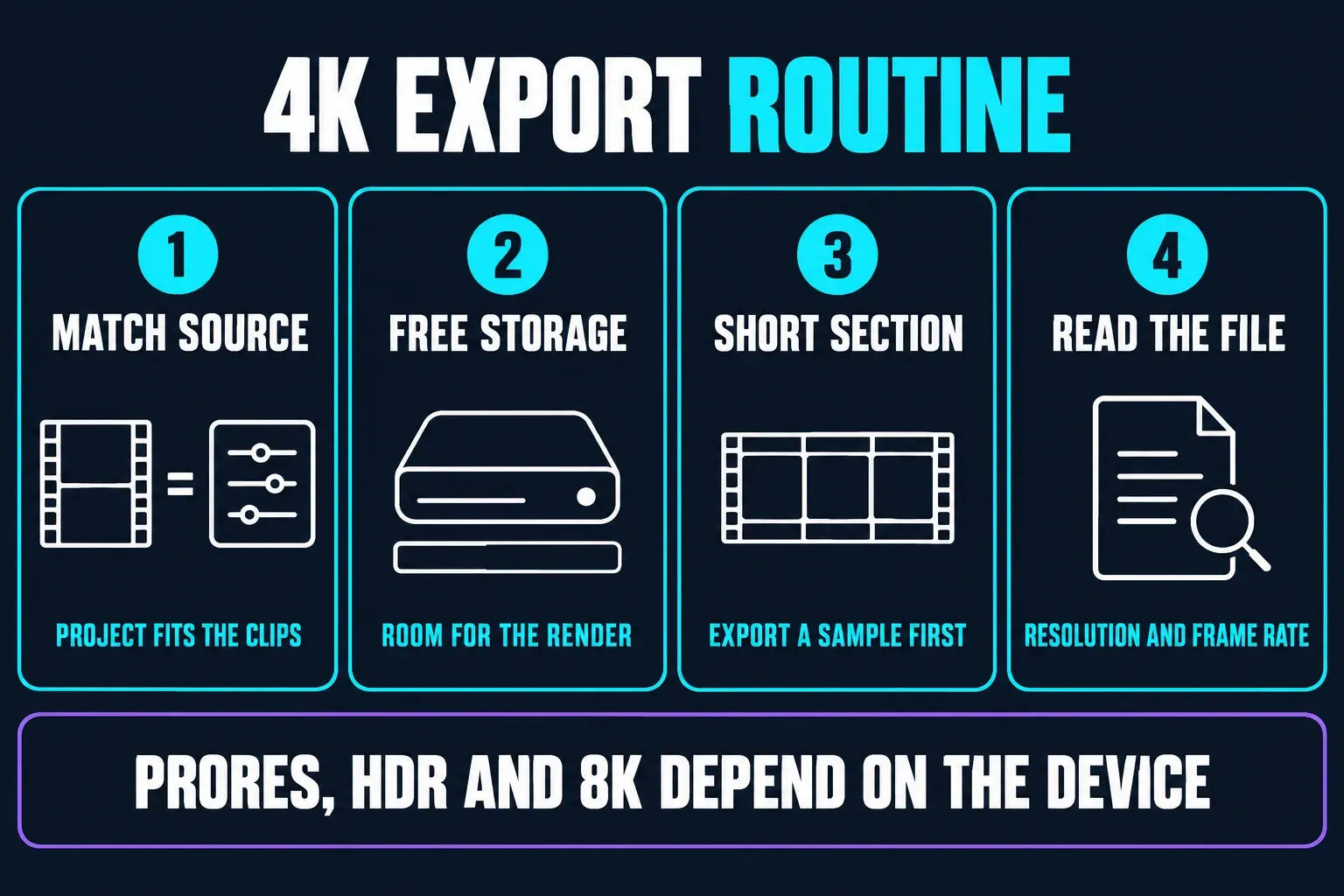
For a reliable 4K workflow, match the project to the source clips, leave enough free storage for the rendered file, and test a short section before a long export. A 4K60 phone clip, an HDR iPhone clip and a 4K project on a low-memory Android tablet are three different stress cases. For YouTube or Reels deliverables, check the final resolution and frame rate in the exported file itself. Don't trust the project label.
HDR and ProRes are especially device-sensitive. The iOS page says ProRes export is available on compatible devices. It doesn't claim that's universal across iPhone, iPad, Mac and Android. Android/ChromeOS users should also check codec support for their device and destination before they commit to a paid workflow. Once the finished file moves into a social publishing step, our walkthrough of CapCut export settings covers the handoff.
Project Archives and Handoff
For a handoff that keeps the edit adjustable, export a LumaFusion Project Package with Full Original Media or Trimmed Media. The current guide says projects containing Multicam Containers require Full Original Media. Save the package to the device or cloud storage, or use Share & AirDrop between compatible Apple devices. In the Project Manager, choose Import → Import LumaFusion Project Package to restore it. Automatic project backups are different: they save edit data without the media, so they cannot replace a media-inclusive package.
Keep the package, original camera files and any custom fonts or LUTs together. Before moving to Android/ChromeOS, check the official project compatibility table: a project with Multicam will not import, and tracks beyond six video or six audio tracks are hidden and muted. A package does not make unsupported features portable. Confirm the destination build and assets before handing over the only working copy.
Cloud storage can help with transfer, but it doesn't remove bandwidth or storage costs. Large 4K and ProRes packages are much bigger than a social export. Before leaving for a shoot, open a restored copy on the second device and test an export. That five-minute check is cheaper than discovering an unsupported codec after the original device has been wiped.
Performance, Storage and Reliability
How responsive the timeline feels depends on the device, project length, source footage, effects and free storage. Individual Google Play reviews illustrate specific failure cases: Parley J.’s September 1, 2026 report describes crashes while scrolling linked media folders; Airborne Ivan’s May 7, 2025 review describes missing projects and an export failing near completion. The developer’s reply says support responded, not that a fix was confirmed. These reports are reasons to protect a project and check your own workload, not a measured failure rate for Android.
The current US ratings page shows different outcomes. emoney35’s June 28, 2026 account reports recurring crashes; Slyrunner’s June 8 export/ProRes complaint is now marked resolved, with a June 10 developer reply acknowledging the update. Neither account establishes reliability for every device. Keep project packages and exported checkpoints, and read whether an individual complaint was resolved before treating it as an active defect.
Keep free space for source media, caches and the export. Use optimized or lighter media when the device struggles, split a very long project into reels or chapters, and close other heavy apps before a 4K export. If your workflow involves hundreds of photos, test the media library with a copy of the project first. Android hardware variation makes that test even more important.
There's a practical difference between a project that's merely possible and one that's pleasant. Six tracks can be enough for a travel film. A documentary with b-roll, titles, music, room tone, subtitles and adjustment effects can use them up quickly, though. On iOS, the enhanced option raises the ceiling. On Android/ChromeOS, plan the layer budget before you buy. If you routinely need dozens of independent video layers, the DaVinci Resolve review covers a deeper desktop and iPad route.
Plan storage with the same care. An archive that includes original media is a safety net, but it can be much larger than the final movie. A trimmed-media archive is smaller, yet it's no substitute for keeping the original camera card or a verified backup. I'd keep one full archive on an external SSD or cloud drive, one data-only backup, and a finished export that opens without LumaFusion. That three-part routine protects you against a damaged project database, a lost device and a last-minute codec problem.
For an offline job, prepare the media before leaving: make sure every clip is available on the device or attached drive and try a local export on that build. The guide explains that Photos media used on the timeline is cached, but removing that cache can force a new import. Do not rely on a cloud-only original when the connection is gone. Download Storyblocks assets in advance and follow the library’s embedded-use license; downloaded assets are not permission to redistribute the stock files themselves. Imported songs, fonts and graphics need their own rights clearance.
LumaFusion vs CapCut: Feature Comparison
| Workflow question | LumaFusion | CapCut |
|---|---|---|
| Starting cost | Paid app, with optional Creator Pass and modules. | Free entry tier with optional Standard and Pro access; see the current CapCut Pro guide. |
| Timeline control | Track-based editing with a magnetic-style primary track, visible headers, keyframes and audio mixing. | Fast multi-track editing with a stronger social-template and effect workflow. |
| Captions | Manual/custom title layers; no promise of CapCut-style auto-caption parity. | Auto captions, animated caption styles and social presets are central strengths. |
| Effects | Color, LUTs, keys, stabilization, blend modes and detailed keyframing. | Large effect/template library and AI-assisted social tools. |
| Platforms | iPhone/iPad/Apple Silicon Mac plus Android/ChromeOS edition; feature parity varies. | iOS, Android, Windows, macOS and web editor with account/cloud workflow. |
| Export | Control resolution, quality and frame rate; high-end formats depend on device. | Fast social presets and broad sharing; some resolution/features can be plan-dependent. |
| Best project | Interviews, travel films, lessons, music and multi-layer edits. | Short-form social posts, templates, captions and quick trend edits. |
Where LumaFusion Still Feels Smaller Than a Desktop Editor
LumaFusion's strengths can hide its boundaries. It's a mobile editor built around a carefully designed timeline. It isn't a complete desktop post-production suite. You won't get the same breadth of third-party integrations, compositing depth, project interchange or collaborative review that a large desktop system offers. FCPXML export can move an iOS timeline into Final Cut Pro, but it's an optional feature and an interchange step. Don't expect every title, effect or transition to survive perfectly.
The touch-first interface is another trade-off. It's excellent when you're cutting on a train, in a hotel or beside a camera rig. It's less efficient when a 90-minute timeline needs hundreds of tiny selections, nested versioning and a large bin structure. A keyboard and trackpad help, but the app is still shaped around direct manipulation. That's why it feels more immediate than Resolve on an iPad and less expansive than Resolve on a desktop.
None of these limits is a reason to dismiss LumaFusion. They're reasons to choose it deliberately. When your deliverables fit a mobile-first production rhythm, the focused interface is an advantage. If your client expects shared bins, review comments, extensive plug-ins or a round-trip between several finishing departments, budget for a larger editor and use LumaFusion as an on-location or assembly tool.
Choose LumaFusion If You...
- Edit on an iPad, iPhone, Apple Silicon Mac, Android tablet or Chromebook and want the timeline to stay visible.
- Need layered video, real audio mixing, keyframed motion, LUTs, green-screen work or custom titles.
- Prefer a one-time base purchase to a subscription-first editor.
- Make longer YouTube, course, interview, travel or event projects instead of only trend-led Shorts.
- Are willing to learn project archives, media management and export checks.
Stay With CapCut If You...
- Need automatic captions, kinetic text, templates and effects more than track-level control.
- Publish from different phones, a Windows PC, Mac and browser and want one familiar social workflow.
- Want to try an editor without paying before you know how often you'll use it.
- Rely on AI-assisted reframing, background tools or trend formats that LumaFusion doesn't match one-for-one.
- Would rather finish a 30-second vertical edit in minutes than organize a conventional project.
A Practical LumaFusion and CapCut Hybrid Workflow
A hybrid isn't a compromise as long as the handoff is deliberate. Assemble the story in LumaFusion: sync the interview, clean the dialogue, balance music, add the lower thirds and create a clean master. Export a high-quality intermediate or final file, then open it in CapCut only for platform-specific captions, templates, trending audio or a quick 9:16 variant.
Keep the master and the social version as separate deliverables. CapCut may change a caption or recompress an export, so LumaFusion should stay the source project. If you need a browser step, our CapCut web editor walkthrough explains where a desktop/browser handoff fits. To weigh other apps side by side, see our roundup of CapCut alternatives.
Frequently Asked Questions
Is LumaFusion free?
No. The live US Apple and Google Play listings both show a $29.99 one-time base purchase in this check. Creator Pass, enhanced features and PaintX can cost extra, and regional store pricing can differ.
Is LumaFusion better than CapCut?
It is better for visible multi-track editing, custom keyframes, audio mixing, LUTs and longer projects. CapCut is better for free entry, documented auto captions, templates, AI-assisted social tools and a broader phone, desktop and web workflow. The project decides the winner.
Does LumaFusion work on Android and Chromebook?
Yes. LumaTouch publishes a separate Android/ChromeOS edition for Android 10+ devices with at least 3 GB RAM, and Google Play lists phones, tablets and Chromebooks. Track count and some enhanced features differ from iOS, so check the exact device before buying.
Can LumaFusion export 4K or 60 fps?
Yes, on supported hardware and with compatible source media. The current product pages document 4K workflows and frame-rate controls, while Apple's version history also lists 5K, 6K and 8K export on newer iPads and iPhones. 60 fps, HDR, ProRes and the highest resolutions remain source-, device-, build- and platform-dependent. Test a short export on the exact hardware before promising a client a format.
Does LumaFusion have auto captions like CapCut?
LumaFusion has powerful custom title layers, but its current vendor and store feature pages do not list a CapCut-style speech-to-text caption generator. If automatic captions are central to the workflow, verify the current build before paying; CapCut or a dedicated caption tool has the clearer documented route today.
Can I move a LumaFusion project to another device?
Yes. Export a LumaFusion Project Package with Full Original Media or Trimmed Media; Multicam projects require Full Original Media. Restore it through Import → Import LumaFusion Project Package in the Project Manager. Automatic project backups contain edit data without media. Keep originals, fonts and LUTs available, and check the target platform: Multicam projects will not import into Android, and tracks above its six-video/six-audio limit are hidden and muted.
Final Verdict
LumaFusion is one of the most convincing CapCut alternatives for an iPad-centered creator who has outgrown a single social timeline. Its paid base app, visible tracks, audio controls, keyframes, LUTs, custom titles and project archives make it feel like a practical field editor instead of a collection of presets. The optional Creator Pass can expand that toolset. It also means you should price the exact features you need.
CapCut remains the smarter pick for free-first, caption-heavy, trend-led publishing. LumaFusion is the smarter pick when you want to make the edit yourself and keep the project under control. If you need both kinds of work, use LumaFusion as the master timeline and CapCut as the social finishing room.