

Is CapCut free? Yes: CapCut has a free editor, plus separate paid Standard and Pro subscriptions. Checked September 20, 2026: the US App Store lists Standard Monthly at US$9.99 and Pro Monthly at US$19.99. The UK listing shows £10.99 and £21.99 respectively. CapCut's English marketing comparison separately quotes $179.99 a year for Pro. That annual figure is a published reference, not a verified offer in either App Store or your account.
Start with Free if its tools, assets and available export settings cover your project. If you need a paid tool, check which plan includes it on your device before subscribing. Compare the first charge with the normal renewal charge: the cheapest headline can become a more expensive commitment.
Prices and documentation checked September 20, 2026. Treat the listed amounts as public references: your signed-in checkout controls the available plan, first charge, tax and renewal price.
CapCut prices: what the public sources actually show
| Plan and source | Listed amount | What this establishes |
|---|---|---|
| Free editor | No subscription charge | Free editing exists, not free access to every asset, AI action or export setting. |
| Standard Monthly, US App Store | US$9.99/month | A named in-app purchase, not a personalised checkout or guaranteed renewal offer. |
| Pro Monthly, US App Store | US$19.99/month | The named Pro monthly listing; other generic subscription rows are not interchangeable with it. |
| Standard Monthly, UK App Store | £10.99/month | A GBP UK-store reference, not a conversion of the US price. |
| Pro Monthly, UK App Store | £21.99/month | The named UK Pro monthly listing, subject to your actual offer. |
| Pro, CapCut English marketing comparison | $19.99/month or $179.99/year | Published dollar benchmarks. The page does not establish a live account-specific checkout, explicit currency code or guaranteed billing region. |
The named amounts come from the US App Store in-app purchase list, the UK App Store list and CapCut's published Pro monthly and annual comparison. That last page also calls Standard the free version, unlike CapCut's subscription help. Use it for the amounts it prints, not as a reliable map of every plan benefit.
Both stores also display generic monthly or yearly subscription entries. A row called “Yearly Subscription” does not identify the current tier, eligibility group or renewal offer. Do not treat those generic rows as discounted annual Pro plans.
Compare the offer, not just the monthly number
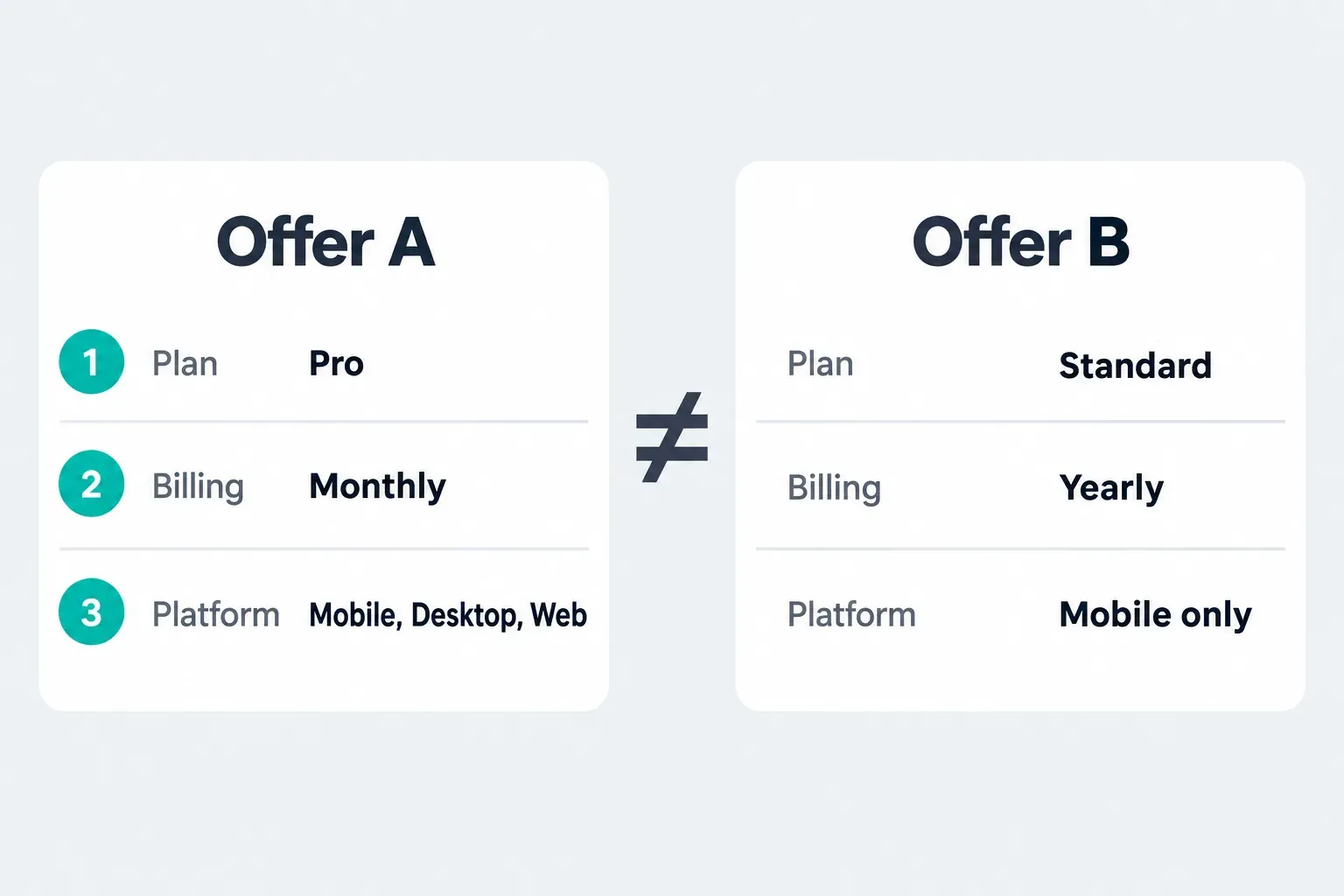
CapCut's account-specific pricing guidance says promotions can depend on the user, region or campaign and names local taxes as another pricing factor. Its price-adjustment guidance also names platform-related costs. None of the reference amounts above establishes your final tax-inclusive charge.
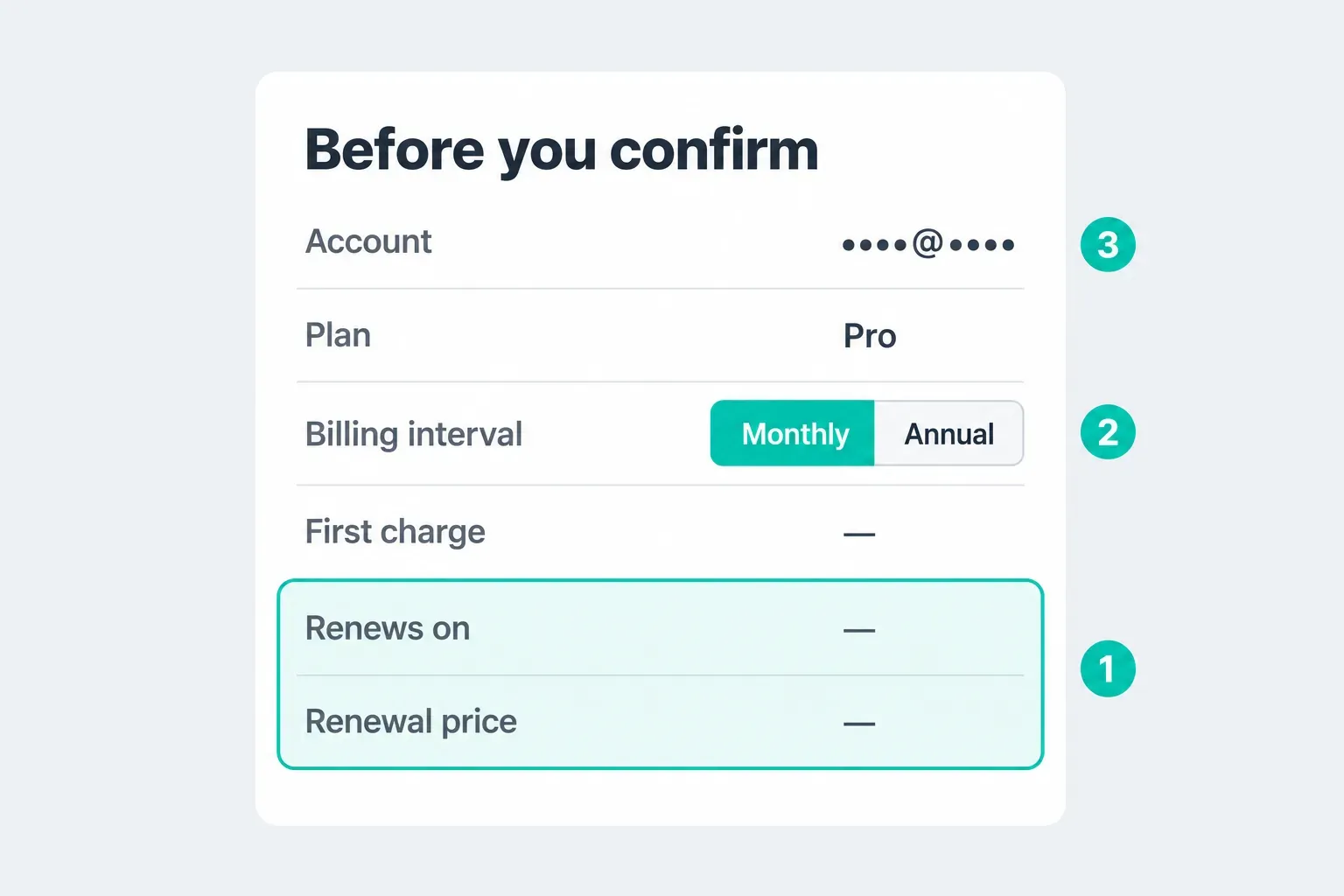
On the same CapCut account, compare the available Web, Desktop and mobile offers without confirming a purchase. CapCut's official price-check instructions point to the signed-in subscription screen; on mobile they describe Me and Join CapCut Pro. Labels can differ when Standard is offered.
- Plan, currency and period: match Standard with Standard or Pro with Pro, in the same currency and billing period.
- First charge: distinguish a trial, introductory discount and ordinary paid period.
- Renewal: record the full amount, next charge date and whether the plan renews automatically.
- Tax and total: read the final amount; do not add an assumed tax percentage or assume every displayed price includes it.
- Benefits: check the required tool, supported platform, storage, credits and any separately billed add-ons.
- Seller: keep the receipt showing who manages billing. The payment wallet alone does not identify the subscription manager.
Save a private copy of the offer and receipt. Do not publish your email, account ID, payment details or order number when comparing prices with other users. If an existing subscription is active, check its billing record before buying through another route so you do not create a second charge.
What you can do without a subscription
Free covers ordinary timeline work such as cutting and splitting clips, adding text, adjusting audio and using available free effects. It is not merely a short trial of the entire editor. But free assets alone do not guarantee that every resolution, frame rate or watermark option will be available without payment.
Before a long edit, follow our CapCut project safety steps to preserve the source media and an editable copy, then try a short project with your own footage and the export settings you need. CapCut's purchase-prompt help describes paid export settings as well as paid assets. It does not justify a universal rule that 1080p always costs money, or that Free always includes 4K.
If a paid effect, font, template or other resource causes the prompt, the separate export-prompt instructions recommend locating and replacing premium elements with free alternatives. Work in a copy if you want to preserve the original design. Recheck the export panel after replacing them: an asset restriction and an export-setting restriction are different problems.
Standard vs Pro: which paid benefits do you need?
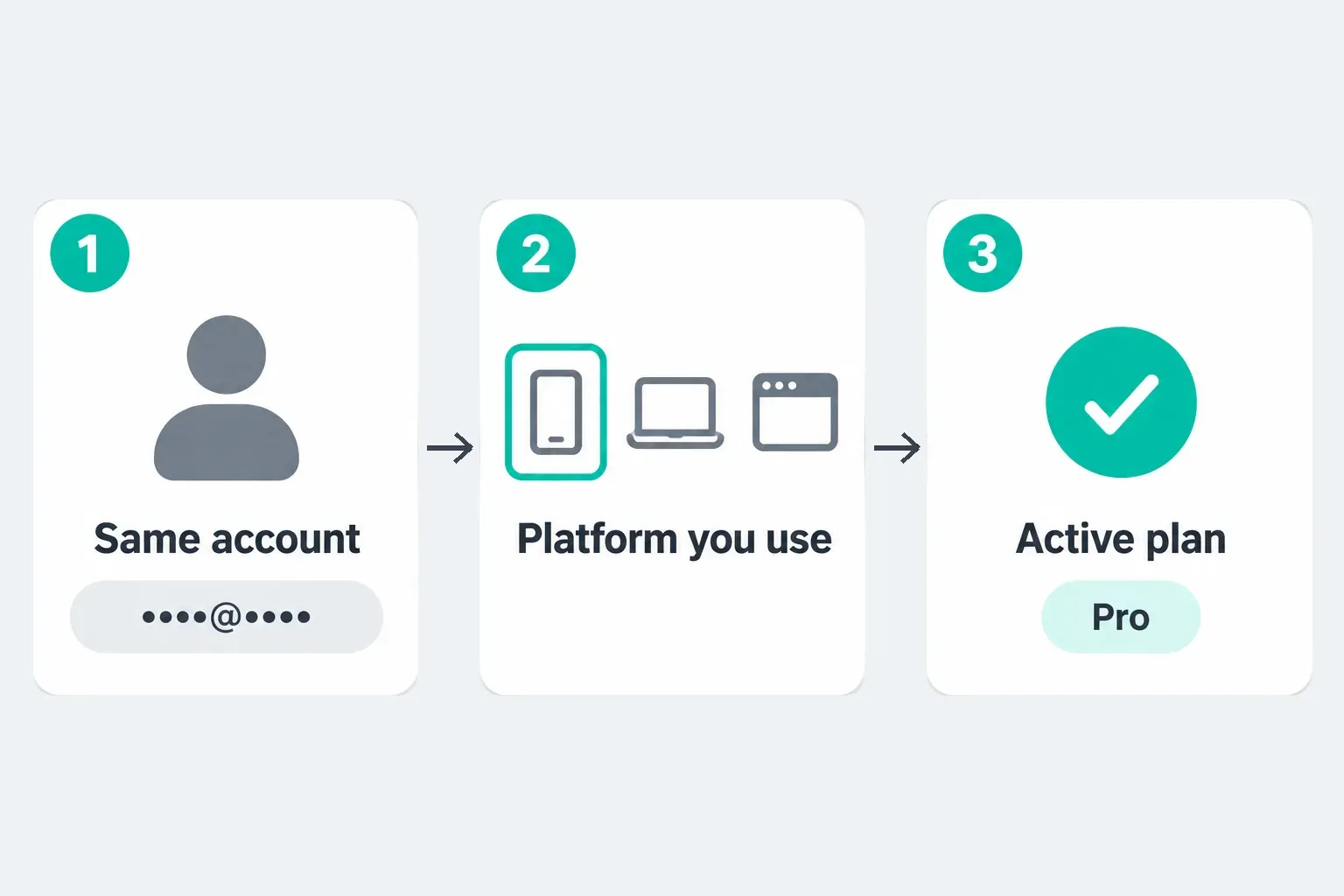
The cross-platform subscription help draws the clearest distinction: Standard's paid benefits are mobile-only where that plan is available; Pro benefits span mobile, Desktop and Web on the same account. This does not mean you must pay to open the free Desktop or Web editor, or that every platform has identical tools.
| Your task | Documented distinction | Check before paying |
|---|---|---|
| Clean up spoken audio on a phone | CapCut's Standard help names noise reduction and loudness adjustment. | The exact action and its paid label on your mobile build; the examples are not a promise that every audio tool is included. |
| Use advanced tracking, captions or avatars | The Pro help names camera tracking, auto captions, AI avatars and AI-generated content. | The specific control, platform and any credit cost. Do not assume every caption task requires Pro or that all AI runs are unlimited. |
| Use paid tools on a computer and phone | Pro is cross-platform; Standard benefits stay on mobile. | The same account owns the plan and the destination editor has the tool. |
| Store larger projects online | Standard help says around 100GB; upgraded Pro guidance describes up to 1TB. | Your actual allowance and any storage add-on charge. Keep an independent editable backup. |
These feature examples come from CapCut's Standard and Pro subscription comparison. The same page mentions team templates and review features, but that is not enough to promise a Teams workspace or several user seats with an individual Pro purchase. A team should compare the separate workspace, seat and billing terms rather than multiply an individual price.
The storage discrepancy has some context: CapCut's new-subscriber announcement describes an upgrade from 100GB to 1TB, while its monthly and yearly help still says 100GB. The upgrade explains why old and new numbers coexist; it does not establish that every account receives the same allowance. Check the offer and your account's storage display. If the Space shows only 1 KB, follow the CapCut cloud storage 1 KB guide before moving or deleting files.
For detailed tools, use the CapCut Pro feature guide. For a phone-to-computer workflow, check Pro access on multiple devices; subscription access and transferring an editable project are separate checks.
Monthly vs annual: the actual commitment
If your checkout offers the same Pro benefits and currency at the marketing page's $19.99 monthly and $179.99 annual figures, twelve monthly payments total $239.88. The annual payment is $59.89 less, or about 25% less over a full year. This is conditional arithmetic, not a verified discount on your account.
The annual figure works out to about $15.00 per month, but the $179.99 is paid for the year, not in monthly instalments. Nine payments of $19.99 total $179.91, still slightly less than that annual figure; ten total $199.90. At those matching prices, annual becomes cheaper only when you would otherwise pay for a tenth month.
Use your own numbers if they differ: compare the annual total with the monthly charge multiplied by the number of months you expect to need. Include tax on the same basis and account for any introductory period. A yearly plan is not cheaper for a three-month project merely because its advertised monthly equivalent is lower.
Choose monthly for a short deadline or an uncertain workload. Consider annual only after the required tools work for you and the upfront commitment makes sense. For a broader decision about paying at all, use the CapCut Pro worth-it guide.
Discounts, trials and student offers
A first-period discount is not the normal renewal price. CapCut's resubscription guidance says introductory promotions can return to the standard rate and cancelling then resubscribing does not guarantee the old discounted price. Do not cancel an existing offer just to test whether a cheaper one will appear.
A trial must be explicitly offered to your account. Check its duration, included tier, first paid charge and renewal terms before accepting; a Join Pro button alone is not a free trial. The CapCut trial eligibility guide covers the account and platform checks.
Students have a separate possible route: CapCut Creative Campus advertises free Pro memberships for students in partner university programs. Its page lists the US, UK, France, Germany and Japan. That is not a universal student discount or proof that every student email qualifies. Ask your participating program about access and duration; the public page does not establish an individual renewal offer for you.
Lifetime Pro, promo codes and invite rewards
There is no lifetime CapCut Pro purchase in the official plan list. CapCut's monthly and yearly plan guide describes two Pro billing options, monthly and annual. Treat anyone selling "lifetime Pro" accounts, shared logins or modified apps as a risk to your account and payment details, not as a cheaper plan.
Besides an eligible trial and the student program, CapCut documents a desktop invite reward. Its invite-reward FAQ says each qualifying invite earns seven days of Pro, capped at 10 invites or 70 days. The friend must be new to CapCut on a computer and redeem their own seven days within three days of downloading CapCut PC.
We found no official CapCut page publishing public promo codes when we checked on October 1, 2026. A code copied from a video or coupon site may be someone's personal invite link, an expired campaign or an offer limited to new PC users. Look for promotions on your own signed-in subscription screen, and never pay a third party or share your login to unlock one.
What about Ultra and extra AI costs?
If Ultra appears in your account, compare its exact price, billing period, supported tools and AI allowance with Pro on the same screen. The official pricing sources reviewed here do not establish a universal Ultra tariff, so no Ultra price is included in the table. An absent offer does not by itself mean your app is broken.
Pro also does not make every AI action unlimited. The new-subscriber announcement describes an increase from 550 to 1,200 credits, but it is not proof of your account's grant or the cost of a particular generation. Read the balance, expiry and pre-run charge for the action you intend to use, and include any extra credit purchases in your budget.
CapCut's formal Credit Rules distinguish subscription credits from separately purchased credits: subscription credits last for the subscription month, whereas purchased credits are described as valid for two years. Buying an annual membership does not turn a monthly credit grant into a balance you can freely save all year. Our CapCut AI credits explainer covers the conflicting help pages, purchase routes and expiry checks.
Export and licensing limits still matter
Payment cannot make an unsupported export option appear on every device. CapCut's 2K and 4K guidance describes hardware, platform and project conditions. Check your intended output first, then set up the file with our CapCut export settings walkthrough.
A removable ending clip is also different from a premium resource or paid export setting. For a clean free-project workflow, see the different CapCut watermark cases; do not assume every watermark requires a subscription.
Pro is not blanket permission for client work. The US Materials License Agreement separates non-commercial materials from assets marked for limited commercial use, with purpose, territory and licence-term conditions. Its Commercial Sounds rules limit permitted sharing to CapCut, TikTok and TikTok for Business unless you separately obtain the required rights for other platforms. That matters if the same paid campaign will run elsewhere.
Check each supplied asset's actual licence and keep its terms with the project. Your own footage has separate rights requirements. Outside the US, use the agreement applicable to your region rather than treating the US terms as universal.
Renewal and choosing where to subscribe
Web is not automatically cheaper, and an app store is not automatically safer. Compare the same tier, currency, period and included benefits, then choose a billing route you can manage. The public App Store rows above are not evidence of an extra platform surcharge.
CapCut's renewal help warns to cancel at least 24 hours before renewal. Give yourself more time rather than waiting for the cutoff. For merchant-specific cancellation and refund routes, follow the CapCut cancellation guide; turning off renewal and receiving a refund are different outcomes.
If Free covers your output, keep using it. If a repeated mobile task needs Standard, confirm that exact benefit. If your paid workflow spans devices or needs Pro-only tools, compare Pro. Before accepting any plan, know the full first charge, normal renewal, required tools and extra AI costs. The CapCut Pro guides cover the next checks on trials, features, devices and billing.
CapCut pricing FAQ
How much does CapCut Pro cost in 2026?
Checked September 20, 2026: the US App Store lists Pro Monthly at US$19.99 and the UK App Store lists it at £21.99. CapCut's English marketing comparison separately quotes $179.99 yearly. That annual reference is not a verified App Store or personal checkout offer; confirm currency, tax, benefits and renewal in your own account.
Is CapCut free to use?
Yes. CapCut has a free editor for ordinary timeline work with available free tools and assets. A paid asset, AI action or export setting can still trigger payment. Check the resolution, frame rate and watermark settings you need before a long edit.
How much does CapCut Standard cost?
Checked September 20, 2026: Standard Monthly is listed at US$9.99 in the US App Store and £10.99 in the UK App Store. These are named in-app purchase references, not a universal checkout or renewal guarantee. Confirm availability and included mobile benefits in your account.
Is Standard the same as Free?
Not when referring to the paid Standard subscription. Some CapCut marketing copy uses Standard to mean the free editor, but subscription help describes a separate Standard plan with mobile-only paid benefits in supported regions. Read the actual plan name and benefits before paying.
Is annual Pro cheaper than monthly?
Only if your actual offers and usage make it cheaper. At matching prices of $19.99 monthly and $179.99 annually for the same currency and benefits, twelve monthly payments cost $239.88, so annual saves $59.89, about 25%. Annual becomes cheaper at the tenth monthly payment. These marketing references are not a verified offer in your account.
Is CapCut Pro $89.99 per year?
The US App Store currently shows a generic “Yearly Subscription” row at $89.99, but that row does not name Standard or Pro. Do not treat it as a verified Pro annual price. CapCut’s separate English comparison prints $179.99 a year for Pro, and your signed-in checkout remains the source for your tier, currency, tax and renewal amount.
Does CapCut have a student discount?
CapCut Creative Campus advertises free Pro memberships for students in partner university programs in the US, UK, France, Germany and Japan. This is not universal student eligibility or a fixed student renewal price. Check participation, access duration and applicable terms with your program.
Does paying for Pro include unlimited AI?
No universal unlimited-AI entitlement is established by the pricing sources. Some actions consume credits. Check the actual included grant, expiry, per-run cost and any top-up charge; an annual subscription does not make monthly credits valid for a whole year.
Why is the price different on another device or account?
CapCut says region, platform, taxes and account-specific promotions can affect prices. Compare the same tier, currency, period and benefits. Check the normal renewal amount as well as the first charge rather than relying on another person's screenshot.
How long can I use CapCut for free?
CapCut does not present the free editor as a time-limited trial, so you can keep editing without a subscription. The seven-day period applies to the separate CapCut Pro free trial in eligible regions. Paid assets, AI actions or export settings can still prompt you to pay.
Can I get CapCut Pro for free?
Only through offers CapCut provides: an eligible seven-day Pro trial, the desktop invite reward of up to 70 days for 10 qualifying invites, or a participating Creative Campus program. Public promo-code lists and lifetime-Pro sellers are not official routes, so check any offer on your own signed-in subscription screen.
Is there a lifetime CapCut Pro plan?
No lifetime plan is listed. CapCut's plan help describes monthly and annual Pro subscriptions only. Offers of lifetime Pro accounts or modified apps are not official plans; avoid paying for them or sharing your login.