

Cancel a CapCut subscription, whether Pro, Standard or Teams, with the company that bills it: Apple, Google Play, CapCut or another provider named on the receipt. Finish the cancellation at least 24 hours before renewal, then reopen the subscription record and save its final status. Deleting the app or signing out doesn't stop renewal. Don't use account deletion as a substitute either.
The device you edit on doesn't decide where you cancel. Switch to Windows and an App Store-billed plan still stays with Apple. A website purchase doesn't turn into an App Store or Google Play subscription just because you paid with Apple Pay or Google Pay.
If renewal is close, I'd cancel first and troubleshoot a missing Pro badge afterward. Keep the receipt open so you can match the account and order. Before you confirm, read any warning about immediate loss of access, especially for a trial.
Billing routes, deadlines and access after cancellation vary by provider and country. Match the receipt to the current cancellation controls, save the final status and read any access-loss warning before confirming.
Cancel CapCut Pro: Start With the Receipt
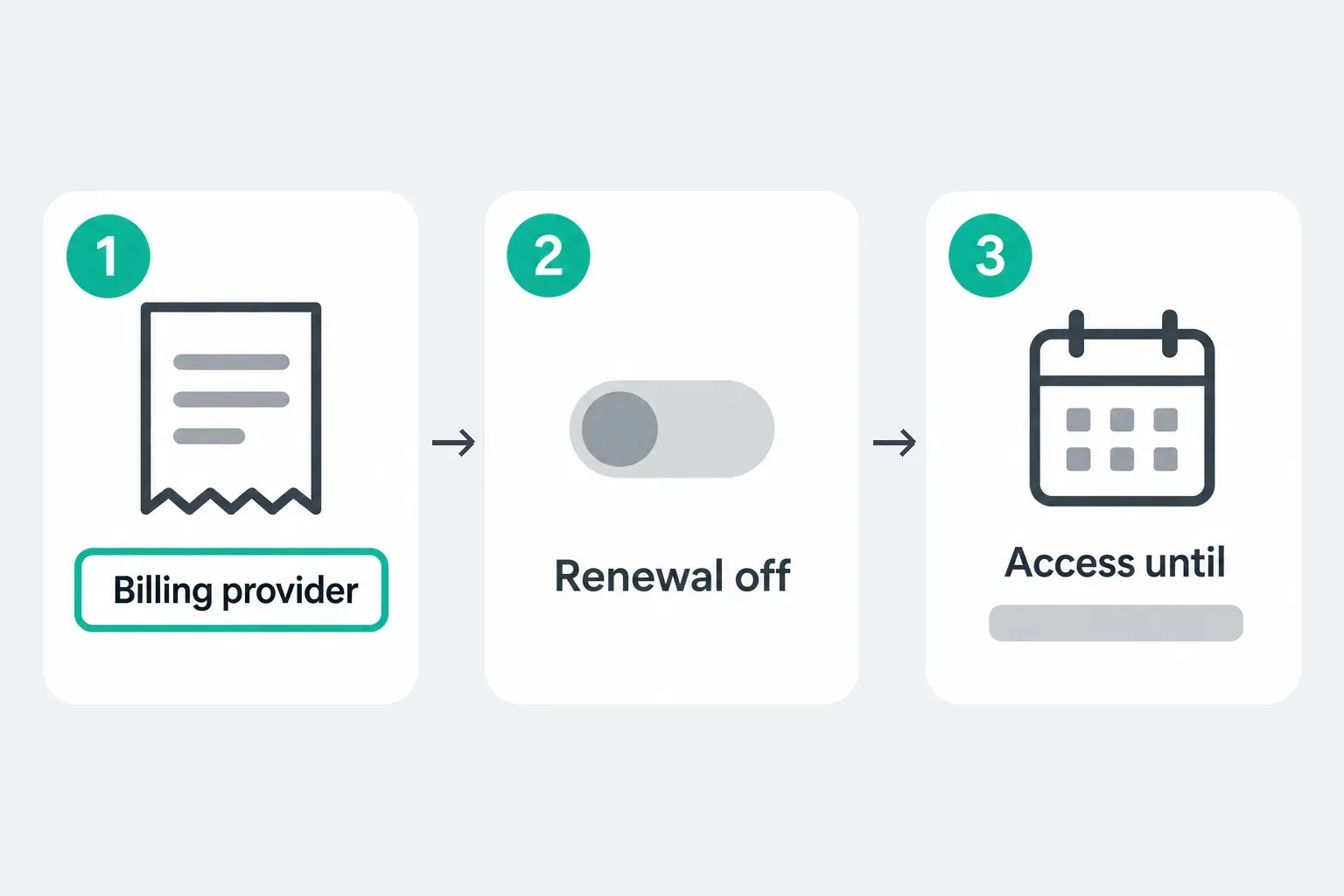
| What the receipt shows | Where to cancel | Proof to keep |
|---|---|---|
| Apple or App Store | Apple Account Subscriptions | Cancelled status; access end date if shown |
| Google Play | Google Play Subscriptions under the purchasing Google Account | Cancelled status; access-until date if shown |
| CapCut, ByteDance or a Web checkout | The original CapCut login and its billing or auto-renewal page | Auto-renewal off, order number and access end date if shown |
| Wallet or another processor | The merchant named on the receipt; for PayPal, also inspect the matching automatic-payment agreement | Merchant confirmation and payment-agreement status |
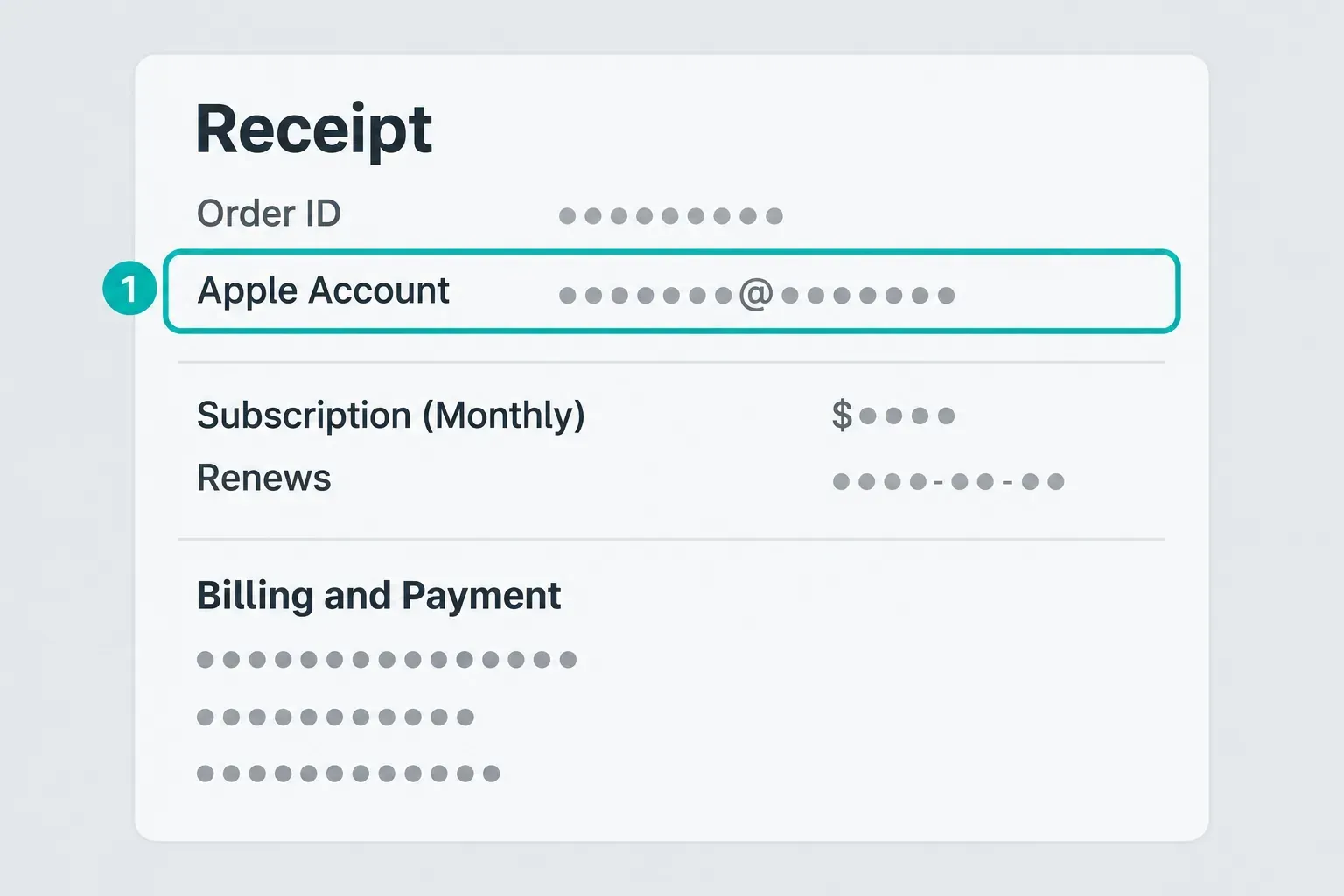
A bank-statement label is only a clue. Search your email for CapCut, Apple, Google Play, PayPal and the amount charged. The full receipt should identify the account and order. That step matters when the device has several Apple or Google accounts, because it keeps you from cancelling the wrong plan or buying a second one.
Check whether the receipt names Pro, Teams or an additional storage package. Match each unwanted recurring order to its own record, since cancelling one doesn't prove the others have ended. A Teams subscription belongs to a specific workspace, so its billing owner has to check it separately. Don't delete a team to try to stop billing.
CapCut's renewal guidance advises cancelling Pro and Teams at least 24 hours before renewal. Give yourself more time if your payment provider requires it; the PayPal case is below. Don't wait for a reminder, and don't assume a last-minute cancellation can reverse a charge that's already been processed.
How to Cancel CapCut Pro on iPhone or iPad
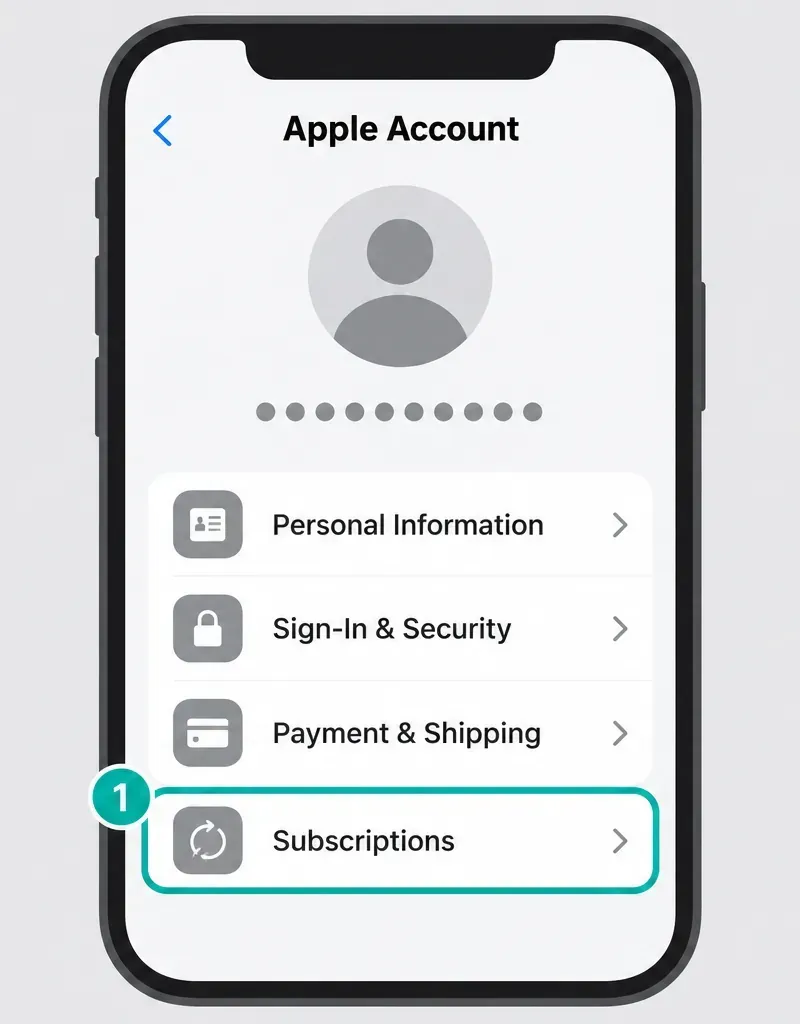
When the App Store billed the plan, Apple controls renewal. A button inside CapCut can link to Apple, but the final status lives in Apple Account Subscriptions.
- Open Settings on the iPhone or iPad.
- Tap your name.
- Open Subscriptions.
- Select CapCut.
- Tap Cancel Subscription. Read any access-loss warning, then finish the confirmation if you want to end renewal.
Apple's cancellation instructions say you may need to scroll to find the button. Inside the correct subscription record, no Cancel button or a red expiration message means it's already cancelled. That's different from not finding CapCut in the list at all. Keep the final status and any date shown, though a trial won't necessarily leave a future end date.
If CapCut doesn't appear, search for “receipt from Apple” or “invoice from Apple.” Apple recommends checking which Apple Account is on the receipt. With no Apple receipt at all, another company may own the subscription, so go back to the merchant table above.
Family Sharing can also explain a mismatch. Apple says the family member whose Apple Account appears on the receipt must cancel that subscription. The family organizer can't cancel another member's plan merely because the shared payment method was charged.
On a Mac, open the App Store, click your name in the sidebar, then click your name again on the account page. Open Subscriptions → CapCut → Cancel Subscription. Apple's linked guide also covers Windows and online cancellation.
How to Cancel CapCut Pro on Android
Cancel a Google Play purchase in the Google Account that made it. Your CapCut login and the Google billing account are tied to the same purchase, but they aren't necessarily the same email.
- Open Google Play.
- Tap the profile icon and confirm the Google Account.
- Open Payments & subscriptions, then Subscriptions.
- Select CapCut.
- Choose Cancel subscription and finish the confirmation.
Google's official subscription management guide also lets you manage subscriptions on the Web. It explicitly warns that uninstalling an app doesn't cancel the subscription.
If the plan isn't listed, compare the account with the Google Play receipt. For a missing Play order, contact Google Play support. If you paid on a website with Google Pay, follow the direct-payment route below.
Save the completed cancellation and any access-end date. You don't need to remove the Google Account or clear Play Store data. If you see a pause option, don't mistake it for cancellation, because pausing can resume payments later. Google says only some apps support pausing, so it isn't a promised CapCut option.
How to Cancel a Direct CapCut Web or Desktop Plan
This route covers a direct CapCut purchase, including a Web checkout opened from Desktop. CapCut's purchase instructions list cards, PayPal, Apple Pay and Google Pay as Web payment methods that depend on your region. Go by the merchant and order on that receipt, not the wallet logo.
- Open CapCut Web in the purchasing account. If another device still has access, preserve that working session rather than signing it out. Use the original login method when a new sign-in is needed.
- Open your existing subscription or payment management from the profile or Pro membership area. Look for a control such as Manage auto-renewal; labels can vary.
- Select the plan matching the receipt, choose cancellation or turn off auto-renewal, and finish the prompts. Do not buy a new plan.
- Reload the record and save the cancellation status and access-end date, if shown.
Treat these direct CapCut steps as a description of the billing task. They aren't a verified universal menu path. If your account has no cancellation control, CapCut's missing auto-renewal guidance sends you to customer service. Try its support chat or the support request page linked from CapCut's Materials License Agreement, and if neither loads, use Help in a working CapCut app.
Give support the login method, platform, order number or receipt, renewal date and a screenshot of the missing control. Then ask: “Please disable auto-renewal for this order and confirm the cancellation status and access end date.” Never send a password, login code or full card number. A ticket acknowledgment isn't confirmation that renewal has stopped.
Keep the support case number. When renewal is close, tell support the date and ask the billing provider what can still be stopped. Don't start another purchase just to reach a management page.
Before you change logins, save your work and note the account ID on any device where Pro still works. Don't close your last working session until account recovery is sorted out. CapCut warns that Google and email/password sign-ins can open separate accounts even with the same email, and the paid-account checks can help you spot that mismatch.
Direct PayPal, Card or Other Payment Provider Billing
Paid with Google Pay, but nothing appears in Google Play? That alone doesn't mean the subscription is missing. Check the merchant on the receipt. Google Pay's recurring-payment instructions say to cancel through the subscription provider if its own management options aren't available.
If you paid CapCut directly through PayPal, cancel the merchant subscription and check its matching PayPal agreement. PayPal's automatic-payment instructions use Settings → Payments → Subscriptions and saved businesses or Automatic Payments → the merchant. Cancel that agreement and save the result. When PayPal only funded an Apple or Google Play purchase, cancel the subscription with that store and don't disable an unrelated store-wide agreement.
PayPal's US user agreement calls for at least three business days' notice to stop recurring automatic payments from a personal account. Check the terms for your country and account type. If the next payment is closer than that, act now and ask PayPal what can still be stopped. Ending the authorization doesn't erase purchases already authorized but unfinished, or other obligations you still have to the merchant.
With direct card billing, use the merchant's subscription page or the verified customer portal named on the receipt. If there's no control, contact official support with the order number. Replacing a card or removing a payment method isn't a reliable substitute for cancelling the agreement.
If you don't recognize a charge, contact the payment provider or your bank promptly through its official app or website. Don't hold off on an unauthorized-payment report while you wait for a cancellation ticket. A payment dispute and stopping future renewal are separate tasks, and finishing one doesn't automatically prove the other is complete.
Cancel Button Missing or Subscription Not Found
When the subscription itself is missing, use the receipt to identify the seller and the purchasing account. If the correct record is there but already cancelled, there may be nothing left to turn off. For a direct CapCut record that's present but has no working control, use the support route above.
Can't access CapCut? You can still manage an App Store or Google Play purchase from its store account. For a direct purchase, send the order details to CapCut support. Don't delete an account or team to try to cancel billing. If you also need to recover your login, follow the CapCut account recovery guide without closing a working session.
How to Verify the Cancellation Worked
Reopen the subscription record once you've cancelled. A paid plan can still say active because access hasn't expired yet, so check its renewal status instead of the Pro badge.
- Status: the correct subscription says cancelled or auto-renewal off, or shows the provider's cancellation confirmation.
- Access: record when it ends, if a date is shown. It can end immediately for some trials or cancellation options.
- Account: match it to the purchase receipt.
- Evidence: keep the confirmation and a screenshot of the final record.
A pending payment isn't necessarily a settled charge. Google explains that temporary authorizations are not completed purchases. Match the entry to your receipt, and if it's still unclear, ask the billing provider or your bank. Turning off auto-renewal doesn't reverse a charge that's already posted.
Keep the original receipt private. If you share an example publicly, redact unrelated transactions and personal information first.
What Happens After You Cancel CapCut Pro?
Under CapCut's Terms of Service, an ordinary paid-period cancellation normally leaves Premium Services available until that period ends. After that, the account is downgraded to Free. Trials, refunds and jurisdiction-specific options can end access sooner. Read the final confirmation instead of assuming every cancellation works the same way.
CapCut's draft guidance says projects with paid materials stay editable after Pro ends, but those materials can block a new export until you remove, replace or unlock them again. Don't read that as a promise of permanent cloud storage, though. The Terms say paid storage capacity is suspended when the subscription ends, and they warn you to back up content before expiry.
Before access ends, export urgent work and make an independent editable-project backup with its source media. Make sure the copy opens before you rely on it. A second copy saved in the same paid cloud space won't protect you if you lose access to that space. If cancelling a trial will end access immediately, save essential work first, but don't miss the cancellation deadline doing it. A finished video on its own isn't an editable-project backup. Cancelling also doesn't change a video file you've already saved to your device.
Look at each credit batch's expiry as well as the annual or monthly billing date. The Credit Rules describe subscription-month validity and two years for purchased credits. A Help page gives an annual-plan example, while another describes purchased credits as indefinite, and those statements conflict. Check the grant details and ask support about any date that's unclear. Promotional credits have their own deadline. Our explainer on how CapCut AI credits work covers the distinctions.
Refunds, Renewals and Accidental Charges
Cancel renewal before the deadline that applies to you, then verify the result. Cancelling doesn't automatically refund a completed charge. Use the route that matches the purchase:
- Apple: use Apple's Report a Problem refund process. Apple says some purchases may be eligible and decisions vary by country or region. A pending charge can't yet be requested there.
- Google Play: review the current Google Play refund policy and use the official refund request flow. Eligibility depends on the item, timing, payment route and location. Check the policy for your purchase.
- Direct CapCut/Web: contact CapCut or the payment provider on the receipt with the order number, login method and evidence.
The general CapCut Terms retrieved on September 14 include a full-refund provision within 14 calendar days of subscription start if Premium Services haven't been used in any form. Jurisdiction-specific terms, store rules and applicable legal rights matter too. It isn't an unconditional refund after you've used a trial. Help articles about automatic refunds during an age-restriction appeal don't set the rules for an ordinary cancellation. The Terms also use “Apple Pay or Google Pay” alongside store-refund wording, while CapCut's purchase guide lists those wallets for Web checkout. That wording is ambiguous, so use the seller and the actual order record to work out which policy applies, and ask support if they disagree.
If two settled charges cover the same period, or a charge shows up after a confirmed cancellation, compare the orders and send the evidence to the billing provider. CapCut lists multiple accounts and payment retries as possible explanations. Don't assume every duplicate-looking bank entry is a second completed purchase, or that a refund is guaranteed.
Cancel a CapCut Pro Free Trial Before Renewal
Cancel with whichever provider holds the trial record. CapCut and Apple advise cancelling at least 24 hours before renewal. Check whether your provider sets a longer deadline. Google Play's trial terms say cancellation ends access immediately unless otherwise specified. Don't assume the normal paid-period access rule covers a free trial.
Offer eligibility and activation are covered in the CapCut Pro free trial guide. If you're still deciding whether to keep paying, compare Free, Standard and Pro. The CapCut Pro hub also pulls together help with credits, storage and account access.
CapCut Pro Cancellation FAQ
Does deleting the CapCut app cancel the subscription?
No. Uninstalling does not cancel the billing agreement. Complete cancellation with the company named on the receipt, then save the final status and any access-end date shown.
Why is there no Cancel button for CapCut Pro?
The subscription may belong to another account or billing provider, or already be cancelled. Apple says no Cancel button or a red expiration message inside the correct subscription record means it is cancelled. If CapCut is absent from the list, find the purchase receipt and check who billed it.
Can I cancel CapCut Pro on a computer?
Yes. Direct purchases use CapCut or the named merchant's billing controls, and Google Play supports Web management. On a Mac, open the App Store, click your name in the sidebar and again on the account page, then open Subscriptions → CapCut → Cancel Subscription. Apple also documents Windows and online options.
Will I lose my videos after cancelling CapCut Pro?
CapCut says drafts with paid materials remain editable, but those materials can block export after Pro ends. Cloud retention is not guaranteed: paid storage capacity can be suspended. Back up projects and source files before access ends. Cancellation does not alter a finished video already saved to your device.
Do I keep CapCut Pro after cancelling?
An ordinary paid subscription normally remains active until its period ends. Trials, refunds and some local cancellation options can end access sooner. Google Play trial terms specify immediate loss unless otherwise stated. Read the final confirmation for your plan.
Can I get a refund after cancelling CapCut Pro?
Cancellation and refund are separate actions. Apple, Google Play, CapCut or another payment provider decides eligibility under its current rules and applicable law. Submit the request quickly with the receipt and cancellation evidence, but don't assume approval.
What happens to CapCut AI credits after cancellation?
Check each batch's type and expiry. Official pages conflict on annual subscription-credit validity and purchased-credit expiry, so do not assume all credits last until the next billing date. Confirm unclear dates with support; promotional credits follow the offer's own deadline.
How do I cancel CapCut Pro if I can't log in?
Use the receipt to identify who bills the subscription. App Store or Google Play purchases can be cancelled from the purchasing store account even if you cannot access CapCut. For a direct purchase, send the order number and relevant receipt to official CapCut support or the provider named there. Do not delete the account while tracing the payment.
Does cancelling CapCut Pro also cancel CapCut Teams?
Not necessarily. Match separate Pro, Teams or storage orders to their own records and verify each unwanted recurring agreement. The Teams billing owner should handle that workspace's subscription. Storage access may also depend on the main plan.