

Yes, CapCut Pro has a seven-day free trial, but only for eligible accounts. CapCut documents it for new users in supported regions who haven't subscribed to Pro or used a trial before. The plan you pick also has to carry a Free Trial badge or a trial button. An Upgrade or Join Pro button on its own doesn't promise free access.
Expect the documented subscription trial to use a valid payment method. It may already be saved with Apple, Google Play or your CapCut billing account. Before you approve the offer, write down the trial length, the exact renewal date, the full amount and currency you'll be charged after the trial, the billing interval and the company that owns the subscription record. On an annual plan, the monthly equivalent you see isn't necessarily what gets collected at renewal.
If all you want is to evaluate Pro, pick one short project before you start. Leave enough time to test the paid feature, check an exported file and cancel through the billing provider before its deadline. Don't assume cancelling early keeps your access for the rest of the trial. That depends on the offer and the provider, and Google Play says trial access can end immediately unless stated otherwise.
Who Can Get the CapCut Pro Free Trial?
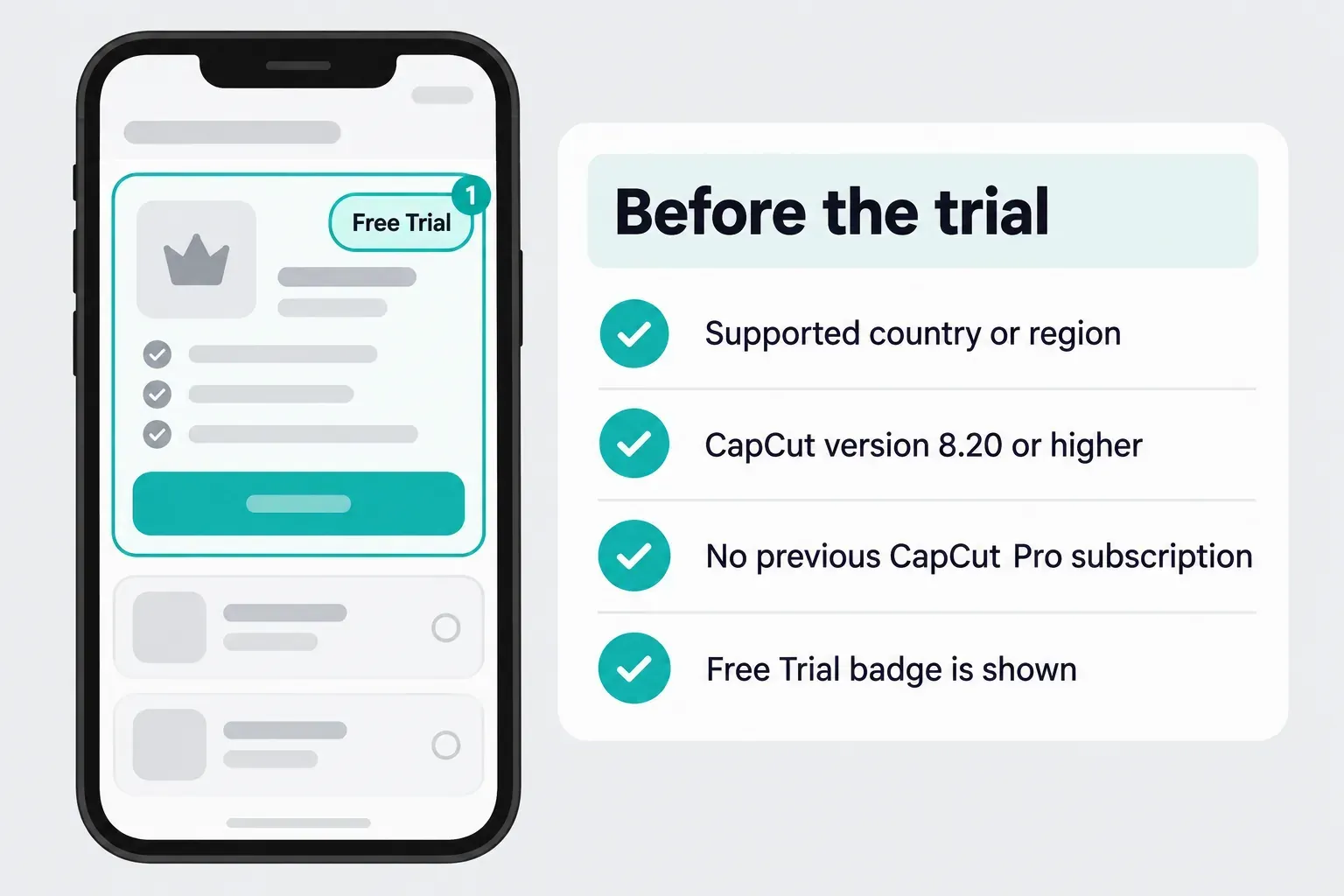
CapCut's trial requirements name supported countries or regions, no previous Pro subscription and a Free Trial badge on the membership offer. Its platform-specific instructions rule out previous trials as well. Those are the documented conditions. They don't guarantee that every new account gets the offer.
The mobile instructions specify version 8.20 or higher. That's a documented minimum. It isn't a reason to install an old build, and updating isn't proof that you'll unlock a trial. Save your work, then use the current official app available for your device.
Read These Terms Before You Confirm
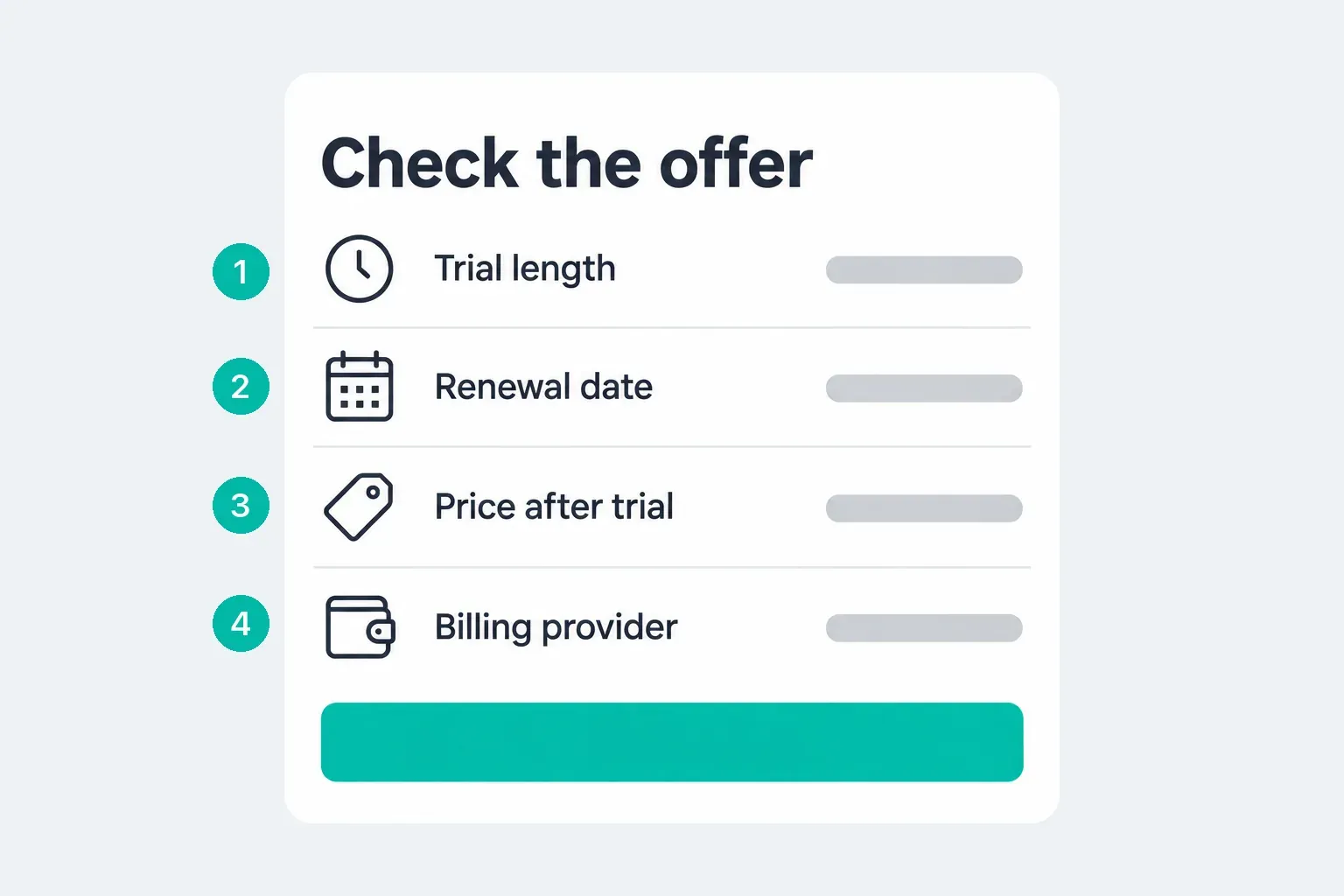
- Offer: the selected plan and final confirmation must explicitly include a free trial. Record its duration and when billing begins.
- Price: record the currency, taxes shown, full renewal amount and monthly or annual interval. An annual plan's monthly equivalent is not the amount charged at renewal.
- Accounts: note the CapCut account ID and sign-in method, plus the Apple or Google billing account if applicable. Save the receipt after confirmation.
- Cancellation: identify who manages the subscription and the applicable deadline now. Set an earlier reminder, leaving time to resolve a missing control.
- Benefits: check whether your intended feature, device and allowance are included. A trial does not establish unlimited AI use or a fixed storage quota.
CapCut explains why prices differ by region, device and promotion. Compare the Free, Standard and Pro plans before you accept the offer. For related feature, credit and billing guides, start from the CapCut Pro hub.
Where to Find the Trial on Mobile, Desktop and Web
Use the official route that matches your platform, then verify the selected offer before you approve it. CapCut's help pages show different membership labels and eligible plan intervals. Follow the label your version shows, and don't pick an annual plan just because a help example mentions one.
iPhone and iPad
- Open CapCut under the account you intend to keep. Do not sign out of a working session just to look for an offer.
- Open the profile or Me area. Look for Join CapCut Pro. If your version shows Join Standard, CapCut's alternative membership instructions say to switch to Pro.
- Select only an offer carrying explicit trial wording. Review the Apple confirmation sheet if the purchase uses the App Store.
- Confirm only if the duration, renewal charge and billing account match your choice. Approval starts the subscription agreement; viewing a plan is not the same as activating a trial.
On iPad, a missing membership page doesn't prove by itself that you're ineligible. CapCut's iPad subscription-page guidance describes limited availability in some iPad experiences and points you to supported Web, phone or desktop routes. It doesn't tell you the state of every current iPad build, so check your own interface. Switching to another platform still can't guarantee a trial.
Android
Open the profile or Me area, then the Pro membership offer. Switch from Standard if that route appears, and look for the trial on the selected plan. On a Google Play purchase, check which Google Account the confirmation sheet shows before you approve. It can differ from your CapCut login or from another Google Account on the phone.
Desktop and Web
On Windows or macOS, open your profile or account area and look for Join Pro or Upgrade to Pro. CapCut says this may hand you off to its Web subscription page. On Web, its instructions go through the signed-in profile and then Upgrade or Upgrade to Pro. After any browser handoff, check which account you're signed into, and keep your last working app session open.
If the label you expect isn't there, go to the linked official instructions. Don't follow a guessed checkout URL or type payment details into a third-party trial page. Before activation, confirm the signed-in account, subscription record, real start, end and renewal dates, and billing provider shown by your offer. The clock doesn't start with your first premium edit.
If the Free Trial Does Not Show Up
Start with account history, supported region and the selected plan. Earlier Pro or trial use can rule you out of the documented offer. CapCut also warns that different sign-in methods can lead to a different account, so compare the account ID with the old receipt instead of switching logins again and again.
Don't clear app data, reinstall, create replacement accounts or change regions to chase eligibility. Updating an outdated official app may change the interface, but it doesn't give you a right to a trial. If you've already paid for Pro and it isn't available, use the paid Pro access troubleshooting guide instead of buying again.
With no offer available, try finishing a copy of your project using free-marked materials, and check the export before you commit to that route. If a paid feature is essential, weigh the displayed plan cost against what it's worth to your project. Don't treat a paid subscription as a free trial with a guaranteed refund.
Referral Rewards Are a Separate Promotion
CapCut's desktop referral FAQ describes seven-day membership rewards for qualifying new PC users, with separate redemption and invitation conditions. The advertised maximum reward isn't a universal trial length, and availability depends on the campaign, qualifying account and redemption window. Follow the terms of an offer you can access, not an old code or a promise of free Pro forever. The normal documented subscription trial doesn't need a modified APK.
Hardware bundles are a separate route. ASUS's CapCut membership offer provides one month with selected eligible laptops or up to six months with eligible ProArt models, without payment details. You must buy a new qualifying laptop during the offer period, which ends December 31, 2026, and register and sign in to a new CapCut account within seven days of first activating the pre-installed app. The offer covers listed regions, including the United States, Canada and the United Kingdom, and eligible laptops made before June 15, 2025. ProArt benefits are activated in 30-day periods and require a login each month. Late redemption does not guarantee six months: ASUS caps benefits at March 31, 2027 (GMT+8), also the redemption deadline. Keep the pre-installed app; replacing it with another download makes the benefit unavailable.
Evaluate Pro With One Project
Work on a duplicate or throwaway project, with footage you own and can safely run through the chosen tool. Keep the original and its source media separate. Before the trial renews, run these checks on that copy:
- Premium asset: apply the exact effect, template or text style you need. Export the short project. Success means the resulting file contains the intended look and no unexpected payment restriction, not merely that the preview played.
- AI task: inspect any credit cost and allowance before running it. For captions, check names, timing and corrections; for background removal, inspect subject edges in motion. Success means usable output with acceptable correction work and a known credit cost. A subscription badge does not promise unlimited generations.
- Delivery device: use the computer or phone you expect to work on. Export at the required settings and play the saved file outside CapCut, checking sound, captions and picture. CapCut's export guidance makes high-resolution availability dependent on device, platform and project conditions. Missing 4K alone does not prove trial activation failed.
Write down what the feature improved and what it cost you in time, corrections or credits. If you can't point to a useful improvement, I wouldn't keep the subscription just because the trial started. The Pro value checklist helps with the longer-term decision. Finish evaluating before your cancellation deadline, not on an assumed seventh-day schedule.
Cancel Before Renewal, Through the Billing Provider
Our CapCut Pro cancellation guide has the full account-specific routes, missing-control checks and refund steps. Here's the short version for a trial:
- Apple-billed: Settings → your name → Subscriptions → CapCut → Cancel Subscription, following any remaining confirmation prompts. Apple's instructions say you may need to scroll to find the button.
- Google Play-billed: open the billing Google Account's Play Store profile → Payments & subscriptions → Subscriptions → CapCut → Cancel subscription. Complete the prompts in Google's cancellation guide.
- Direct CapCut billing: use the purchasing CapCut account's subscription management. If the control is missing, follow CapCut's missing auto-renewal guidance and official support route. Sending a support request is not confirmation of cancellation.
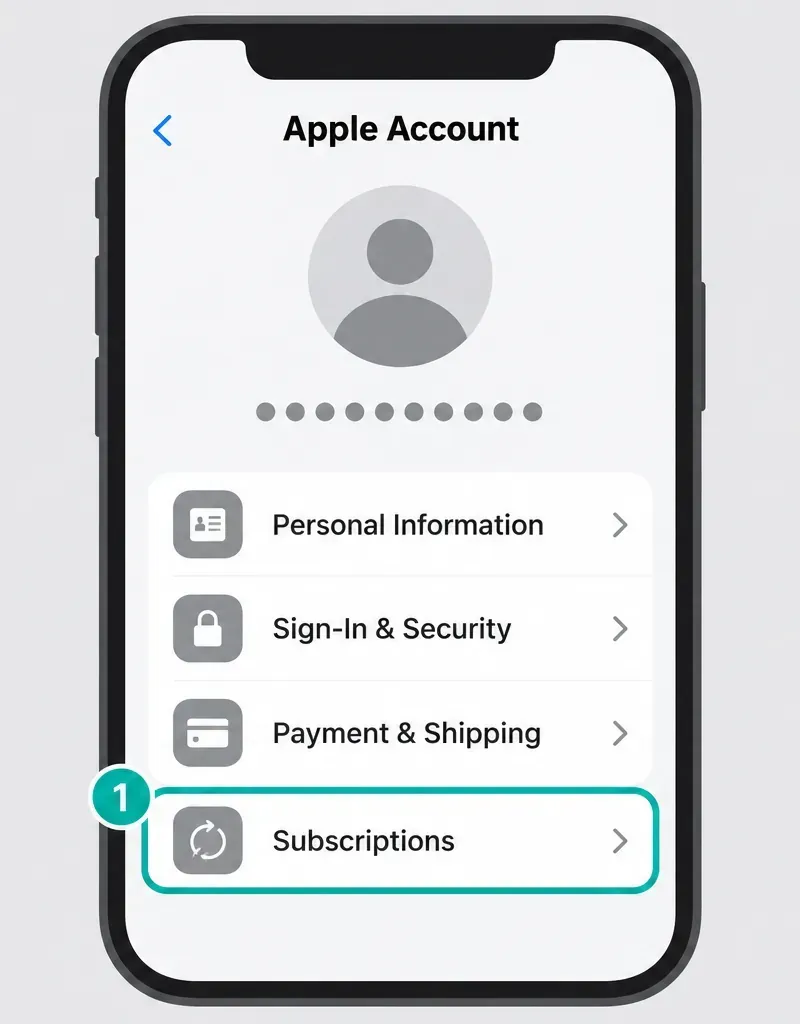
A wallet name on a payment doesn't tell you who manages the subscription. Match the receipt to the subscription record. Using CapCut on an iPhone won't turn a Web purchase into an App Store subscription.
CapCut's renewal notice and Apple's trial guidance advise cancelling at least 24 hours before renewal. Your seller or payment-provider agreement may set a longer deadline, so check it. Stopping a wallet's recurring authorization is one action; cancelling the underlying subscription is another. Don't wait for a renewal notification to find out which route you need.
The Google Play trial terms say cancelling ends access immediately unless otherwise specified, so read the warning for your offer. If access will end, save essential work first, but don't let that push you past the deadline. The usual paid-period access rules aren't a promise that a cancelled trial stays available.
Keep the Final Status
Save the cancelled or auto-renewal-off status for the correct plan, along with the confirmation and any access-end date shown. You won't necessarily see a future expiration date if the trial ends immediately. Inside an Apple subscription record, Apple says a missing Cancel button or a red expiration message means it's already cancelled. That's not the same as CapCut being absent from the subscription list.
Uninstalling CapCut, signing out or deleting an account doesn't cancel billing. Don't give up the account or receipt access you'd need to sort out a problem.
Before Trial Access Ends
CapCut's guidance for drafts after Pro expires says drafts stay editable and paid materials stay applied, but those materials can block a later export. For a free-only version, remove or replace the paid items on a copy. Keep the original until you've checked the replacement.
Export any urgent finished videos, and keep an independent, restorable copy of editable projects, source media and important cloud files. A playable MP4 isn't a backup of an editable project. The storage provisions in CapCut's Terms warn that paid capacity can be suspended after expiry, and the draft-retention guidance isn't a promise of permanent cloud storage. Run the project backup and transfer checks before you rely on a copy.
Check the type and expiry of each AI credit batch. Don't assume it lasts until the next billing date. The Credit Rules separate subscription, purchased and activity credits. Our CapCut AI credits explainer covers the conflicting expiry wording on official pages, and if your own balance doesn't show clear terms, ask support.
If a Charge Appears
Compare the receipt with the selected offer, the renewal date and your cancellation confirmation. The charge might come from a paid plan picked without a trial, an automatic renewal, or a cancellation that was incomplete or late. It could also be a billing error. Some offers also run in phases: Google Play's subscription offer rules allow a free trial followed by a discounted paid period, such as seven free days and then a low first-month price, before the full price renews. Read every phase on the confirmation sheet, not just the free part. Google explains that temporary authorizations differ from completed charges, so don't write off an unfamiliar settled payment as a hold.
Cancelling doesn't reverse a charge on its own. Ask the billing provider for a review, using the refund routes in the cancellation guide. Whether you qualify depends on the purchase and the applicable terms, including location and usage. Don't use Pro counting on a guaranteed refund later.
CapCut Pro Free Trial FAQ
Does the trial require a payment method?
Expect a valid payment method for the documented auto-renewing trial. It may already be saved with Apple, Google Play or the CapCut billing account. The final confirmation should identify the billing provider, renewal date, interval and full amount. This payment-method requirement concerns the documented subscription trial; separate referral rewards have their own conditions. Some CapCut help pages print "No credit card required" near the top, yet the same trial guide ends its mobile steps with an App Store confirmation (Face ID, Touch ID or Apple ID password) or a Google Play subscription approval, which uses that store account's billing.
Can I get a second free trial?
CapCut's documented subscription offer excludes previous Pro subscriptions and trials. Separate referral or promotional rewards have their own conditions. A new device or reinstall does not guarantee another trial.
Is there a 30-day CapCut Pro free trial or one without a card?
Not as CapCut's standard offer. CapCut's help pages describe a seven-day trial attached to a paid plan, so expect to confirm a payment method. CapCut's checked help pages showed no official 30-day trial on October 1, 2026. Longer or card-free Pro time comes from separate promotions with their own rules: the desktop invite reward of seven days per qualifying invite, up to 70 days, or a qualifying ASUS laptop membership of one month or up to six months, subject to monthly login and the March 31, 2027 cutoff.
Is a CapCut premium or Standard free trial the same as the Pro trial?
Not always. CapCut doesn't sell a plan called Premium; its paid plans are Standard, Pro, Ultra and Teams. CapCut's trial instructions describe the seven-day offer on Pro, but their mobile steps can start from Join Standard. Check the plan name on the confirmation sheet, because a Standard trial applies paid benefits on mobile only, while Pro covers mobile, Desktop and Web.
How much will I pay after the trial?
In the US App Store, Pro is listed at US$19.99 a month, and CapCut's own Standard and Pro comparison prints US$179.99 a year as its USD reference. Other countries and offers differ, so the full renewal amount, currency, taxes and billing interval on your confirmation sheet are what you'll pay. An annual plan can charge the full annual amount rather than its advertised monthly equivalent. Our CapCut price comparison by country also lists the UK, Canadian and Australian rows.
Can I cancel immediately?
You do not have to wait for the last day, but access may end immediately. Google Play's trial terms specify that result unless otherwise stated. Read your offer's warning, preserve essential work without missing the deadline and keep the cancellation confirmation.
Does deleting the app cancel my trial?
No. Cancel the subscription through the provider holding its billing record and verify the result. Uninstalling the app or deleting your CapCut account is not a substitute.
Can I still export my project after the trial?
CapCut says paid materials can block a new export after Pro expires even though the draft remains editable. Work on a copy to remove or replace paid items, or use appropriate paid access. Export essential deliveries and keep editable backups before access ends.
Why is there no free trial on my iPad?
CapCut documents limited subscription-page availability in some iPad experiences. A missing page is not the same as an eligibility decision. Check the official guidance and supported routes, but do not assume another device will provide an offer.
Do I need a trial code or a Pro APK?
The ordinary documented subscription trial does not require a special code or modified APK. Separate referral promotions can use their own redemption process. Use official channels and check the offer's conditions rather than relying on third-party free-Pro promises.