


CapCut Pro is worth it when a specific paid feature helps you finish a video you value enough to cover the full cost. Regular captioned client work can justify it. So can one demanding project, or a hobby purchase you've thought through. If the free tools already handle your edits, stay on Free.
I'd make this call from one representative project instead of counting features. For a new or temporary workload, start by comparing monthly. Go annual only once you know the tools fit and the full annual charge beats paying for the months you expect to use.
Use the worked examples as decision models and replace their time and cost assumptions with figures from your own editing workflow and checkout.
Who should pay, and who should wait?
- You make occasional personal videos: start with Free. Replace an optional paid transition or template if the substitute looks good enough. A premium effect you genuinely enjoy can still be worth a small, planned hobby expense.
- You deliver captioned client clips regularly: consider Pro if the exact caption styling, cutout or other paid tool reduces your total editing work. Count correction and review time, and check client permissions before uploading footage.
- You have one deadline-driven project: one paid month can be reasonable when the required effect or workflow is worth the cost. Recurring use is not a prerequisite, and a single job is not a reason to commit to a year.
- You already subscribe to another editor: pay only for useful work it cannot cover conveniently. Include the time needed to transfer media and finish the project elsewhere.
- Your problem is crashing, missing media or an unsuitable workflow: solve that first. A subscription is not evidence that the fault will disappear; use the CapCut troubleshooting guides.
Use one project to make the decision
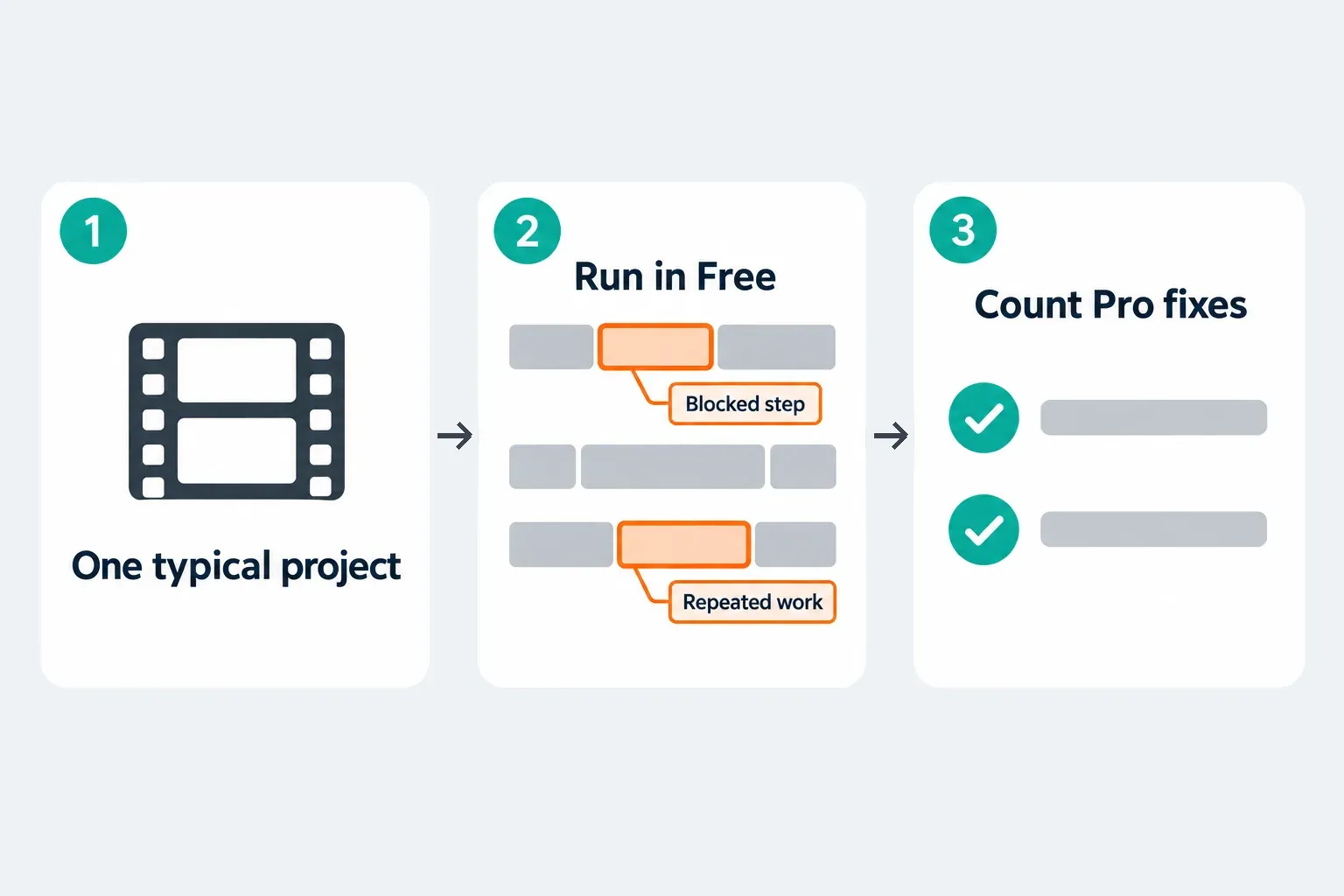
Pick a short edit that looks like your real work, with your usual captions, audio, effects and delivery requirements. Keep the original and edit a duplicate. Run the evaluation on non-confidential media.
- Build the free version first. Note the precise tool, asset or export option that asks for payment. Do not assume a feature is paid everywhere because another account shows a Pro badge.
- Separate requirements from preferences. An agreed client style may need a specific effect; your own travel clip may work with a free substitute. Check that the blocked item is included in the offer on the device you will use.
- Estimate the complete job. Include caption corrections, cutout cleanup, failed AI attempts, final review and any handoff to another editor. A quick preview is not the same as an acceptable delivery.
- If you choose an eligible trial or paid evaluation, inspect the finished export. Check words, timing, audio, resolution and visible marks outside the editor. Do not activate an offer until you understand its charge and renewal terms.
- Set a decision date before renewal. Keep the source media, editable project backups and finished files somewhere independent of the subscription.
Count net time saved, not generation speed
Net time saved = manual work avoided minus corrections, retries and extra handoff work. Say a hypothetical tool saves you 90 minutes of manual editing but adds 30 minutes of cleanup. That's 60 minutes saved. It's simple arithmetic, not a claim about how CapCut performs.
For paid work, multiply those net hours by a realistic value for your time. Then compare that figure with the subscription plus any extra credits, storage or seats you need. Don't assume the time you get back turns into billable work. For a hobby, just ask whether the result and the enjoyment are worth the expense. The purchase doesn't have to earn money.
Free, Standard or Pro: buy the missing benefit
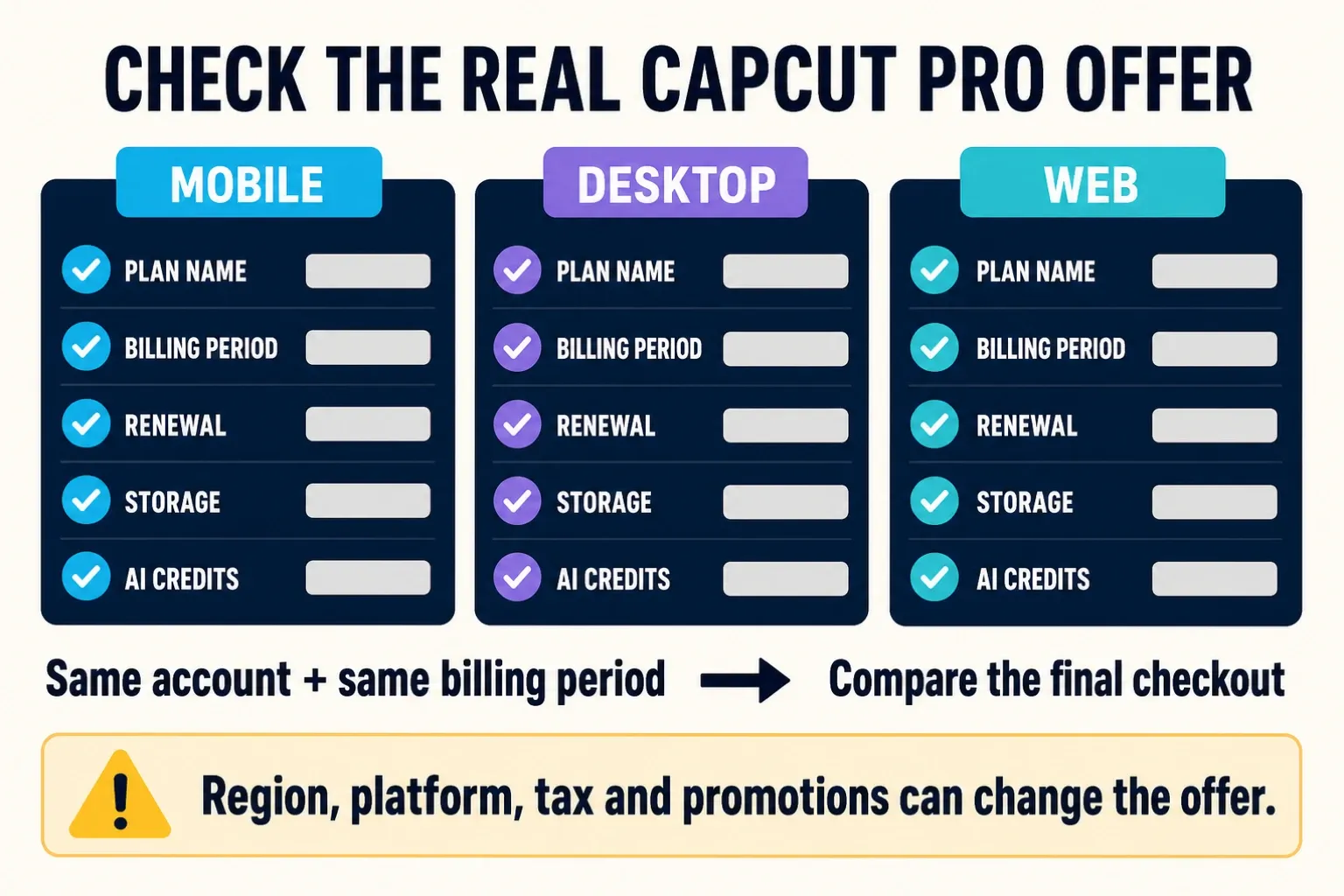
CapCut's official plan comparison treats Standard as mainly a mobile plan and Pro as the broader option across mobile, desktop and web. Standard is its own paid offer. It isn't another name for Free. What's available, and which tools are included, depends on the offer your account sees.
Start with Free if your current tools already finish the job. For a phone-first workflow, Standard is worth a look when its stated benefits remove the restriction you're running into. Consider Pro when you need confirmed premium tools or cross-platform benefits the smaller offer doesn't provide.
To look into a specific tool, use the Pro features guide. Don't buy Pro for a headline like “4K” or “AI captions” alone. Check the relevant export options, feature availability and charges on your own device and account.
If you move between phone and computer, subscription access and project transfer are two separate checks. CapCut warns that different sign-in methods can create different accounts, even with the same email. Our guide to using CapCut Pro on multiple devices covers account identity and local versus cloud projects. Don't count on a smooth transfer until a non-critical duplicate works on the second device.
For colleagues, Teams uses seats. Your personal Pro subscription doesn't prove that every collaborator has paid access. If shared work is why you're buying, look at the separate team offer.
Include AI usage and storage in the value test
Pro does not mean unlimited AI. The Credit Rules separate subscription, activity and purchased credits. Before you confirm an action, check the cost shown for it as you've set it up. Don't assume every caption operation costs credits just because it uses AI.
Budget for a realistic number of retries, but judge the tool by what's usable at the end. The number of generations matters less. If the results need heavy repair, the subscription can add cost without cutting the work. Our CapCut AI credits explainer covers balances, expiry and the official help pages that contradict each other, so you don't need a second credit manual to make this buying decision.
Storage depends on the offer too. There's no universal number. CapCut's updated membership announcement describes a Pro upgrade from 100GB to 1TB and from 550 to 1,200 AI credits, yet its monthly and yearly plan article still says 100GB. The announcement explains the new plan. It doesn't prove every existing account has migrated. Check the allowance listed for your plan and the quota in the Space you intend to use.
Extra cloud capacity is worth something if it solves a real transfer or storage problem. It isn't an independent backup, though. CapCut's general terms warn that paid cloud capacity is suspended when the subscription ends. Those terms direct US users to a separate US agreement. Keep copies of the editable project and source media before it lapses, because a rendered video can't replace them.
Monthly or annual: compare the full commitment
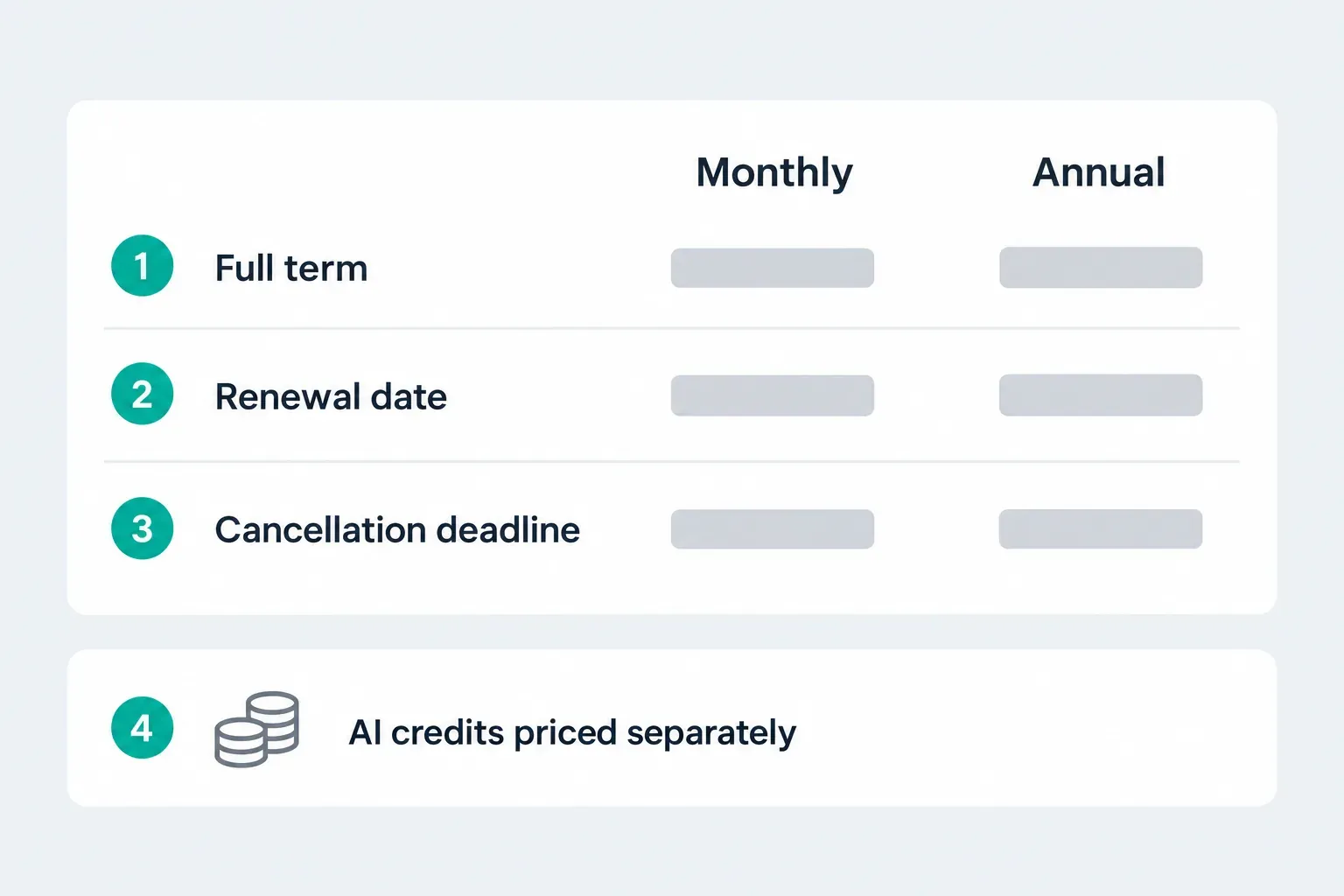
For current prices, see our CapCut pricing comparison. CapCut's pricing notice says the final amount you pay varies by region, platform and taxes.
Put the full annual charge next to monthly payments for the months you expect to use Pro, with the same benefits and taxes on both sides. A monthly equivalent advertised on an annual offer is not a promise of monthly billing. Add any extra usage costs to both options.
Monthly makes sense as a first choice for seasonal work, a single campaign or a workload you can't predict yet. Annual becomes an option once you've seen sustained use and its total comes out lower. Check the renewal separately from any introductory discount, and don't plan on a refund for unused months.
CapCut documents a seven-day trial for eligible users in supported regions. That's not a guaranteed free week for everyone. If the offer doesn't show a trial explicitly, don't assume there is one. Read our trial and renewal checks before you accept.
CapCut's renewal guidance says to cancel at least 24 hours before renewal. Set your reminder earlier than that, and follow the steps from whichever company billed you. Cancelling is one thing; refund eligibility is another. Google Play's trial conditions, for example, say cancellation ends access immediately unless stated otherwise.
Client work: check rights before calculating savings
Pro access doesn't clear every template, effect or music track for every destination. The general Materials License Agreement separates personal-only materials from labeled dual-use materials, and commercial permission can be limited by use, territory and duration. Paying for Pro doesn't mean you're allowed to mix personal-only materials into a commercial edit.
The agreement limits Commercial Sounds to CapCut, TikTok and TikTok for Business. Using them anywhere else needs separate rights. For a monetized YouTube video or Instagram campaign, use music you own or have licensed for that destination. The Pro badge isn't permission. Check the regional agreement and the asset terms that apply to your work; the linked general agreement directs US users to separate US terms.
Confidential footage is a separate decision. The general terms dated April 15, 2026 say CapCut doesn't own your User Content, but describe it as non-confidential and grant a broad service license. They direct US users to separate US terms. Ownership and confidentiality aren't the same thing. Don't put confidential client material through a workflow the client hasn't approved. And calling a draft “local” isn't enough evidence about every cloud or AI operation.
When another editor is the better next step
If what you mainly want is finer desktop color or audio control, compare DaVinci Resolve for CapCut users. Blackmagic's official product page describes dedicated editing, Color, Fusion and Fairlight workflows on Mac, Windows and Linux. Before you move a project, check the hardware requirements and Free-versus-Studio restrictions. Treat it as a workflow alternative, not a claim that every feature is free. The Resolve Free features and limits breakdown shows what stays free.
If you'd rather have a simpler phone editor, or you need a browser-based workflow, use the alternatives organised by editing task. Run the same short project through each option and count the learning and transfer work too. Don't buy another subscription just to escape one premium asset you could replace.
The decision before your next renewal
Keep Pro if the last paid period gave you enough useful work or enjoyment to justify another one. If you can't name a clear use for the next period, pause the commitment. When you decide to stop, follow the cancellation guide for your billing provider and keep the confirmation. For subscription access, trials and other account questions, head back to the CapCut Pro guides.
CapCut Pro worth-it FAQ
Is CapCut Pro worth it for beginners?
Start with Free while you learn what you need. Paying can make sense when a specific paid benefit is worth the cost, even for one project. A subscription will not teach editing or guarantee a better result.
Is one month of CapCut Pro worth it for a single project?
It can be, if the required tool or result justifies the full month's cost. Check that the offer includes the benefit you need, allow for extra usage costs, and plan for backups and renewal before subscribing.
Is CapCut Standard the same as Free?
No. Standard is a separate paid offer. CapCut positions it mainly for mobile editing, while Pro has broader cross-platform benefits. Check the available offer rather than assuming every tool is included.
Does Pro include unlimited AI generation?
No. Some AI actions use metered credits in addition to plan access. Check the cost of the configured run and its available balance; include retries and correction work when deciding whether Pro is worth paying for.
Does every Pro subscriber get 1TB?
Do not assume so. CapCut's updated-plan announcement describes an upgrade from 100GB to 1TB, while another plan article still lists 100GB. Check your plan's stated allowance and the quota in the intended Space.
Can Pro music be used in monetized YouTube videos?
Pro is not blanket music clearance. The general Materials License Agreement limits Commercial Sounds to CapCut, TikTok and TikTok for Business; other destinations require separate rights. US users have separate terms. Check your applicable agreement and use music licensed for YouTube.
Is an annual plan always better value?
No. Compare the annual charge with monthly payments for the months you expect to need Pro, with matching benefits and taxes. Monthly limits the commitment for uncertain use; annual may cost less for sustained use.
Can I try Pro without committing to a paid renewal?
Only accept a trial when your eligible offer explicitly shows one and you understand its renewal terms. CapCut documents a seven-day offer in supported regions and advises cancelling at least 24 hours before renewal. Cancellation can affect trial access, so read the billing provider's conditions first.