

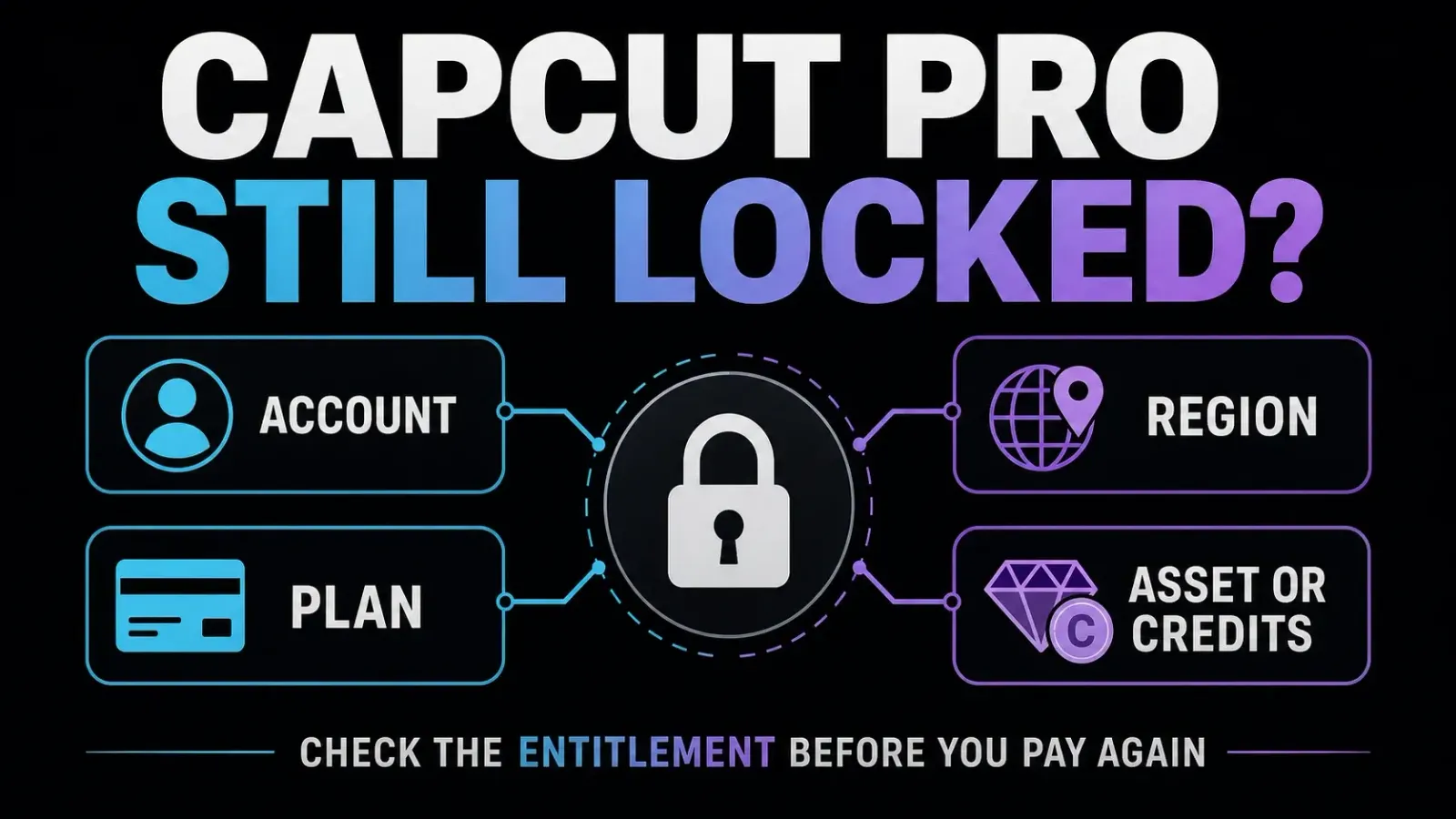
Paid for CapCut Pro but still seeing Free or Join Pro? Do not buy it again as a test. Check the subscription receipt and access end date, then compare the CapCut account ID on the working and failing devices. If the account shows Pro and only one item is locked, investigate that item’s plan or credit requirement instead.
Keep any working CapCut session open. Before signing out, clearing browser data or reinstalling, confirm that you can sign back in and that your editable project and source media have a recoverable backup. An exported MP4 is useful for delivery, but it is not an editable project backup.
This guide covers missing paid access. For choosing a membership, start with the CapCut Pro plan and billing guides. If free tools also fail, use the general app troubleshooting guide.
Documentation checked September 20, 2026. Menu labels, plans and regional availability can differ, so follow the receipt, account ID and access dates shown in your own account.
1. Check the receipt and paid access end date
Find the seller before trying to repair the app:
- Apple App Store: open Settings → your name → Subscriptions on iPhone or iPad and select CapCut. If it is missing, check the Apple Account on the receipt.
- Google Play: open Play Store → profile → Payments & subscriptions → Subscriptions in the purchasing Google Account. Google’s missing-subscription checks explain how to locate a purchase under another account.
- Direct CapCut checkout: sign into the purchasing CapCut account and open the subscription or billing section shown there. Use the receipt to identify a different seller if one handled the purchase.
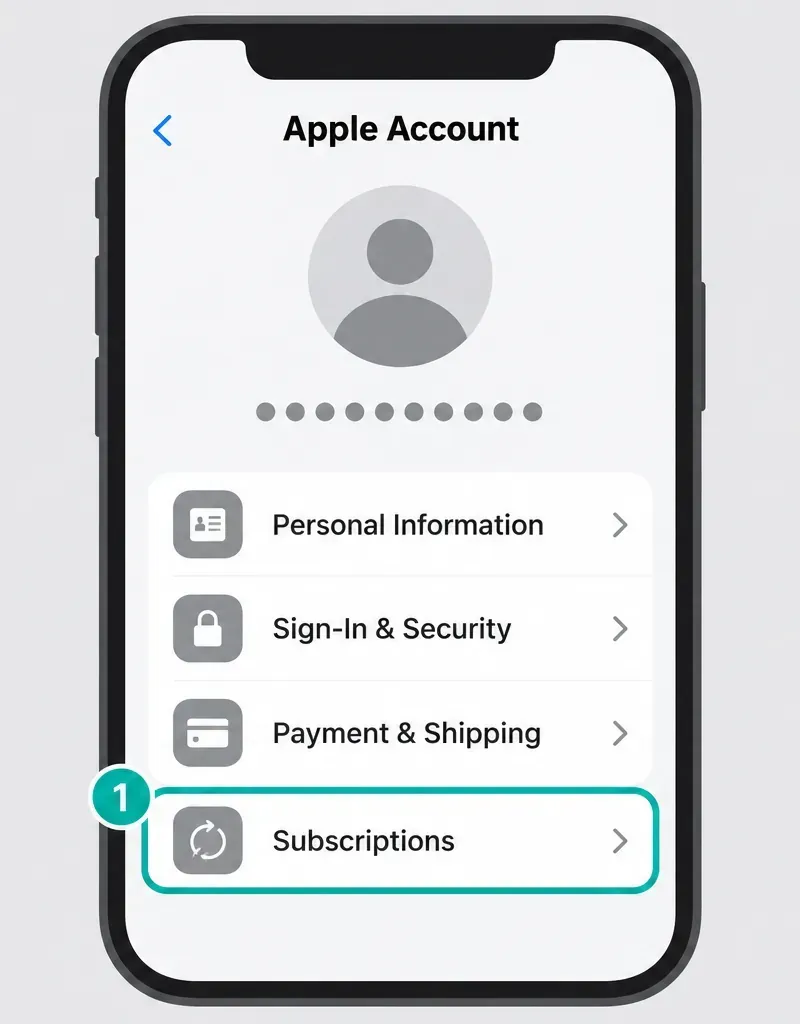
Record the plan name, purchase date, order ID and whether the record says active, pending, failed, refunded or expired. A bank notification alone does not show whether CapCut attached a subscription to the profile currently open.
Canceled does not normally mean access ended today. Turning off renewal usually preserves the period you already paid for. Google Play explicitly separates cancellation from the paid access end date, and CapCut’s subscription terms normally retain access through the current paid period. Refunds, trials and applicable local rules can differ. Read the actual expiry date and final confirmation before treating cancellation as the cause of missing Pro.
2. Match the CapCut profile, not just the email
The store account that paid and the CapCut account that receives the membership are two different things to check. Google specifically says the app’s email can differ from the purchasing Google Account. Paying through the App Store or Google Play does not, by itself, prove which CapCut sign-in button you originally used.
CapCut says different login methods can open different accounts with the same email. However, an email or another method already linked to the paid profile may also work. Its linked-email guidance confirms that an account can have more than one login method. Compare the CapCut ID or UID rather than a display name or familiar address.
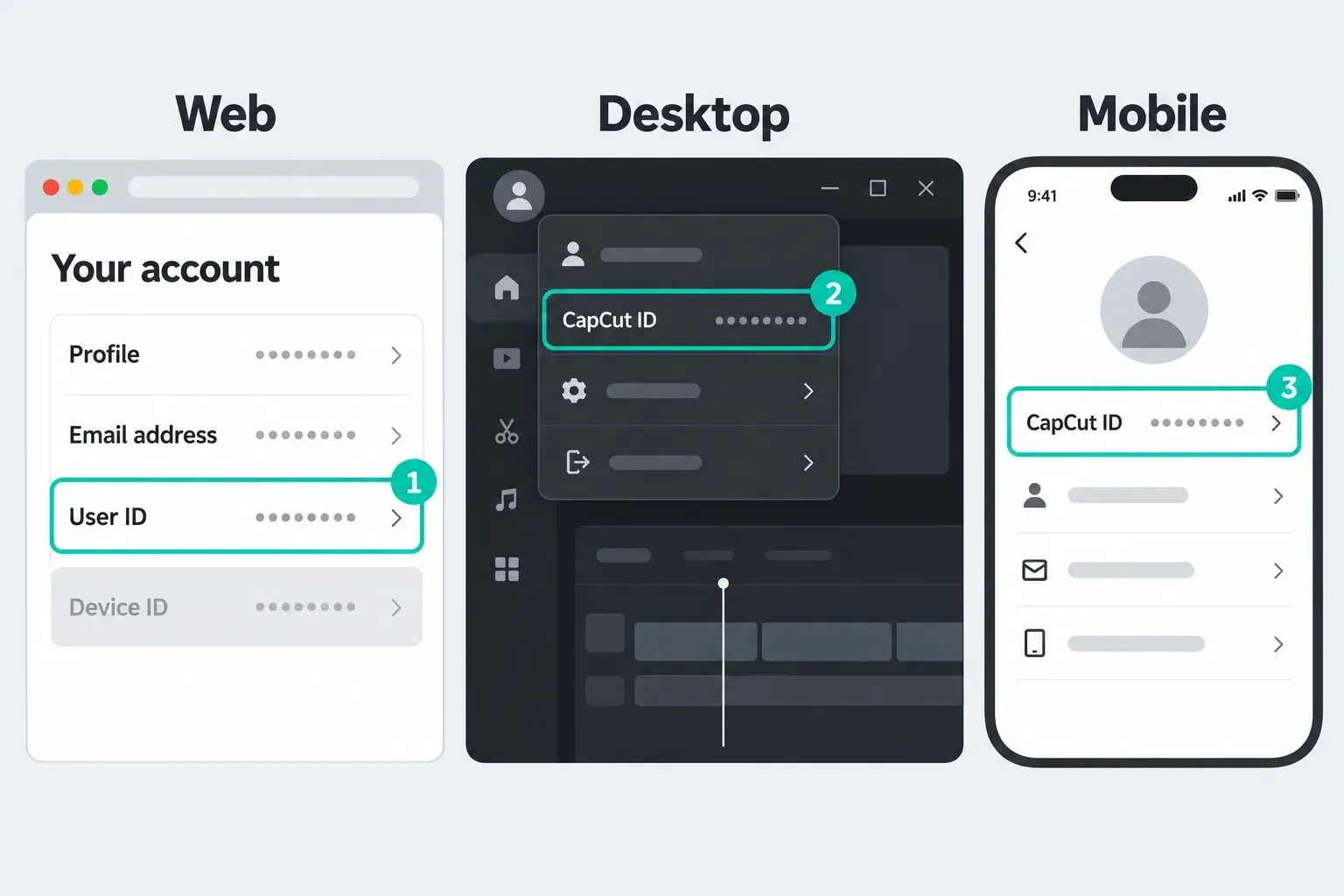
- In a working session, record the CapCut ID and plan status. CapCut’s UID/DID instructions cover Web, Desktop and Mobile. UID identifies the user; DID identifies the device, so different devices need not have matching DIDs.
- Open the membership panel on the failing device. On Web, CapCut documents the profile menu followed by Membership, Account or Pro Status; use whichever label your interface shows.
- Compare the user ID and plan with the working session. Different IDs point to an account mismatch. The same ID with different plan displays is a reason to investigate synchronization or support, not to create a new account.
- If you need to change the failing session, first verify access to the original sign-in provider or an already linked method, including its verification codes. Save unfinished work and preserve the other working session. If you cannot confirm a way back in, stop and use the account recovery and login guide before logging out.
Do not try to move the purchase to a newly created profile. CapCut states that Standard and Pro subscriptions cannot be transferred to another account. Ask support to locate the original paid account if the receipt and profiles still do not match.
What about Restore Purchases?
On iPhone or iPad, Apple recommends looking for an in-app restore option for eligible subscriptions and non-consumable purchases, using the Apple Account that made the purchase. It does not specify a universal CapCut menu. Use a restore control only if your current CapCut build offers it, after identifying the paid CapCut profile and store account. Restore does not promise to transfer a subscription or recover spent consumable credits.
For Android, verify the Google Play subscription and contact CapCut about undelivered app access if needed. Do not follow a tutorial that insists every Android version has the same Restore Purchases button. Record any restore error instead of repeatedly buying or reinstalling.
3. If Pro works on your phone but not PC or Mac
Read the exact plan name first. CapCut’s cross-platform membership documentation limits Standard benefits to Mobile in regions where Standard is offered. Pro covers Mobile, Desktop and Web under the same CapCut account. That does not guarantee that every editing feature exists on every platform.
If the receipt is for Standard, a desktop premium prompt may be a plan limitation rather than a failed payment. Compare the Standard and Pro plan differences before considering a change. An upgrade is a separate purchase decision, not a diagnostic test.
If the plan is Pro and the user IDs match, try this sequence:
- Save the project and confirm its backup before closing anything. On Web, do not reload a tab with unsaved work.
- Restart the affected app, or reload the saved Web workspace. Check for an update from the official app source. On Desktop, confirm that the computer’s date, time and actual region settings are correct.
- If needed, refresh only the failing login using the safe sign-out conditions above. Leave the working device signed in.
- Compare the membership display again, then try a short export in a separate test project using your own media and a clearly identified included feature. Do not use a credit-consuming AI action as a free subscription test.
CapCut’s post-purchase checklist and feature-access checklist give different short synchronization estimates. Allow a few minutes after a new purchase, but do not treat either estimate as a guaranteed fix time or wait all day before reporting paid access that remains unavailable.
Web showing Free is a clue, not a verdict. The browser can also have the wrong account or a stale session, and a service problem can affect several devices. Web showing Pro while Desktop shows Free narrows the investigation; it does not prove that the computer’s cache is the only possible cause.
A safer private-window check
If you can sign in again, test a private window while leaving the original saved session intact. Verify that it opens the same CapCut user ID. If Pro works there, a browser-profile issue is plausible, but private mode changes more than cache, including extension and session behavior.
Do not immediately erase site data. First save unfinished Web work, verify an independent recoverable copy and confirm your login route. If CapCut support recommends clearing data, scope it to CapCut rather than all browser passwords and cookies. If backup or re-entry is uncertain, skip deletion and send the comparison to support. See how to verify an editable project backup; a second item in the same app is not independent protection from app-data loss.
4. If the account is Pro but one item stays locked
Read the message on the exact effect, template or AI action. CapCut’s diamond-badge guide describes blue items for Standard and purple items for Pro. Use that distinction only where your interface shows those labels; it is not a universal color rule for every build or catalog.
Check the credit cost and usable balance separately. CapCut’s credit rules distinguish subscription, purchased and activity credits with their own validity. A Pro badge is not proof of unlimited AI usage, and credits cannot buy the Pro plan itself. Do not assume all Pro memberships include one fixed global allowance.
A template asking for payment needs an extra check, not an automatic second payment. As checked September 20, CapCut’s paid-template guide describes individual mobile purchases, while its template export guide says individual pay-per-use is not supported and points to Pro. These documents conflict. Capture the exact template name, badge and offer shown in your account and ask support whether your current purchase covers it. Neither page justifies paying twice for the same benefit.
If the prompt appears only at export, inspect the elements it identifies. CapCut’s export-prompt guidance lists premium effects, filters, transitions, text styles, stickers and music. Check the selected export controls too. A visible watermark alone is not a reliable test of subscription status; use the watermark diagnosis guide to distinguish an ending clip, template element and export restriction.
5. If you see a country or region message
Record the exact warning, current location, store country and account region if displayed. CapCut’s post-purchase documentation names regional restrictions among possible causes and specifically warns that accounts created in China, India or Russia may have restricted Pro benefits. That is the vendor’s current support wording, not proof that every user in those countries has the same access.
An explicit region warning makes that restriction worth investigating first. It does not rule out a second account, browser or project problem. Some desktop failures may not show the same warning as Web, so include both screens in the support case.
Do not invent a billing address, change store country or buy through a second profile to test access. A VPN is not a reliable membership repair and does not change the identity of the account or subscription that paid. If the region record is wrong, ask CapCut to investigate it. If the paid service is unavailable to you, use the seller-specific refund route below without assuming approval.
6. Get account support or request a refund
Use CapCut’s official support chat, linked from its Help pages. If it will not load, open the CapCut Help Center or use the in-app help option available in your build. CapCut’s credit documentation also lists capcut.support@bytedance.com; its US terms list support@us.capcut.com for US CapCut support. Do not send the same case repeatedly to every route.
Prepare one case with:
- The CapCut user ID and the failing device’s DID if available, login method, platform and app version.
- The seller, plan, order ID, payment date and amount, access end date and current subscription status.
- The exact error time and message, plus screenshots of the active subscription and locked feature.
- The working-versus-failing device comparison and the specific checks you already tried.
Send receipts and identifiers privately through the official channel. Crop unrelated transactions and personal details. Never provide a password, verification code, full card number or private client project merely to prove payment.
For two charges, compare merchant, amount, date, status and order IDs. CapCut’s double-billing guide describes separate subscribed accounts and payment retries. A pending authorization is not the same as two completed charges. If both are settled, ask the seller to trace them; do not assume the second entry is harmless or cancel an unidentified plan.
Cancellation stops renewal; a refund request is a separate action. Once you identify a genuinely redundant subscription, follow the CapCut cancellation instructions for that seller and verify the final renewal status. Do not delete the CapCut account as a billing fix.
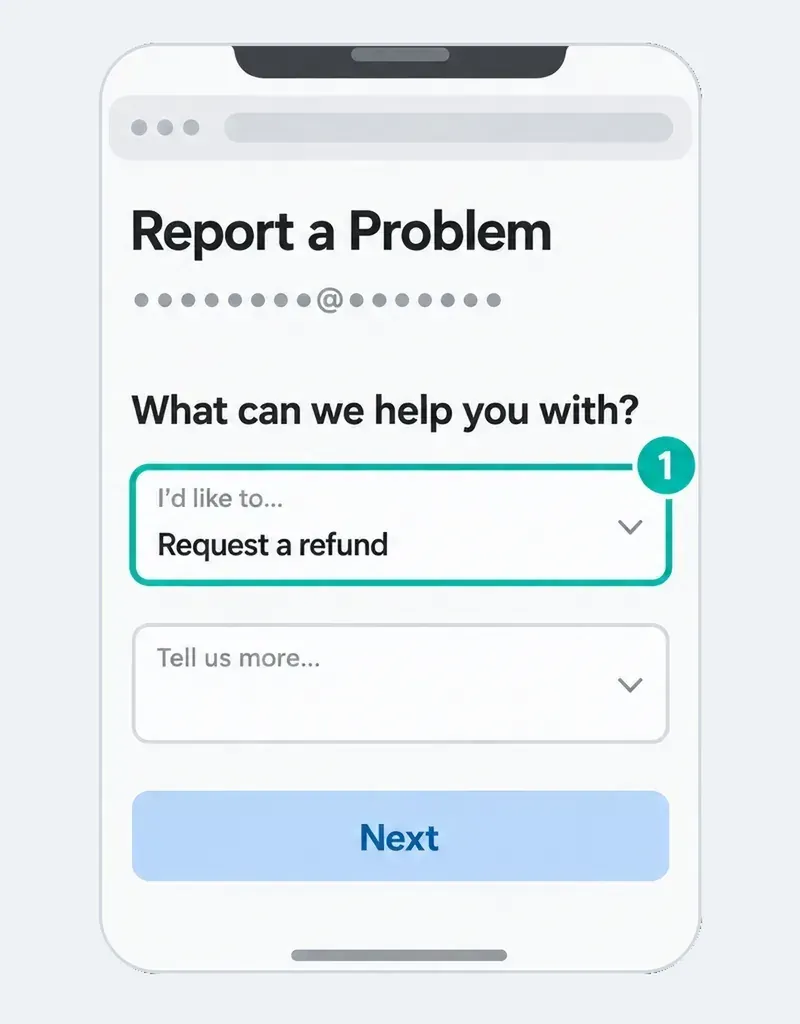
- App Store purchase: follow Apple’s refund instructions through Report a Problem. Apple says pending charges cannot yet be requested there; use the Apple Account on the receipt.
- Google Play purchase: use the Google Play refund request process and check its current eligibility policy.
- Direct CapCut or another seller: contact the seller named on the receipt with the order number and access evidence. A billing provider’s support route may also appear on that receipt.
Apple Pay is not the App Store, and Google Pay is not Google Play. For a direct merchant purchase, Apple Pay refunds go through the merchant; Google Pay distinguishes Google purchases from store or bank disputes. Follow who sold the subscription, not the wallet logo. Eligibility and timing depend on the purchase, usage, seller and applicable law. Missing access does not guarantee an automatic refund.
Need to export today?
Keep the original editable project unchanged. CapCut recommends duplicating a project before major changes. If your interface offers Duplicate or a project-copy option, make a separate working copy and confirm you can reopen it with its source media. Keep an independent backup as well. A copy is for trying changes without overwriting the original, not a guarantee against uninstalling or clearing storage.
- In the copy, note the exact paid elements or controls named by the export prompt.
- Replace those elements with your own media or alternatives clearly available to your account. Check effects, transitions, text, stickers, audio and the chosen export settings.
- Try a short test first. If it succeeds, export the full copy and play the final file outside CapCut to check picture, sound, captions, timing and any visible marks.
This may help with an asset-specific restriction; it will not repair a service-wide export failure or guarantee a free export in every account. Do not strip license checks or use a cracked build. If the copy cannot export, preserve the work, give support the exact error and tell whoever is waiting that delivery is blocked. Repeated purchases are not a safe deadline strategy.
Frequently asked questions
Why does CapCut still show Join Pro after I paid?
Compare the receipt, access end date and CapCut user ID first. The prompt can reflect the wrong profile, delayed or stale access, a plan limitation or a specific item’s requirements. It does not prove that buying another subscription will solve it.
Does canceling Pro remove access immediately?
For a normal paid subscription, turning off renewal usually leaves access until the paid period ends. Trials, refunds and local rules can differ. Check the actual expiry date and final confirmation rather than treating Canceled as proof that Pro must already be unavailable.
Can I restore Pro on a new CapCut account?
CapCut says subscriptions cannot be transferred between accounts. A restore control, where offered, is not a promise to attach the purchase to a new profile. Identify the original paid CapCut account and the purchasing store account, then ask support if access remains missing.
Why does Pro work on mobile but not PC or Mac?
Check whether the plan is Standard or Pro and compare the CapCut user IDs. CapCut documents Standard benefits as mobile-only, while Pro covers Mobile, Desktop and Web. If Pro and the IDs match, preserve your work and working session, then update or restart the affected app before a safe login refresh.
Should I clear site data if Pro works in incognito?
Not as the first step. Verify the same user ID, save unfinished Web work and confirm a recoverable backup and a working sign-in route. Private mode changes session and extension behavior as well as stored data, so success there does not prove that cache is the only cause.
Does Pro include every paid template and AI action?
Do not assume that. Check the exact plan, template offer and credit balance. CapCut’s paid-template help pages conflict about individual purchases, and credit-consuming actions have separate requirements. Ask support about an unclear charge instead of paying again for an unidentified benefit.
Will canceling and resubscribing fix missing access?
It is not a reliable repair and can add another charge without resolving the account problem. Identify the paid profile and seller first. Cancellation and refund requests are separate from troubleshooting, and neither guarantees restored access.