

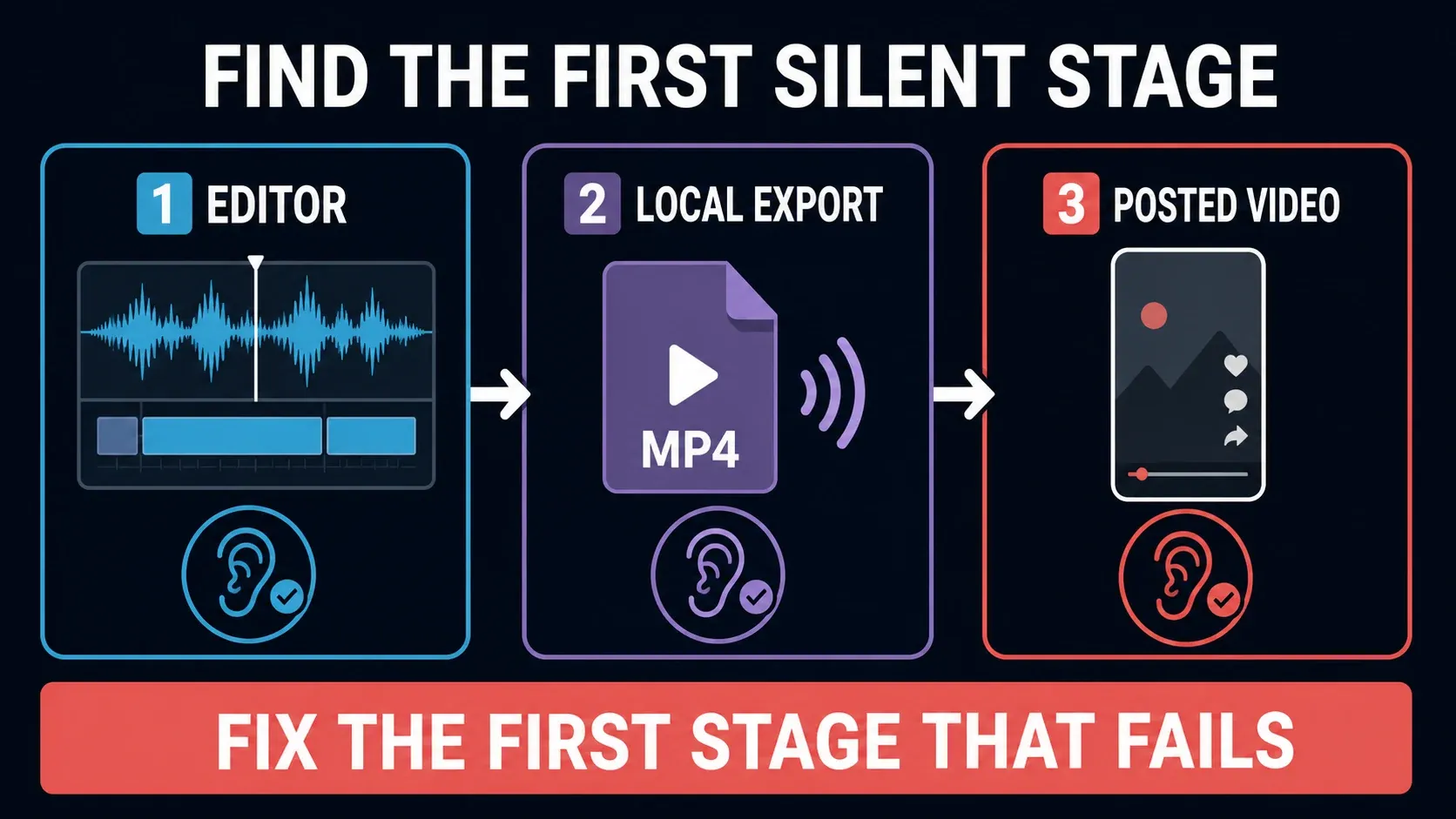
If CapCut has no sound, first find where it disappears: in the editor, in the saved video, or only after posting. Play the source clip outside CapCut, preview the same moment in your project, then play the exported file. That comparison tells you which section below to use.
Save your work before restarting. Do not clear app data or reinstall to troubleshoot a silent clip. A duplicate inside the same app is useful for testing, but it is not a backup against app-data loss. Before any reset or removal, make a recoverable backup of the editable project and its source media.
Find the first place the sound goes missing
- The source file is silent outside CapCut: check another player or device. If the recording itself has no usable audio, changing a timeline slider will not recover it.
- The source plays, but the editor is silent: start with the selected clip, its mute and volume settings, and your device's audio output.
- The editor sounds right, but the saved video is silent: test that file in another player, then isolate a short section of the project.
- The saved file has sound, but the social post does not: check playback on the platform and any sound-removal message before changing the edit.
For a stalled export rather than a completed silent file, use the export stuck or failed guide. This page is part of our CapCut fixes by symptom hub.
No sound in the CapCut editor
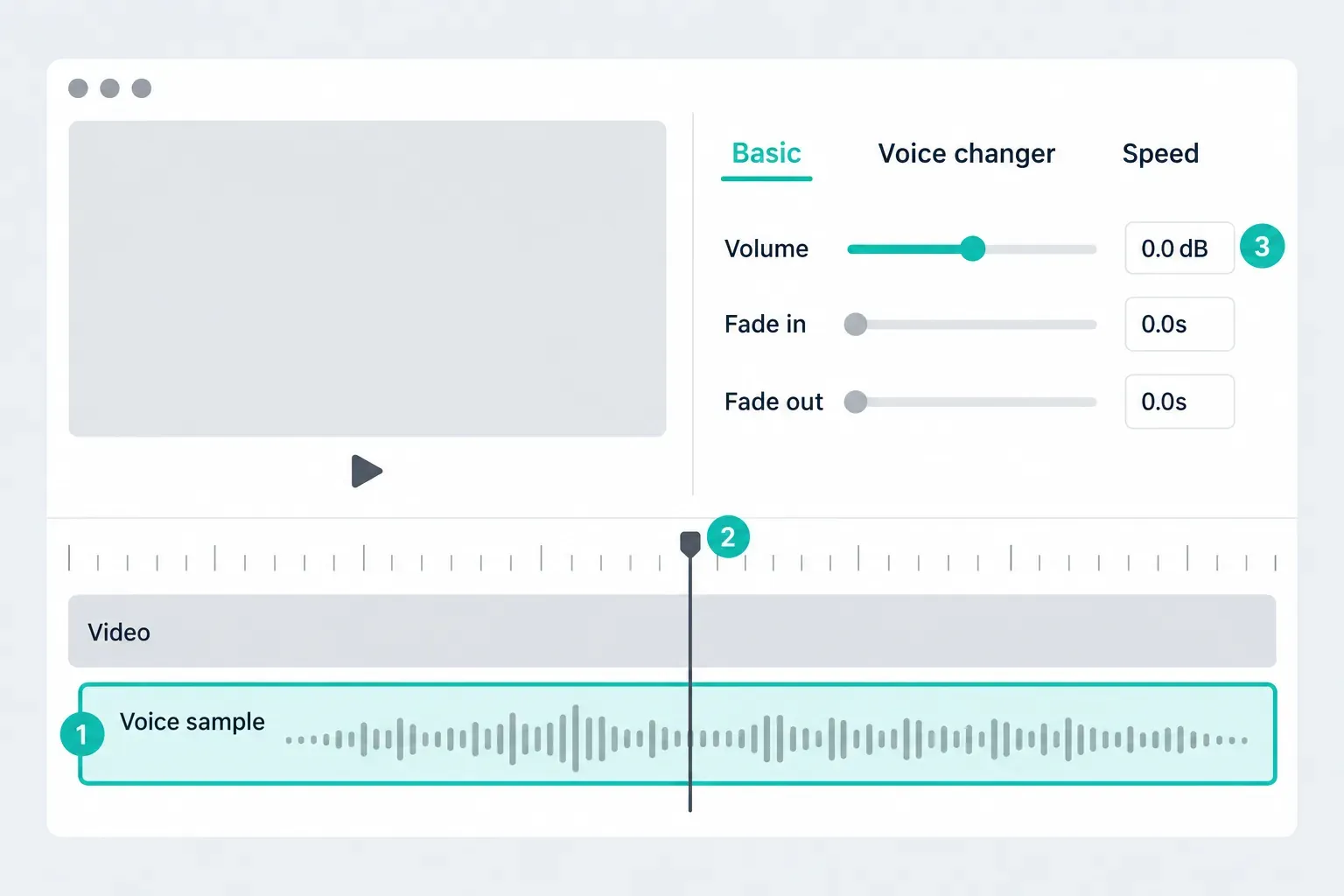
Start with a moment where you know speech or music should be playing. Select that clip on the timeline and put the playhead inside it. A track elsewhere in the project will not play at the current position.
Check the clip and track mute controls, then open Volume. On Desktop, the selected clip's audio controls may appear in the right-hand panel; Mobile presents them in the clip tools. CapCut's audio playback troubleshooting guide covers those layouts and recommends checking the source and output device too.
Read the volume unit before changing the number
0 dB gain is not mute. It means no gain change. A percentage-based volume control at 0% is different: it turns that clip down to silence. Negative dB gain makes audio quieter; it does not automatically mean the track is muted. The Audacity manual's gain explanation makes the same distinction between a centered 0 dB gain control and silence.
If you added volume keyframes or fades, check the quiet moment itself rather than only the start of the clip. Restore a sensible level while listening at a comfortable device volume. Do not push gain to a large positive value simply because the display says zero.
Check the output for your platform
Windows 11: open Settings → System → Sound → Volume mixer. Under Apps, check CapCut's volume, mute state and Output device. For CapCut Web, check the browser entry. An app can use a different output from the system default; hearing Windows notifications does not rule this out. These are the checks in Microsoft's app-specific audio troubleshooting.
Mac: check the sound output selected in macOS, especially after connecting a monitor, audio interface or Bluetooth headphones. Test the same clip through the built-in speakers or another known-working output. Apple's speaker troubleshooting steps show where to check output volume and mute. A browser stereo test confirms the output before you touch CapCut.
iPhone, iPad and Android: raise media playback volume while the video is playing and check where Bluetooth is sending the sound. Test a known-working video in the device's normal player. Do not assume a phone's ringer setting tells you the volume of every media app.
Web: check that the browser tab or site is not muted, then check browser volume and output at the system level. If you need to reload the editor, first confirm the project has saved. Microphone permission concerns recording a new voiceover; it is not a blanket fix for playback of an existing imported track.
If the output and clip controls are correct, save and restart CapCut. On Windows, persistent app-specific silence can also involve audio services or drivers, even when system sounds work. Follow Microsoft's troubleshooting sequence above rather than installing a random driver utility.
The waveform is visible, but nothing plays
A waveform is a clue, not a listening test. Check that the source file still opens outside CapCut, that the playhead overlaps the audio, and that the relevant track is unmuted. Try the same file in a new, small project. If a different known-working file plays there but this one does not, investigate the source rather than resetting the entire app.
For imported music, check that you selected the intended file and placed it where it should start. Our guide to adding music in CapCut covers that setup. Avoid deleting the original audio layer until a replacement works in a test copy.
CapCut has sound, but the exported video is silent
Open the actual downloaded video, not a preview inside CapCut or a social upload. Play the same section in two different players or on another device. If one plays sound and the other does not, check that player's volume, output and selected audio track before exporting again.
Still silent? The optional desktop tool MediaInfo can list the file's audio streams, including codec, channels and sample rate. Open the file locally and look for an Audio section. A normally parsed video with no audio stream needs a new export with audio; a listed stream can still contain silence. Metadata alone cannot tell you whether the dialogue is audible. There is no need to upload private footage to an online checker.
Test a short copy, not the whole edit
- Keep the original project unchanged. Make a separate test copy. Use a short export range if your version offers it; otherwise trim only the copy to roughly 5–10 seconds containing the problem.
- Listen to one intended audio track. Use Solo if that control is available. Otherwise mute the other tracks in the copy. Check clip volume, fades and keyframes using the units shown.
- Turn off one applied audio effect. If you used noise reduction, voice enhancement, normalization or a voice effect, disable one and export the same short test. Compare the result before changing another setting.
- Play the saved test in two players. If the test works, re-enable the intended tracks and settings carefully, then export the complete project and listen through it.
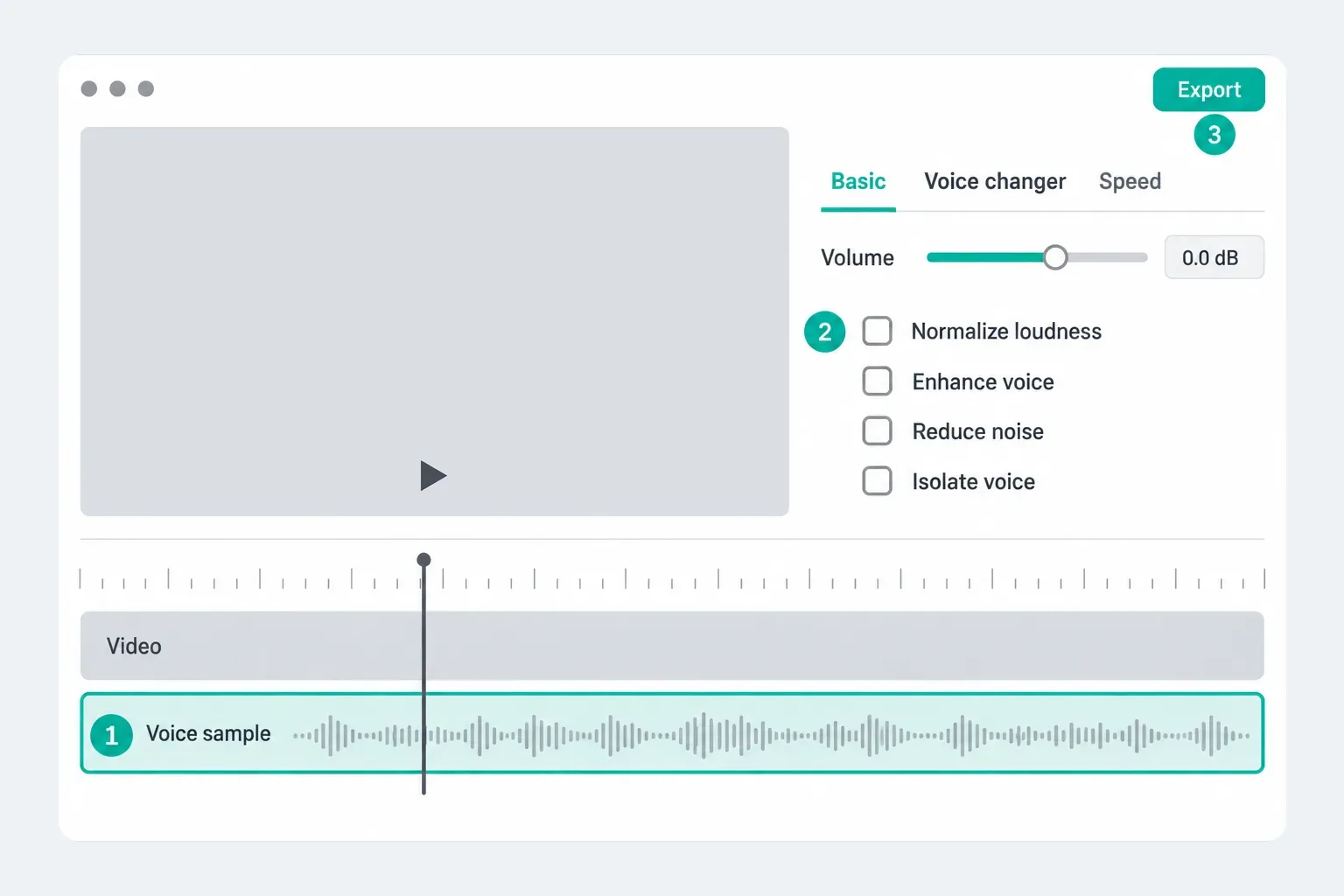
The point is to find the smallest change that fixes the file. If only one source fails, try importing a fresh copy from the original media. If you convert it to another supported format, keep the original and check the replacement's duration and synchronization before using it in the main edit.
Do not confuse a separate audio export with video sound
An option that creates an MP3 or WAV is for a separate audio file. It is not proof that the MP4 you downloaded contains the intended mix. Check the selected video export settings and the resulting video itself; controls differ between Desktop, Mobile and Web. Our CapCut export settings walkthrough covers the video workflow; when a separate sound file is what you need, see how to export audio only from CapCut.
If the problem survives a short, simple test, record the app version, device, source format and exact point where audio disappears. Keep the test project for support. Clearing storage, removing effects and changing formats all at once makes the cause harder to identify.
Music exports, but the voiceover is missing
This is narrower than “the video has no audio.” Find the voiceover clip and preview it alone, using Solo where available or muting the music in a test copy. Confirm that the recording contains speech and overlaps the exported section.
If speech is audible alone but disappears under music, follow the voice-and-music balance in the audio-mixing guide. If the voiceover is silent even alone, check its mute state, gain, fades and source. If it works in the editor but not in the file, repeat the short export with processing disabled one effect at a time. A failed new recording also calls for checking microphone input and permission; an existing recording that plays outside CapCut is a different problem.
The file has sound, but TikTok or Instagram is muted
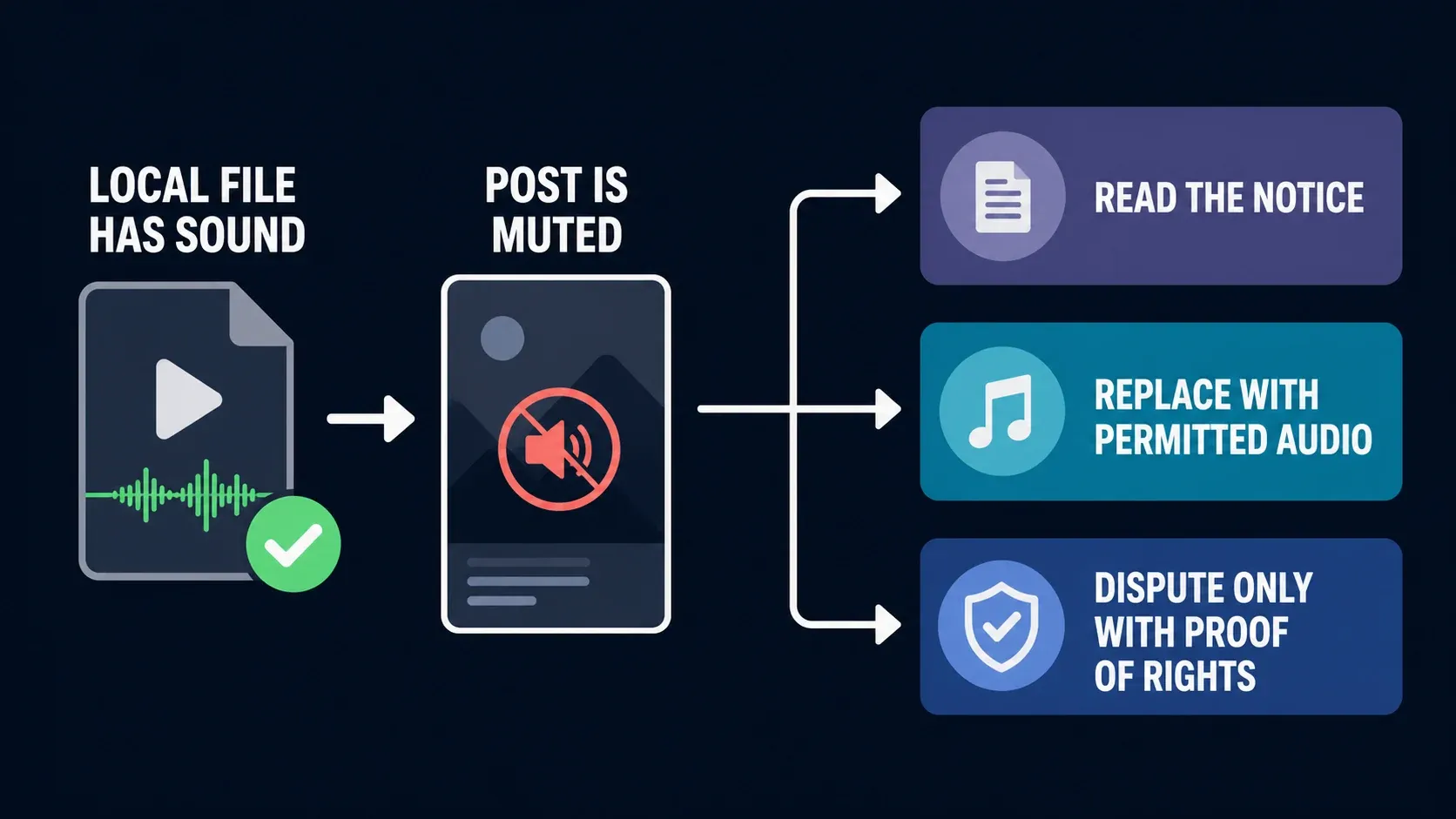
Keep the working local file. First check the platform's playback mute and device volume, and compare the same post on another device if possible. Then read any notice attached to the post. Do not assume every silent upload is a copyright removal.
TikTok: read the reason before replacing the sound
TikTok says it can remove sounds for copyright restrictions, Community Guidelines violations, or both. Its muted-video help page also explains that you may not receive a notification if you did not add the original sound.
Open the muted video and tap View details. For a sound replacement, TikTok's documented route is Change sound, choose a replacement, adjust its trim and volume, then Post. Preview the result before confirming. If you believe a removal is wrong, follow the options in the notice and use evidence of the rights you hold.
Instagram: follow the notice on that Reel
Check whether the Reel has an audio-removal message or is simply muted during playback. If Instagram offers a replacement action on that post, review what it will change before confirming it. Do not rely on a universal button name, a promised number of replacement attempts, or a guarantee that every part of the original mix will survive.
If there is no usable replacement route, return to the project and prepare a version with audio you have permission to use for that destination. Keep the original export. A track being available inside an editor is not, by itself, permission for every platform or use.
A published CapCut template has lost its sound
A template's online sound and an already saved local video are different things. Reopen the current template and check whether its music is still available. A later change to the template does not rewrite an unchanged video file already stored on your device.
CapCut's published-template sound guidance describes replacing affected music and updating the template. That is a creator action: you need the editable template, publishing access and permission to use the replacement. It is not a promise that any template user can repair the original publication.
The Keep original sound setting concerns audio from clips that future users insert into a template. It does not clear rights to background music. CapCut's page describes Mobile and Web creator workflows with a December 2025 date, so use the controls available in your account. Do not treat exporting a finished MP4 as a way to transfer an editable template to another platform.
Sound cuts out or drifts instead of disappearing completely
Note the exact moment where it changes. A fade, volume keyframe, gap between clips or processing effect needs a different fix from a file that has no audio stream. Export a short copy around that moment and compare it with the editor.
If the saved file stays in sync while the preview stutters, avoid moving the audio to compensate for preview playback. If the saved file itself loses sync, check the beginning, middle and end: a constant offset and an offset that grows over time are different symptoms. Continue with the lagging video after export guide for timing and playback problems.
If none of the checks restores sound
Keep the original media, working export and editable project. Send support a short reproduction: what plays outside CapCut, what happens in a new project, and which player opens the silent export. Use a non-private test clip if it reproduces the problem.
Clear cache and clear app data are not interchangeable. CapCut explicitly warns against clearing app data because it can delete local projects in its cache and project-safety guidance. A copy that lives inside that same app can disappear too. Stop before any reset if you cannot restore your editable work and source files from a separate backup.
This guide follows CapCut, Microsoft, TikTok and MediaInfo documentation. The numbered interface images explain each check; controls and platform remedies can differ by app version and account.
CapCut no sound FAQ
Why is CapCut silent even though I can see a waveform?
A waveform does not prove that the current preview is audible. Check the clip and track mute controls, the volume unit, the playhead position and your output device. Play the source outside CapCut and try it in a small new project before deleting or replacing anything.
Does 0 dB volume mean the audio is muted?
No. On a gain control, 0 dB means no gain change. A percentage volume control at 0% means silence. Check the unit and the mute controls instead of treating every zero as the same setting.
Why does the export have no sound when the editor does?
First play the actual saved video in another player or device. If it is silent there too, test a short project copy with one intended track and disable applied audio processing one effect at a time. MediaInfo can identify an audio stream, but a stream can still contain silence.
Why can I hear music but not my voiceover?
Preview the voiceover alone, using Solo if available or muting other tracks in a test copy. Check that it contains speech, overlaps the exported section and is not muted or faded down. If it plays alone, adjust the music balance; if only the export loses it, test without applied voice processing.
How do I fix CapCut sound on Windows 11?
Open Settings → System → Sound → Volume mixer. Under Apps, check CapCut's mute state, volume and Output device; check the browser entry for CapCut Web. If those are correct, save and restart the app, then follow Microsoft's app-audio troubleshooting for persistent problems.
Why is my video muted after posting to TikTok?
If the local file has sound, check TikTok playback and the post's View details message. TikTok can remove audio for copyright or Community Guidelines violations. Its documented replacement route uses Change sound, followed by trim and volume adjustments and Post. A silent post alone does not establish the cause.
Should I clear CapCut data or reinstall to restore sound?
Not as a first fix. Clearing app data can delete local projects, and a duplicate inside the app does not protect against that loss. Keep a separately recoverable editable project and its original media before considering any reset or removal.