


CapCut AI credits pay for eligible AI operations separately from your subscription. Pro access doesn't make every AI generation unlimited, so read the live credit quote for the specific action before you confirm it. To get the cash cost of one purchased credit, divide the pack's final total by the number of credits in that pack.
Do CapCut credits reset? There's no single reset rule for every credit. Subscription credits are tied to a subscription allocation period. Purchased credits have a separate validity rule, and activity credits follow the campaign that issued them. CapCut's current Help pages conflict on annual-plan rollover and purchased-credit expiry, so check the date shown for each balance batch. Don't assume all credits reset together.
Credit terms can differ by account and platform. CapCut's current Help pages still disagree about expiry, spending order and purchase routes. Use the live balance and terms shown in your signed-in account before buying credits or exchanging Pro uses; this guide maps the published rules and flags the conflicts that need account-level confirmation.
Do CapCut credits reset or expire?
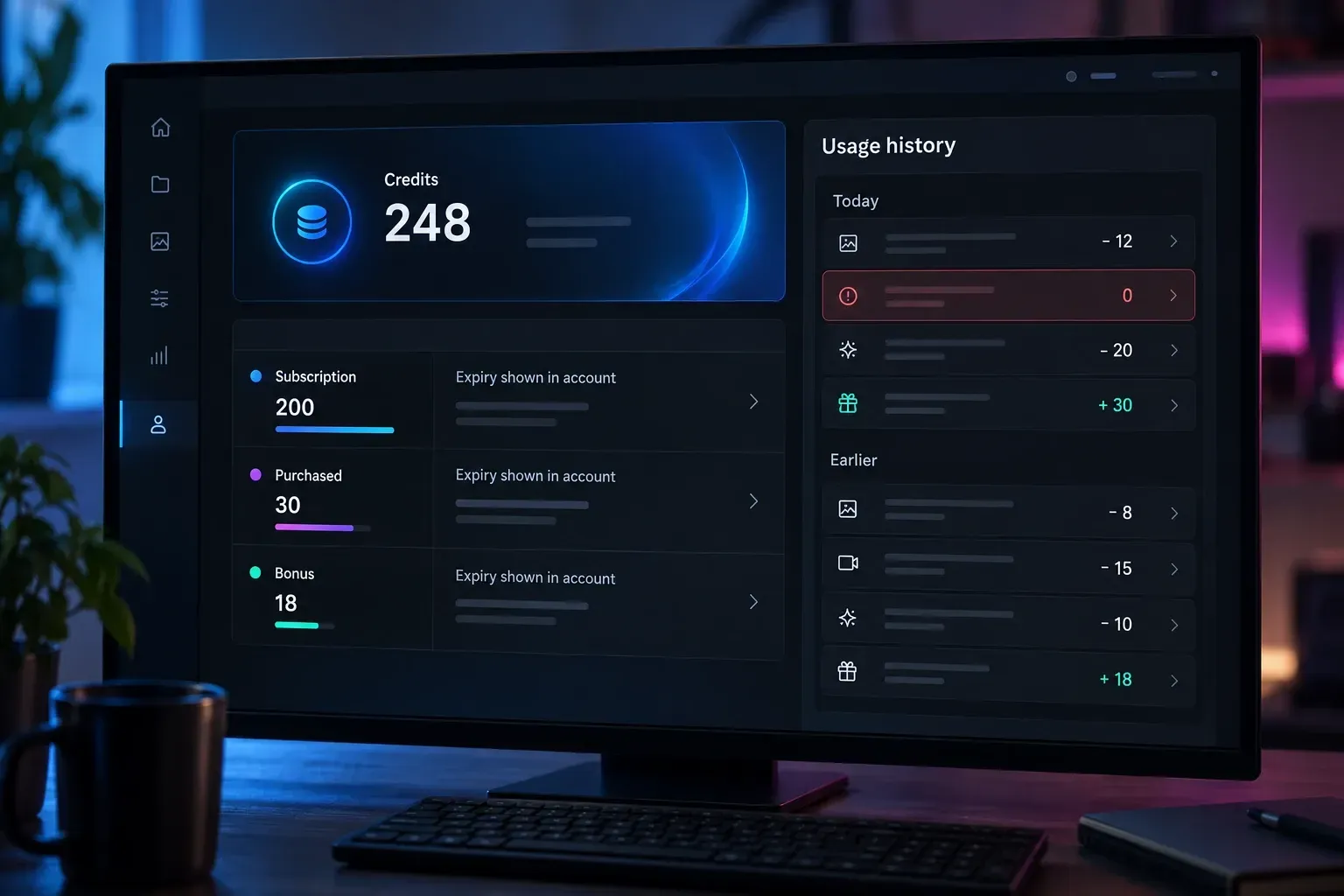
There is no universal reset date for all CapCut credits. The Credit Rules separate the balance into three types:
- Subscription credits: eligible Pro plans issue them as part of a subscription allocation. The rules describe a one-subscription-month validity period.
- Purchased credits: these come from a separate credit-pack purchase. The rules and credit-types Help page describe a two-year validity period.
- Activity credits: official campaigns, challenges or promotions can issue them. The terms of that activity set the expiry.
CapCut's own pages contradict each other in two places that matter. Its subscription-validity Help page gives an annual-plan example where credits last a year, but the Credit Rules describe monthly grants and expiry. Its purchase Help page says purchased credits don't expire, while the rules and credit-types Help say two years.
So don't assume annual billing guarantees annual rollover, or that purchased credits last forever. Open the balance details and check the grant and expiry date for each batch. Keep the terms shown when you buy, too. A new allocation doesn't prove that unused older credits rolled over. And a monthly subscription cycle can also start on the activation date instead of the first day of the calendar month.
Activity credits are one possible way to get free credits when an official campaign is available. They aren't a permanent daily allowance. Stay away from unofficial sellers, modified apps and promises of unlimited balances.
Do you need Pro to buy or use credits?
You don't always need Pro to buy credits. The CapCut Credit Rules explicitly let non-Pro members purchase them. But buying a balance doesn't necessarily unlock a Pro-only tool. Check access before paying for a pack.
A subscription and a credit balance answer different questions: whether your account can open the tool, and how many metered operations it can run. The CapCut Pro guide covers plan access; our Free, Standard and Pro comparison covers subscription prices and benefits.
Don't assume every subscriber receives the same allowance. The Credit Rules say Pro plans receive equal monthly grants, while CapCut's plan-specific guidance says allocations differ. Its Pro upgrade announcement names an increase from 550 to 1,200 AI points. That announcement doesn't establish the balance or cash value for your particular account.
How much does one credit, or one run, cost?
There isn't a dependable universal checkout conversion. The credit overview says $0.01 per credit, while the credit-types page gives $4.99 for 100 credits as an example. Those are different unit prices, and neither is a verified price range for your region.
- Cost of one purchased credit: final pack total, including applicable tax, divided by purchased credits.
- Cost of one run: that unit cost multiplied by the run's quoted credits.
- Cost of an accepted result: add the costs of all charged attempts needed to obtain it.
Hypothetical calculation, not a CapCut offer: a $12 pack of 600 purchased credits works out to $0.02 per credit, so a 40-credit run uses $0.80 of that pack. Three charged attempts cost $2.40, even if you keep only one result. Subscription fees and your editing time are separate costs. Keep promotional or subscription allowances out of the paid-pack denominator.
Before you commit to a job, note the account and workspace, the model, and whichever duration, resolution or output-count settings are offered. Set those options first, then save the credit quote that appears. If you can't see a charge, ask for cost details instead of assuming the operation is free. This checklist is for tracking spending. It isn't a recommendation to generate something just to test billing.
Which AI features use credits?
CapCut's usage instructions name AI Image Generation, AI Script-to-Video, AI Portrait, Smart Cutout and premium voiceovers. The Credit Rules also list motion effects and AI effects. Treat these as documented examples. They don't prove that every mode bearing those names charges every account.
Pick the workflow in our AI tools guide, then check the tool's own prompt. For a video job, use the AI video generator guide or the Video Studio workflow. For still images, follow the AI image generator guide. A quote from another model or a previous session isn't a quote for your next run. And don't assume every auto captions option consumes credits.
Which credits are spent first?
The Credit Rules put subscription first, activity second and purchased third, and the credit-types page agrees. The Desktop section of the usage instructions, though, puts purchased credits before activity credits. A separate spending-order Help page agrees with the rules but also claims mobile doesn't support credit-consuming features, which contradicts the usage instructions.
That's a documented conflict. It doesn't show that one order applies to every Desktop build. The priority also runs by credit type, which isn't the same as a universal earliest-expiry-first promise. If an existing transaction took credits from an unexpected pool, save the entry and batch balances for support. Don't spend more credits just to settle the contradiction.
Where can you view or buy credits?
Web is the most consistently documented route. CapCut's balance guidance describes credit types, batch expiry and usage history there. Its purchase guide places a Credits control in the upper-right of an AI workspace such as Design Studio.
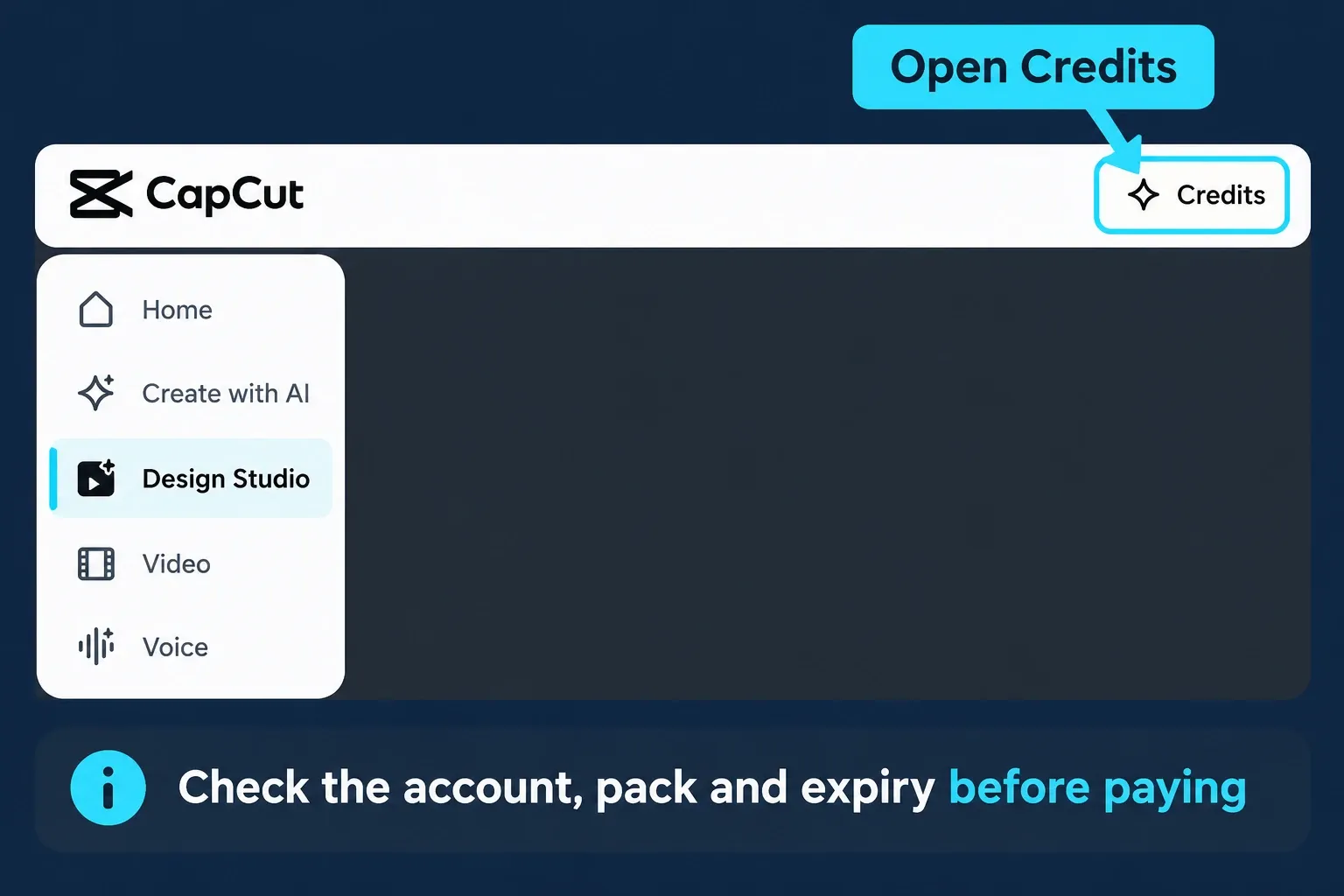
On Desktop, the purchase guide describes selecting Credits inside an AI feature and buying a pack there. The cross-device guidance says purchases redirect to Web instead. Either way, confirm the Web account is the one you intend to use before you continue.
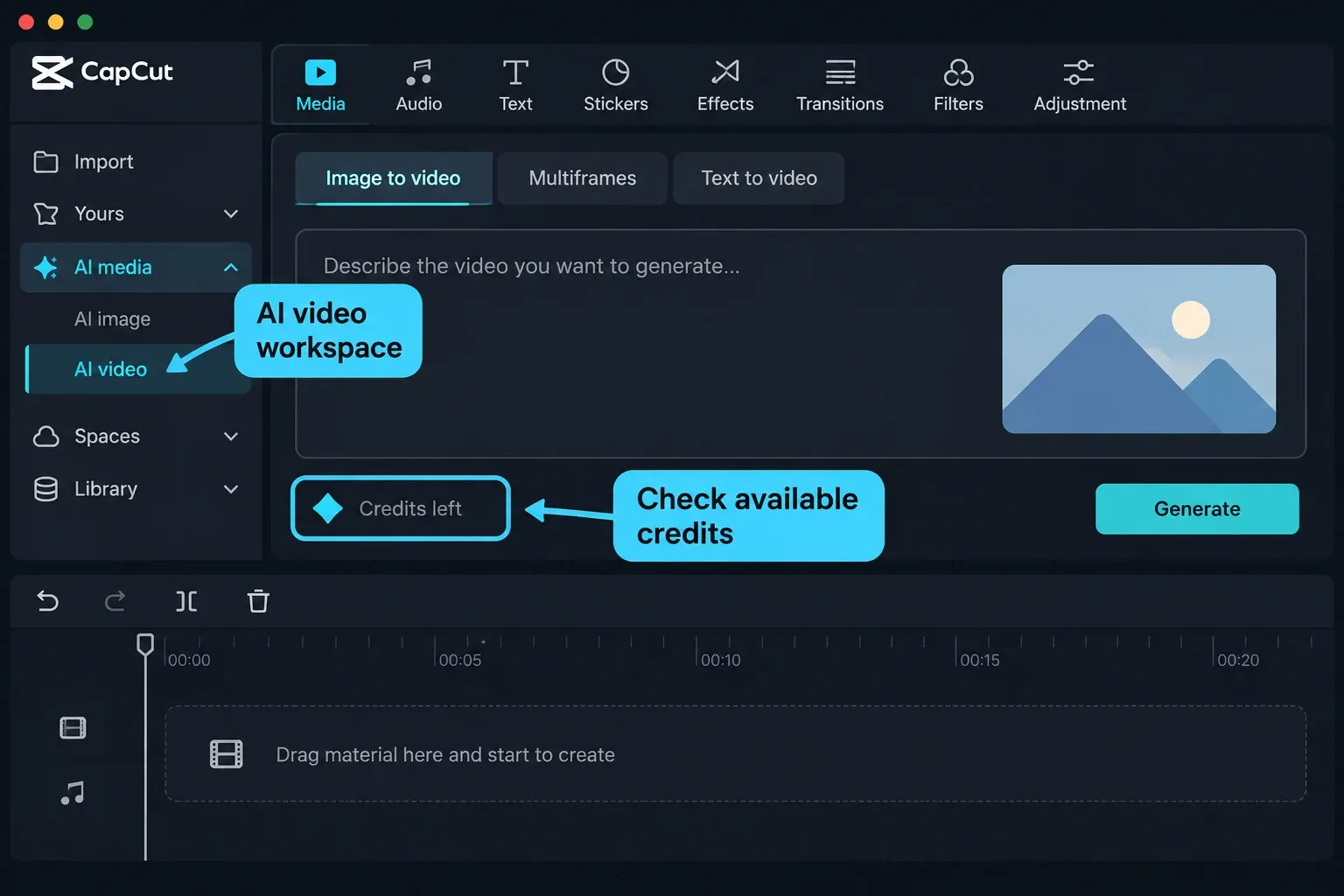
On mobile, the instructions clash even more. The Credit Rules give a Me → Pro route for buying and checking credits. Usage Help describes an in-app purchase option when you don't have enough credits. Purchase Help says there's no mobile credit store or Credits section at all. The spending-order page even denies mobile credit consumption, while cross-device Help describes it. Don't treat an absent button as proof of a broken account, and don't install an unofficial app to get it.
Before paying anywhere, save the pack quantity, final currency total, account, expiry and refund terms. If the balance page doesn't show the information you need, ask support before buying more than you expect to use soon.
What happens when Pro ends?
Turning off renewal isn't the same as reaching the end of a paid plan. The Credit Rules say cancelling renewal leaves the current subscription-credit batch valid until the end of its subscription month. Purchased and activity credits keep their own expiry rules. If you're on an annual account, the monthly-versus-annual disagreement above still matters.
Once Pro ends, CapCut's post-expiry guidance says subscription credits expire, while unexpired purchased and activity credits remain. A leftover balance doesn't keep your Pro-only tool access. Use our Pro cancellation guide for the renewal process, which is separate.
Should you exchange legacy Pro uses?
Only consider this if your account offers it. CapCut's legacy-use exchange guidance and Credit Rules describe an irreversible conversion: remaining Pro uses become subscription credits, and future months grant credits instead of uses.
Read the offered amount and expiry before you accept. The rules warn that the new allowance may cover fewer operations than the old uses. Treat it as a legacy migration. It isn't a required setup step or a reason to change your subscription.
Failed generation or missing credits: what to record
Keep three cases apart: a failed job, a completed result you're unhappy with, and a cash refund for a purchased pack. The Credit Rules call purchased credits non-refundable, but they don't establish whether every failed job's deduction is restored. CapCut's published guidance does not promise automatic restoration for every failure.
The Terms of Service preserve applicable mandatory consumer rights and distinguish regional terms. Don't automatically apply a subscription refund window to a credit pack. And don't assume a short Help answer resolves your payment dispute.
- Check the job state. Save the error or pending message before retrying. An unchanged balance isn't proof that no later charge can follow.
- Record the deduction. Keep the quoted cost, time, model/settings, job ID if available, and transaction entry or before-and-after balance. Don't repeat an expensive failed run blindly.
- Check account identity. Compare the account ID, original sign-in method, workspace and batch expiry. CapCut's sign-in guidance warns Google and email sign-in can create separate accounts despite using the same address.
- Ask support to investigate. Use in-app Help or the support email listed in the Credit Rules. Ask whether the charge is pending, final or restored. Don't send passwords or full card details.
A May 2026 r/CapCut report about failed AI Remix attempts describes deductions on some failures. That's one user's report. It doesn't give a measured failure rate or a refund policy. What support needs is your own transaction evidence.
If the problem started after switching devices, use the same-account device setup guide. If payment is recorded but access is missing, follow Pro access troubleshooting before buying again.
What credits can't buy
Under the Credit Rules, you can't use credits to buy Pro or storage plans, transfer them to another account or exchange them for cash. Before you buy a pack, confirm the tool you want is available and check what it charges. A large balance won't remove a tool's access restriction or guarantee a satisfactory AI result.
CapCut AI credits FAQ
How much is one CapCut AI credit worth?
Divide the final paid-pack total, including applicable tax, by the purchased credits to calculate one credit's cost. Multiply that result by a run's quoted credits only when calculating the run cost. Public Help examples conflict, so neither is a universal checkout price.
Does CapCut Pro include unlimited AI credits?
No. Eligible plans provide a limited allowance. CapCut's public pages disagree about equal versus plan-specific grants, so check the allowance shown for your account.
Can I buy credits without Pro?
Yes, the Credit Rules allow non-Pro members to purchase credits. That doesn't guarantee access to a Pro-only AI tool.
Do purchased CapCut credits expire?
The Credit Rules and credit-types Help say two years after purchase. Purchase Help says they don't expire. Keep the terms and expiry for your batch and ask support to clarify any disagreement before buying.
Do CapCut credits reset?
There is no single reset rule. Subscription credits follow their allocation period, purchased credits have a separate validity rule, and activity credits follow campaign terms. CapCut's annual-plan and purchased-credit Help pages conflict with its Credit Rules, so check each batch's displayed grant and expiry dates.
Can I buy credits in the mobile app?
CapCut's public instructions disagree. The Credit Rules and usage Help describe mobile routes, while purchase Help denies a mobile store. Use only the official controls available to your account; Web is the more consistently documented fallback.
Can I get credits back after a failed generation?
CapCut's published guidance does not guarantee automatic restoration for every failed job. Save the error, quote, job ID if available and transaction evidence, then ask support whether the deduction is pending, final or restored.
Why is my credit balance different on another device?
Check the account ID, original login method, workspace and expiry before paying again. CapCut says balances are account-based; different sign-in methods can create different accounts even when the email address matches.