


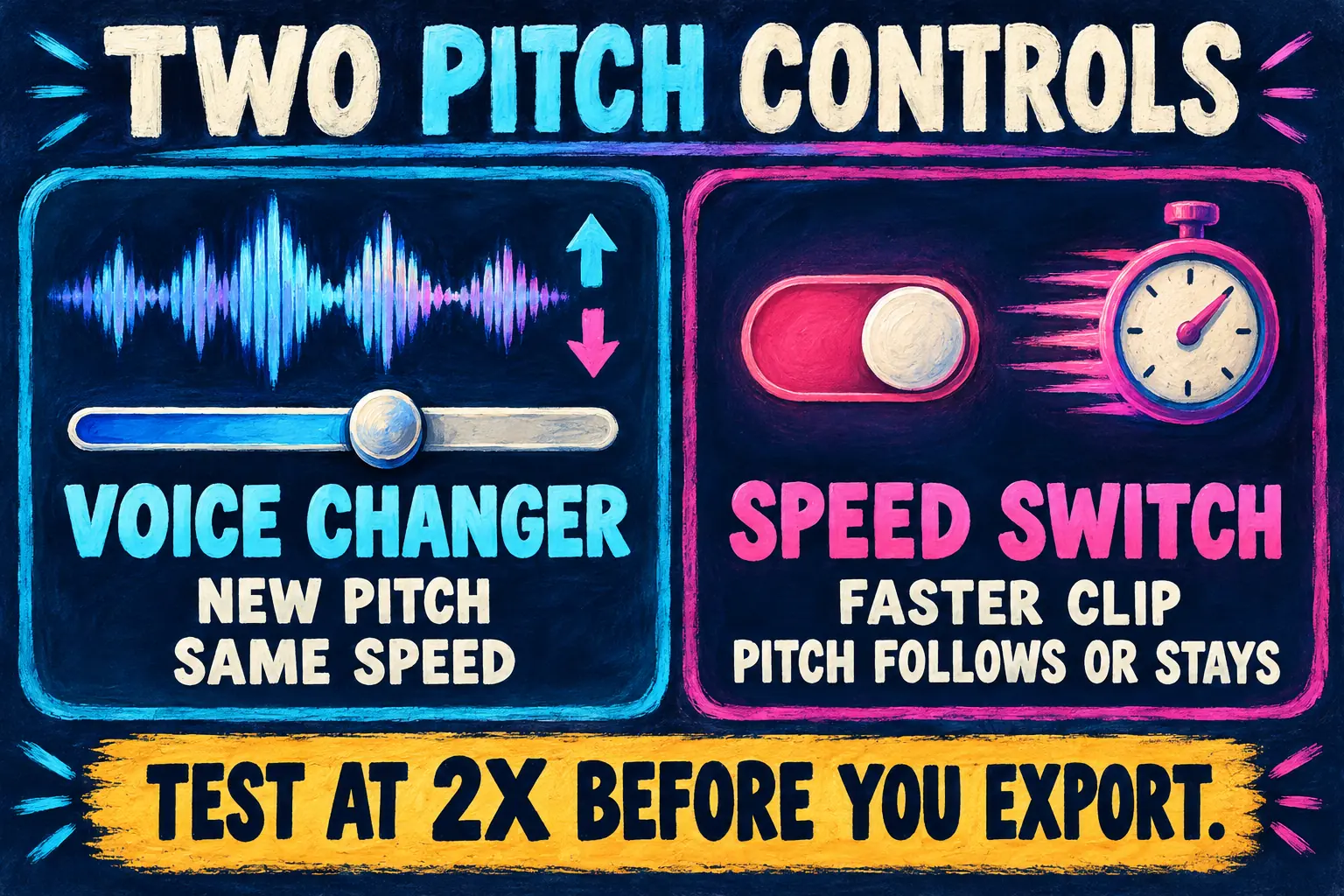
To change pitch in CapCut without changing speed, select the clip and open the Voice changer: the Audio tab on PC and Mac, Audio > Voice effects on a phone. Pick High, Low or Deep, or move the Pitch slider left to go lower and right to go higher. Stay within 1 to 3 semitones if the voice should still sound like a person. The pitch switch in the Speed panel is a different control: it decides whether the pitch moves when you speed a clip up or slow it down.
On the web, CapCut's pitch changer puts a Pitch control in the Speed tab instead, so the menu you need depends on where you edit. I'll cover all three apps, the switch that makes sped-up voices squeak, and how to shift only the music under a voiceover.
Two pitch controls, two jobs
CapCut has two places that touch pitch. Edit Logic's guide to CapCut's voice changer and pitch separates them cleanly: a voice changer changes who seems to be talking, a pitch changer moves audio up or down in semitones while the speed stays the same, and the two stack.
| You want | Use | Where to find it |
|---|---|---|
| A higher or lower voice at the same speed | Voice changer: High, Low, Deep or the Pitch slider | Audio tab on PC and Mac, Audio > Voice effects on a phone, Voice changer panel on the web |
| A song in a different key at the same tempo | The Pitch control | Speed tab on the web; the Voice changer's Pitch slider on desktop |
| A faster clip that keeps its normal voice | The Speed panel's pitch switch, set so pitch stays put | Speed panel |
| The chipmunk sound from speeding up | The same switch, set so pitch follows speed | Speed panel |
I'd reach for the Voice changer first for any voice work, because it leaves the clip's timing alone and you hear the result as you move the slider. The Speed switch only matters once you change the speed.
Change pitch on Windows or Mac
- Select the clip. Import the video or audio, drag it onto the timeline and click it. The editing panel on the right stays empty until a clip is selected.
- Open Audio, then Voice changer. In the top-right panel, click the Audio tab and scroll down to the Voice changer section. CapCut's guide to changing your voice lists its filter groups as Electronic, Funny and Character voices.
- Pick High or Low, or use the slider. CapCut's roundup of MP3 pitch changers gives the desktop steps: choose High or Low from the voice filters, then slide Pitch left to lower the audio or right to raise it. The change plays back in real time.
- Listen to the whole line. A filter's name tells you little about how it lands on your voice. Play the clip from the start and compare it with the original before you export.
- Export. For a voiceover file without the picture, turn off the video in the export settings and pick an audio format, which is the route the same MP3 roundup describes.
If the Voice changer section is missing or looks different, update the app before anything else. Our CapCut for PC and CapCut for Mac guides cover the official downloads and updates.
No voice on the timeline yet? Record a voiceover in CapCut first. CapCut's voice guide also says its voice changer effects work on generated narration, so a voice from CapCut text to speech takes the same filters.
Change pitch on iPhone or Android
- Tap the clip in the timeline to open its toolbar.
- Tap Audio, then Voice effects. Those are the names CapCut's voice guide uses for the phone app. Edit Logic notes that some versions label the list Voice characters instead.
- Tap an effect to hear it, such as Deep, Robot or Chipmunk, then adjust the pitch and speed sliders to fine-tune it.
- Export from the top-right corner.
The filter lineup can differ between phone and desktop, as Edit Logic notes, so a filter you saw on your phone may not appear on your PC. If Voice effects isn't there at all on an iPhone, get the current version from the App Store; downloading CapCut on iOS covers the official listing.
Change pitch on CapCut Web
The CapCut web editor offers two routes.
- Speed tab. CapCut's pitch changer page says to click the track in the timeline, open the Speed tab on the right and move the Pitch control. The same page promises adjustments in semitones without touching the tempo, and a free export without a watermark. For a video file, CapCut's online audio pitch changer adds a step: right-click the clip and choose Extract audio first.
- Voice changer panel. CapCut's guide to a deeper voice has you click the audio in the timeline, open the Voice changer panel on the right, choose Deep and adjust its pitch and timbre. The standalone tool sits under AI voice > Voice changer in the left menu, and Preview 5s lets you hear an effect before you generate the full clip.
CapCut's pitch changer page calls the same control a toggle in one line and a slider in the next. If it isn't where you expect in the Speed tab, the Voice changer panel does the same job for a voice.
The Speed switch: keep the voice or let it squeak
Speed up a clip and its pitch rises by the same ratio, unless the editor corrects it. That's the chipmunk effect, and the Audacity manual's Change Speed and Pitch page puts it plainly: when speed goes up, all frequencies go up, and 2x raises the pitch one octave. CapCut's Speed panel has a switch that decides which you get, and the label changes with the version: Change audio pitch, Keep pitch or just Pitch.
The direction of that switch is where the published guides disagree.
- Ash's Tutorials' video on speeding up audio without changing pitch, made on CapCut PC, turns Change Audio Pitch off to keep the original tone.
- CapCut's video speed FAQ agrees: unselect the pitch slider to change the speed without changing the pitch.
- CapCut's music speed changer says the opposite, turn on Change audio pitch to maintain vocal quality.
- EaseUS's CapCut speed guide describes a Keep pitch box on desktop that keeps the pitch when it's checked, and a Pitch box under Speed > Normal on the web.
- On mobile, CapCut's music pitch changer says to open Speed and tick the pitch option.
So don't trust the word next to the checkbox. Set 5 seconds of speech to 2x and play it. If the voice jumps an octave, pitch is following the speed; flip the switch and play it again. The setting that sounds like the original speaker is the one for voiceovers. Our guides to speeding up a video in CapCut and velocity edits cover the speed controls themselves.
How far a speed change moves the pitch
When pitch follows speed, the shift in semitones is 12 × log2 of the speed. An octave is 12 semitones and every semitone is the same ratio, so 4 semitones up is a rise of about 26%, the figure Audacity's Change Pitch page gives for A to C sharp.
| Speed | Pitch shift if it follows speed | Inside Edit Logic's 1 to 3 semitone comfort zone? |
|---|---|---|
| 2x | 12 semitones up, one octave | No |
| 1.5x | About 7 up | No |
| 1.25x | About 4 up | Just outside |
| 0.75x | About 5 down | No |
| 0.5x | 12 semitones down, one octave | No |
Even a mild 1.25x lifts a voice about 4 semitones, past the range Edit Logic says usually holds up. That's why I'd lock the pitch on any voiceover you speed up and let it follow the speed only when the squeak is the joke. Ash's Tutorials lands in the same place: 1.25x to 1.5x for voiceovers that still sound natural, with Change Audio Pitch off.
Change pitch on only the music or only the voice
A pitch change applies to everything in the selected clip. If the voice and the music share one soundtrack, both move, so give the part you want its own track first.
- Pull the sound onto its own track. On desktop, right-click the clip and choose Separate audio, the route our guide to removing audio from a video in CapCut shows. On the web, CapCut's audio pitch changer uses right-click > Extract audio. If CapCut asks for Pro at this step, read our Extract audio Pro error guide before you buy anything.
- Split mixed voice and music. When the voice and the song are in the same recording, CapCut's desktop stem separation under Audio > Basic > Separate audio offers choices such as Vocals and Instruments; the same guide walks through it.
- Select only the layer you want and change its pitch. Move the music for a key change, or the voice for a deeper narrator.
- Rebalance the levels. A shifted voice can sit differently against the music, and mixing audio in CapCut covers volume and ducking.
For a karaoke track that sits too high, CapCut's pitch changer page suggests moving the song to a better key without changing its tempo and testing a short section before you apply it to the whole track. I'd do exactly that, because a two-semitone drop that suits the chorus can feel wrong in the verse. If you're bringing in a new song rather than editing the old one, start with adding music to CapCut.

How far to push pitch
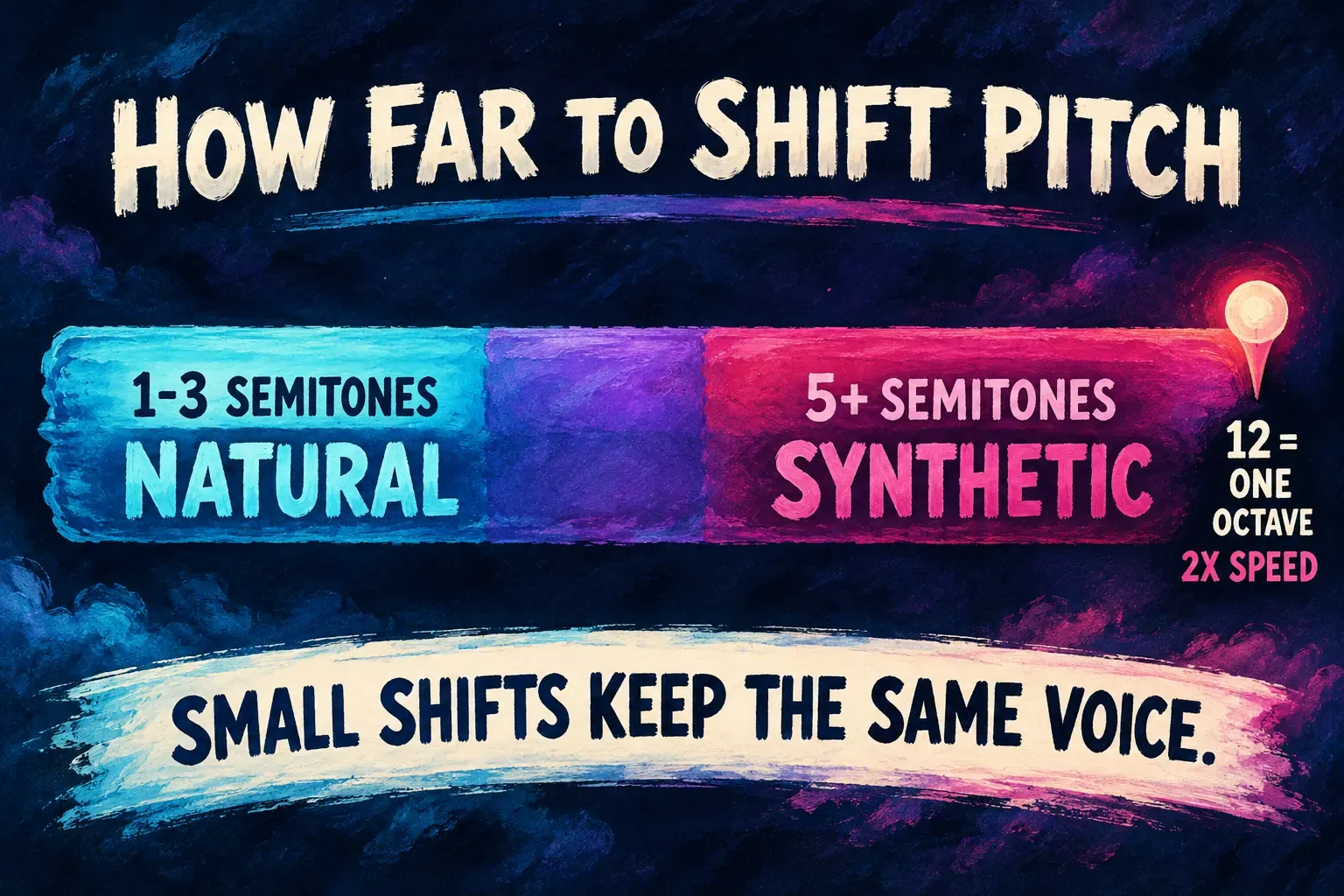
Edit Logic's rule of thumb is 1 to 3 semitones for shifts that hold up, and 5 or more for a sound that turns synthetic. For a voice it suggests a nudge of 1 or 2. CapCut's deeper-voice guide says the same thing in words: lower the pitch slightly to make a voice deeper without making it sound fake.
A pitch shift moves the whole voice along with the note. A small shift reads as the same person a little higher or lower. Past Edit Logic's 5-semitone mark it reads as a different person, or as an effect.
Three habits help:
- Change one setting at a time. CapCut's pitch changer page recommends comparing after each change, and Edit Logic points out that a voice filter and a pitch shift stack. A clip you've already sped up with pitch following gets both shifts.
- Clean the recording first. Effects process the noise along with the voice, so remove background noise in CapCut before you pick a filter.
- Compare against the original. Play the untouched clip, then the shifted one. If you can't picture the same speaker, back the slider off.
My numbers: 2 semitones for a voice, up to 3 for a song, and one pitch tool per clip unless the stacked sound is the point.
Pitch resets after a split, or sounds different after export
Edit Logic reports a desktop problem with AI and text-to-speech clips: the pitch toggle still shows on, but after a split or trim the playback goes back to the original pitch. Its workaround is to export the audio with the pitch applied as MP3 or WAV, import that file and edit it from there, or reapply the pitch to each segment after splitting.
I'd cut, trim and split the clip first and set the pitch last, then check the result after any later cut. When you do need a fixed version, export audio only from CapCut and bring that file back in.
If the pitch is fine in the editor but different in the exported file, export a short section with one effect and check it before the full render. If the export has no sound at all, that's a separate fault, and CapCut no sound works through it.
Copyright, Pro and live voice
Copyright. CapCut's music pitch changer FAQ is direct about this: changing the pitch doesn't get you around copyright, and you still need the rights to the original track. A song moved down two semitones is still the same song. For anything you publish commercially, run through our CapCut commercial use checklist.
Pro. Edit Logic describes the classic filters and the Pitch slider as free and says some character voices may need Pro. CapCut's voice filters page advertises more than 100 AI voice filters, so look for the Pro badge on a filter before you build a series around it. What CapCut Pro adds lists the paid tools.
Live voice. CapCut's voice guide says it doesn't change voices live. Record first, then apply the effect.
What 11 published pages say about changing pitch
The comparison below covers 11 pages that describe a method in text: eight from CapCut, plus EaseUS, Edit Logic and Ash's Tutorials.
| Method | Sources | Who |
|---|---|---|
| A pitch control in the Speed panel | 8 of 11 | CapCut's pitch changer, audio pitch changer, music pitch changer, video speed and music speed pages, EaseUS, Edit Logic, Ash's Tutorials |
| The Voice changer: High, Low, Deep or a Pitch slider | 5 of 11 | CapCut's music pitch changer, MP3 pitch changers, voice changing and deeper voice guides, Edit Logic |
| What the Speed switch does, per the page | Who |
|---|---|
| Switched off, it keeps the original pitch | CapCut's video speed FAQ, Ash's Tutorials |
| Keep pitch checked keeps the pitch | EaseUS (desktop) |
| Switched on, it maintains vocal quality | CapCut's music speed changer |
Composite result: 8 of 11 put a pitch control in the Speed panel and 5 of 11 use the Voice changer, and the pages give three readings of what the Speed switch does.
The split makes sense once you see the two jobs. The Speed-panel pages are mostly about tempo and keys, the Voice changer pages are about voices, and both Edit Logic and CapCut's pitch changer page describe combining pitch changes with voice effects. The real conflict is the switch, which is why the 2x test sits in this guide.
My verdict: for a voice, use the Voice changer and stay within 1 to 3 semitones. For a song in a new key at the same tempo on the web, use the Pitch control in the Speed tab. Before you speed up a voiceover, test the Speed switch at 2x and lock the pitch.
Pitch in CapCut: questions
How do I change pitch in CapCut without changing the speed?
Use the Voice changer: the Audio tab on PC and Mac or Audio > Voice effects on a phone, then a High, Low or Deep filter or the Pitch slider. On the web, CapCut's pitch changer uses the Pitch control in the Speed tab. Neither changes the clip's length.
How do I speed up a video in CapCut without changing the pitch?
Open Speed, set the speed, then set the pitch switch so the voice stays normal. The label and its direction vary between versions, so play 5 seconds at 2x and keep the setting that sounds like the original speaker.
How do I make my voice deeper in CapCut?
Pick Low or Deep in the Voice changer, or move the Pitch slider a little to the left. One or two semitones lower usually still sounds like the same person.
Can I change the pitch of only the music?
Yes, once the music is on its own track. Separate or extract the audio, split voice and music with stem separation if they're mixed, then change the pitch on the music layer only.
Why did my pitch change reset after I split the clip?
Edit Logic reports this for AI and text-to-speech clips on desktop. Export the audio with the pitch applied and re-import it, or reapply the pitch to each piece after the split.
Does changing the pitch of a song avoid copyright?
No. CapCut's music pitch changer FAQ says you still need the rights to the original track.
Can CapCut change my voice live?
No. CapCut works on recorded audio, so record first and apply the effect afterward.