

"Too many people are using this feature now. Try again later." means one of CapCut's cloud tools turned your request away, most often an AI feature such as auto captions, AI background or a generator. The message alone doesn't show that your project is damaged; check that it saves and that ordinary timeline edits still work. Stop pressing the button, wait a few minutes and retry once; if the message sticks to every cloud feature or appears right after you sign in, check your credits, plan, region and app version before you touch anything else.
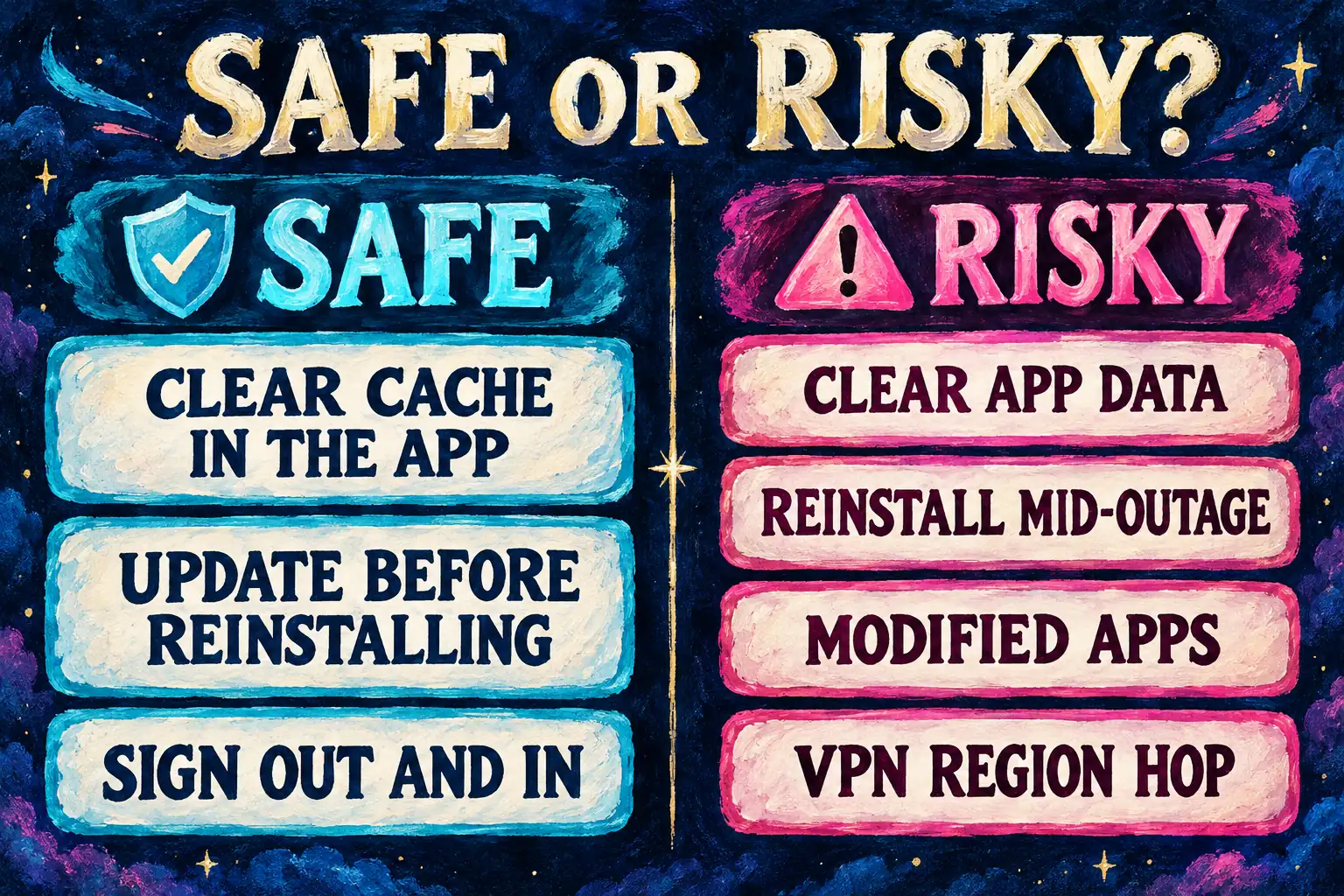
Two popular moves make it worse: clearing CapCut's app data, which wipes local drafts, and hopping onto a VPN, which can put you in a region where the feature isn't offered at all. Modified "Pro" builds are a third trap: the reports below show that the error can return after installing one.
What the message means
CapCut has no help page for this exact sentence, a gap appuals' write-up of the error points out as well. CapCut's related AI help supplies checks for this kind of failure. Its page on AI requests stuck at the Thinking phase lists high server load, regional traffic spikes, daily usage limits that are "common for free accounts" and rate limiting after rapid successive requests. Check those possibilities, then compare another feature or platform; the message alone does not identify which one applies.
The message names a feature, not your account. PCMonks' guide to the error is direct about it: a busy feature isn't a ban or a broken phone, and a restricted account shows a different notice or can't sign in. I'd read the screen literally for that reason. Something is too busy, so the cheapest fix is time.
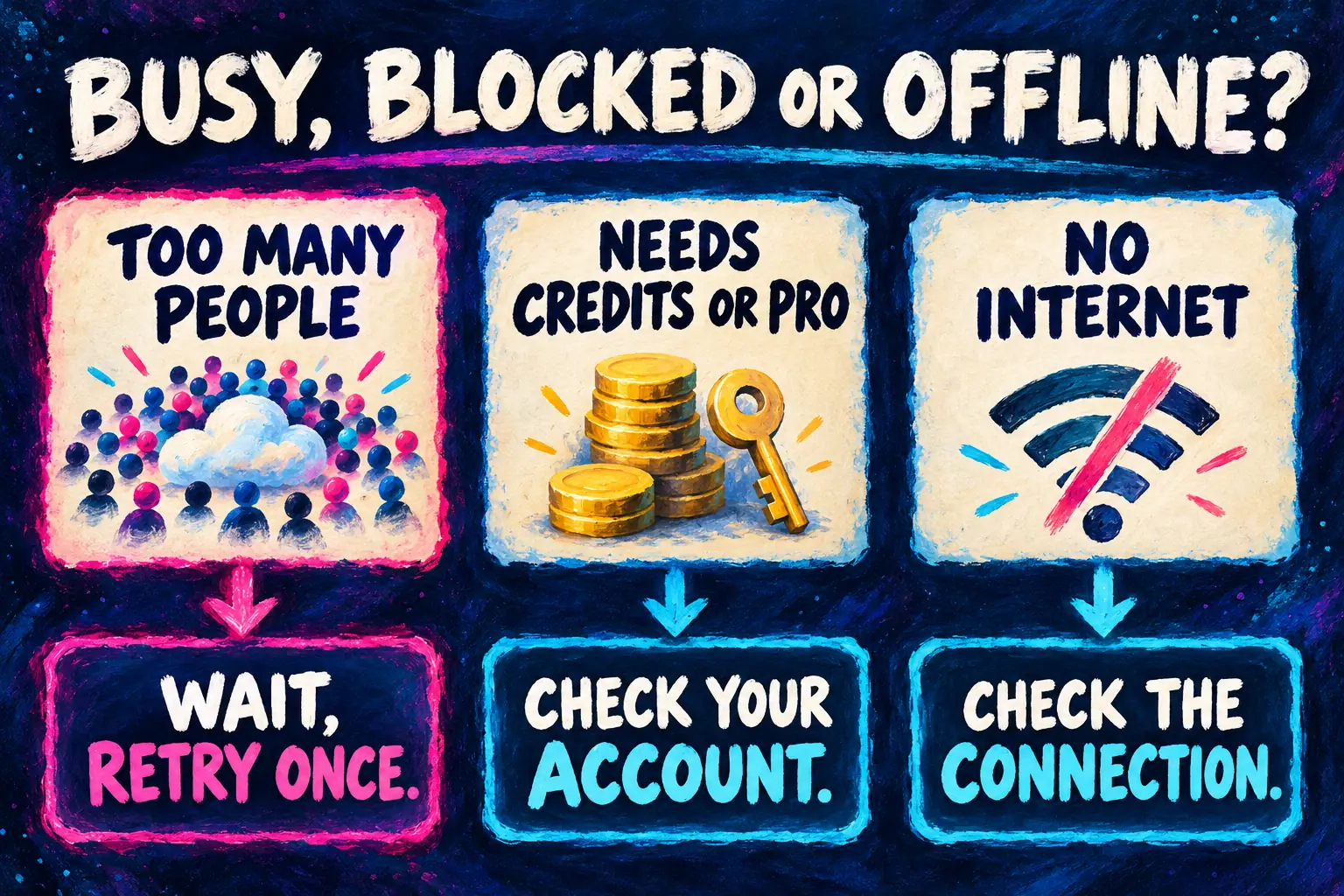
| What you see | What it usually means | Where to go |
|---|---|---|
| "Too many people are using this feature now. Try again later." | That cloud feature is busy or rate-limiting you | The steps below |
| "No internet connection" or a network error | CapCut can't reach its servers at all | CapCut no internet connection fixes |
| "You need credits to use this feature." | Your credit balance ran out | How CapCut AI credits work |
| "This feature requires Pro membership." | Plan eligibility, not server load | CapCut Pro not working |
| "AI features are not available in your region." | A region check by IP or store country | The region step below |
Those three account messages come from CapCut's help on AI functions that stop working after login, which adds that the web version shows "the most detailed error messages" while the desktop app "often fails silently." That's CapCut admitting its desktop wording is vague, and it's why a quick check in the web editor is one of the steps.
Fix it in this order
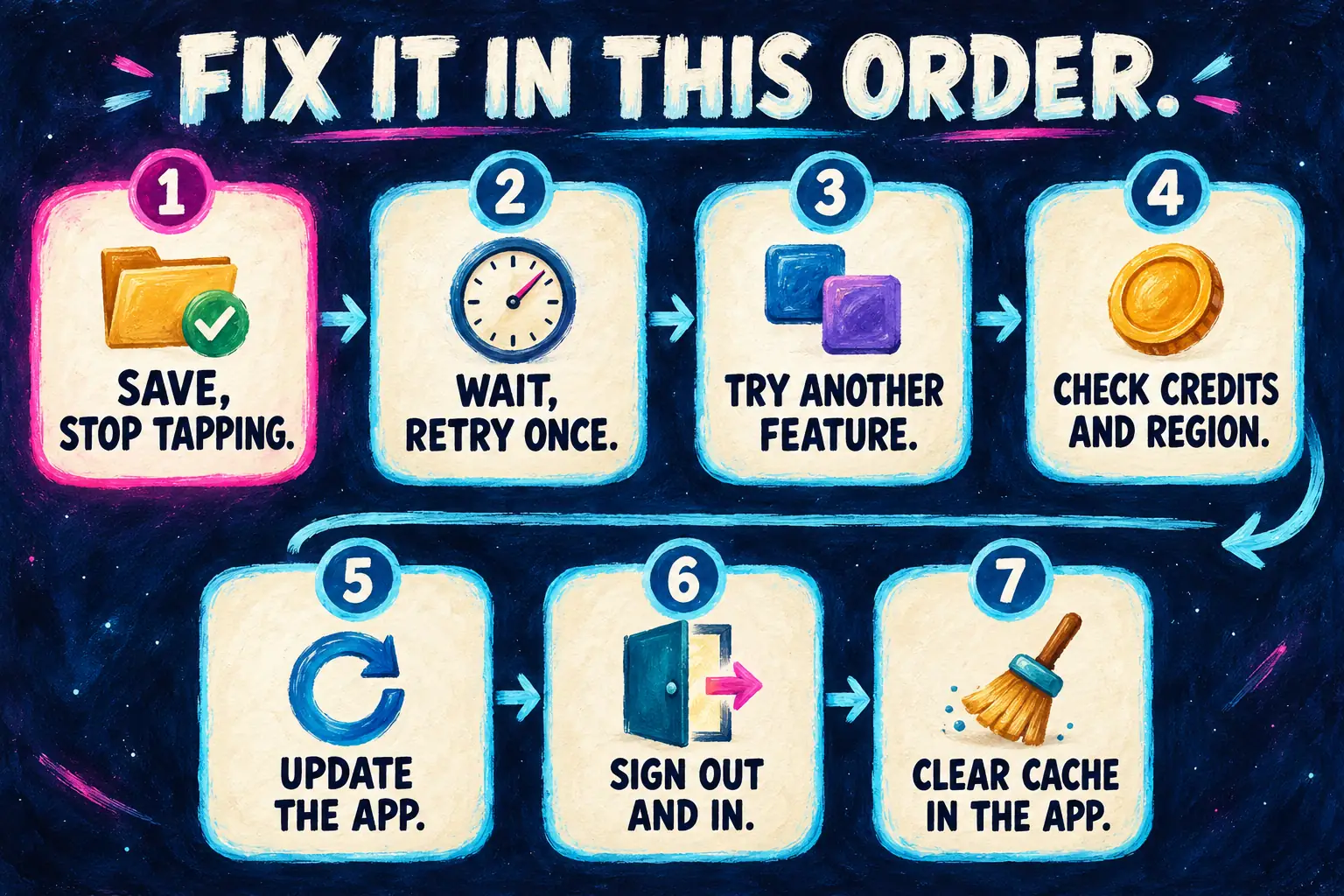
Every step here leaves your drafts where they are. Go down the list and stop at the first one that works.
- Save and stop tapping. Let the project save, then close the feature panel. CapCut's Thinking-phase help warns that more than 3 rapid AI requests in a row, or more than 10 images uploaded at once, can trigger rate limits, so avoid submitting more requests while you wait.
- Wait, then retry once. CapCut suggests 30 to 60 seconds on the web and a few minutes on mobile. PCMonks puts a server overload at 5 to 15 minutes, and hours during a bigger incident. I'd give it ten minutes and one retry, because repeated requests can trigger the limits CapCut describes.
- Try a different cloud feature on a short clip. Make a new project with a 5 to 10 second clip and run another AI tool, such as captions on one spoken line. If that works, the failure is narrower than all cloud tools: check the first feature's notice, daily limit and retry guidance. If both fail, compare their exact errors and check credits, plan, region and service availability as well as the connection. Use the no-internet guide above when the message or a connection check points to a network problem; two failed tools alone don't prove one.
- Check credits, plan and region. On mobile, Me > Credits showing 0 means AI tools won't run even with Pro, per CapCut's after-login help. The same page says versions before 11.7.0 don't support the unified credit system and that your region follows your IP or app store country. If the app gives you nothing clearer, repeat the action in the CapCut web editor to see the full message.
- Update the app. On desktop use Help > Check for Updates; on a phone use the App Store or Google Play. CapCut's help for templates that can't be used calls updating the most common fix and warns against uninstalling before you update, because drafts can be lost. If the menus moved afterwards, our guide to CapCut after an update shows where things went.
- Sign out and back in. CapCut's after-login help lists a re-login for account sync. Come back to the same account, the one that holds your drafts and plan.
- Clear the cache inside CapCut, not the app data. Use Profile > Settings > Clear Cache in the app. CapCut's no internet connection help is blunt about the other option: never clear "App Data" in system settings, because that permanently deletes all local projects.
Menu names vary by version, but the order holds on phone, PC, Mac and web.
What 8 published fixes recommend
The Google top 10 for the exact message holds two text guides, five videos, a Reddit thread, a TikTok collection and a Facebook group question. Eight of them state a fix. The most-viewed YouTube video, by Ka Production, gives none in its title or description, and the group post only asks for help.
| Fix | Results that recommend it | Who |
|---|---|---|
| Clear the cache | 6 of 8 | Reddit thread, Zain Productions, PCMonks, appuals, Easytorial, Tedd's Tutorials |
| Update CapCut | 4 of 8 | PCMonks, appuals, Easytorial, Tedd's Tutorials |
| Turn a VPN on or switch region | 4 of 8 | Oriki Edit 2.0, Zain Productions, Tedd's Tutorials, TikTok creators |
| Wait and retry later | 3 of 8 | PCMonks, appuals, Tedd's Tutorials |
| Sign out and back in | 3 of 8 | PCMonks, appuals, Tedd's Tutorials |
| Turn a VPN off | 2 of 8 | PCMonks, appuals |
| Install a modified app | 2 of 8 | Reddit thread, TikTok creators |
| Clear user data | 1 of 8 | Tedd's Tutorials |
Composite result: 6 of 8 recommend clearing the cache, the only fix most of them share.
That overlap matches CapCut's own advice, as long as it's the in-app button. Tedd's Tutorials' video clears the cache and user data together, and on Android user data is the app data CapCut warns about. Easytorial's walkthrough adds a server-status check and a web versus app comparison, which line up with steps 3 and 4. The VPN advice from Oriki Edit 2.0 and Zain Productions runs against CapCut's help, which tells you to turn VPNs off. The modified-app route comes from the r/CapCut thread and the TikTok results for the error, and the next section shows how that went.
My verdict: wait it out, retry once and use the in-app cache button. Skip the VPN and the modified app, which is where half of the top results go wrong.
Why a VPN or a modified app makes it worse
VPNs. CapCut's after-login help says AI availability follows your IP address or store country, and a region it doesn't cover gets "AI features are not available in your region." Hopping regions can turn a temporary busy message into a region block. CapCut's connection help lists VPNs, DNS filters and ad blockers as things to switch off, and ad blockers matter most on the web. I wouldn't use a VPN to chase this error, because the best case is skipping a wait you'd have sat out anyway.
Modified apps. The Reddit thread opened in February 2026 with a modified APK offered as the "solution." Replies over the following months report the message coming back on captions, fonts and effects, a font that reverted on export, and in August a plain "Too many people are using this feature now. Try again later." In July one user wrote that they gave up on APKs and took the lowest paid tier, "at least everything will work." An automated Rule 7 reminder in the same thread warns that many of these offers can be scams, malware or unsafe downloads. I won't link those builds. Our Android download guide explains the APK risks, and is CapCut safe covers account and permission safety.
Reinstalling mid-outage. PCMonks calls reinstalling the wrong first response, since it can't fix server capacity, and CapCut's template help adds the draft risk. A duplicate inside CapCut isn't a backup here, because wiping the app's data removes the copy too. If you have to reinstall for another reason, back up and transfer your projects first; recovering deleted CapCut projects is far harder than keeping them.
Does Pro or more credits fix it?
Only when the message is about eligibility. PCMonks puts it plainly: Pro solves account-level eligibility, not server capacity, so Pro users get the same busy message when a feature is overloaded. CapCut's desktop help adds that you can run short of credits even with Pro.
Daily caps are the part worth knowing. CapCut's AI background help says the feature works up to 50 times per day on mobile, with the counter resetting after 24 hours, and that desktop has a daily cap of its own. Its Thinking-phase page also names daily usage limits among the reasons AI requests stall. If the trouble comes late in a heavy day on one tool, a cap is a likelier cause than a crowd, and the fix is tomorrow. I'd check the credit page before buying anything, because a plan can't lift a server limit. If you're weighing it anyway, what CapCut Pro adds lists the paid tools.
Where the message shows up, feature by feature
| Feature | What CapCut documents | Next step |
|---|---|---|
| Auto captions | Busy and speech errors get their own steps in our captions guide | CapCut captions not working |
| AI background and cutouts | 50 uses a day on mobile, reset after 24 hours; a desktop daily cap; web timeouts | Remove a background without a green screen |
| AI image and video generators | Server load and rate limits after more than 10 images or 3 rapid requests | AI image generator or AI video generator |
| Templates | Update first; template search works only on mobile and web, and ad blockers can block it | CapCut templates not working |
| Effects, masks and text effects | No CapCut page; TikTok creators report the message here and on export | CapCut effects guide |
| Auto Cut | Mobile and desktop only, not web; mobile 12.0 or later, desktop 5.0 or later, rolled out in phases | Use the phone or desktop app |
| AI voice and text to speech | No dedicated page; PCMonks lists voice tools among the AI features that hit capacity limits fastest | CapCut AI voice |
If the message follows you across every row, return to steps 3 and 4. Compare the exact errors, account eligibility and service availability, then check the connection; a failure across tools can have more than one cause.
When to contact CapCut support
Contact support when the message lasts more than a day on one feature, or blocks every cloud tool while your connection works. First check CapCut's social accounts for an outage, which its connection help recommends, and read our section on telling a CapCut outage from a local fault. Then send support:
- the exact message and a picture of it,
- the feature, and whether it fails on web, desktop and phone,
- device, OS version and CapCut version, which CapCut asks for,
- when it started, plus your plan and credit balance.
Our CapCut customer service guide lists the contact routes. If you can't sign in at all, start with finding the right CapCut account.
Too many people are using this feature: questions
How long does "Too many people are using this feature" last?
Usually minutes. CapCut suggests 30 to 60 seconds on the web and a few minutes on mobile, and PCMonks puts most overloads at 5 to 15 minutes. If it lasts past a day on the same feature, check credits, region and daily caps, then contact support.
Does CapCut Pro get rid of the message?
Not when the feature is overloaded. Pro and credits fix eligibility messages such as "This feature requires Pro membership." A busy server turns Pro users away too.
Will clearing the cache delete my CapCut projects?
Not when you use Clear Cache inside CapCut, under Profile > Settings. Clearing the app's data or storage in your phone's system settings is different: CapCut says it permanently deletes local projects.
Why does the message appear on only one feature?
One tool can be busy or capped while others work. Trying a second feature on a short clip helps establish the scope, but it doesn't identify the cause by itself. Check the failed tool's notice and limit; if several fail, compare account, region, service and connection checks.
Does the message mean my account is banned?
The busy message alone does not establish an account ban. Sign in on the web and check for an account restriction notice. If sign-in works, test another feature too; access to one service does not prove that every account feature is available.