

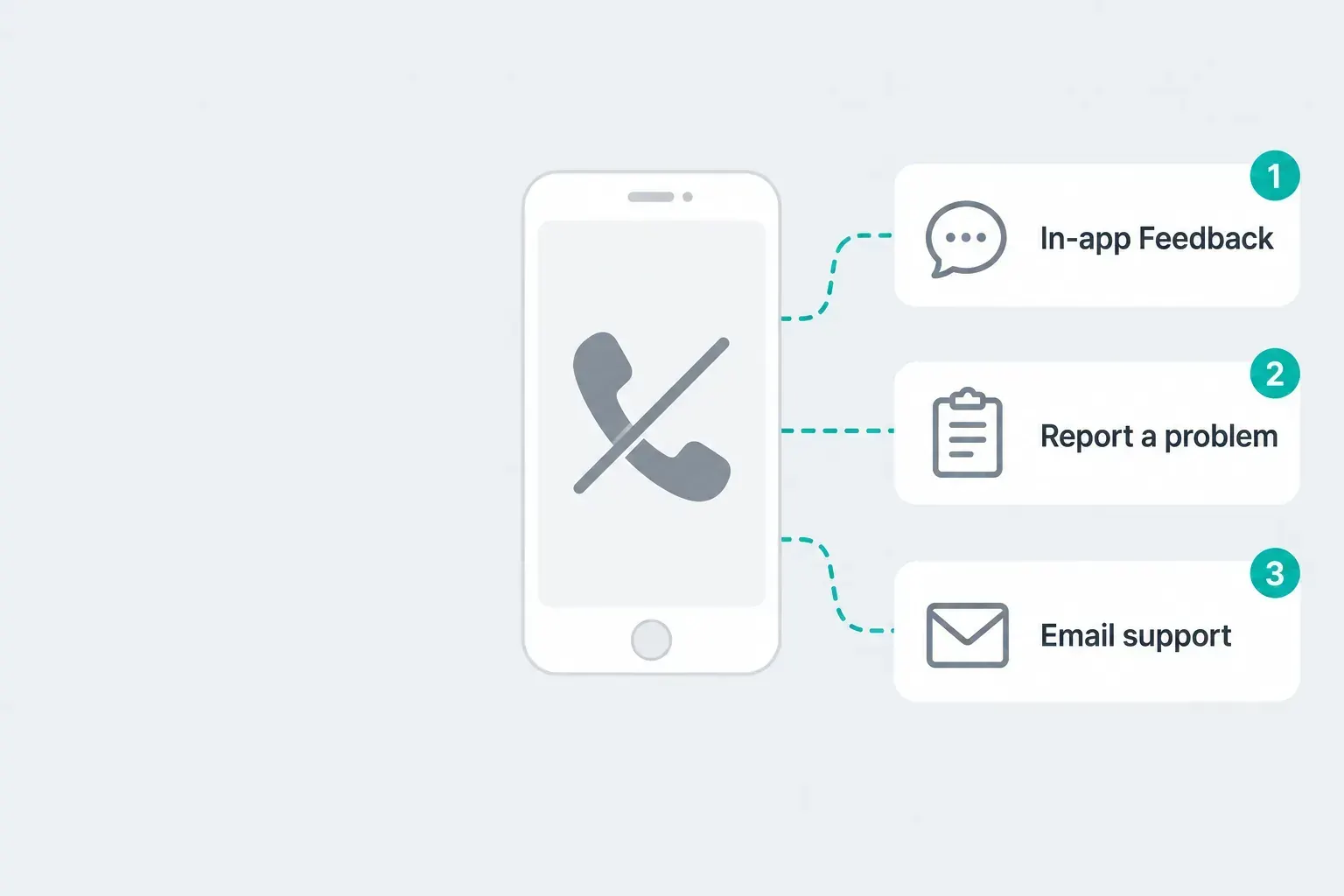
CapCut has no customer service phone number. To contact CapCut support, use the Feedback option inside the app, the support chat linked from CapCut's Help Center, the Report a problem form on capcut.com, or email capcut.support@bytedance.com. The right route depends on the problem: an App Store or Google Play charge goes to Apple or Google first, a hacked account goes to the form right away, and a copyright claim has its own Report button.
Checked October 1, 2026 against CapCut's Terms of Service (last updated April 15, 2026), the CapCut Help Center and both app store listings. Menu names shift between versions, platforms and regions, so treat the paths below as the place to look first.
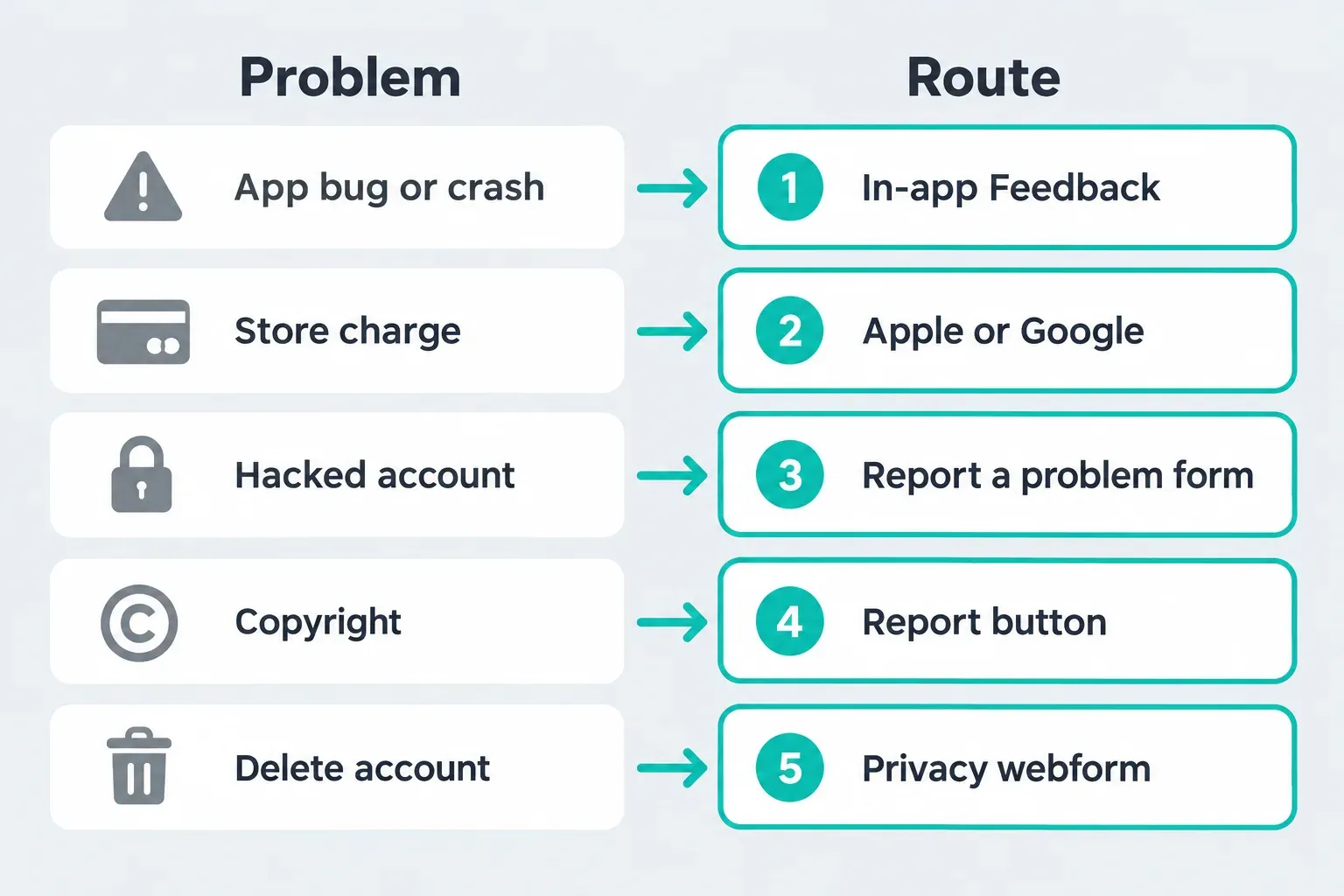
Pick the CapCut support route for your problem
Support can only act on what it can find. A store charge sent to CapCut, or a bug report with no account ID, usually turns into a second round of messages. Start with the row that matches your problem:
| Problem | Start here | Why this route |
|---|---|---|
| Crash, bug, broken template or failed export | In-app Feedback: Settings, Feedback, Give feedback | You can attach a recording or the project from the device that has the problem |
| Charge from the App Store or Google Play | Apple or Google refund request first | CapCut's terms say store purchases also follow the store's cancellation and refund terms |
| Charge billed directly by CapCut | Report a problem form | The terms name the form for refund requests |
| Auto-renewal won't cancel | Support link on CapCut's cancel help page | CapCut lists the details it needs to find the subscription |
| Someone else is in your account | Report a problem form, immediately | The terms require you to notify CapCut right away |
| Someone reposted your content | "..." then Report on that content, or the form | CapCut handles IP Infringement Reports through this button |
| Delete your account or make a privacy request | Manage account, or the privacy request webform | Both are named in the terms for account deletion |
| Content removed or account suspended in the EU or UK | capcut.support@bytedance.com | The EU and UK section of the terms names this address |
| A Pippit question | support@mail.pippit.ai | Pippit is a separate product with its own contact |
Contact CapCut support inside the app
For anything that goes wrong while you edit, such as a crash, a template that won't load, an export that fails or a feature that disappeared, the in-app route is the one I'd use first. You send the evidence from the device that has the problem, and you don't have to describe your setup from memory.
On CapCut Mobile, CapCut's help article on text that won't edit gives the path:
- Open Settings in CapCut and tap Feedback.
- Tap Give feedback and describe the problem in a sentence or two.
- Upload screenshots, a screen recording or the related project.
- If CapCut sends you to Smart Chat instead, type "Feedback", send it and tap Submit when prompted.
The same steps appear in CapCut's help page on template lag during preview, which says the team will verify the issue and get back to you. On iPad, CapCut's article on iPad feature differences says to tap the Feedback icon in the app, describe the issue, attach screenshots or recordings and use the same Smart Chat step if it appears.
On Desktop, CapCut's Credit Rules describe a help dialog icon next to the settings icon in the upper-right corner, and on Mobile a question icon on the Edit screen that opens the Help Center with a "Submit question" option. Those instructions use older examples, so the icon may sit somewhere else in your build. If you can't find it within a minute, go to the web form below. It works from any browser.
Many Help Center articles also end with a "contact our support team" link that opens CapCut's support chat. Sign in to CapCut in the same browser first. If the chat page doesn't load for you, use the form instead.
One warning before you troubleshoot on your own: the same text-editing article says uninstalling and reinstalling CapCut deletes local projects, and that can't be undone. Send feedback before you consider a reinstall.
Use the CapCut Report a problem form
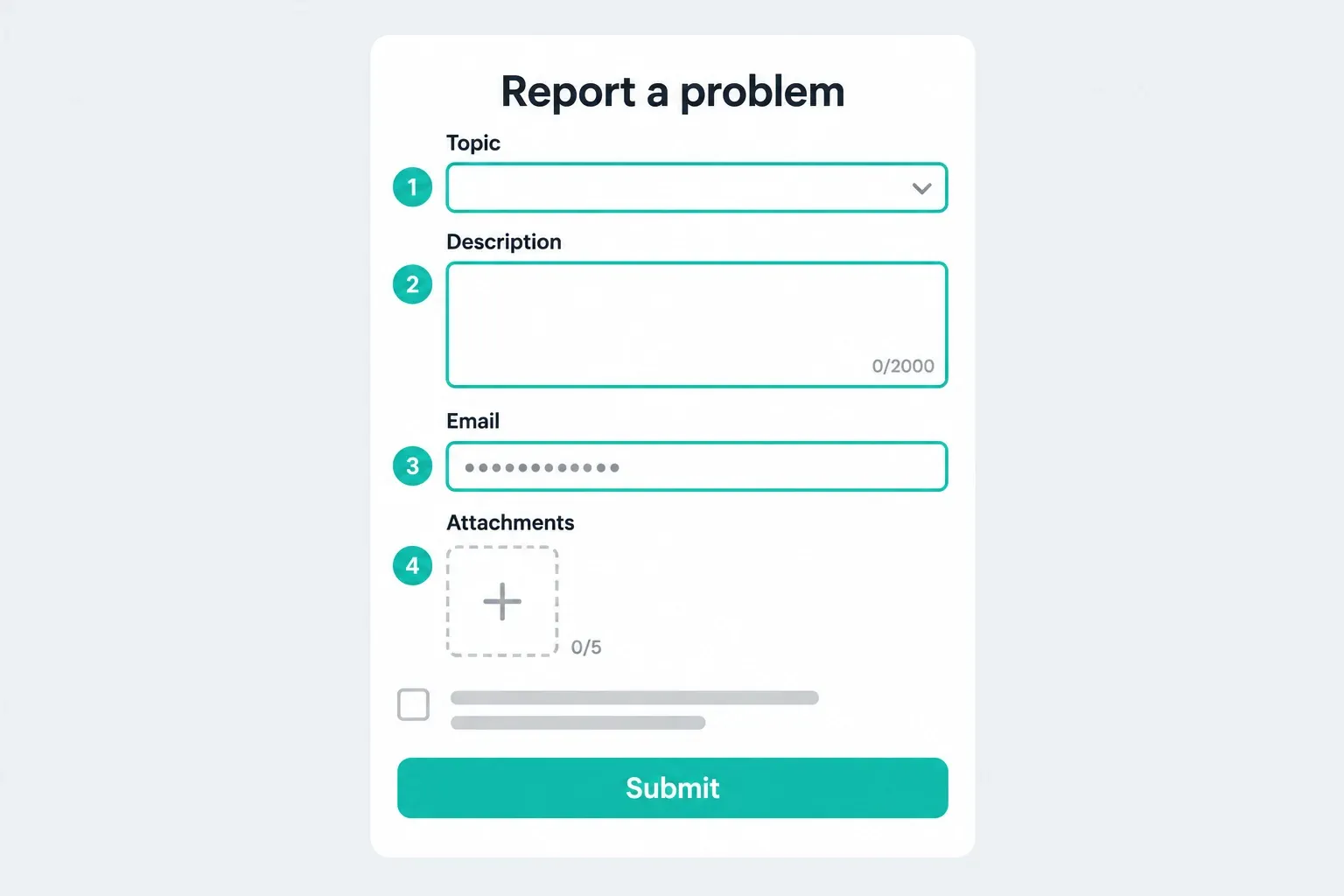
The web form is the route CapCut's terms point to most often. Its heading is "Report a problem", and it asks for:
- Topic: pick the closest match from the list.
- Description: up to 2,000 characters.
- Email: where CapCut replies, so use an inbox you can open today.
- Attachments: up to five screenshots or screen recordings.
- A checkbox accepting CapCut's Terms of Service and Privacy Policy.
The form says the information you share will only be used to respond to your feedback. CapCut's terms name it for reporting a compromised account, asking for a refund on a direct purchase, sending a copyright notice and any other issue you want to raise. The Materials License Agreement, which covers CapCut's built-in materials, sends questions about that agreement to the same form or to the "contact us" feature inside CapCut.
Two thousand characters is plenty if you spend them well. Put the problem and the outcome you want in the first two lines, the details after that, and the proof in the attachments.
Email CapCut support
CapCut's support address is capcut.support@bytedance.com. It appears in the Terms of Service, in the Credit Rules and on both store listings. The CapCut listing on the App Store says "Any questions about CapCut? Please contact us at" that address, and the CapCut listing on Google Play shows it as the support email for developer Bytedance Pte. Ltd.
Email makes the most sense in three cases:
- The form won't submit for you.
- You live in the EU or UK and want to dispute a content removal or an account suspension.
- You're filing a complaint under Australia's Online Safety Act, which the terms ask you to send with the subject "Australia - Online Safety Act".
Use one channel per problem. If you move from the form to email, say when you used the form and repeat the same account details, so the new message can be matched to the earlier one.
Complaint sites also list other ByteDance addresses for IP reports and marketing. I couldn't find those on any CapCut page, so I wouldn't send account details to them.
What to send so CapCut support can find your account
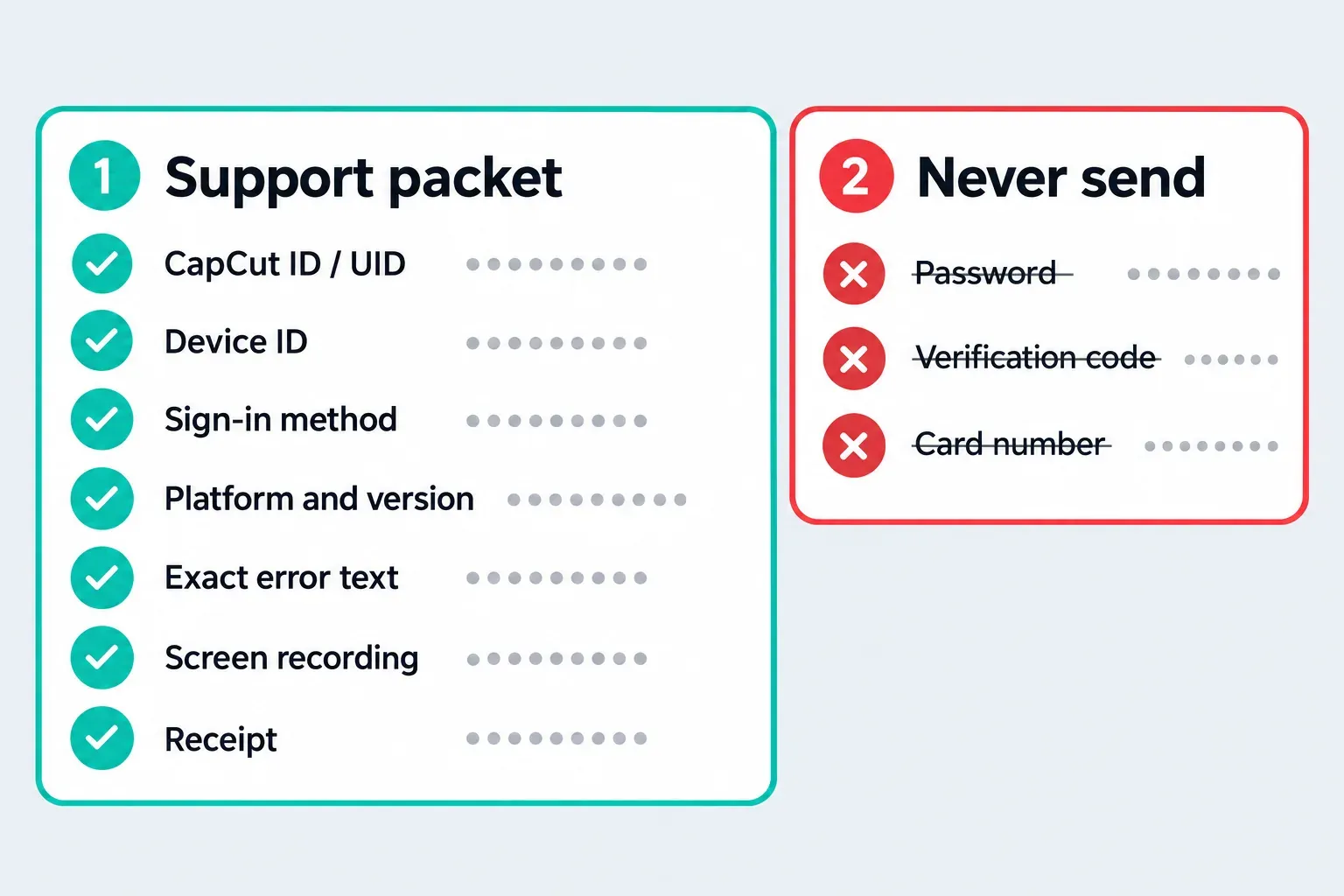
CapCut's help page on finding your UID and DID says having both ready helps support give faster and more accurate assistance. Where to find them:
- Web: Profile, then Settings, shows your User ID and Device ID.
- Desktop: Profile in the top-left corner shows your CapCut ID.
- iPhone: the Me page, the gear icon, then Edit profile.
- Android: tap Profile.
Then add:
- The sign-in method and account: email, Google, TikTok, Facebook or Apple, and which address.
- Device, platform and CapCut version.
- The exact error text, plus a screenshot or a short screen recording.
- The steps that trigger the problem, and whether it also happens in a new project.
- For billing: where you paid, the date, and the order number or receipt.
If two profiles look alike, compare CapCut IDs across your sign-in methods before you write, so you report the account that holds the purchase or the projects.
Never send your password, a verification code, a recovery code or your full card number. None of CapCut's documented routes asks for them, so treat any request for them as a red flag.
A message support can act on looks like this:
Problem: Pro features show as locked on my iPhone since [date]. Platform: iPhone, CapCut [version]. CapCut ID: [number]. Device ID: [number]. Sign-in: Google ([address]). Paid through: App Store, receipt attached. Steps: open any project, tap a Pro filter, the upgrade screen appears. What I need: Pro access restored on this account. Attached: receipt and screen recording.
Billing and refunds: contact whoever charged you
CapCut's terms say Premium is sold through an Apple ID on iOS, a Google account on Android or a CapCut account on the web, and that cancellations and refunds for Apple or Google purchases are further subject to the App Store's or Google Play's terms. The receipt tells you who to ask:
- App Store charge. Apple's refund request instructions have you sign in at reportaproblem.apple.com, choose "I'd like to", then "Request a refund", pick a reason and the subscription, and submit. Apple says to wait 24 to 48 hours for an update.
- Google Play charge. Google's Play refund policies say the developer can help with purchase issues and that contacting the developer directly is often the quickest way, which for CapCut means in-app Feedback or the support email. You can also request a refund on Google Play itself.
- Charged by CapCut directly. The general terms describe a full refund within 14 calendar days of starting a Premium subscription, only if you haven't used Premium in any form since subscribing, requested through the Report a problem form. Refunds go back to the payment method you used, and jurisdiction-specific terms can change these rules.
If cancellation itself fails, CapCut's help page on canceling auto-renewal asks you to prepare your login email or method, your device and platform, a screenshot of the failure and the order number or receipt before you contact support.
Our CapCut refund guide goes through duplicate, pending and renewal charges, and the steps to cancel CapCut Pro differ by platform. If you paid but features still look locked, work through CapCut Pro not working before you ask for money back, and check what Free and Pro include if you're unsure the feature was ever in your plan.
Hacked account, copyright, privacy and content removal
Someone else got into your CapCut account
CapCut's terms say that if you know or suspect someone knows your password or has accessed your account, you must notify CapCut immediately through the Report a problem form. Do that first and include your CapCut ID. Then secure the account behind your CapCut login: change the password of the email, Google, TikTok, Facebook or Apple account you sign in with, and remove sessions you don't recognize there.
Someone reposted your template or video
For content posted on CapCut, the terms describe an "IP Infringement Report": tap "..." then "Report" on the page of that content. You can also send a copyright notice through the form. It must include your email address, physical address and phone number, the URL or location of the content, the type of content and the reason for your report. That phone number is yours, so CapCut and the uploader can reach you. It's the only phone number in CapCut's terms, and it doesn't give you one to call.
Delete your account or make a privacy request
The terms say you can delete your account on the "Manage account" page or through CapCut's privacy request webform, and that a deleted account can't be reactivated. Move anything you want to keep with our guide to backing up and transferring CapCut projects before you start.
Content removed or account suspended
If you live in the EU or UK, the terms say you can contact capcut.support@bytedance.com when you think CapCut made a mistake removing or restricting your content or suspending your account. Elsewhere, use the form and include the content link, the notice you received and its date.
Be careful with CapCut "Call us" pages and phone numbers
Search for a CapCut phone number and several capcut.com results carry titles such as "Call Us". Those are template pages, video templates you can edit, not support lines. Directory and complaint sites fill the gap with their own advice, and some suggest you can call CapCut around the clock. CapCut's terms, the Help Center articles I checked and both store listings give no support phone number.
That means an unexpected call or text from "CapCut support" doesn't match any route CapCut documents. Don't share a verification code, card details or remote access with the caller.
If CapCut support doesn't answer
CapCut's terms and help pages don't promise a response time, so plan around that:
- Check whether the problem is wider than your account. Our guide to CapCut not working covers outages and app-side fixes, and the CapCut no internet connection fix covers the network error that blocks sign-in and exports.
- Add new details to the same case instead of opening fresh ones. The account IDs and dates keep it findable.
- For AI credit questions, our CapCut AI credits guide explains how credits work, and the Credit Rules list the support email for credit problems.
- For a charge you didn't make, contact the store or your bank. Google says unauthorized Google Play charges should be reported within 120 days of the transaction.
CapCut's general terms say users in the United States are covered by separate CapCut US Terms of Service. The routes above come from the general terms, the Help Center and the store listings, so if a US-specific contact matters for your case, check the US terms in the app or on capcut.com.
CapCut customer service FAQ
Does CapCut have a customer service phone number?
No. CapCut's Terms of Service, its app store listings and the Help Center articles I checked give no support phone number. Use in-app Feedback, the support chat, the Report a problem form or capcut.support@bytedance.com.
Does CapCut have live chat support?
CapCut's Help Center articles link to a support chat, and in-app Feedback can open Smart Chat, where CapCut's instructions say to type "Feedback", send it and tap Submit. If the chat doesn't load, use the Report a problem form.
What is CapCut's customer service email?
The address is capcut.support@bytedance.com. It appears in CapCut's Terms of Service and Credit Rules and on the App Store and Google Play listings for developer Bytedance Pte. Ltd.
How do I get a refund from CapCut?
Start with whoever charged you. App Store and Google Play purchases follow Apple's or Google's refund process. For a direct CapCut purchase, the general terms allow a full refund within 14 calendar days of starting Premium if you haven't used it, requested through the Report a problem form.
What should I do if my CapCut account was hacked?
Report it through the Report a problem form right away, as CapCut's terms require, and include your CapCut ID. Then change the password of the email, Google, TikTok, Facebook or Apple account you use to sign in.
How do I report a copyright problem to CapCut?
Tap "..." then "Report" on the content page to file an IP Infringement Report, or send a copyright notice through the Report a problem form with your contact details, the content's location and the reason for your report.
How do I contact Pippit support?
Pippit is a separate product. CapCut's Materials License Agreement lists support@mail.pippit.ai for Pippit questions, while CapCut questions go to the CapCut form or the contact option inside the app.