

To use a custom font in CapCut on Mac, install the font file with Font Book, reopen CapCut, then select a text layer and look for the family in the font chooser. If your editor shows a System or Local font section, check there. Downloading a ZIP alone doesn't install its contents.
I'd start with this local route before looking for a cloud upload button. Starting locally keeps the first question simple: is the font available on the Mac? CapCut's own desktop font guidance describes installing fonts on the computer before choosing them in the editor. The exact picker layout can change, so a missing tab is a reason to inspect your version, not to delete your projects.
Install the font file on your Mac
Get the font from its publisher or from another source you trust. Keep the font's license with the download, especially if the title is headed for paid work or a business video.
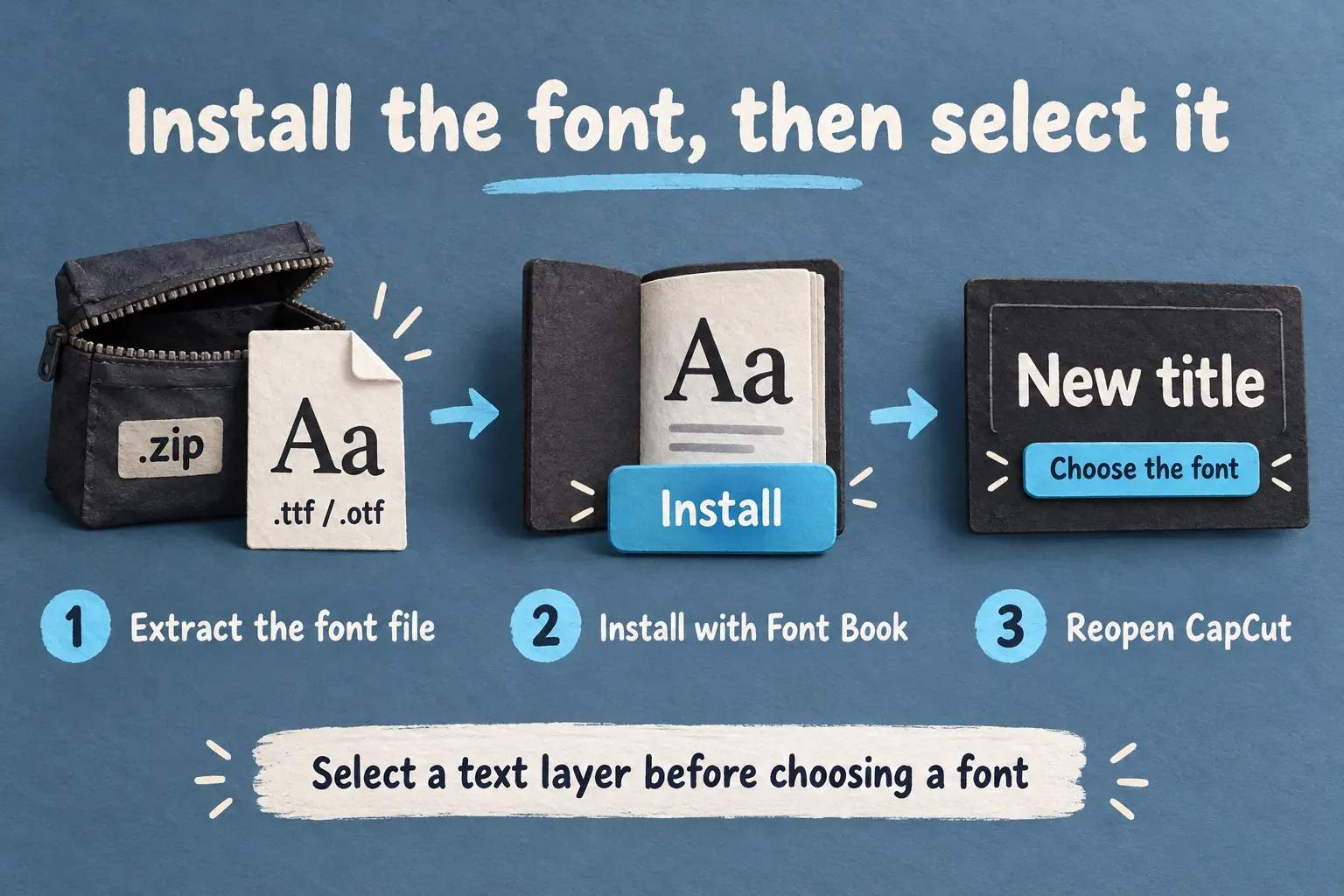
- Open the download. If it is a ZIP, extract it in Finder. Look for the actual
.ttfor.otffiles inside. A preview image, PDF specimen or text document is not the font. - Open a font file. Double-click it in Finder to bring up the Font Book installation dialog.
- Choose Install and review any warning. If the package contains separate Regular, Bold and Italic files, install the styles you intend to use.
- Save your CapCut project and quit the app. Reopen it after installation so you are choosing fonts in a fresh app session.
Apple's Font Book installation instructions confirm the double-click-and-install route and explain that Font Book checks for errors and duplicates. Fonts may be installed for one Mac user or for other users too, depending on Font Book's settings. When you check CapCut, stay on the same Mac login you used to install the font.
When you pick a download for this task, start with TTF or OTF. macOS supports other font formats too, but that doesn't prove every CapCut editor accepts them. CapCut's custom font format guidance identifies TTF and OTF; it's not a guarantee that every font file or optional feature works in every build.
Find the family in CapCut and choose the right style
Open the project and select a plain editable text layer on the timeline. If there's no title yet, follow the manual text creation steps first. A selected video clip or finished text image won't give you the same font controls.
Open the font chooser for the selected text. Search for the family name shown in Font Book, then check System or Local fonts if your version exposes that category. CapCut describes system, commercial and custom font categories, but their placement shouldn't be assumed to match an older tutorial.
A filename can carry a publisher prefix, release number or weight abbreviation that never shows up in the menu. A file called Publisher-Family-Bold.ttf, for instance, may be listed under the family name, with Bold as a separate style. Search for the family before you decide the import failed.
Pick the weight or style you want, replace the sample wording with your title, then look over the whole line. Check accented letters, punctuation, numbers and any other script you need. A font can look fine on “New title” and still be missing a character your real title uses. Also watch for changed line breaks: a wider family can push a name or subtitle outside its intended area.
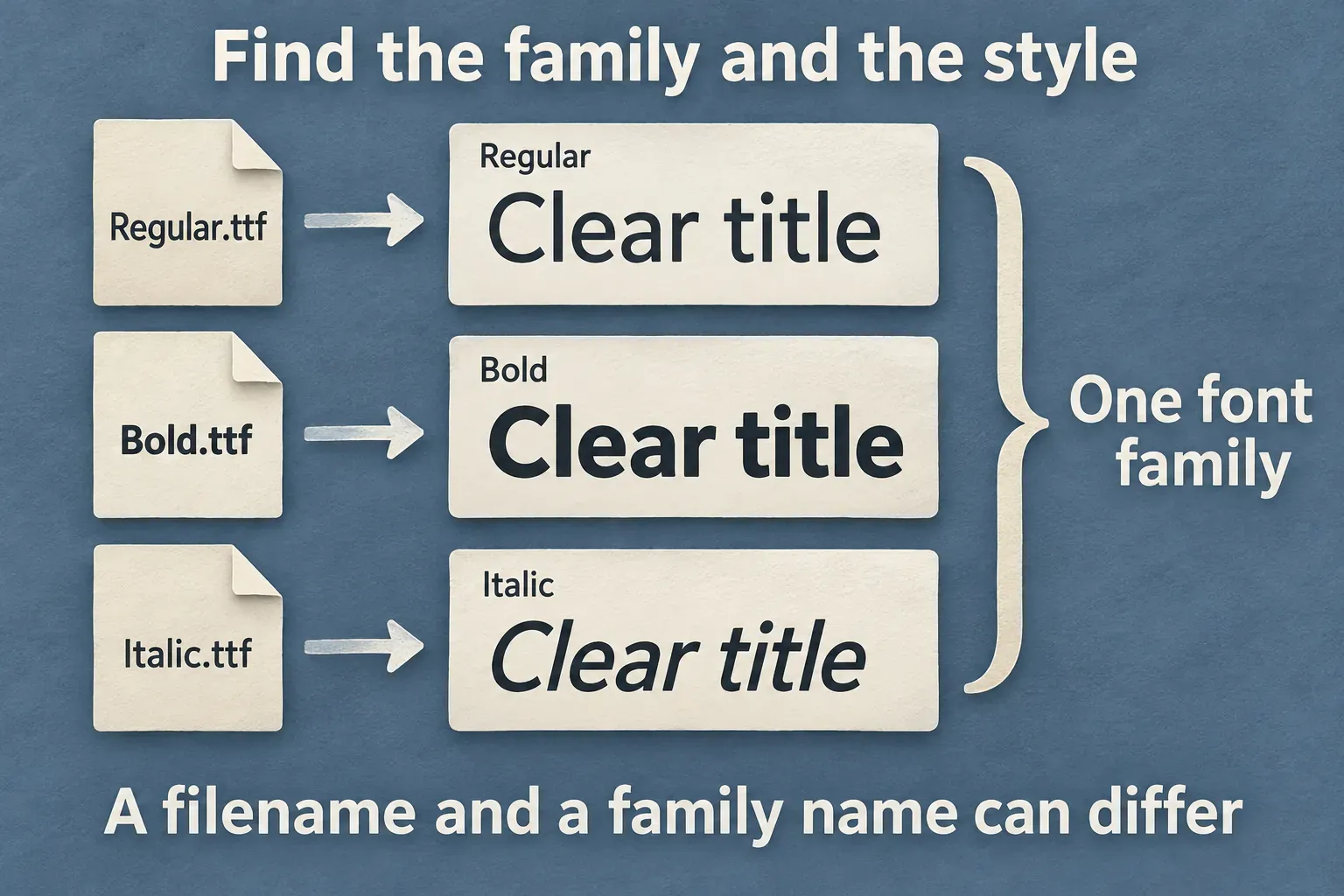
If Regular shows up but the other weights don't, check which files you installed. A variable font and a set of static style files are different packages. If the editor doesn't expose the weights a title needs, I'd try the publisher's static Regular, Bold or Italic files, provided they're available and licensed for the project. That's a fallback to investigate, not a claim that CapCut rejects all variable fonts. The Mac font-import discussion on r/CapCut contains mixed reports about installed fonts and missing styles, rather than a reliable compatibility list.
If the installed font does not appear
Work through the font-specific checks before changing the editor or your whole font library.
| What you see | Check next |
|---|---|
| No matching family in Font Book | Confirm you extracted and installed the font file, rather than opening its preview or ZIP. |
| The family exists but is deactivated | Activate that family in Font Book, then reopen CapCut. |
| Font Book reports a warning or failure | Read its validation details; obtain a clean copy from the publisher if the file is damaged. |
| Multiple versions of the same family | Review the copies and their styles before resolving the duplicate. Keep the files and license you may need. |
| Font Book looks correct; CapCut still lacks the family | Confirm the selected layer is editable text, search the family name, and inspect the current system/local category if present. |
| The family appears but one style is absent | Check the installed style files and consider the publisher's static version when a variable weight is not exposed. |
| A built-in library font will not download | Treat this as a library-access problem, separately from local font installation. |
For a deactivated family, Apple's activation instructions use Edit > Activate. Stick to the affected font. There's no need to remove unrelated fonts or reset the system font collection to fix one missing title style.
For validation or duplicates, use Font Book's checks for the affected family and read the result before you remove anything. Automatic duplicate resolution can deactivate copies or move them to the Trash, depending on settings. If existing projects may depend on a particular version, start with a manual review.
Downloaded CapCut library fonts are a separate case with their own conditions. CapCut's text-material help covers library search, filters and access differences tied to the app version, region and connection. A Commercial Use filter can also narrow what you see. Changing that filter doesn't grant permission to use a font in an advertisement.
If the right font is selected but no title shows in the preview, move on to the text visibility checks. Missing text at the playhead is a different problem from a missing family in the font list.
Can you upload it through Space, Mobile or Web?
Some CapCut workflows offer a direct font upload. CapCut's font storage instructions describe Space > Fonts. Use that upload route only if your current account shows the option and accepts the file. A mention in a resource article doesn't establish availability for every plan or prove that a Mac installation synchronizes to every device.
On Mobile or Web, check the selected text's font chooser for an import or upload option. If the option is there, use the supported font file itself and review the account's terms. If there's no such option, don't assume a Mac Font Book installation makes the font available in a phone app or browser editor. The interfaces, local storage and account access are separate.
For recurring business titles, the CapCut brand kit guide covers the broader account and brand-asset decisions. Keep those decisions apart from the basic Mac installation steps above.
Reuse the title without losing its font
Keep a master project or reusable text layer with the family, style, size, spacing and wording clearly labeled. Duplicate your working project before you swap titles in a new edit. After changing the words, recheck wrapping and placement. A saved style doesn't ensure every sentence will fit.
I'd keep a small dependency folder beside the project. That folder should hold the font files you're allowed to retain, the license itself, and a note naming the family and style used. The Inter project's published license, for example, permits use and redistribution under the SIL Open Font License, with conditions that include keeping the license and copyright notice. Other font licenses may restrict sharing, cloud uploads or who can install a copy. “Free download” isn't enough information to decide those rights.
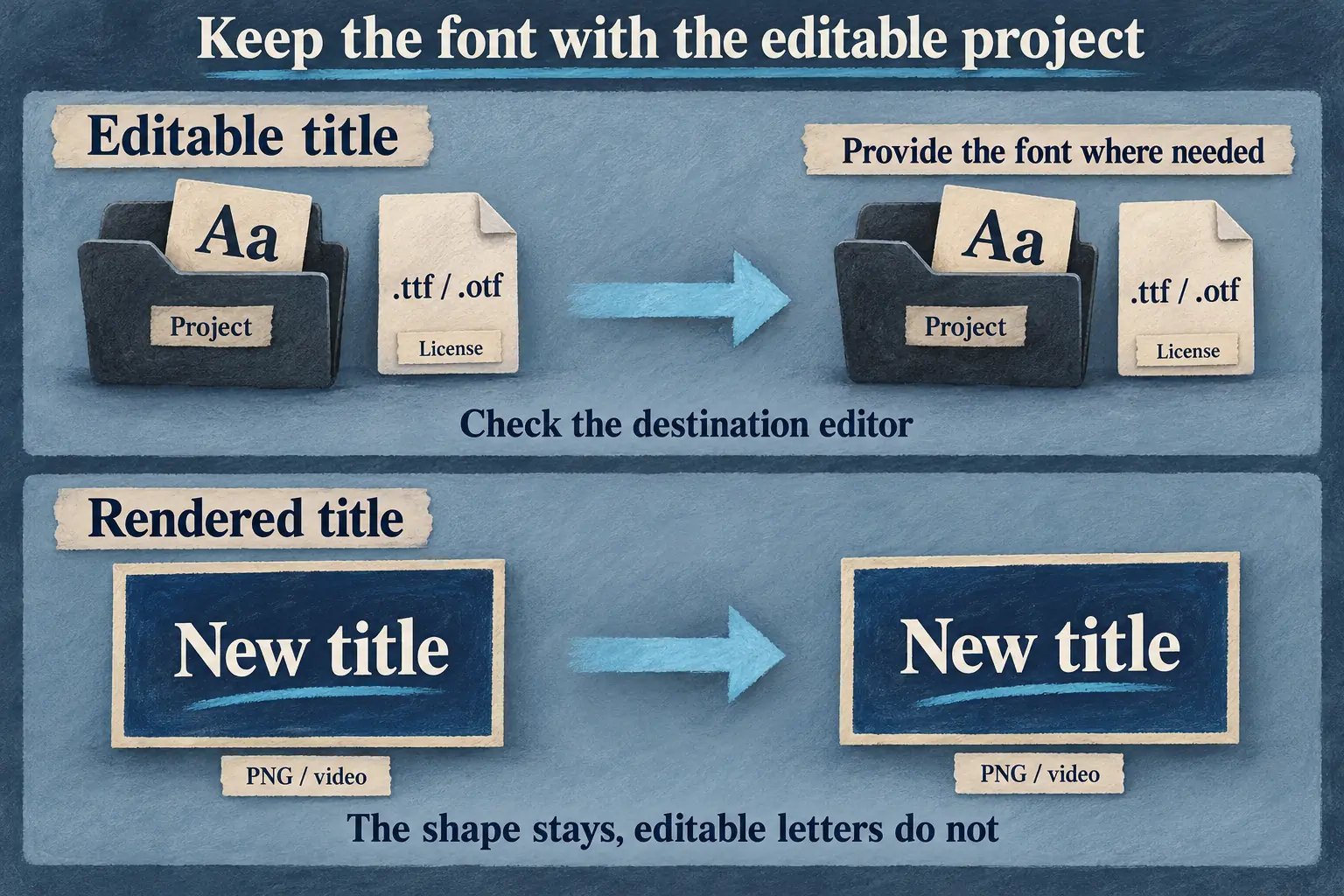
When you hand off an editable project, confirm that the destination editor has the required font and style. Provide files only where the license permits it, or ask the recipient to get their own licensed copy. Follow the project backup and transfer guidance for the project and media, and treat fonts as an additional dependency to check instead of assuming the project package carries everything.
A flattened PNG or rendered video keeps the title's drawn appearance, but the letters are no longer editable text in that asset. Go that route when appearance matters more than changing the wording later. Keep the editable master so you can still revise the title yourself.
Before you deliver the final video, check the exported title for missing glyphs, substitutions, wrapping and placement. For the next editing step, the CapCut tutorial hub links the text, timeline and export guides.