

Choose a gym template around the footage you want people to see. For a personal record (PR), keep the lift intact. For a workout montage, look for room to show different exercises and angles. A coaching reel needs the cue and your voice to survive the edit. The 12 official CapCut links below give you a concrete place to start. When the workout needs a reusable intro, lyric treatment, recap or some other graphic structure, our CapCut design tools page points you to the right tool.
We rechecked these public template pages on September 5, 2026. Their listed media counts run from one to 13. Treat this as a shortlist, not a CapCut limit or a ranking of tested exports. A detail page that loads still doesn't guarantee the template will open in your account.
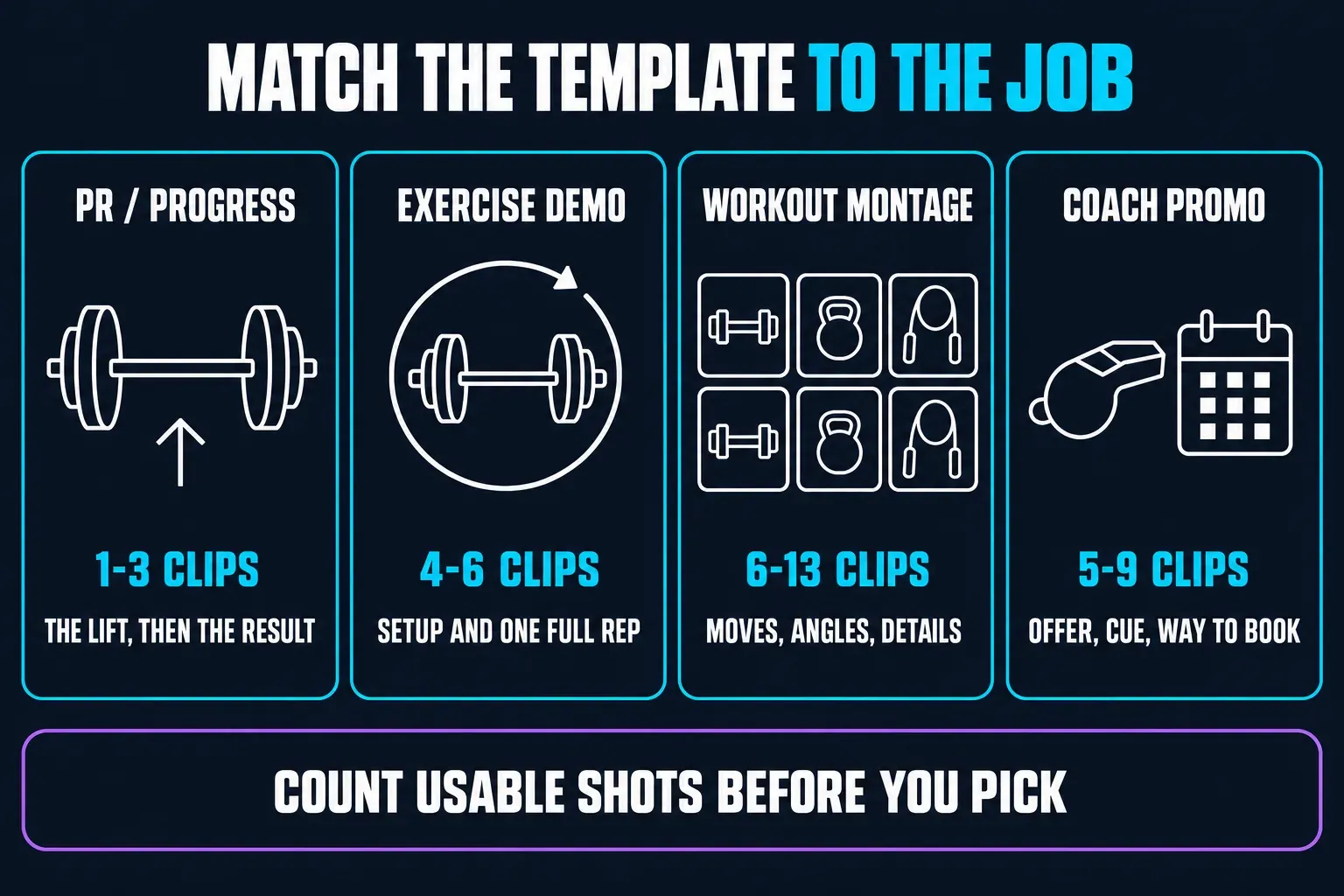
The clip-count bands are planning suggestions, not requirements.
12 CapCut gym templates to check
Use the listed count to narrow your choice, then open the media picker and look. In CapCut, template creators can turn on flexible clip numbers, so some templates let you add or remove clips. Creators can also restrict a slot to photos or videos.
The durations below are approximate, rounded from the public detail data. They don't tell you how long each shot stays on screen. The last column suggests what to check.
| Official template | Listed slots | Approx. length | Ratio | Check before choosing |
|---|---|---|---|---|
| Workout | me vs me | 1 | 15.7 sec | 9:16 | Does the entire lift remain visible? |
| Gym Motivation | 1 | 12.4 sec | 9:16 | Can you change any quote that does not fit? |
| bodybuilder | 2 | 15.5 sec | 3:4 | Creator uses an AI-morph tag; avoid it for genuine progress evidence. |
| GYM | FITNESS | 2 | 11.6 sec | 9:16 | Creator tags slow motion; inspect playback speed. |
| Gym Lover | 3 | 14.1 sec | 9:16 | Do your three shots add different information? |
| Gym time | 4 | 29 sec | 9:16 | Check internal cuts; longer runtime need not mean slower pacing. |
| Art GYM | 5 | 17 sec | 16:9 | Does a horizontal frame suit where you will post? |
| GYM TOP TEMPLATE | 6 | 14.9 sec | 9:16 | Can viewers follow each movement at this pace? |
| FIRE GYM | 6 | 11.4 sec | 9:16 | Is any useful action cut too short? |
| WORKOUT SESSION | 9 | 18.8 sec | 9:16 | Have you enough useful footage for nine slots? |
| daily fitness | 9 | 15.5 sec | 9:16 | Are exercise names readable before the next cut? |
| Gym edit 33 | 13 | 29.3 sec | 9:16 | Would a shorter edit tell the same story better? |
Ten of these 12 details list 9:16, one lists 3:4 and one lists 16:9. Choose another layout if the template's shape crops out the bar, hands or feet. Our aspect-ratio guide explains a manual project, but that doesn't mean a locked template will resize cleanly.
Choose by what the video needs to show
A personal record
Make the complete lift the main event. Add a plate close-up or reaction only if it helps. Keep the original footage and do not present altered speed as the real attempt.
An exercise demonstration
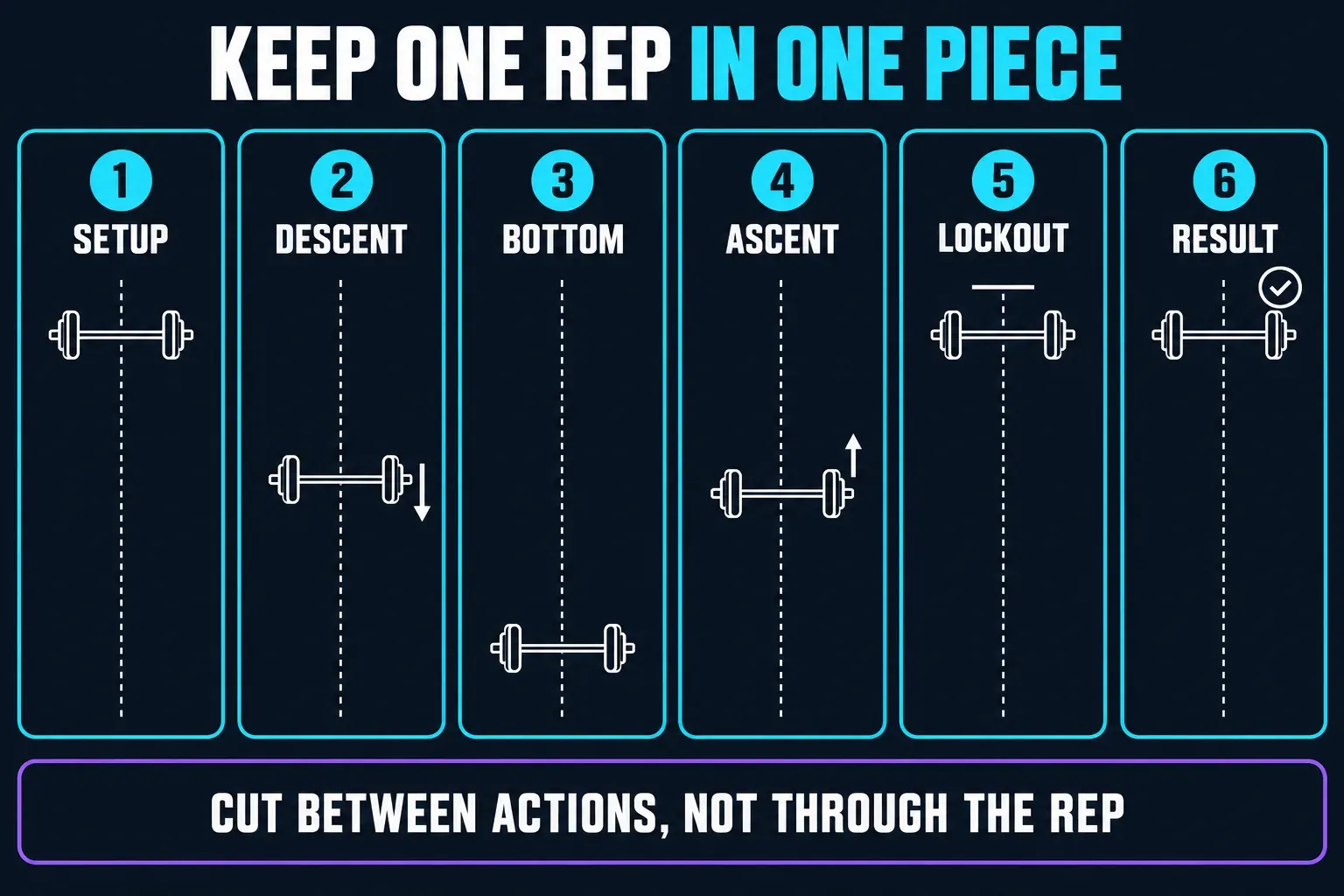
One continuous shot can explain more than six fragments. Keep the setup and movement visible; add another angle only when it clarifies the cue. Visibility is not an assessment of safe technique.
A workout montage
Mix exercises, a useful detail and a finish. Repeating a shot for rhythm can work; repeating weak footage just to fill every slot rarely helps.
A coach or gym promotion
Show what you offer, a relevant coaching moment and a readable way to book. Check permission to feature the client and the music rights for the destination.
Keep progress edits honest
A template named “bodybuilder” isn't necessarily a simple two-shot montage. The creator of the example above put #aiglowmorph in its description. That's a reason to look closely at the effect. It doesn't prove how the effect behaves in every app. Don't use a generated physique as the “after” in a real training comparison.
Use real dates, weights and reps. Don't change the crop, lighting or playback speed to exaggerate a result. For US health-related advertising, the FTC's guidance on truthful claims weighs what the pictures imply along with what the caption says. A polished transformation isn't evidence that a program caused it.
Keep the whole movement readable, from setup through the result. Cut between actions, and don't chop a single rep into fragments.
Film enough to have a choice
Record the main movement with space around the person and the equipment. Start before the action and stop after it finishes. For a montage, add a different angle, a relevant detail and a closing moment. You don't need to film a whole session just because a template has a lot of slots.
Follow the gym's filming rules and ask before you include other people. Keep the phone out of walkways and away from moving equipment. Watch the original clips before you start editing. If they already look soft, our blurry-after-import checks help you tell a preview problem from poor source footage.
Use a gym template in CapCut
On Mobile, CapCut's template instructions lay out the steps below. The tab may say Template or Templates, and the available controls can differ.
- Open an official template link on your phone, or find the template in CapCut's Template tab. Check the listed media count, length, ratio and any paid badge.
- Tap Use template. Select your footage in the order requested, using Photos or Videos as appropriate. Follow the live slot requirements rather than filling a different count from memory.
- Open Preview, select a segment and use Edit where offered to replace or crop it. Watch the whole movement rather than only the starting frame.
- Change names, numbers and coaching text wherever editing is allowed. If a locked caption or effect misrepresents your footage, choose another template or make a manual edit.
- Play the preview with sound. Confirm that any spoken cue remains audible; then mute playback and check whether the message is still understandable.
- Tap Export and inspect a complete downloaded file outside CapCut. Check the movement, framing, text, sound and any watermark before sharing.
On a computer: CapCut's newer Web template walkthrough shows how to browse templates and swap media in a browser slot editor. That doesn't mean every Mobile template works there. Desktop support can be limited too, so work with the library and controls your version offers instead of expecting the same gallery on every platform.
If your clips don't show up in the picker, check the Photos/Videos filter and make sure CapCut can access the files you selected. Its missing-media help names both as possible causes. A photo-only slot is its own restriction. It isn't necessarily a missing-file problem.
Check a template's live price too, before you replace everything. CapCut's paid-template guidance says creators can set different prices, and the final payment page shows the amount. A collection advertised as free doesn't settle what every item in it costs.
Keep the coaching voice—and check the music
The sound from your imported clip may not carry into the template. CapCut documents creator-controlled original-audio retention. If a spoken cue disappears and the template gives you no way to bring it back, use an editable project with your original video instead.
For a trainer's ad, check the soundtrack's license before you build the edit around its beat. Under the non-US Materials License Agreement, ordinary Sounds are for personal, non-commercial use unless you get the necessary rights. Commercial Sounds name their permitted platforms (CapCut, TikTok and TikTok for Business), and any other destination needs separate permission under those terms. US users have a separate agreement. Check the terms that cover your account and track. Paying for Pro isn't blanket music clearance.
Before you share the gym video
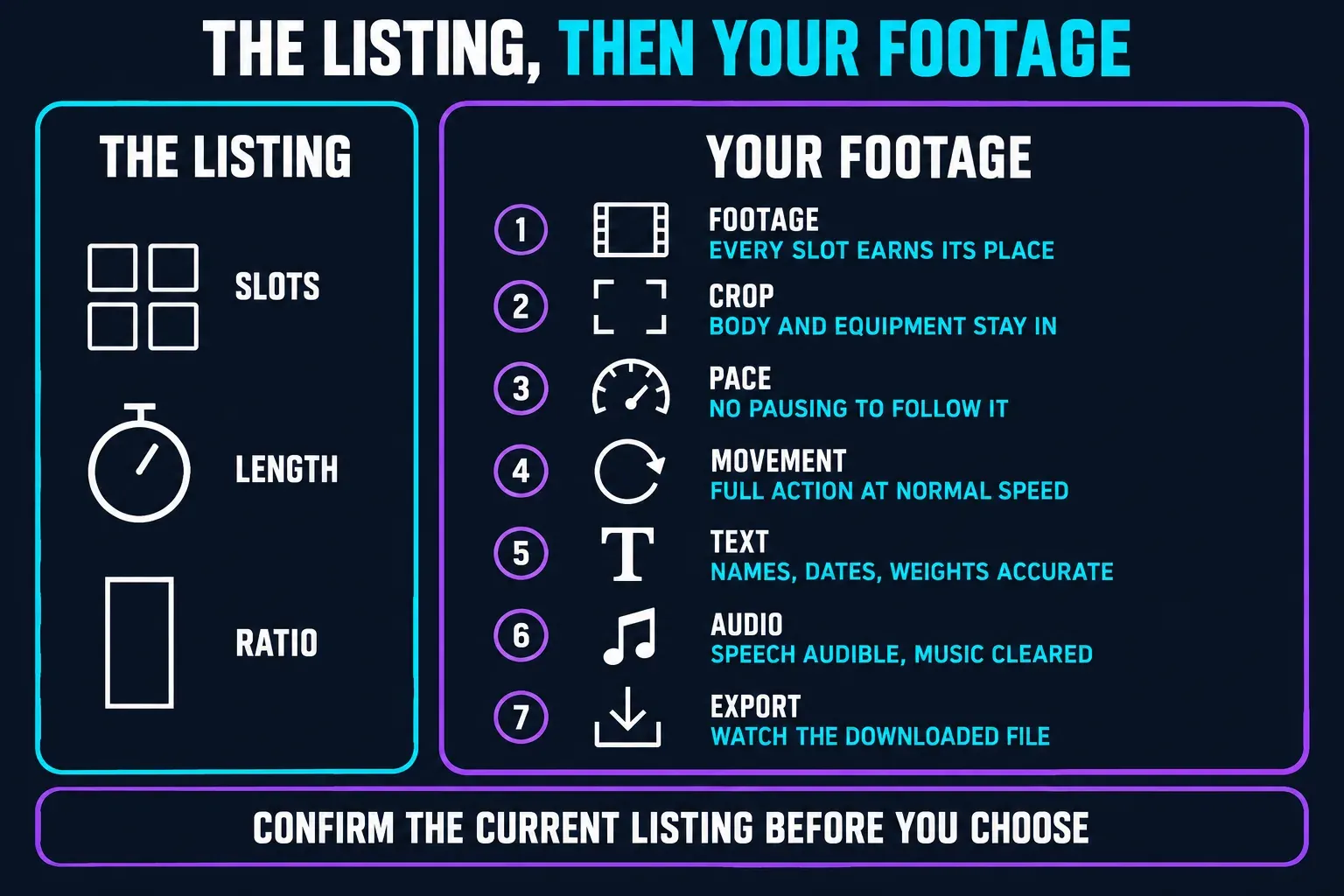
Treat a listing detail such as GYM TOP TEMPLATE's six slots, 14.9 seconds and 9:16 ratio as a starting check, and confirm the current listing before you pick the template. Then review the crop, pace, movement, text, audio and exported file with your own media.
- Footage: every filled slot earns its place; no leftover example media.
- Crop: the relevant body parts and equipment remain visible throughout the action.
- Pace: viewers can understand what happened without repeatedly pausing.
- Movement: a demonstration includes the full action at normal speed. This checks editing continuity, not exercise safety.
- Text: names, dates, weights and claims are accurate and readable.
- Audio: speech is audible and you have permission for the music's intended use.
- Export: watch the actual downloaded file, preferably on another screen, before posting.
For resolution and frame rate, see our full breakdown of CapCut export settings. I wouldn't pick a higher number just because a template site recommends it.
When a plain edit works better
Skip the template if it cuts through the lift, locks the wrong crop, hides the coaching cue or drops audio you need. Trim the original clip in a normal project and add only the text you need. If you want a slow-motion replay, our slow-motion template guide covers it, but keep the normal-speed demonstration too.
If a template will not open
CapCut lists region, sign-in, version and connection problems among the reasons templates may be missing. A template's author can also delete it or make it private. Sign in with the account you meant to use, check your connection and update the app without uninstalling it. CapCut's troubleshooting instructions warn about losing local drafts if you remove the app first.
Try another suitable example or the official gym template collection if one link stays unavailable. For a missing tab, a failed handoff or a loading error that keeps coming back, follow our steps for when CapCut templates are not working.
CapCut gym template FAQ
How many clips do I need for a CapCut gym template?
The 12 examples checked here list one to 13 media slots. Follow the live picker: creator-enabled flexible clip counts may allow changes, and some slots accept only photos or only videos.
Which template is best for one gym PR?
Try a one-slot option such as Workout | me vs me, then check that the complete lift survives its cuts and effects. One slot does not guarantee uninterrupted footage. Use a normal-speed manual edit if needed.
Can I use a gym template for an exercise tutorial?
Only if it keeps the relevant setup, complete movement and coaching cue clear. A readable edit does not establish safe technique. If cuts, speed changes or missing speech obscure the explanation, edit the original clip manually.
Are CapCut gym templates vertical?
Ten of the 12 checked examples list 9:16; the other two list 3:4 and 16:9. Check the current detail and crop rather than assuming every gym template is vertical.
Are CapCut gym templates free?
Do not assume every item is free. Check its paid badge and final checkout. A free template or a Pro subscription also does not automatically grant music rights for a trainer's advertisement.
Why can I not use a CapCut gym template link?
Possible causes include region restrictions, sign-in, an outdated version or a connection problem. The creator may also have removed the template or made it private. Update without uninstalling and check another official example.
Should I use a template or edit the gym video manually?
Use a template when its framing, pace and editable elements fit your footage. Choose a manual edit when you need to preserve a full movement, spoken cue or precise text that the template will not let you control.
Pick the smallest edit that tells the story
Start with the footage that matters, not a target number of slots. Keep the lift or lesson clear, export one complete version and watch it before you share. For a different kind of video, the CapCut template finder sorts the other guides by what you want to make.