

For spoken captions, I'd start with Inter or Montserrat in a weight that stays clear over the footage. For a short opening hook, try Anton or Bebas Neue. Libre Baskerville suits a quieter editorial title, while Caveat works as a brief handwritten accent. Give each font a job before you pick a fashionable name.
Check CapCut's own font list first and source any missing family from Google Fonts, where all six are free. CapCut's catalog changes with platform and region, so one of them may not show up on your device. A downloaded font carries its own license, and seeing a name inside an editing app doesn't settle every commercial-use question.
A shortlist you can choose by purpose
| Font | My starting use | What to watch |
|---|---|---|
| Inter | Speech captions, explanations and product details | A thin weight can disappear over a changing background |
| Montserrat | Brand titles and a matching caption treatment | Wide words need room in a portrait frame |
| Anton | A few large words in a hook or announcement | Dense, heavy text becomes tiring across a whole sentence |
| Bebas Neue | Tall display titles, chapter names and short labels | Its all-caps character is a poor default for long spoken captions |
| Libre Baskerville | A restrained opening title, quote or editorial sequence | Fine details need sufficient size and a calm background |
| Caveat | A short personal note or handwritten accent | Keep the main instructions and essential details in a clearer companion font |
Inter's project description emphasizes its tall x-height and screen use. Montserrat draws on urban signage; Anton and Bebas Neue are display choices. Libre Baskerville is a serif family, and Caveat is a handwriting family. Those project pages also identify the font files and their licenses.
Choose one family first. A useful caption system can use one readable weight, with color or weight carrying the emphasis. Add another family when it gives a title a distinct role, rather than changing fonts every time the subject changes.
Choose the caption treatment before adding animation
For speech, the viewer must recognize words while also following the picture. Start with ordinary mixed case and enough weight to survive the busiest part of the shot. Keep the counters inside letters open: an outline that fills the middle of an “e” has become too heavy.
Use a short sentence such as “Keep the product label in focus.” and a longer one such as “Move the light until the label is clear and the glass stops reflecting it.” The second exposes a poor choice faster. If it forces four small lines, shorten the caption segment or change the line breaks before adding more effects.
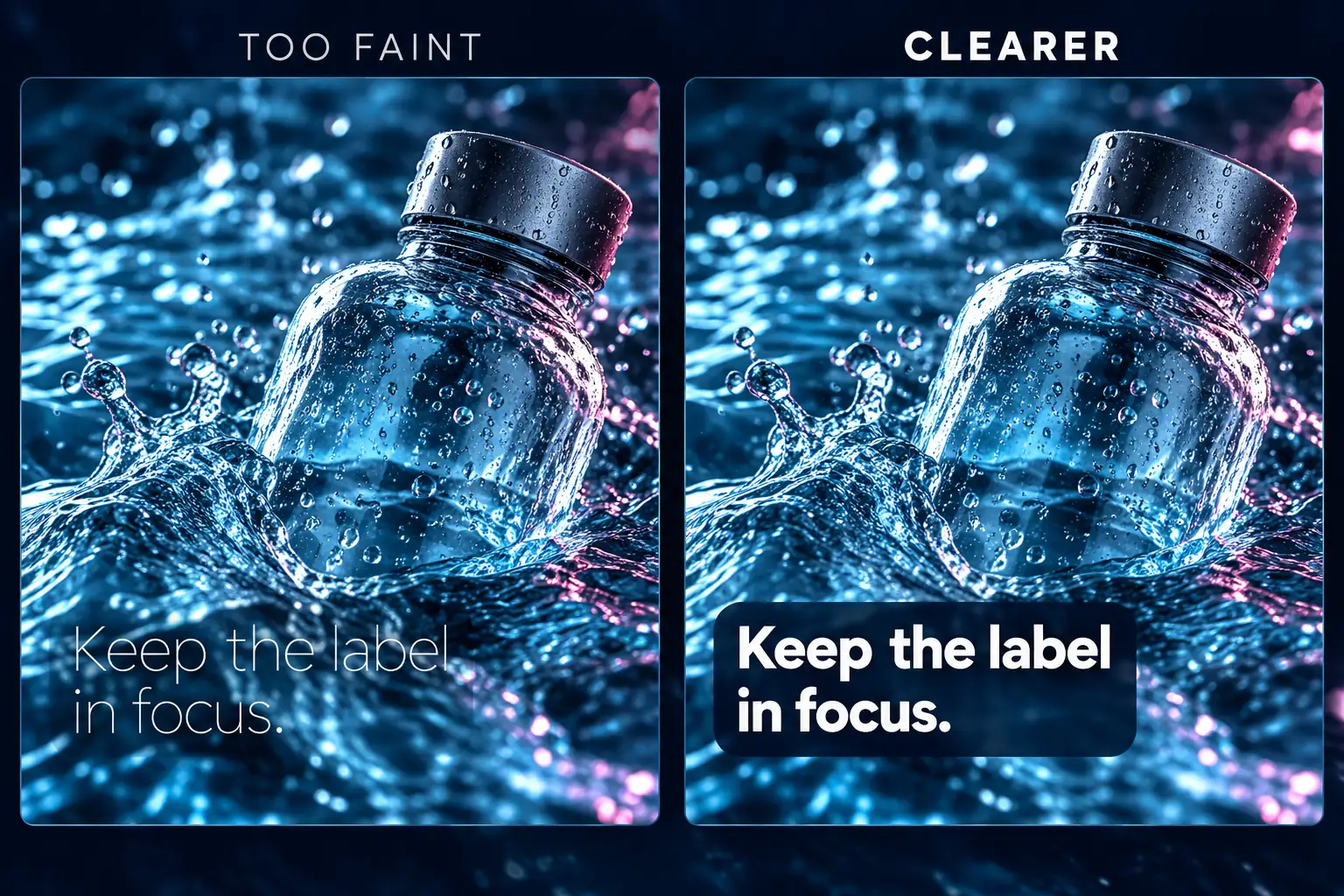
A dark outline, a restrained shadow or a backing box can separate text from the picture. Choose the least intrusive treatment that works across the shot. White text with an outline is a starting point, but it won't hold up over every background. A heavy glow can reduce the clarity you were trying to add.
Place essential captions where the intended platform's controls won't cover them. There's no single safe pixel margin for every phone, app layout and destination. Preview the actual composition at phone size, including lower thirds and the final call to action, or load a frame into our safe zone checker to see where TikTok, Reels and Shorts controls sit.
If the words themselves are wrong, fix the transcript first. Our word-by-word captions guide separates a moving highlight from one-word pop-ups and explains why font styling can't repair timing.
Use display fonts for a short hook
Anton and Bebas Neue earn their space when the message is short enough to read immediately. Try “PACK LIGHT” as a title, then put the explanation in a calmer caption style. A tall or heavy display face can make those two words distinct without asking it to carry a paragraph.
Keep the title's hierarchy simple: the main message first, a supporting detail second. Making every word large, outlined and animated removes that hierarchy. Leave room around the text so the viewer can also recognize the person, object or action behind it.

Take a packing video: the opening might say “PACK LIGHT”, followed by “Start with the shoes you will wear most.” Choose the font and emphasis around the actual message, then decide whether motion adds anything useful.
Break lines at the thought, not wherever the box ends
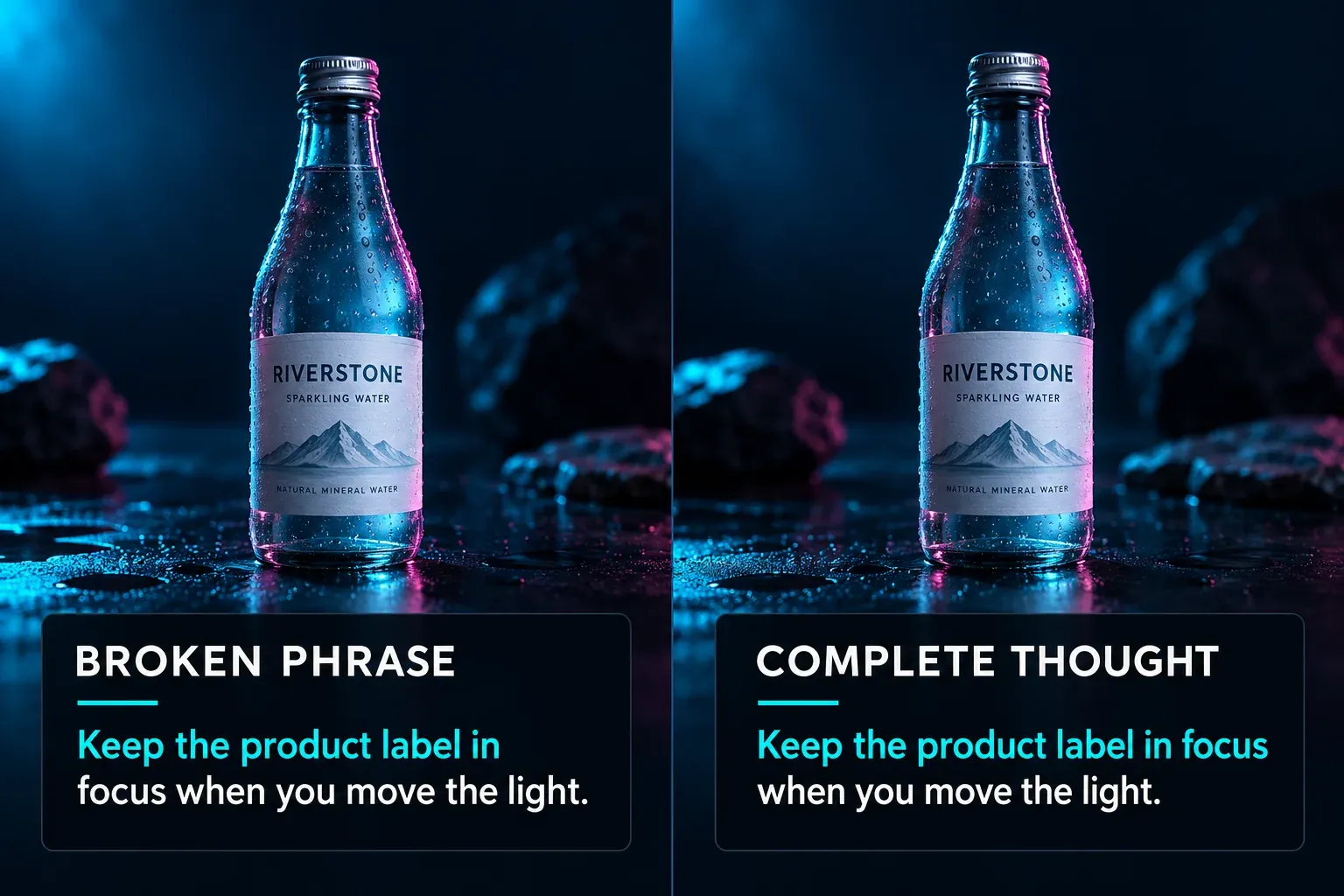
Compare these two arrangements:
Awkward:
Keep the product label in
focus when you move the light.
Clearer:
Keep the product label in focus
when you move the light.
The second preserves the phrase “in focus”. For a ceiling, Netflix's English timed-text style guide caps subtitles at 42 characters per line and two lines, and keeps most of them to one line. A vertical frame with large type fits fewer, so I break well before 42 on a phone. Avoid leaving an article, a preposition or a tiny final word stranded when a small adjustment makes the phrase easier to follow.
Don't shrink the text until every sentence fits in the same box. A long sentence may need another caption segment. Check punctuation, apostrophes, currency symbols, numerals and any accented names you'll use. A family that looks good in a two-word English title may lack a character required by the real script.
Find the font in your version of CapCut
Select the text or caption you want to style, then look in its font controls. CapCut's font and text-template help distinguishes Web, Windows/macOS and iOS/Android. It documents searching the text library, checking favorites and checking whether a commercial-content filter is hiding options.
Changing that filter can reveal more assets; it doesn't grant permission to use those assets commercially. Keep the intended rights in mind while choosing. The same help page notes regional restrictions and the need for an internet connection for some materials. A missing family therefore doesn't mean your project is broken.
If you source a font separately, keep the family name, font files and license together. Follow our font import guide for your platform and verify the selected text after reopening the project. This page focuses on choosing a family; our text-editing guide covers adding, positioning and timing a text layer.
Check rights before using a font in a brand video
The six project directories linked above include SIL Open Font License files. The Inter license, for example, permits use of the font under its terms and says the requirement to retain that license does not apply to documents created using the font. Keep the license supplied with the exact files you obtain. A similarly named download from an unrelated site isn't automatically the same licensed package.
For fonts and text templates supplied as CapCut materials, check the asset's label and the applicable materials license. CapCut distinguishes non-commercial materials from materials marked for limited commercial use, with conditions such as the permitted use, territory and term. A Pro subscription and a commercial-use license answer different questions.
For a client or team, record the approved family and weights, the source of the files, the permitted use and a fallback. Keep reusable choices in your own style notes or, where available to your account, the CapCut Brand Kit. Don't assume another editor receives the font just because they receive the project.
Before delivery, review the exported video at the size people will watch. Read the longest caption without pausing, check a bright shot and a dark shot, and make sure the chosen font hasn't been replaced. If the caption needs effort to decode, simplify the treatment. A clear sentence in a quiet typeface usually serves the video better than an impressive font the viewer can't read in time.