

A UGC portfolio is a selection of your work that helps a brand decide whether you can make the content it needs. Lead with playable video samples, explain what you contributed and give the viewer a clear way to contact you. A polished page helps, but the work has to answer the hiring question.
You can start before you have paid clients. Make independent practice pieces with products you can truthfully discuss, label them as spec work and show the skills you're offering. Don't turn a practice video into a fictional client campaign.
I'd build the sample selection before choosing a website template. It's easier to design around three convincing pieces than to fill an attractive grid with near-identical clips.
Decide what you want the portfolio to prove
A brand hiring someone to film and edit a product demonstration needs different evidence from a brand buying access to an influencer's audience. Your portfolio can support both services, but make the distinction visible. Content production shows what you can deliver. Audience information becomes relevant when posting to your own channels is part of the offer.
Write one working sentence: “I create [type of content] for [kind of product or audience], including [the work I handle].” That sentence should describe a service you can currently deliver. It doesn't need a claim about sales, expertise or years of experience.
For example: “I make short product demonstrations for home and kitchen brands, from a simple script to the captioned edit.” It tells a buyer more than “passionate storyteller” because it names the work.
Choose the main hiring task first, then select evidence for it:
| What you offer | What the sample should demonstrate | What does not prove it |
|---|---|---|
| Talking-to-camera product video | Understandable delivery, truthful product detail and a complete thought | A montage with no audible speech |
| Product demonstration | The real item in use and a visible explanation of the action | Attractive packaging alone |
| Voiceover and B-roll edit | Images that match the words, intelligible voice and controlled pacing | Music over unrelated beauty shots |
| Editing supplied footage | Clear attribution of your editing role and an approved finished sequence | Implying you filmed someone else's footage |
| Paid-social variations | Different openings or calls to action serving a stated brief | Repeating the same video with a new transition |
Our CapCut UGC-ad guide covers building an individual ad. Use this page to decide which finished work deserves a place in the portfolio.
Choose samples that show different capabilities
Don't start with a required number of videos. Start with the work a buyer needs to evaluate. Include enough pieces to demonstrate the service without making someone inspect every edit you've ever finished.
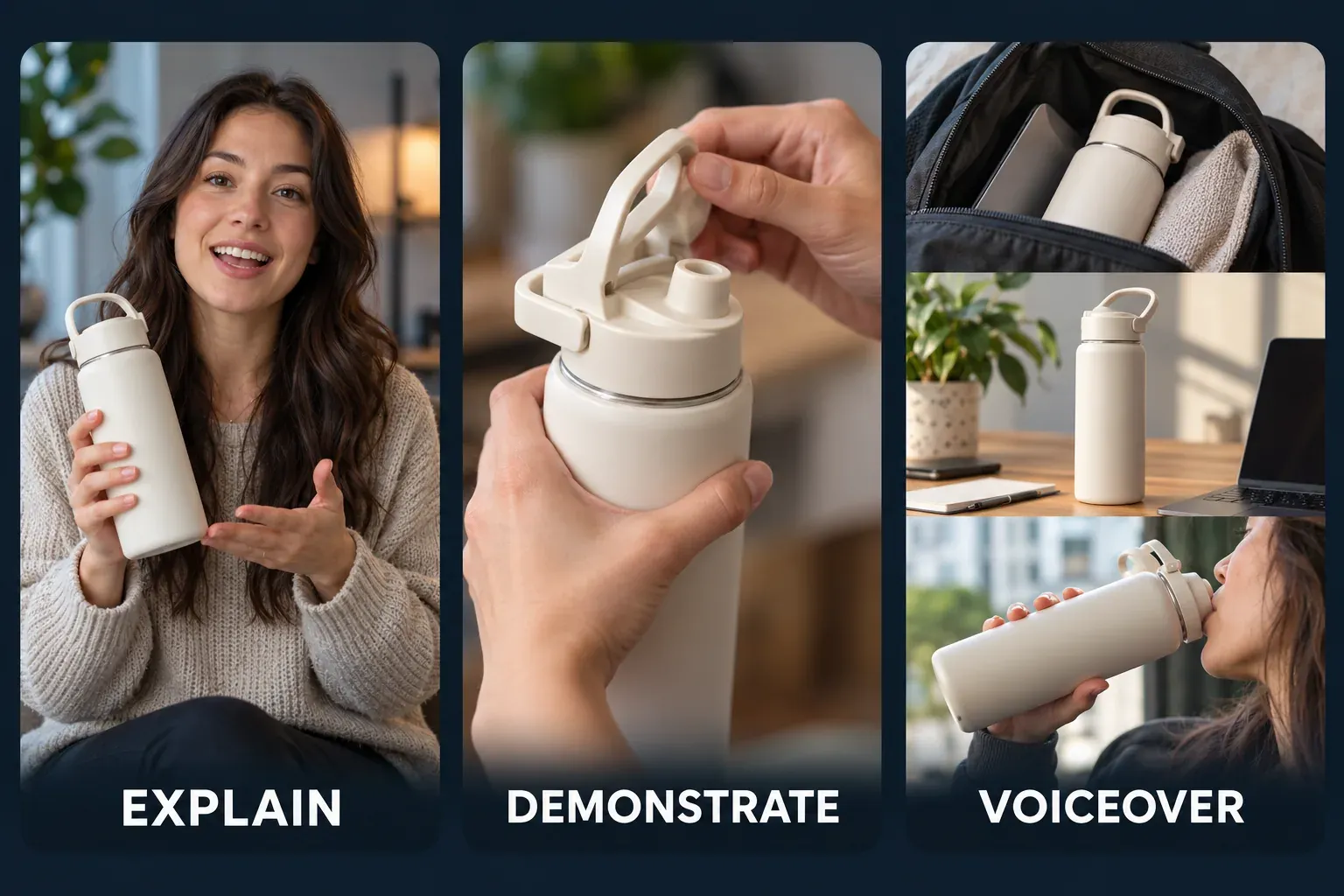
A useful starting selection might be a spoken explanation, a product demonstration and a voiceover-led edit. These are options, not compulsory categories. A faceless creator could instead show hands-on demonstrations, screen-based explanations and close-up product storytelling. A food specialist may need a stronger sequence of preparation and texture shots than a talking-head introduction.
For each candidate, ask:
- Can a viewer understand the point without reading a long explanation?
- Is the product or action visible when the script refers to it?
- Does it show a capability that another selected video does not?
- Are speech, captions and important labels understandable on a phone?
- Can you identify your role and the permission to show the work?
Remove the sample that needs the most excuses. One technically weak clip can make it harder to judge the standard of the work you intend to sell.
Make a portfolio with no paid client work
Use a product you have access to and choose a claim you can honestly support. A demonstration of opening, assembling or using it is more defensible than an invented testimonial about long-term results. Don't imply that a brand hired you because its product appears in the frame.
Write a small practice brief before filming. For a reusable drink bottle, the task could be “show how the lid opens and how the bottle fits in a bag.” The sample can demonstrate framing, clear speech, product close-ups and editing. It can't show that the bottle never leaks unless you have suitable evidence for that claim.
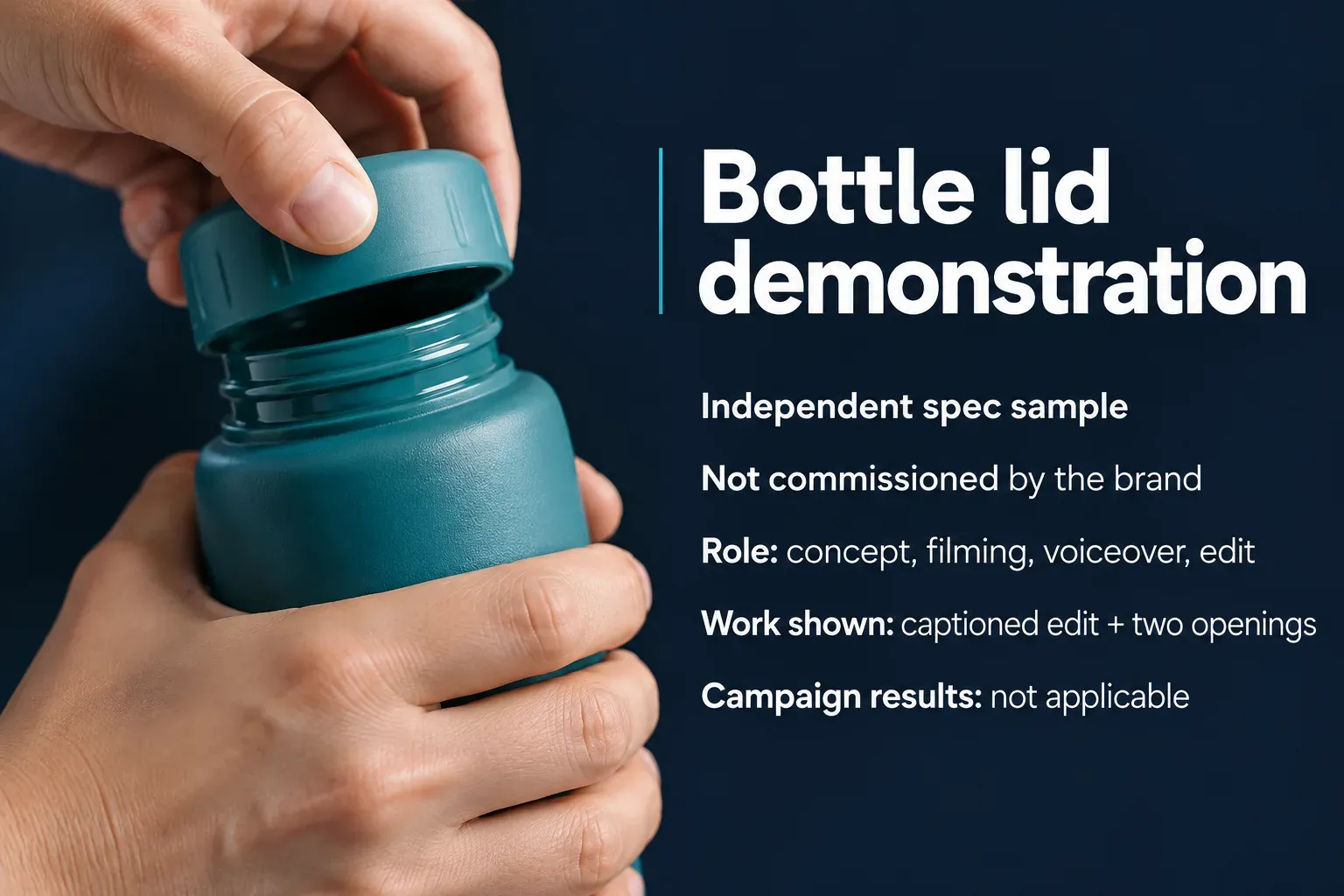
Label the project plainly: “Independent spec sample. Not commissioned by the brand.” Add your real contribution: concept, filming, voiceover and editing, or whichever parts you handled. This makes it possible to evaluate the work without mistaking it for a client relationship.
Keep logo walls and client testimonials for relationships you can substantiate and have permission to show. If there are none yet, leave those sections out. A short account of your process is more useful than invented social proof.
An unsolicited product sample also doesn't automatically give you permission to reuse someone else's music, images or footage. Check the relevant rights separately. Our commercial-use guide for CapCut explains why an editing subscription and permission to use each asset are different questions.
Give every video a short project card
Put the work close to its explanation. A brand shouldn't have to open a separate presentation to find out whether you filmed the sample or only edited it.
Use these fields where they help:
Project: a descriptive name, such as “Bottle lid demonstration.”
Purpose: the communication task, such as making an opening mechanism easy to understand.
My role: the parts you performed. Name collaborators when appropriate and permitted.
Status: commissioned work, personal project or independent spec sample.
Deliverables: the finished version shown and any meaningful variations. Describe additional deliverables only if they exist or are clearly part of a proposed service.
Results: include results only when you have permission, a reliable record and enough context to interpret them. Name the metric, date range and whether distribution was paid or organic. Views don't prove sales, and a polished spec video has no campaign result to report.
Here's how that card reads for the bottle sample:
Bottle lid demonstration
Independent spec sample; not commissioned by the brand.
Role: concept, filming, voiceover and edit.
Purpose: show the opening action clearly in a short vertical video.
Work shown: one captioned edit and two alternate opening lines.
Campaign results: not applicable.
That card gives a potential buyer enough information to interpret the sample. It avoids attributing a commercial outcome to a piece that has never run as an ad.
Build a page around the videos
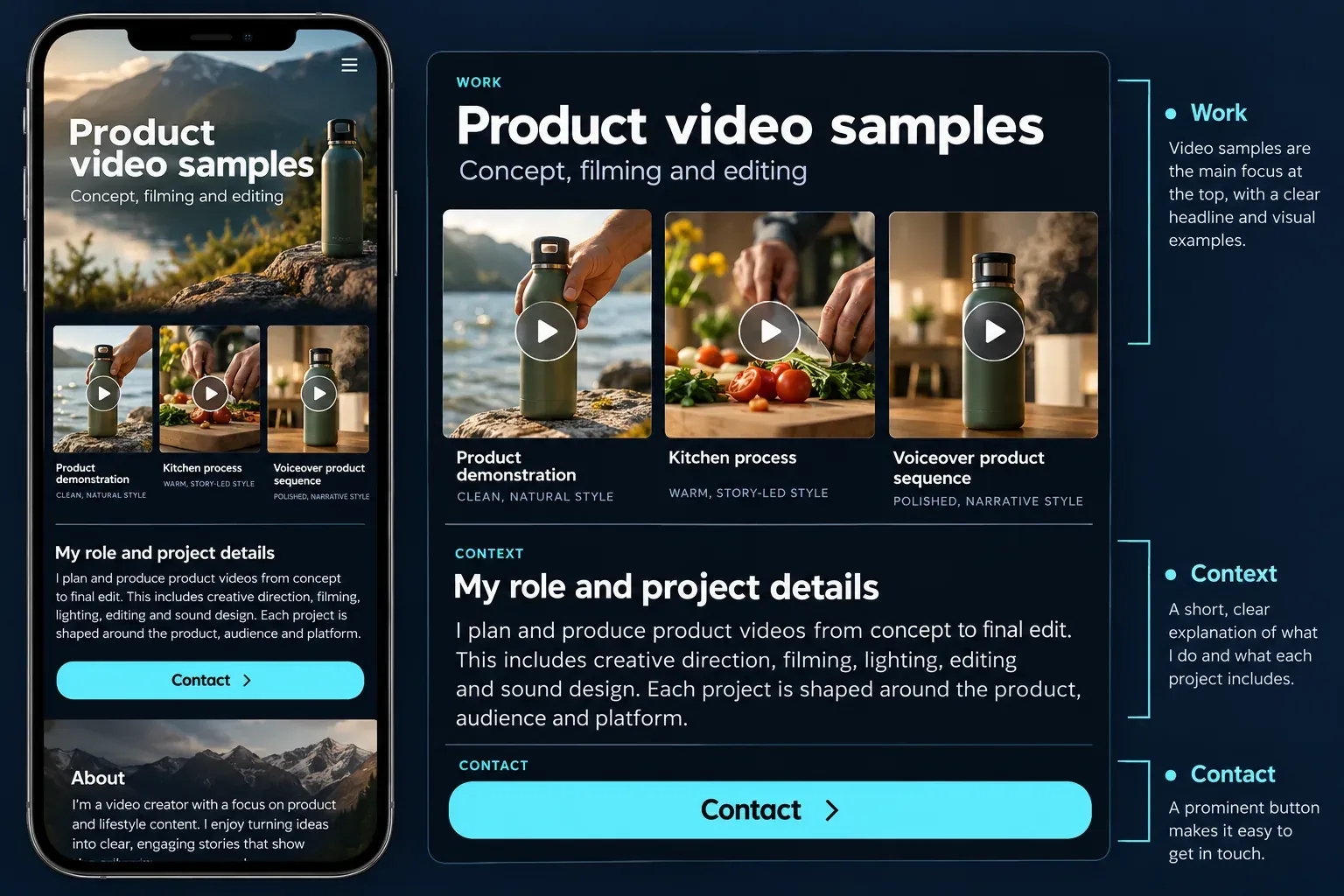
Put a concise introduction, a strong sample and a contact route near the beginning. Follow with the remaining work, relevant services and any permissioned evidence of previous work. Don't let a long biography stand between the visitor and the videos.
On Katie Davies's public portfolio, samples are identified by styles such as product demonstration, educational and voiceover. That gives a buyer a way to inspect the kind of work they need. Her page also includes services and a process. Borrow the navigation principle, not her text, design, client names or performance claims.
Grace Kim’s portfolio lets a buyer browse work by category and places Email Grace links at the beginning and end. It also separates production services from audience figures. That is useful when you offer both content creation and posting to your own channels; follower totals and brand-name captions still do not identify your contribution to a particular video.
Thrive with Grace groups samples as UGC Ads, Organic UGC, Amazon Reviews and TikTok Shop, then lists services such as voiceover and video editing with a contact route. That sorts the work by intended use. In your version, keep the commissioned or spec-work label and your actual role beside each sample.
Group work by the decision it helps the visitor make. If you offer one narrow service, a simple gallery may be enough. If your collection spans beauty, food and technology, categories can reduce hunting. Avoid making every category a separate page with only one unfinished sample.
Keep the service description specific. “One edited product video” still needs an agreed brief, format, revision scope, deadline and usage terms. A portfolio opens that discussion; it doesn't replace the agreement.
Website, Canva or a shared folder?
A scrolling website can keep samples, context and contact details together. A presentation is convenient when sending a tailored selection. A shared folder is useful for delivery, but filenames alone are a weak substitute for a portfolio's introduction and project explanations.
Choose the format you can keep working. A custom domain is optional at the start. Check video playback, mobile layout, access permissions and any plan conditions before paying for a platform.
If using Canva, start with the correct design type. Canva's publishing instructions distinguish Website designs from presentations and video designs: other design types can open as a slideshow or player. For a scrolling layout, use a Website design. The available domain options also depend on the design type. A presentation template labelled “portfolio” won't necessarily publish as the scrolling site you intended.
Prepare the files without overselling the edit
Show a sample at a size that suits the page and keeps playback practical. Preserve a higher-quality master separately. A smaller viewing copy is for evaluating the work; it need not be the file a client would receive for distribution.
Keep captions readable and correct names, numbers and timing. If an uncaptioned master is part of the service, describe it separately rather than covering the only demonstration with dense text. Our CapCut export guide explains the controls; the portfolio should show the result without turning into another export tutorial.
Don't put confidential client timelines, messages, account dashboards or personal file paths in a project explanation. Get approval for the public sample and for any analytics you intend to show. Blurring a name doesn't necessarily make unpublished client work suitable for public use.
Keep portfolio claims and advertising disclosures honest
Calling a piece “spec work” describes its relationship to a commission. It doesn't override advertising-disclosure requirements. In the US, the FTC's guidance on brand relationships says payment, free products and other material connections may need clear disclosure with the endorsement. A note on a separate About page isn't enough. Other countries have their own rules.
Don't turn an editing example into a personal-experience claim you can't support. If you haven't used a product, avoid a script that says you have. Keep any necessary disclosure with the video wherever the endorsement appears, rather than relying on a portfolio footer.
Check the link before sending a pitch
Open the published portfolio while signed out of its builder. Check it on a phone as well as a larger screen. Play every selected sample with sound, then check whether captions and important product details remain useful without it.
Confirm that the visitor can:
- Play the work without requesting access to your editing account.
- Understand which projects were paid, personal or spec work.
- See what you contributed and what service you offer.
- Reach the intended contact address or form.
- Open any linked examples without encountering private folders or expired permissions.
If a video fails, fix the file, player or permission before sending more pitches. Keep a lightweight fallback link for the relevant sample, but don't expose a client delivery folder as the fallback.
Refresh the selection when a stronger piece demonstrates a skill you want to sell. The goal is a credible answer to “can this creator do our job?”, not a permanent archive of every video you have made. For the wider production and collaboration choices, return to our CapCut for Business hub.