

Pippit is worth a look if you need a steady stream of short product videos and images and someone reviews every draft before it goes out. It’s harder to recommend if you need a fixed cost per finished ad. Pippit publishes no per-video rate card, plan credits expire when the subscription ends, and the 14-day refund in its terms only applies if you haven’t used the paid features at all.
This review is built from Pippit’s pricing page, help center, terms and privacy policy, its product and model pages, two independent pricing write-ups and the public complaint record. We didn’t generate anything for it, so it judges the offer and the fine print rather than output quality. Where a number comes from someone else’s review, we say whose.
Pippit review: the short verdict
| Question | What the sources show |
|---|---|
| What is it? | A web platform for marketing videos, images and avatars from the company behind CapCut, formerly called CapCut Commerce Pro. |
| What can it make? | Videos from a product link, photos, a script or a document; talking photos and avatar videos; product images and posters; scheduled social posts. |
| Is there a free plan? | Yes, with no credit card and free daily credits. Pippit doesn’t publish the daily amount. |
| What do paid plans cost? | It depends on your region and the current promotion. The EUR pricing page in October 2026 listed yearly Starter at EUR87 on promotion (EUR145 list) for 1,575 credits a month. |
| How many credits does a video use? | Not published. The help center points you to the in-app quote, and not every tool uses credits. |
| Can I get a refund? | Within 14 days of starting a subscription, and only if you haven’t used the premium services. Wrong or duplicate charges go to support. |
| Does it remove the watermark? | Watermark removal is listed for Starter, not for Free. |
| Who should try it? | Online stores and small marketing teams that need many drafts and have a review step. |
| Who should skip it? | Anyone who needs a predictable cost per finished video, a refundable trial or confidential handling of client files. |
What Pippit is, and how it relates to CapCut
Pippit is the new name for CapCut Commerce Pro. When the company announced the rebrand from CapCut Commerce Pro to Pippit in August 2025, it described Pippit as a “smart creative agent” for marketers, businesses, creators and individuals, available as its own independent platform. Pippit’s help-center introduction calls it a Creative-as-a-Service platform for producing marketing content faster and at lower cost.
The family tie is plain in the fine print. The pricing page footer says Pippit is “Powered by CapCut”. The legal agreement Pippit links to is the CapCut Terms of Service, whose definition of the platform includes the CapCut Commerce Pro and Pippit web platforms and mobile apps, and the privacy policy names Bytedance Pte. Ltd. in Singapore as the provider. Pippit still runs as its own product with its own plans and credits, so don’t assume a CapCut subscription covers it. Our Pippit AI overview maps its workflows, and our comparison of CapCut for Business options shows where Pippit sits next to CapCut’s editor and shared workspace.
What Pippit does
Pippit is built around agents that turn a brief into a draft, not around a timeline. Here are the main routes as Pippit’s own pages describe them:
- Video agent: Pippit’s video agent page says it creates videos from text, a link, images, media or documents. You can choose Sora 2, Veo 3.1, a Lite mode for marketing videos, or an Agent mode powered by Nano Banana, and Agent mode can follow the narrative structure, script and style of a reference video. The same page says the agent can schedule and post the result.
- Product videos: the product video maker takes product links, images or footage and adds AI scripts, captions, voiceovers and avatars.
- Avatars and talking photos: the talking photo tool animates a photo from a typed script or an uploaded MP3, MP4, MKV, FLAC or AVI file, adds synced captions, and exports MP4 or MOV with settings for resolution, quality and frame rate. Avatar video, custom avatars made from a photo or video, and custom voices appear in the plan details.
- Image studio: product photos, sales posters, background removal and batch editing. The rebrand announcement also lists Layout to Poster and commercially licensed creative assets.
- Publishing and analytics: scheduling, multi-platform publishing, TikTok Shop links on videos and a post-performance overview.
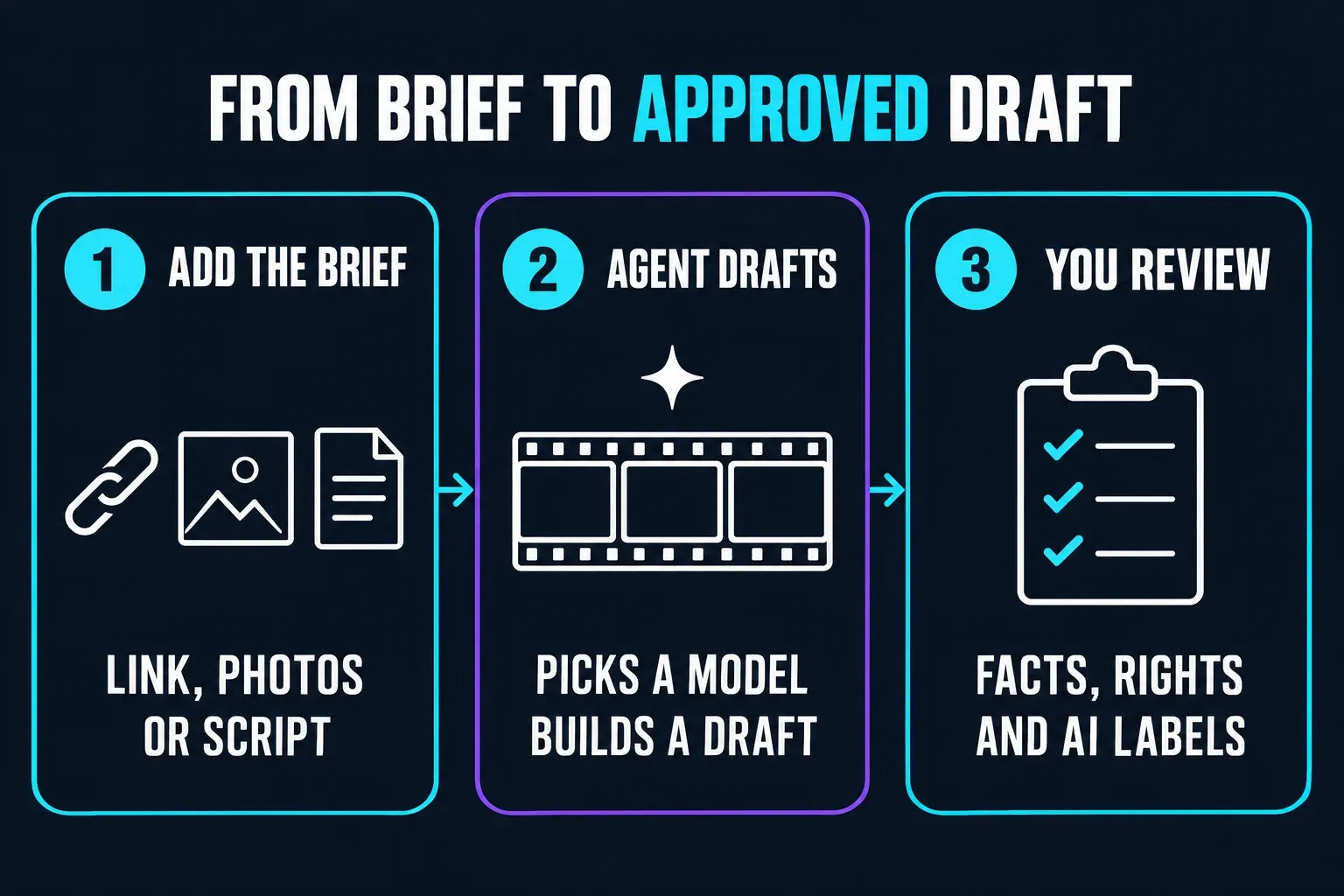
That’s a broad menu for one subscription. Pippit’s pages call the results market-ready, but any generated draft can still get a product detail, a claim or a caption wrong. Plan a review step before anything is posted, and keep the product facts you’ve already approved next to you while you check.
The model list is a menu, not a promise
Pippit sells access to several third-party and ByteDance models from one credit balance. Its model pages currently include Veo 3.1, Sora 2 and Nano Banana Pro, and the Seedance 2.5 page advertises 30-second 4K videos, up to two rounds of footage extension, timestamped prompts and a built-in green screen. The pricing page also advertised a GPT Image 2.5 credit discount on Plus and Pro from September 23 to October 9.
That list moves. One Trustpilot reviewer wrote in March 2026 that Google’s image and video models had been removed from the platform without notice, and that support offered credits instead of the subscription refund they asked for. Pippit’s Veo 3.1 and Nano Banana Pro pages are live now, but the episode is a good reason not to buy a year of credits for one specific model. If a model matters to your workflow, make sure your plan includes it before paying, and favour monthly billing until you’ve seen how often the menu changes.
What Pippit costs
Pippit has a Free plan and three paid tiers, billed monthly or yearly. Prices are regional and usually shown against a crossed-out list price, so the figures below are a snapshot of one version of Pippit’s pricing page, not a quote for your account.
| Plan | Credits a month | Yearly price, promo / list (EUR page, October 2026) | What the plan card adds |
|---|---|---|---|
| Free | Daily, amount not stated | EUR0, no card | Video agent, viral video remix, talking photos, image agent |
| Starter | 1,575 | EUR87 / EUR145 | Buying extra credits, fast generation, advanced AI models, watermark removal |
| Plus | 3,885 | EUR213 / EUR355 | Faster generation, advanced AI models, the GPT Image 2.5 discount |
| Pro | 8.6k to 59k tiers | EUR1,901 / EUR3,169 for the 35,500-credit tier | Fastest generation, advanced AI models, the GPT Image 2.5 discount |
At the promotional prices, that page works out to roughly 217 to 224 credits per euro across the paid plans, so moving up a tier mostly buys a bigger balance and faster generation rather than cheaper credits. US prices look different. Soku’s August pricing breakdown recorded Starter at 2,100 credits a month for $119.99 a year on promotion ($200 list), Plus at 6,700 credits for $359.99 ($600 list) and Pro from $900 a year. On the same day it saw ¥3,180 a month for Starter from Japan. The plan names match, but the credit counts and prices don’t, so read your own checkout, in your own currency, before comparing reviews. Our Pippit pricing and credits guide goes through the plan ladder and billing options in more detail.
How many free credits you get
Pippit’s pricing page says the Free plan includes free daily credits, without a number. Outside figures don’t agree. Tugan’s Pippit review says third-party tests report 150 credits a week with a watermark, while a Trustpilot review updated in September 2026 says the reviewer’s daily allowance fell from 160 to 40 without notice. Treat any free-credit figure you read, including the ones repeated in AI search summaries, as dated. The balance in your own account is the only number that applies to you.
No rate card, and credits that expire
Pippit doesn’t publish what each action costs. Its subscription and credits FAQ says not every creation tool uses credits, tells you to refer to the in-app information and warns that new features may be billed in different ways. Tugan reports that Agent Mode costs 150 credits a run, and Soku notes that a Veo 3.1 clip and a Nano Banana Pro image draw on the same balance, so credit use can vary widely between models. A monthly allowance therefore doesn’t tell you how many finished videos you’ll get. Read the quote on each action before you confirm it, and budget for the drafts you’d actually approve.
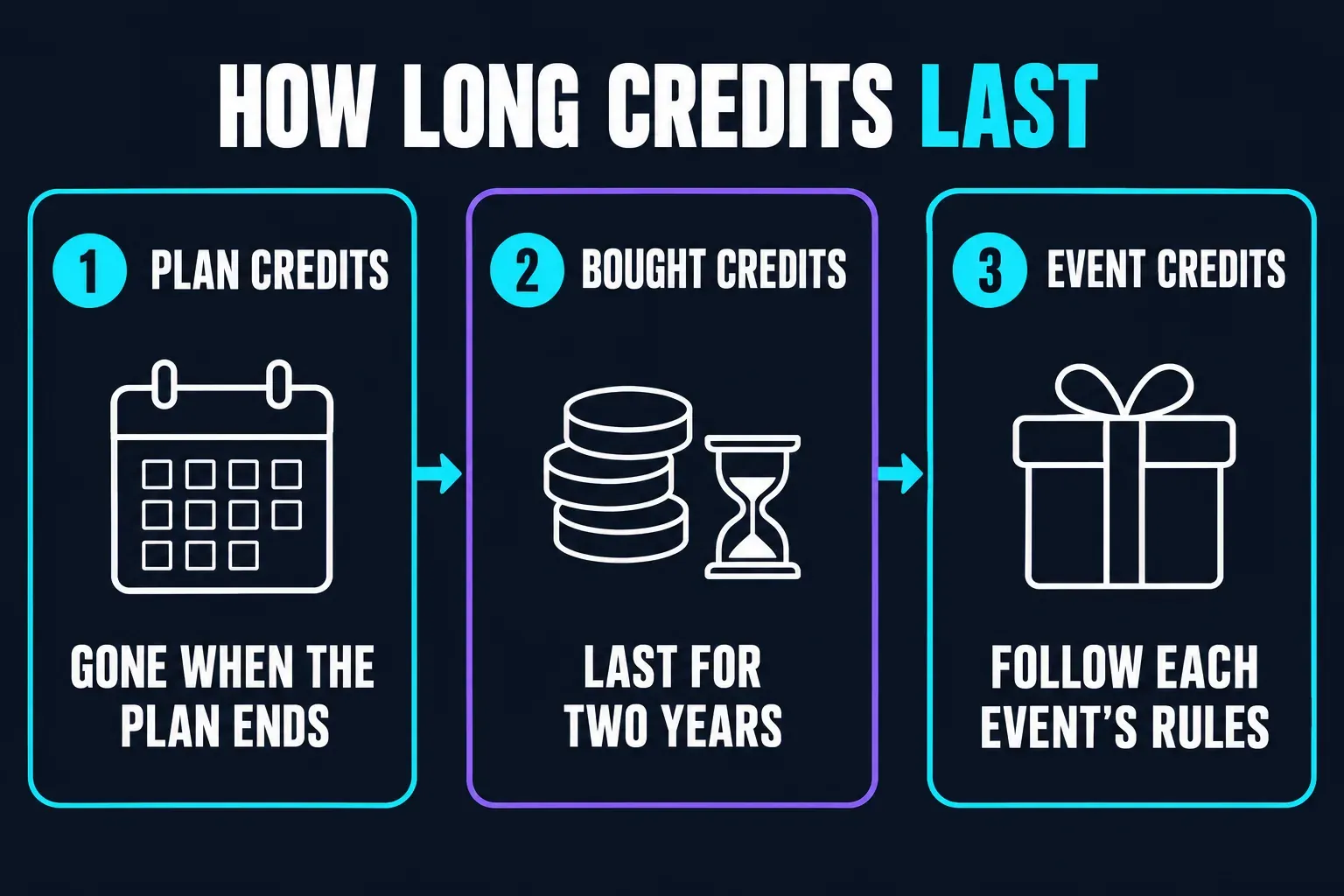
How long credits last depends on where they came from, according to the same FAQ:
- Subscription credits expire when the subscription ends.
- Recharged credits, bought separately, stay valid for two years.
- Task and event credits follow the rules of that task or event.
Pippit spends whichever credits expire first. If you plan to cancel, use the plan credits before the subscription ends, because they won’t survive it.
Watermarks and AI labels
The pricing page lists watermark removal among Starter’s features and leaves it off the Free plan’s list, and Tugan describes the free plan as watermarked. The talking photo page also mentions the watermark among the export details you can adjust. Removing Pippit’s watermark doesn’t settle disclosure, though. The platform where you post may require its own AI label for synthetic people or altered scenes, whatever your export settings say. Our CapCut AI avatar guide covers those consent and disclosure checks, and they apply to Pippit presenters too.
How to cancel Pippit and when you can get a refund
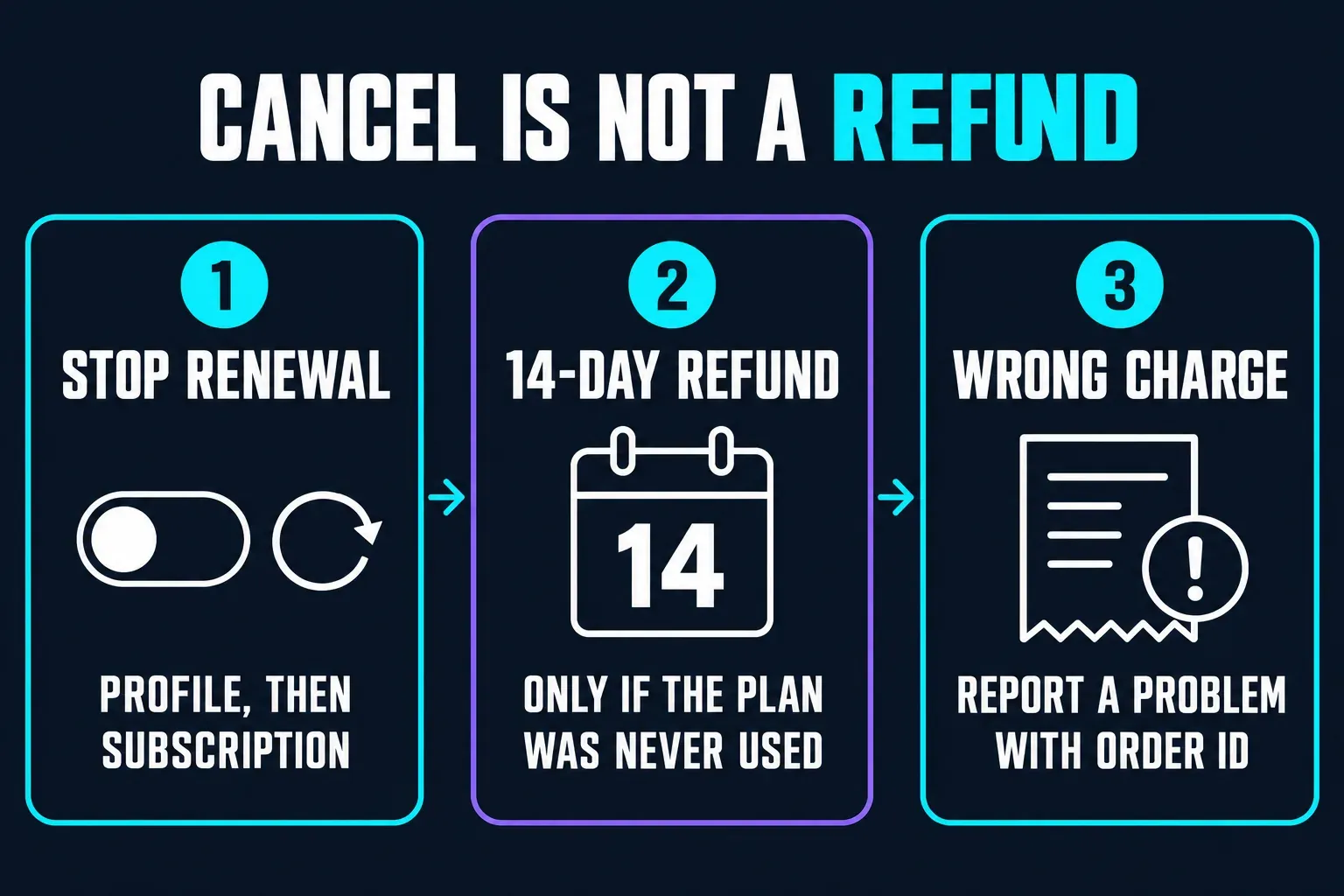
Paid plans renew automatically. The subscription FAQ says payment is taken before the current plan expires and that you’ll be notified of the renewal. To stop it, click your profile picture in the top right corner, choose Subscription, then click Cancel auto renewal. The same FAQ also describes a Subscription button at the top right of the page with a Disable auto renewal option, so the wording you see may differ. You can restart a cancelled plan with Renew.
Cancelling isn’t a refund. Under the terms, you keep the premium services until the end of the period you’ve paid for, you’re charged the full fee for that period, and the account then drops to the Free plan.
Refunds are narrower than many buyers assume. The CapCut Terms of Service, which also cover Pippit, offer a full refund within 14 calendar days of the subscription starting, “provided that you do not have any usage of the Premium Services in any form whatsoever”. Read literally, using a paid feature even once rules it out. The terms send refund requests to CapCut’s customer-service ticket form, return the money to the original payment method, and add country-specific provisions that can change the rule where you live. Subscriptions bought in the mobile app through Apple or Google are also subject to the App Store’s or Google Play’s terms.
Wrong or duplicate purchases, failed payments and subscriptions that didn’t activate follow a separate route. The subscription FAQ sends them to the purple Report a problem button at the bottom right, or to commercepro.support@capcut.com, with your order ID and member ID. Invoice requests go the same way.
The terms also promise advance notice of price changes and say a new price won’t take effect immediately at your renewal unless you explicitly agree. You can end the subscription at any time.
Is Pippit AI safe? Data and rights
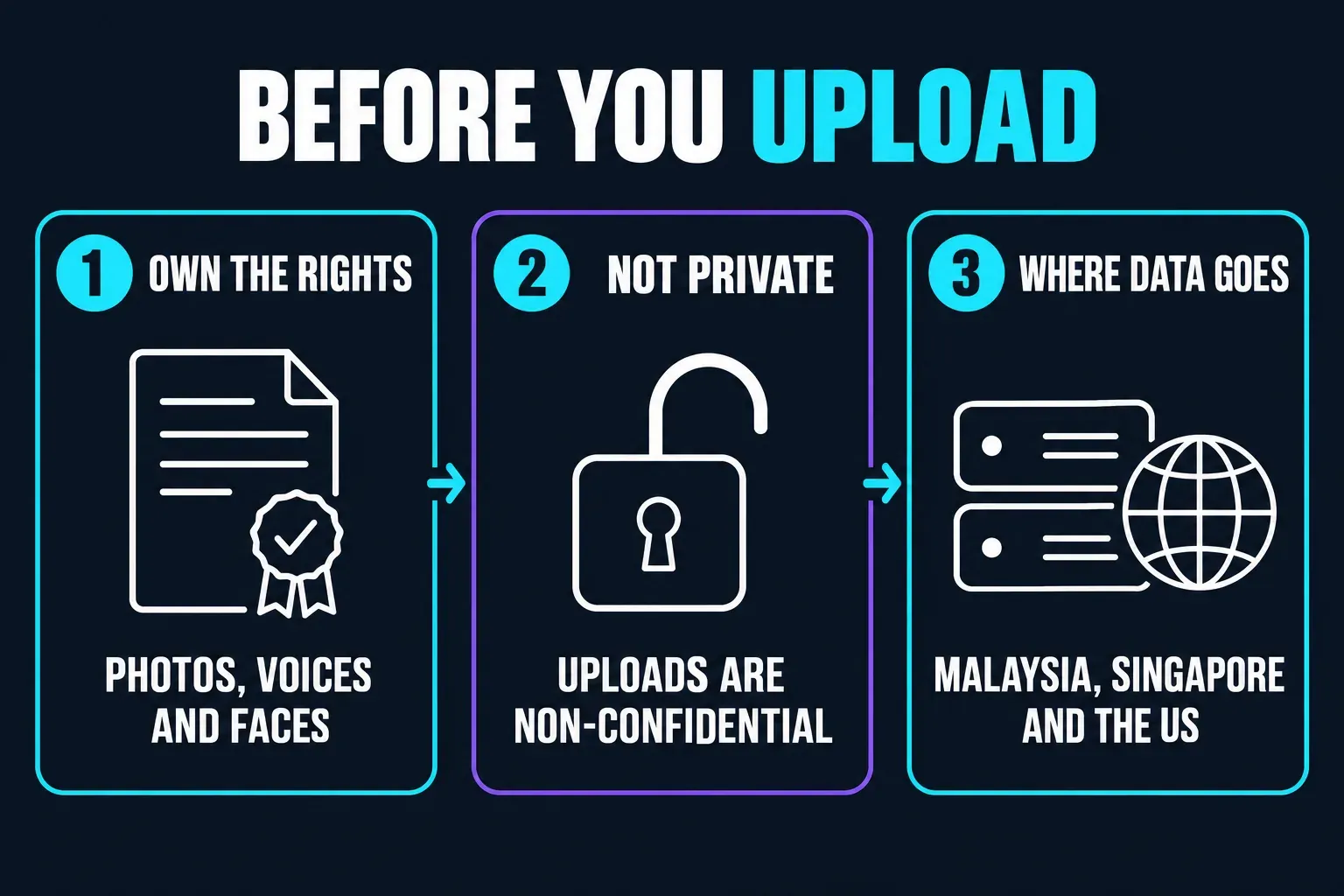
Pippit is a legitimate product from a large company, so “is it a scam” isn’t the useful question. What matters is what happens to the material you upload. Three points from its legal pages are worth knowing before you add client or product files:
- Uploads aren’t confidential. The terms say all user content “will be considered non-confidential” and tell you not to upload anything you consider confidential or proprietary to someone else.
- You carry the rights. Some features run on third-party AI services, and the terms name Google, Runway, Stable Diffusion, FLUX and Luma as examples. You must own your uploads or hold every permission they need, including publicity clearances for people who appear in them, and you must not use the service to infringe anyone’s publicity, privacy or intellectual property rights.
- Your data travels and can train models. The Pippit privacy policy names Bytedance Pte. Ltd. in Singapore as the provider, says information is stored on servers in Malaysia, Singapore and the United States, and lists training and improving its machine learning models among the uses of your information. It also says face and body information used for an effect is deleted once the effect is applied and isn’t used to identify anyone.
That’s acceptable for product photos and scripts you’d happily publish anyway. It’s a poor fit for unreleased products, client files under NDA or customer data. Privacy questions and requests go to privacy.pippit@bytedance.com.
What users complain about
Pippit’s Trustpilot page showed a TrustScore of 1.7 from 52 reviews in October 2026, with 86% of them one-star. Read it for patterns, not as a failure rate. Trustpilot notes that Pippit hasn’t invited customers to review recently, so these are unprompted reviews from people motivated enough to write one. Pippit has replied to every negative review, though Trustpilot says replies typically take more than a month.
The same complaints come up again and again:
- Refunds refused, which fits the terms’ no-usage rule above.
- Credits spent on failed or unusable results, including jobs that ended in an error.
- Slow support, with reviewers describing waits of days or weeks.
- Changes without notice, from removed models to a smaller free allowance.
- Billing surprises, such as a charge after an attempted cancellation and a single video costing far more credits than the reviewer expected.
Tugan adds that the Android app held 2.3 out of 5 from 777 Google Play ratings when it wrote its review, with support and billing complaints recurring there too. Our read is that the complaints say less about whether Pippit can make a decent clip and more about how much risk you take on with credits and refunds. Plan your trial around that.
Pippit or regular CapCut?
Pick Pippit when the brief is the starting point: you have a product link, a set of photos or a script, and you want the platform to propose the video. Pick an editor-first workflow when you already have footage, or when clip order, timing, captions and audio need to be exact. Our Pippit vs CapCut comparison covers that choice in detail.
You can also combine them: draft in Pippit, then finish in an editor. When packshot accuracy matters, the product video from photos guide shows how to keep control of image order and framing. The UGC ads guide separates creator-style ads from genuine customer endorsements, a line AI presenters make easy to blur.
Who should use Pippit, and how to trial it cheaply
Pippit fits:
- online stores and small marketing teams that need many short product videos and images rather than one polished master;
- people who already have rights-cleared product photos, scripts and presenter assets;
- teams with a review step for facts, claims, captions and AI labels;
- sellers who want scheduling and TikTok Shop links in the same place they make the content.
Skip it, or stay on the Free plan, if:
- you need to know what a finished video will cost before you start;
- you want a refundable trial of the paid features;
- you handle confidential client or customer material;
- your workflow depends on one specific model staying available;
- you need exact, frame-level edits rather than a generated interpretation of a brief.
If you do try it, keep the trial cheap. Start on Free with a product you own and copy you’ve already approved, and read the credit quote before each job. If you upgrade, pay for a month rather than a year, and decide whether you might want your money back before you use any paid feature, because the 14-day refund only covers an unused subscription. Spend the plan credits before you cancel. Then judge Pippit by the drafts you’d actually publish after editing, not by how many generations the balance buys.
Pippit FAQ
How much does Pippit cost?
Pippit has a Free plan and three paid tiers: Starter, Plus and Pro. Prices depend on your region and the current promotion. On the EUR pricing page in October 2026, yearly Starter cost EUR87 on promotion (EUR145 list) for 1,575 credits a month and Plus cost EUR213 (EUR355 list) for 3,885 credits, while Pro was sold in tiers from 8,600 to 59,000 credits a month. Soku recorded US Starter at $119.99 a year on promotion for 2,100 monthly credits in August 2026. Check the amount in your own checkout.
Is Pippit free?
Yes. The Free plan needs no credit card and includes free daily credits, the video agent, talking photos and the image agent. Pippit doesn’t publish the daily credit amount, third-party reviews quote different figures, and one user review describes the allowance shrinking without notice. Check the balance in your own account and the credit quote on each action.
Is Pippit owned by CapCut?
Pippit comes from the same company as CapCut. It is the renamed CapCut Commerce Pro, its pricing page says it is powered by CapCut, and its terms and privacy policy name Bytedance Pte. Ltd. in Singapore as the provider. It runs as a separate platform with its own plans and credits.
How do I cancel my Pippit subscription?
Click your profile picture in the top right corner, choose Subscription and click Cancel auto renewal. Some help-center steps call it Disable auto renewal under a Subscription button at the top right. The plan stays active until the paid period ends and then drops to Free. If you subscribed in the mobile app through Apple or Google, the store’s terms also apply.
Can I get a refund from Pippit?
The terms offer a full refund within 14 calendar days of a subscription starting, but only if you haven’t used the premium services in any form. Wrong or duplicate purchases go through Report a problem or commercepro.support@capcut.com with your order and member IDs. Country-specific terms and app-store rules can change this.
How many credits does a Pippit video use?
Pippit doesn’t publish a per-video or per-model rate card. Its help center says not every tool uses credits and points you to the in-app information, so read the quote on each action before you confirm. Tugan reports that Agent Mode costs 150 credits a run, and costs can differ widely between models.
Does Pippit remove the watermark?
The pricing page lists watermark removal among Starter’s features and not among the Free plan’s. Removing the Pippit watermark doesn’t change AI disclosure: the platform where you post may still require its own label for AI-made people or scenes.
Is Pippit AI safe?
It is a legitimate ByteDance product, but read the data terms before uploading anything sensitive. The terms treat all user content as non-confidential and make you responsible for the rights to every input. The privacy policy says data is stored on servers in Malaysia, Singapore and the United States and can be used to train and improve its machine learning models. Keep confidential client material out of it.
Is Pippit the same as CapCut?
No. They come from the same company, but Pippit is a separate marketing-content platform with its own plans and credits, built around agents that draft videos and images from links, photos and scripts. CapCut is an editor first. Don’t assume a subscription to one covers the other.