


Short answer: Pippit has a Free plan and three paid plans: Starter, Plus and Pro. On October 6, 2026, the euro version of Pippit’s pricing page offered Starter at €8 a month or €87 a year with 1,575 credits a month, Plus at €19 a month or €213 a year with 3,885 credits, and Pro from €41 a month for 8,645 credits up to €270 a month for 59,000. Free costs nothing and needs no card.
Each paid price is shown roughly 40% below a crossed-out list price, and the offer depends on your region, currency and the current promotion. On the same day, Google’s US results summarised the pricing page’s Starter plan as USD 101 a year with the same 1,575 credits. Treat every figure here as a dated reference and the total in your own checkout as the price that counts.
Credits are what you’re really buying. Pippit doesn’t publish a fixed cost per video, so this guide turns the allowances into a planning example, shows what yearly billing actually saves and explains how credits expire, renew and get refunded. If you’re still deciding whether Pippit suits your work at all, start with our Pippit AI guide or the Pippit AI review.
Pippit pricing at a glance
The prices below are the offers on Pippit’s euro pricing page on October 6, 2026, as served to a connection in the Netherlands. The crossed-out list price shown next to each offer is in brackets.
| Plan | Monthly billing | Yearly billing, one payment | Credits a month |
|---|---|---|---|
| Free | €0 | €0 | Free daily credits; amount not published |
| Starter | €8 (€13) | €87 (€145) | 1,575 |
| Plus | €19 (€31) | €213 (€355) | 3,885 |
| Pro | €41–€270 (€68–€450) | €467–€3,117 (€779–€5,195) | 8,645–59,000 |
The page doesn’t say whether a renewal is charged at the offer or at the list price. Pippit’s terms of service only say each new term is charged “the fees applicable to that term”, so read the renewal amount in checkout, or on your first receipt, before you count on the discount.
Monthly vs yearly: compare the actual totals
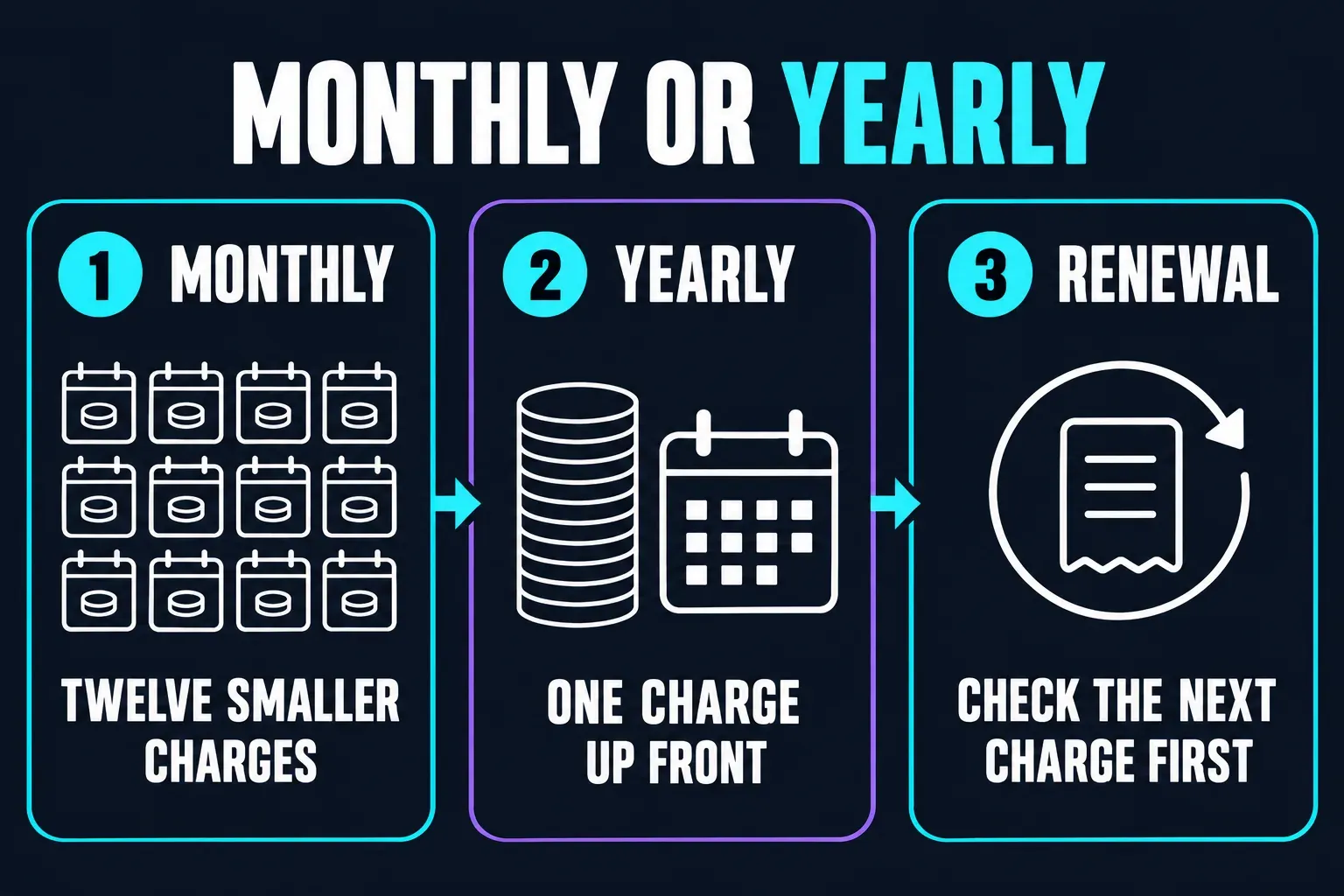
Yearly billing is one upfront payment for the whole term. The FAQ on the pricing page says the year’s credits are issued to you and that yearly costs less than paying monthly. It does, but by much less than the crossed-out prices suggest, because each offer is compared with its own list price, not yearly with monthly.
| Plan | Twelve monthly payments | One yearly payment | Yearly saves |
|---|---|---|---|
| Starter | €96 | €87 | €9 (9.4%) |
| Plus | €228 | €213 | €15 (6.6%) |
| Pro 8.6k | €492 | €467 | €25 (5.1%) |
| Pro 17.6k | €996 | €948 | €48 (4.8%) |
| Pro 23.5k | €1,320 | €1,260 | €60 (4.5%) |
| Pro 35.5k | €1,992 | €1,901 | €91 (4.6%) |
| Pro 59k | €3,240 | €3,117 | €123 (3.8%) |
That comparison assumes the monthly offer price holds for all twelve months. If monthly renewals were charged at the crossed-out €13, twelve Starter months would come to €156 and the yearly plan would win by a wide margin. The page doesn’t say which applies, which is why the renewal line in checkout matters more than either label.
Pro is a slider, not one fixed plan
Pro has no single price. Its card has a slider with five credit points, 8.6k, 17.6k, 23.5k, 35.5k and 59k, and it opens on 35.5k. Each point has its own monthly and yearly price:
| Pro credit point | Credits a month | Monthly | Yearly | Yearly, per month |
|---|---|---|---|---|
| 8.6k | 8,645 | €41 | €467 | €38.92 |
| 17.6k | 17,600 | €83 | €948 | €79 |
| 23.5k | 23,500 | €110 | €1,260 | €105 |
| 35.5k | 35,500 | €166 | €1,901 | €158.42 |
| 59k | 59,000 | €270 | €3,117 | €259.75 |
Bigger tiers buy a bigger balance, not much cheaper credits. On yearly billing the page itself shows Starter as “EUR 1=✦217.24”, meaning about 217 credits per euro, and Plus as 218.87; the 59k Pro point works out at about 227. On monthly billing the range runs from about 197 credits per euro for Starter to 219 for Pro 59k. Pick the credit point you’ll use before it expires, and confirm the selected point on the checkout screen.
What each paid plan adds
- Starter: everything in Free, plus buying extra credits, fast generation, advanced AI models, watermark removal, upscaling up to 4K, one free custom video avatar, unlimited photo avatars, more concurrent tasks, product and content management, and 500 GB of cloud storage.
- Plus: GPT Image 2.5, faster generation, three custom video avatars and 500 GB of storage, alongside Starter’s watermark removal, 4K upscaling, unlimited photo avatars and extra concurrent tasks. Promotions on GPT Image 2.5’s credit charge come and go; the one on the page in early October covered the Sunburst and Flare models at 2K (Medium) from September 23 to October 9.
- Pro: the fastest generation, ten custom video avatars, unlimited cloud storage and early access to beta features, along with GPT Image 2.5 and the same core paid features.
The plan-details table under the cards also has rows for seats, scheduled publishing, analytics and TikTok Shop links. If you’re buying for a team, check the seats row for your tier rather than assuming a bigger plan includes more people.
Is Pippit free?
Yes. The Free plan costs €0, needs no credit card and includes free daily credits, the video agent, viral video remixes, AI talking photos, the image agent, avatar videos and three free photo avatars in 30 languages. The card adds that some features might cost credits, and it doesn’t say how many daily credits you get.
You can earn more. Pippit’s guide to checking credit validity lists tasks that pay out credits, such as linking social media accounts or email, installing the desktop app, inviting a friend, publishing content, exporting a video and syncing products. The pricing FAQ adds that all packages come with a free trial so you can try each once before committing; it doesn’t spell out what that trial includes.
Outside figures for the daily allowance don’t agree. Tugan’s Pippit review reports about 150 credits a week from third-party tests, and our Pippit review’s free-credit section collects reports that differ. Go by the balance your own account shows, not a number from a review. Free also leaves watermark removal off its list, which matters if a draft is going straight to a client or a store.
Use Free to answer four questions before you subscribe:
- Which Pippit route matches the job you actually need?
- How many credits does the app show for that job?
- How many attempts reach a draft you can use?
- How much editing is left before that draft is approved?
Does a paid Pippit plan remove the watermark?
Starter, Plus and Pro all list watermark removal; the Free card doesn’t. That covers Pippit’s own watermark. It doesn’t settle AI disclosure: the platform you publish on may require its own label for synthetic presenters or altered scenes, whatever your export settings say. Our Pippit review covers watermarks and AI labels together.
How Pippit credits work and expire
Credits come from three places: your subscription, credits you buy on top through a separate purchase option, and tasks or events. Pippit’s subscription and payment FAQ gives each source a different lifetime:
- credits included with a subscription expire when that subscription ends;
- recharged credits are valid for two years;
- credits earned through tasks or events expire under that task’s or event’s own rules.
Pippit spends whichever credits expire first. To see the dates, click your profile, open Plans and pricing and read the credit validity details, which sit next to your payment history. Check them before a big batch so you know which part of the balance runs out first.
Not every tool uses credits, and the pricing FAQ tells you to rely on the in-app information for each one. The subscription FAQ also warns that new features may be billed in different ways during your subscription. On yearly billing the year’s credits are issued to you while the card still shows a monthly figure, so confirm in Plans and pricing when your allocation arrives and when it expires.
How many Pippit videos can you make per month?
There’s no fixed price per video. The cost depends on the tool, model, length and resolution, and Pippit’s pricing FAQ points you to the in-app information for each tool. The clearest published rate is in Pippit’s own credit cost comparison with Kling, dated September 21, 2026: Seedance 2.5 at 720p costs 37 credits per second under the annual-plan pricing it uses, so a 5-second clip is 185 credits and a 10-second clip 370.
At that rate, each monthly allowance converts into this much generated footage:
| Plan | Credits a month | Seconds of Seedance 2.5 at 720p |
|---|---|---|
| Starter | 1,575 | 42 seconds |
| Plus | 3,885 | 105 seconds |
| Pro 8.6k | 8,645 | 233 seconds, about 3.9 minutes |
| Pro 35.5k | 35,500 | 959 seconds, about 16 minutes |
That’s raw output, not finished videos. Every regeneration, extension and rejected draft draws on the same balance, and other models cost a different amount per second; Pippit’s comparison of cheaper video models lists lighter Seedance options that cost less. Treat the table as a ceiling for one model and resolution, then measure your own mix.
Our recommendation is to run at least five representative jobs before you pick a tier, and to record:
- the credits the app shows for each job;
- the credits actually deducted;
- completed, failed and cancelled jobs;
- drafts rejected for factual, visual or brand reasons;
- minutes of human finishing per approved asset.
Five jobs is a first sample, not a reliable success rate. Use more before you commit a client campaign or a yearly budget.
Budget per approved video, not per credit
For a monthly budget, use (subscription cost allocated to the month + extra credit purchases + finishing-software costs + labour) ÷ approved assets. Failed attempts already come out of the included allowance, so don’t add their credit value again on top of the subscription; add only money you actually spent. With no approved assets, the cost per asset is undefined, not zero. If you pay yearly, keep the upfront cash separate from the monthly share you allocate to the budget.
Starter vs Plus vs Pro
Choose Starter when the workload is still uncertain
Starter is the cheapest way to remove the watermark, upscale to 4K and buy extra credits. Its 1,575 monthly credits are about 42 seconds of Seedance 2.5 at 720p at Pippit’s published rate, so it suits light or mixed use: a few product clips, talking photos and images rather than a steady stream of video ads.
Choose Plus when Starter would force constant top-ups
Plus gives about 2.5 times Starter’s credits (3,885 against 1,575) for about 2.4 times the price (€19 against €8 a month), so the rate per credit barely changes. Pay for it when you need the bigger balance every month, faster generation, three video avatars or GPT Image 2.5. If you only spill over Starter now and then, compare the in-app price of extra credits first; bought credits stay valid for two years.
Choose Pro only after measuring a real batch
Across the five Pro points the cost per credit improves by only a few percent, while the bill grows from €41 to €270 a month. Buy the allowance you can review and finish before it expires, not the largest balance. Team size alone doesn’t decide this: one creator making many variants can use more credits than a team doing occasional jobs. If you’re weighing Pippit against a manual editing workflow, our Pippit vs CapCut comparison covers that decision; neither subscription includes the other.
Monthly or yearly billing?
Start monthly while any of these is still unknown:
- your average credit use per route;
- how often generations fail;
- how many drafts you approve;
- whether the model or feature you need is available in the paying account;
- how much finishing the outputs need;
- whether seasonal work will use a year’s allowance.
At the October offers, yearly saves between about 4% and 9%, which is small compensation for paying a year up front and committing to credits you may not use. We’d move to yearly only after a full paid month gives you workload figures of your own. Whatever you choose, keep the order confirmation with the plan, credit point, currency, tax, renewal amount and renewal date, since the public card can change later.
Auto-renewal, cancellation and refunds
Every paid card says “Auto renews, cancel anytime.” According to Pippit’s subscription FAQ, the renewal payment is taken before the current period ends and you’re told by notification or email. To stop it on a direct Pippit subscription:
- Click your profile picture in the top right corner.
- Select Subscription.
- Click Cancel auto renewal. Some versions of the menu label it Disable auto renewal.
Pippit’s auto-renewal cancellation guide says you can keep creating until the end of the paid period, and the terms say you then move to the Free plan. To restore the subscription, use Renew in the same menu.
Cancelling stops the next charge; it doesn’t refund the current one. The terms Pippit links to do allow a full refund within 14 calendar days of starting a premium subscription, but only if you haven’t used the premium services in any form, and jurisdiction-specific terms can change that rule. Refunds go back to the original payment method. For a wrong or duplicate purchase, Pippit asks you to use the purple Report a problem button in the bottom right corner and include your subscription order details and member ID.
If Apple or Google Play billed you, that store’s terms also apply: use Apple’s subscription cancellation steps or Google Play’s subscription controls. Deleting the app doesn’t cancel a Google Play subscription. For direct purchases, the pricing FAQ lists major credit cards and PayPal, plus a prepayment option for monthly deductions; what’s offered can still vary by country.
Why you may see different prices or credit limits
Three things move the numbers. The first is region: Pippit’s billing FAQ for its avatar plans says prices vary by plan and region and are shown in supported local currencies where available, otherwise in USD. The second is promotions: every paid offer on the euro page sits under a crossed-out list price, and Pippit’s Kling comparison mentions a 90%-off first month on a “Basic” plan that doesn’t appear on the euro page at all. The third is that the plans themselves have changed:
- Tugan’s July 2026 review recorded Starter with 2,100 credits and Plus with 6,700, and Pippit’s Kling comparison still prints a plan table with those amounts;
- Pippit’s January credit-validity guide describes a subscription with up to 3,200 credits a month;
- the current page gives Starter 1,575 credits and Plus 3,885.
Search summaries blend these versions into ranges such as 1,575–2,100 credits for Starter. When sources disagree, trust them in this order: your final signed-in checkout, your account’s Plans and pricing screen, the live pricing page, Pippit’s help articles, and only then third-party reviews, this one included. For cancellations and refunds, the applicable terms and your local consumer law decide, whatever a pricing card says.
Before you pay: a final check
- Use the account that will pay, and check its billing country and currency.
- Open the exact route you need, such as talking photo, product video or image generation, and build one representative job.
- Note the credits the app shows for that job, not an estimate from a review.
- Check when each part of your current balance expires.
- Compare the monthly and yearly checkout totals in the same currency.
- If you’re buying Pro, confirm the selected credit point.
- Read the renewal amount and date, and turn off auto-renewal straight away if you don’t want a second charge.
- Leave budget and time for failed generations and manual finishing.
For team permissions and a wider editing setup, our CapCut for Business overview compares the regular editor, CapCut Teams and Pippit. Keep that software choice separate from this page’s job: understanding Pippit’s bill, credit allowance and renewal terms.
Pippit pricing FAQ
How much does Pippit cost?
On October 6, 2026, Pippit’s euro pricing page offered Starter at €8 a month or €87 a year with 1,575 credits a month, Plus at €19 or €213 with 3,885 credits, and Pro from €41 to €270 a month for 8,645 to 59,000 credits. Free costs €0. Prices vary by region, currency and promotion, so the total in your own checkout is the one that counts.
Is Pippit free to use?
Yes. The Free plan costs €0, needs no card and includes free daily credits, although Pippit doesn’t publish the amount. You can earn more through tasks such as linking accounts or installing the desktop app. Watermark removal starts with Starter.
Do Pippit credits expire?
Yes. Pippit’s help says subscription credits expire when the subscription ends, separately recharged credits are valid for two years, and task or event credits follow their own rules. Credits that expire first are used first.
Does a paid Pippit plan remove the watermark?
Starter, Plus and Pro list watermark removal; Free doesn’t. Removing Pippit’s watermark doesn’t remove any AI-content label that the platform you publish on may require.
How many credits does a Pippit video use?
There’s no single rate. Pippit’s September 2026 comparison with Kling quotes 37 credits per second for Seedance 2.5 at 720p, so a 10-second clip uses 370 credits. Other models, lengths and resolutions cost different amounts, so check the credit information in the app before you generate.
Is Pippit yearly cheaper than monthly?
Slightly, at the displayed offers: Starter costs €87 a year against €96 for twelve monthly payments, and the 35.5k Pro tier €1,901 against €1,992. That’s a 4–9% saving, far less than the gap to the crossed-out list prices, which compare each offer with its own list price.
How do I cancel my Pippit subscription?
Click your profile picture, open Subscription and choose Cancel auto renewal. You keep access until the paid period ends. If Apple or Google Play billed you, cancel through that store instead. A refund is a separate request: the terms allow one within 14 days only if you haven’t used the premium services.
Is Pippit owned by CapCut?
Pippit is the rebranded CapCut Commerce Pro. Its pricing page says it’s powered by CapCut, and its terms of service are CapCut’s, with Bytedance Pte. Ltd. named as the provider.