

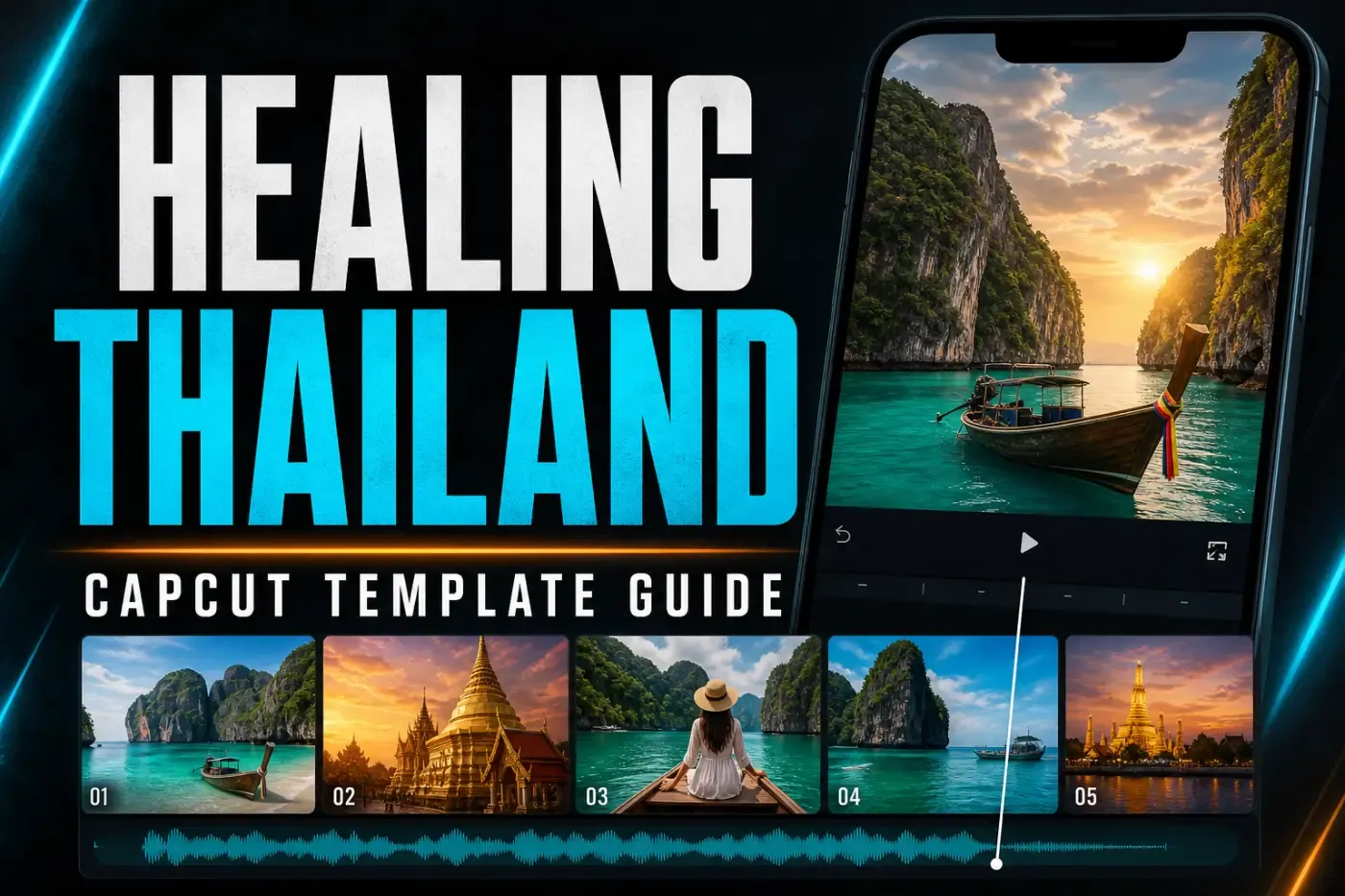
Several CapCut creators use the name “Healing Thailand.” The link matters more than the title because one live version needs five clips, another needs six, and a third needs one.
For the version used in this walkthrough, open the five-clip link below. Before you pick footage, check that the URL ends in 7328466960856009986, the creator is 𝙉𝙤𝙗𝙞𝙩𝙖[𝗕𝗖𝗥], and the page shows five clips at 9:16.
From here, the guide walks through comparing the live variants, opening the shared link on Mobile, picking clips that survive a vertical crop, diagnosing a missing template, telling an ending clip apart from a Pro restriction, and rebuilding the pacing manually if the link disappears.
Choose the Right Healing Thailand Template First
A same-name search result does not identify one fixed template. The official CapCut pages list several separate template IDs with different input requirements. Compare the creator and required slots before selecting footage.
| Official version | Current requirement | Use it when |
|---|---|---|
| Healing Thailand by 𝙉𝙤𝙗𝙞𝙩𝙖[𝗕𝗖𝗥] | 5 clips, 9:16 | You want the five-slot version used in this walkthrough |
| Healing Thailand by 𝙄𝘾𝘼𝙇 | 6 clips, 9:16 | You have six usable shots and prefer the ICAL pacing |
| Healing Thailand by 𝙐𝙂𝙂𝙄𝙀 [𝘼𝙍] | 1 clip, 9:16 | You want one source clip instead of a multi-shot sequence |
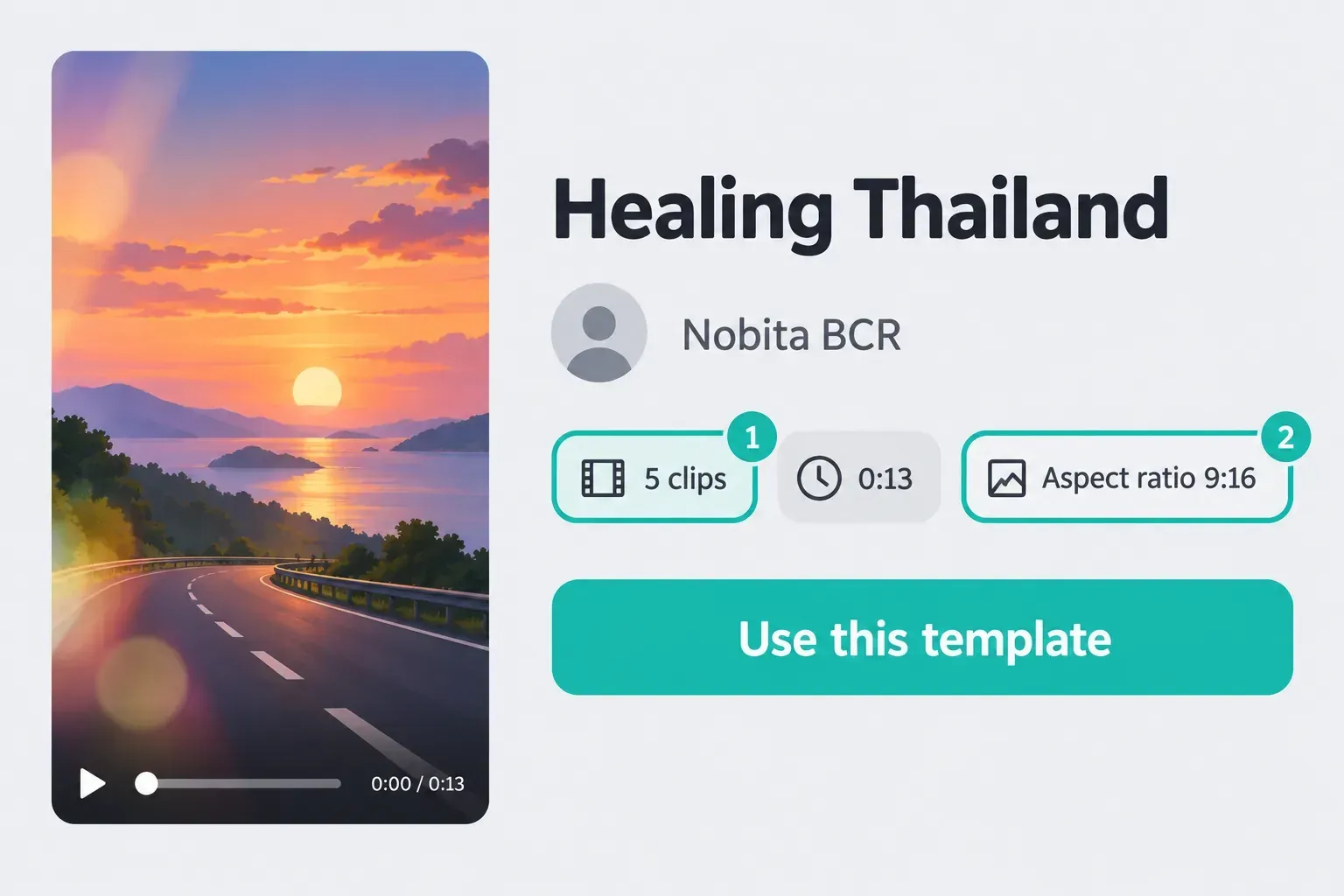
The five-, six- and one-clip requirements above were checked on CapCut’s live pages on October 19, 2026. Use counts, likes, preview media, availability and Pro status are all live data, so recheck the page you open before you pick footage.
How to Use the Healing Thailand CapCut Template on Mobile
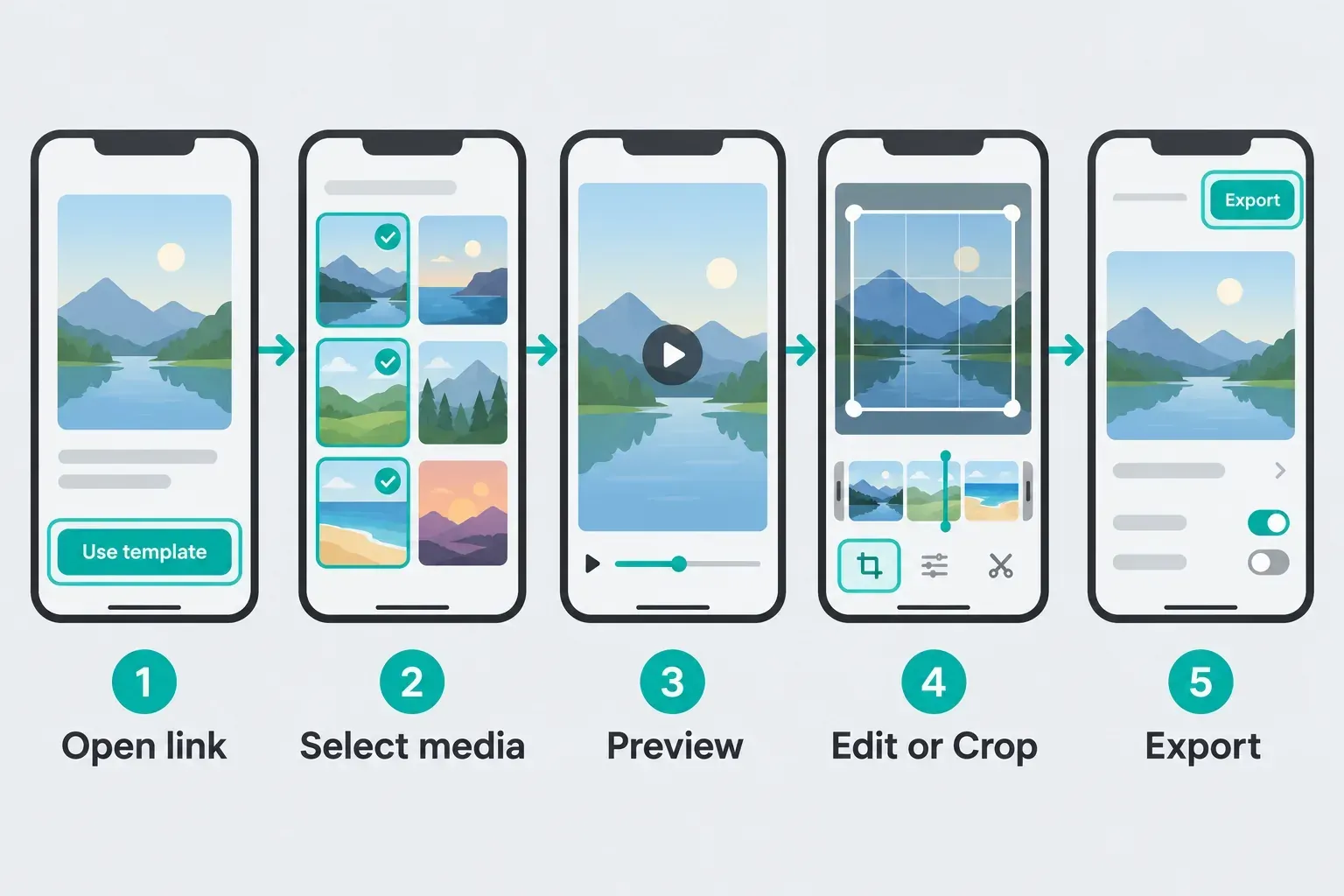
Start with CapCut Mobile for the shared creator link in this guide. CapCut’s platform template guide documents opening the link, selecting media, previewing, editing or cropping segments, and exporting. The controls and catalogue available to your account still matter.
- Open the official page on the phone. Tap the verified button above, then choose Use template in CapCut. Confirm that the page shows template ID 7328466960856009986, five clips and 9:16 if you want the exact version in this guide.
- Watch the complete preview. Note the slot count, crop, cuts and which moments slow down. A same-name variant can use different timing.
- Select the required media. Fill the five required media slots for the primary version with the media types its picker accepts. Use the type of media shown by the template rather than assuming every placeholder accepts the same material.
- Preview and reframe. CapCut lets you select a segment and use Edit to replace or crop it. Check faces, landmarks and moving subjects at every cut.
- Inspect the final seconds. Look for a CapCut ending clip, branded overlay or a Pro label before export.
- Export the completed template as a trial. Play the saved file outside CapCut. Confirm the crop, audio, slow-motion quality and watermark state. Before sharing to TikTok, Reels or Shorts, check that you have the necessary music rights for the destination and your type of use.
Don't uninstall CapCut just to update it. CapCut's template repair instructions warn that uninstalling may remove local drafts. Update through the App Store or Google Play, then reopen the link.
Pick Clips That Survive the 9:16 Crop
A template can't fix a shot that loses its subject in a vertical crop. It can change pacing, transitions and color, but it can't restore a person cut out of frame or recover detail from a noisy night clip.
I'd start with more candidates than the template needs, then pick clips with a clear subject and visible movement. Water rolling toward the camera, a person walking, foliage moving in the wind, a boat crossing frame or a steady pan all give the speed changes something to reveal. A static landscape can still work, but it leans on the template's motion instead of movement already in the footage.
- Prefer vertical originals. A 9:16 source needs less destructive cropping than a wide landscape clip.
- Keep the subject away from the edges. Leave breathing room around faces, signs, towers and boats.
- Choose stable movement. Slow motion exaggerates shake as well as beauty.
- Use consistent exposure. A dark clip between bright beach shots reads as an error unless the contrast is deliberate.
- Keep original files. Re-downloaded social clips may already be compressed and can break down further after zooming and export.
If the slowed segments stutter, use the frame-rate and interpolation checks in the CapCut slow-motion template guide. Don't force every project to 60 fps; output settings can't recreate frames the camera never captured.
Why the Link Opens the Wrong Template or Nothing
A direct template URL opens a workflow inside CapCut. The URL is not a downloadable project package. Use Mobile for this shared creator link. CapCut’s general template instructions describe separate Web and Desktop entry points; finding a template there does not establish that the same creator ID or editable controls are available.
- Move the link to Mobile. Don't expect the same shared-link handoff in the desktop editor.
- Update both apps involved. If the link came from TikTok, update TikTok and CapCut without uninstalling either one.
- Retry on another stable connection. The template metadata and preview are loaded online.
- Compare the ID and creator. The exact link on this page ends in 7328466960856009986. A different number is a different template.
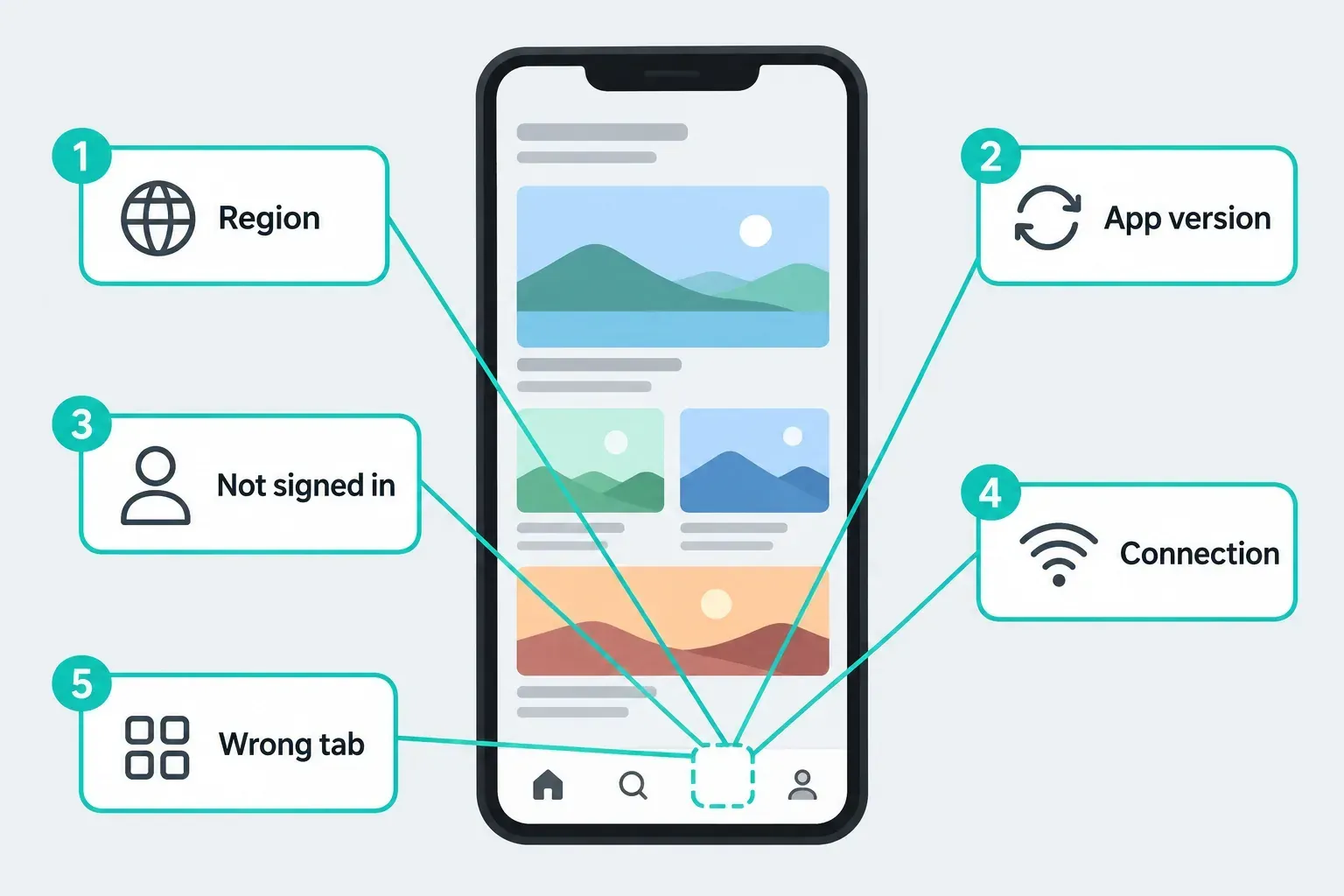
- Check availability. CapCut lists region, sign-in state, app version, connection and navigation as reasons another user may see a template you can't. In one report, novem23 described a template unavailable in the user's country while trying to use an NFL template in the US. That is one user’s report; check the official availability message for your own account rather than assuming the same outcome or a proven workaround.
- Assume removal is possible. CapCut’s current template troubleshooting says a creator-deleted or private template can become unusable. Another same-name version may remain online because it has a different ID and creator.
If the Template tab is empty or search results vanish, work through CapCut's template visibility checklist. If you'd rather find a replacement than repair the link, follow the CapCut trending-template discovery workflow.
Watermark, Ending Clip or Pro Template?
These are three different problems. Deleting the last clip fixes only one of them.
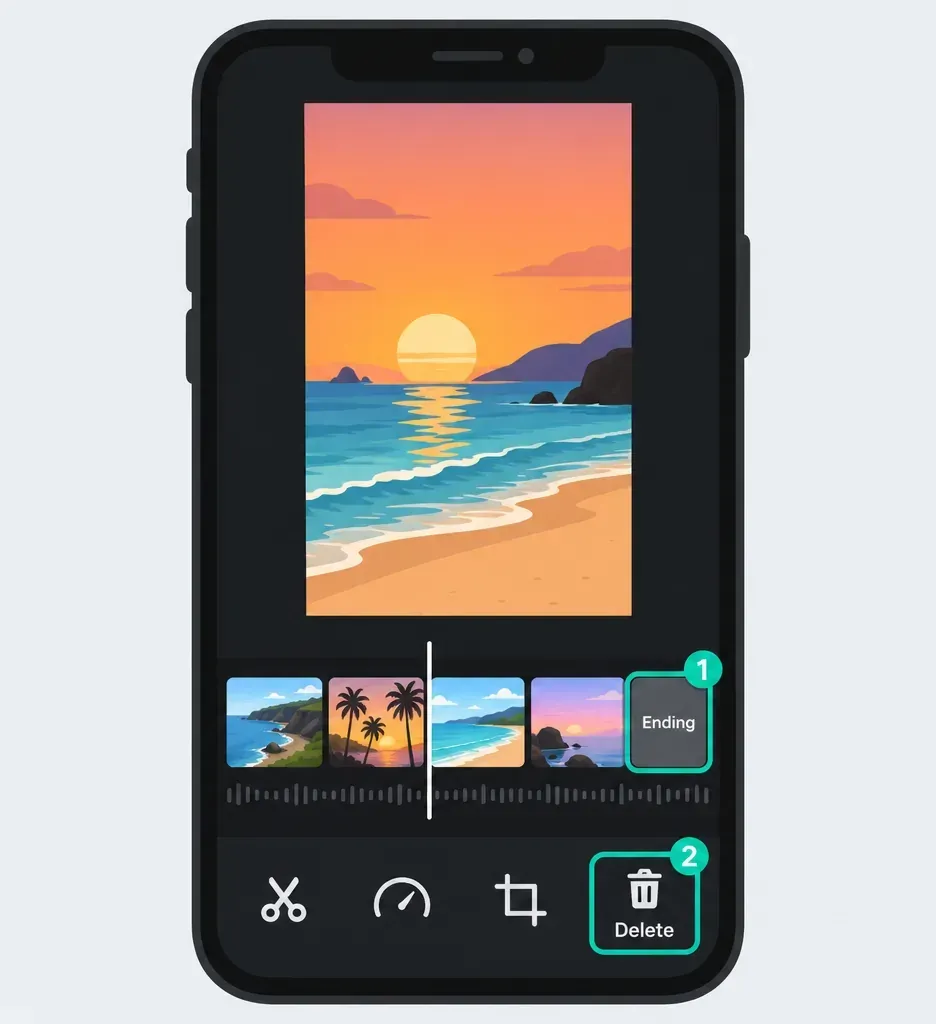
| What you see | What to check | Next action |
|---|---|---|
| CapCut logo only at the end | Final timeline segment | Select and delete the branded outro, then preview again |
| Branding over the footage | Overlay, text, sticker or stock layer | Remove an editable branded layer only if you have permission to do so; for a mark baked into someone else’s footage, use a clean source you may use |
| Purple Pro badge or Pro-specific export message | Template card and export panel | Use Pro, choose another free template or rebuild the effect manually |
CapCut's official watermark instructions name ending clips, branded assets and leftover template elements as common causes. CapCut's separate paid-template guide says you can spot a paid template by a purple Pro badge and an export message. That status can change, so no guide can promise that every same-name version will stay free.
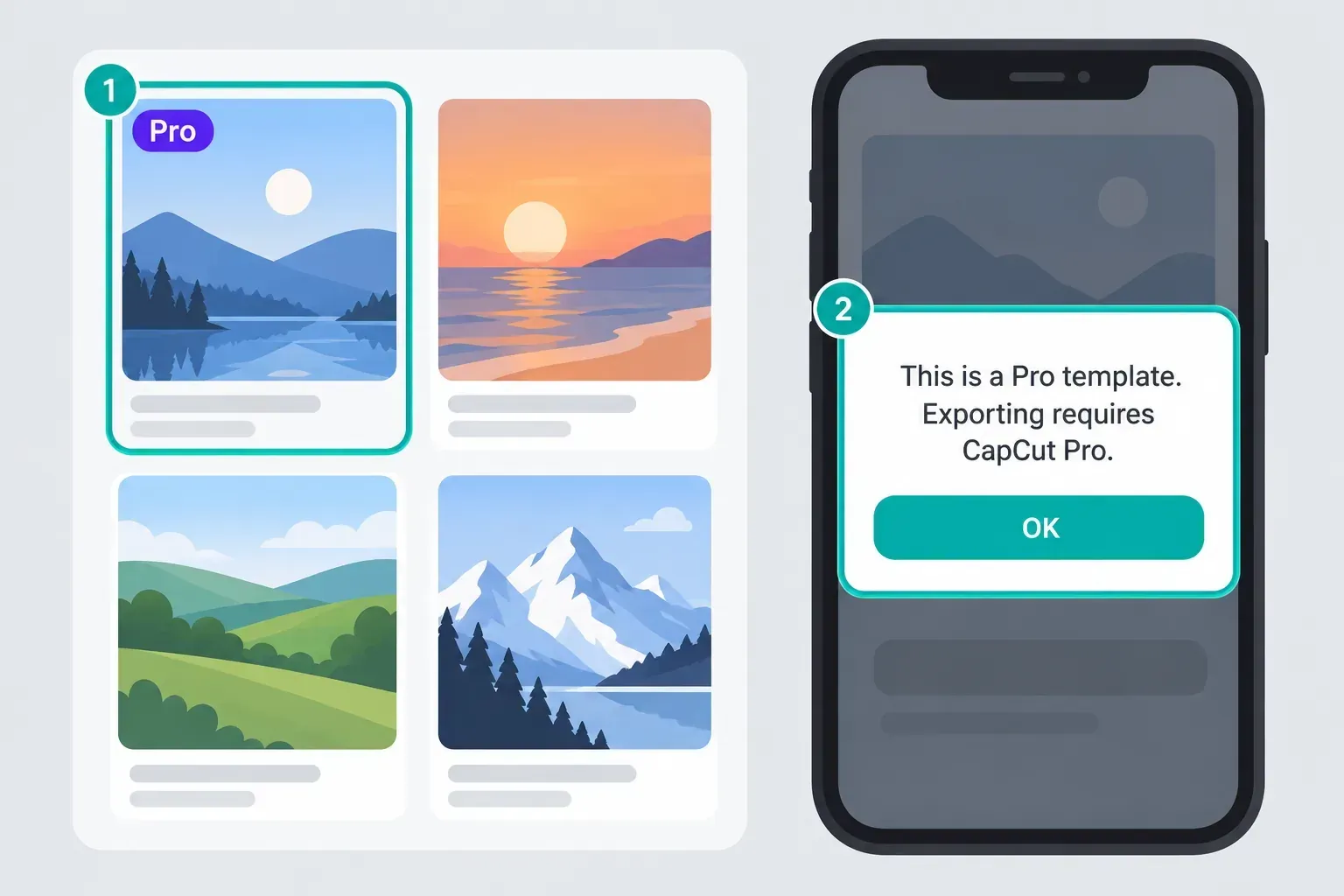
Once the visible outro is gone, preview the whole timeline and export the completed template as a trial. The detailed CapCut watermark guide covers regular projects, templates and Pro assets without lumping them into one issue.
Rebuild the Healing Thailand Look Manually
Rebuild the timing manually when the link is gone, unavailable in your region or too rigid for the footage. Copy the rhythm and crop decisions you need; don't treat the creator's template as an editable project file.
- Create a 9:16 project and arrange the best vertical clips in a short sequence. Use the number of clips the story needs, not an arbitrary five.
- Trim around visible movement. Place a walking step, wave, camera pan or reveal near the musical accent you want to emphasize.
- Use Speed and Curve selectively. Lower the curve around one action peak and return toward normal speed before the next cut. The CapCut velocity-edit tutorial explains the manual timing.
- Add subtle scale keyframes. A restrained push-in can keep a calm shot alive. Check the edges after scaling so the subject remains inside frame.
- Match the grade across clips. Correct exposure first, then use restrained warmth, contrast or desaturation. One consistent grade usually works better than a different heavy filter on every shot.
- Use short transitions only where they help. Let the footage carry the edit. Too many zooms and blurs replace the calm travel mood with noise.
- Export a test from the final timeline. Use the CapCut export-settings guide for the destination instead of assuming “highest” is always correct.
A manual project lets you change effect timing, crop, music, text and clip count. A shared creator template may let you replace media while keeping the creator's underlying structure fixed.
Use the Official App, Not a “Healing Thailand APK”
You don't need a separate APK to open this template. CapCut fetches the template inside the app, and the link isn't an app installer. Third-party pages that pair the trend name with “MOD APK,” “unlocked Pro” or a template downloader are solving a different problem. They also add an unverifiable app build to a simple editing job.
Get the official CapCut app from the App Store, Google Play or CapCut's own download path. CapCut's template-download guidance also recommends exporting inside the editor instead of relying on third-party watermark downloaders. If CapCut itself isn't available in your region, an unofficial build won't change the legal or account-availability reason behind that restriction.
If the official link stops opening, don't keep reinstalling CapCut or chase mirror pages. Try another live CapCut version, then rebuild the timing manually if none of the available variants fits your footage.
Healing Thailand CapCut Template FAQ
Is Healing Thailand one specific CapCut template?
No. On October 19, 2026, three official pages with that name required five, six and one clip. Match the creator, template ID, clip count and 9:16 ratio before selecting media.
How many clips does the Healing Thailand CapCut template need?
It depends on the template ID. The Nobita BCR version used here requires five clips, the linked ICAL version requires six, and the linked UGGIE version requires one. Recheck the live page because a creator can remove or change a template.
Why does the Healing Thailand template link open the wrong template?
Use the shared link on CapCut Mobile and compare the template ID and creator. CapCut lists region, app version, account, connection and navigation as reasons a template may be missing. A creator-deleted or private version can also become unusable. Update without uninstalling before retrying.
Is the Healing Thailand CapCut template free?
Don't assume every version has the same status. Look for a purple Pro badge on the template card and read the export screen before committing the edit. CapCut describes Pro-marked templates that can require a subscription for watermark-free export, and individually priced templates bought separately on Mobile. Read the exact badge, price and checkout prompt rather than treating every paid template as included with Pro.
Why does my Healing Thailand export have a watermark?
First inspect the end of the timeline for a branded ending clip, then check overlays, text, stickers and stock elements. If the export panel identifies the template as Pro, deleting an outro won't remove the subscription requirement. Fill the required slots, export the complete template and inspect the file before posting.
Can I use the Healing Thailand template on CapCut Desktop or Web?
Use the shared creator-template link on CapCut Mobile. CapCut documents the shared-link workflow there. Web and Desktop have separate template entry points, and their catalogues and controls can differ. A creator’s Mobile link is not a portable project file.
What footage works best for the Healing Thailand 9:16 template?
Use vertical, well-lit clips with visible but controlled movement, such as a walk, a moving boat, water, foliage or a slow camera pan. Keep the main subject near the center because a fixed 9:16 crop can cut off people or landmarks near the edges.