

Edits is the better choice for a creator who publishes mainly to Instagram Reels and wants a free phone editor with clean 4K exports. CapCut remains the stronger all-round editor if you need desktop or web access, a larger effects and template system, more mature timeline tools, or a workflow that is not tied to Instagram.
This Instagram Edits app review separates features available now from the desktop editor and AI assistant announced for a future release. We rechecked the live US iPhone and Android listings, Meta's product documentation, recent store feedback and the desktop announcement on September 26, 2026. This is an evidence-based editorial review, not a claim that we benchmarked every feature on every supported phone.
| Review fact | Current answer |
|---|---|
| Price | Core editor listed free; Google Play shows in-app purchases but doesn't identify the purchase on the public listing. |
| Platforms | iPhone and Android. Meta previewed desktop support, but no public desktop or browser route was available in this review. |
| Maximum advertised export | Up to 4K, with no added Edits watermark. |
| Best fit | Instagram Reels creators who want editing, inspiration, publishing and performance insights in one mobile workflow. |
| Biggest trade-off | Less platform breadth and editing depth than CapCut, plus recent complaints about captions and project reliability. |
Instagram Edits Review: The Short Verdict
Edits now does enough to be judged as an editor, not merely as Instagram's answer to CapCut. It combines precise trimming, overlays, green screen, cutout, automatic captions, audio cleanup and AI animation with a useful feedback loop between editing and Reel performance.
Its strongest feature is not a transition or an AI effect. It is the connection between the Inspiration feed, Instagram music, direct publishing and post-level insights. A Reels-first creator can find an idea, cut the video, export or publish it, then see where viewers stopped watching without moving between unrelated tools.
The weak point is equally clear. Edits remains a phone product in the official stores. CapCut covers mobile, desktop and web, and its deeper timeline, template and AI tool set is harder to replace when a project becomes complicated. Meta previewed a desktop version and an AI assistant in June 2026, but “coming soon” is not a feature you can edit with today.
Edits Pros and Cons in 2026
What Edits gets right:
- free mobile editing with official 4K, no-added-watermark export;
- a fast route from saved Reel inspiration to capture, editing, publishing and insights;
- frame-accurate core editing, overlays, cutout, green screen, templates and a built-in teleprompter;
- automatic captions, audio cleanup and direct access to Instagram-oriented creative tools;
- a cleaner first-hour experience than a larger cross-platform editor.
Where Edits still falls short:
- no public desktop or browser editor in the workflow checked for this review;
- less timeline depth, platform choice and asset breadth than CapCut;
- an Instagram login and Meta account connection are part of the convenience;
- recent Android feedback still describes caption, playhead and draft-reliability problems;
- announced AI-assistant and desktop features have no value until they ship to the public.
What the Edits App Includes Right Now
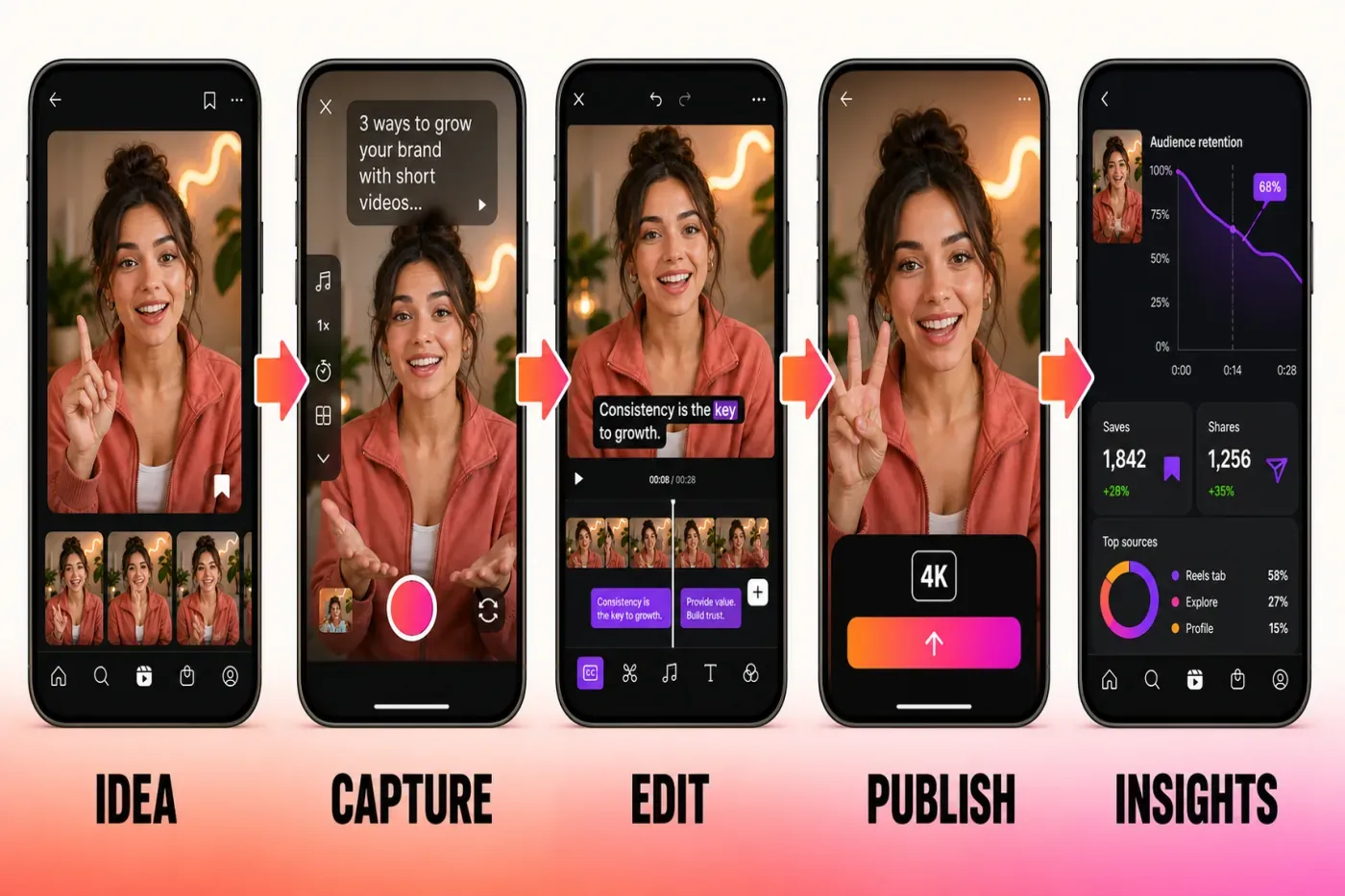
Meta launched Edits globally in April 2025 as a standalone mobile video editor rather than another editing screen buried inside Instagram. Its official launch announcement organized the product around five jobs: keeping ideas, finding inspiration, capturing footage, editing on a timeline and reviewing performance.
The live Google Play listing and US App Store listing confirm the practical editing set:
- single-frame trimming and clip arrangement;
- overlays, green screen and subject cutout;
- fonts, text, stickers, filters, video effects and voice effects;
- automatic captions with appearance controls;
- voice enhancement and background-noise reduction;
- AI animation that turns a still image into motion;
- an in-app camera with resolution, frame-rate and dynamic-range controls;
- 4K export without an added Edits watermark.
Edits has also moved beyond its launch checklist. Meta's one-year product update confirms an in-app teleprompter, an Ideas area that combines saved Reels, saved audio and notes, personalized inspiration, comment summaries, weekly ideas and reusable creator templates. Storyboards and richer templates were also added through Meta's updates to the original launch post.
A July 2 update from Instagram's @creators account added automatically translated bilingual captions, overlay support inside templates and clip locking. Rollouts can vary by account and app build, so the feature list in your installed version matters more than a competitor's static checklist.
The iPhone version has moved again since that release. Its App Store version history lists multiple aspect ratios, effect search and customization, audio filters, direct Story sharing and an adjustment layer for timeline-wide effects. Version 445.0, dated August 31, adds project folders and saved text styles; 444.0 did not list those additions. These are shipped iPhone features in the listed versions; they do not prove that every Android account received them on the same day.
That is enough for most talking-head Reels, product clips, simple mini-vlogs and short tutorials. It is not proof that Edits matches every CapCut feature. The official listings still don't show a public desktop project handoff, a browser editor or the same breadth of cross-platform controls.
Editing Workflow and Learning Curve
Edits makes sense quickly if you already understand Instagram. Ideas and saved inspiration sit close to projects, the timeline uses familiar mobile gestures, and publishing doesn't require a separate export-import routine unless you want a clean file for another platform.
The editor is deliberately narrower than CapCut. That helps when the job is “cut this Reel and publish it tonight.” It becomes a limitation when the project needs many tracks, long-form organization, reusable desktop assets or precise work across a large monitor. A lighter interface is valuable only while it still exposes the controls your edit needs.
For a new creator, Edits has the easier first hour. CapCut has the better growth path. If you expect to move between a phone and computer, start with the CapCut platform guide before committing a large project to a mobile-only workflow.
Captions, Audio and AI Tools
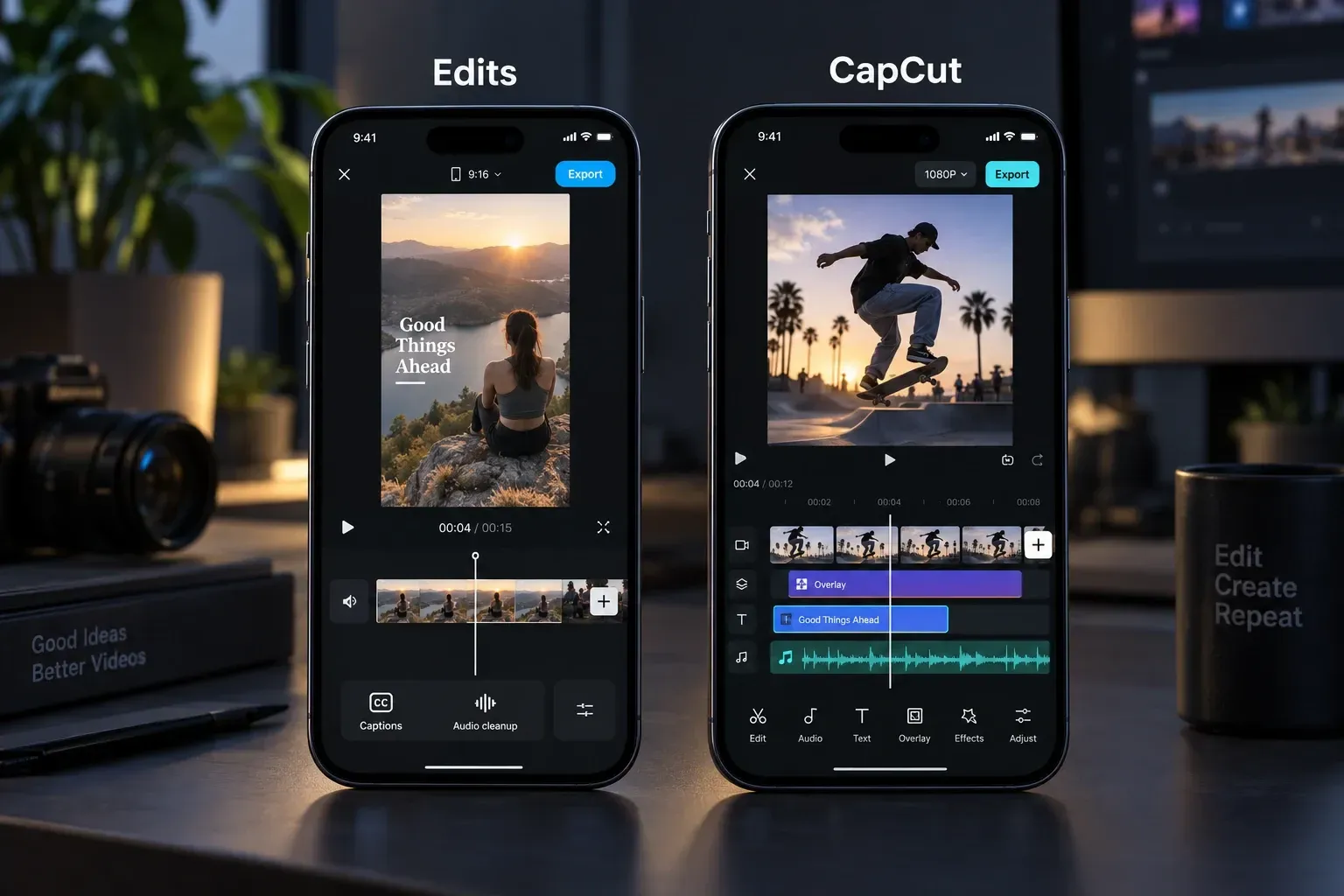
Automatic captions are present, customizable and central to the type of vertical video Edits targets. On paper, that closes one of the most important CapCut gaps. In practice, captions are also the most repeated weakness in recent store feedback.
Recent verified Google Play reviews describe caption corrections disappearing with project work; other store reviews mention timing and fine-control problems. These are individual reports, not controlled tests, so they don't prove every installation has the same bug. They are still a useful warning: duplicate important projects, watch the complete preview and inspect the exported file before deleting source footage.
Bilingual captions widen the use case but don't remove the need for review. Automatic subtitle translation adds another layer where names, slang, product terms and line breaks can be wrong. Check both language tracks against the spoken audio and have a fluent reviewer inspect client-facing work.
CapCut's caption editor has more controls, but it is not immune to recognition or synchronization errors. The useful question is not “which app has AI captions?” Both do. What matters is whether corrections stay put in the build on your phone. Our CapCut auto-captions guide shows the checks to use in either app: correct the transcript, verify line breaks, inspect timing and watch the final export.
Edits also includes audio cleanup, voice effects and Instagram music access. This is a strong Reels workflow, but music availability and usage rights depend on account type, region and destination. Instagram's licensed-music guidance says that library is intended for personal, non-commercial use and that some business accounts and post types have restricted access. A track available for an Instagram post is not automatic permission to reuse it in a client ad or upload the same file everywhere.
Reels Publishing and Performance Insights
This is where Edits earns a place beside CapCut rather than underneath it. The app connects creation to distribution. You can browse Reels and trending audio for ideas, keep notes, publish to Instagram, then review watch behavior and engagement signals.
Meta's store descriptions emphasize a live insights dashboard and information about what affects Reel engagement. The June 2026 release added more audience breakdowns, topic search inside Inspiration and the ability to create variations for testing. Those features matter when each upload informs the next one.
Don't turn that advantage into the claim that Instagram automatically boosts every video made in Edits. In June 2026, Instagram told TechCrunch that Edits-created content had a 10% higher save rate and a 2% higher reshare rate than other content. That is company-supplied aggregate data, not a controlled ranking test, and it doesn't promise extra reach for your next Reel.
If Reels is your main destination, pair this review with our CapCut for Instagram Reels workflow. It explains safe zones, captions and export checks that still matter whichever editor produces the file.
Edits Reliability and Current User Complaints
The August 27 store snapshot showed a 4.8 average from 79,000 US App Store ratings and a 4.7 average from about 1.55 million Google Play reviews. Google Play also displayed 100M+ downloads. Those totals don't erase specific failure reports. Recent reviews describe lost projects or caption edits, freezes, black previews, unavailable music and export trouble; older reviews also mention caption timing and playhead behavior.
These reports don't justify calling Edits unstable for everyone. They do justify a cautious project routine:
- Keep original media outside the app.
- Duplicate a project before a large caption or timing revision.
- Export a checkpoint after a major editing session.
- Watch the exported file from beginning to end.
- Don't rely on an Instagram draft as the only copy of finished work.
As of September 26, 2026, the US App Store lists iPhone version 448.0, released September 21, and the Google Play listing shows an update on September 21. Active maintenance is useful, but release dates do not prove that every reported failure is fixed on both platforms. Check the store, app version and device before deciding whether to rebuild a project elsewhere.
Edits vs CapCut: Feature Comparison
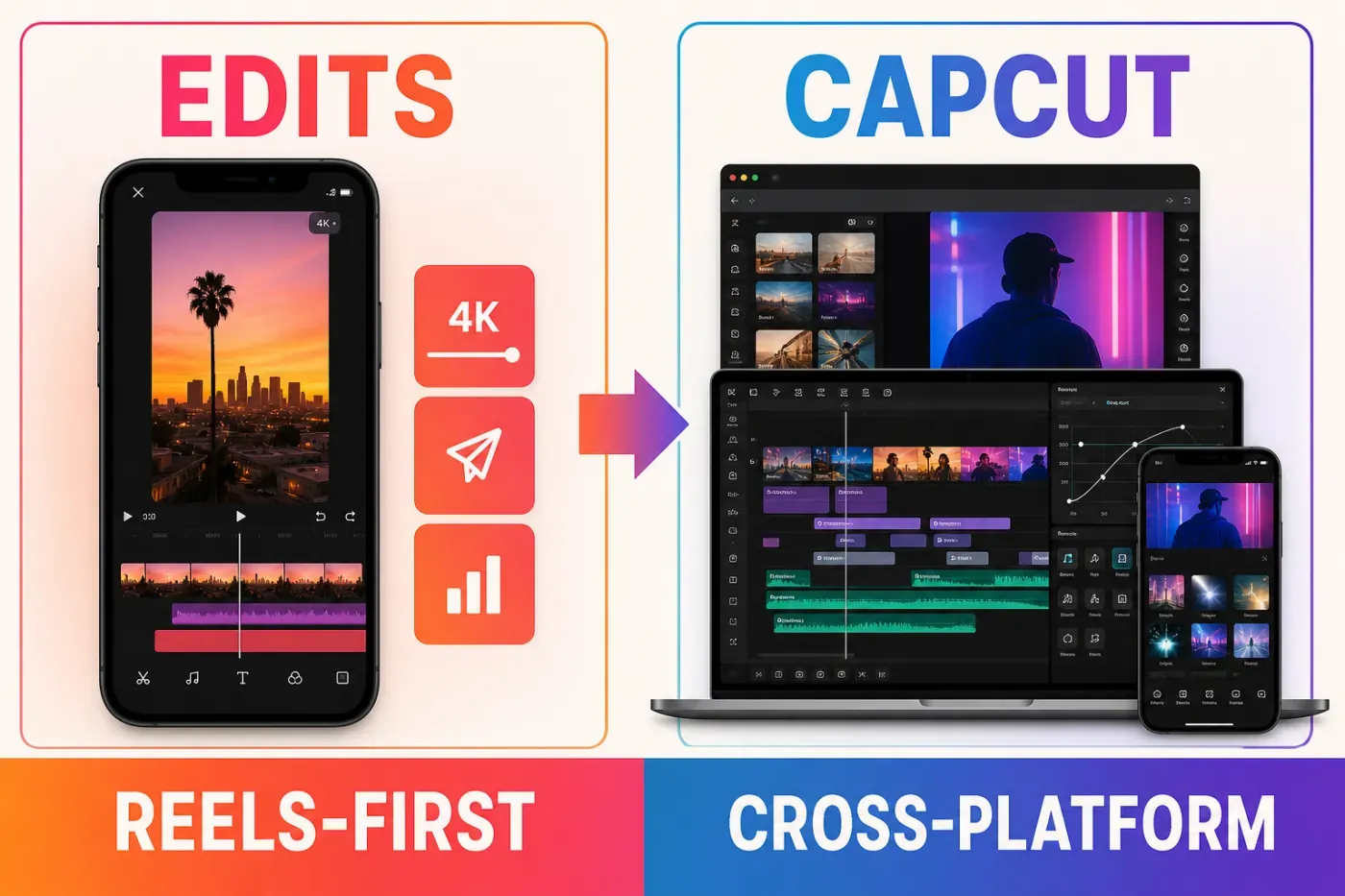
| Decision factor | Edits | CapCut |
|---|---|---|
| Best workflow | Instagram Reels creation and performance feedback | Cross-platform short-form editing for TikTok, Reels and Shorts |
| Platforms today | iPhone and Android; desktop previewed but not public in this check | iPhone, Android, Windows, macOS and web |
| Pricing model | Core editor listed free; Google Play shows an unspecified in-app-purchases label | Free, Standard and Pro access varies by platform and region |
| Export | Advertised up to 4K with no added watermark | Resolution and paid-asset restrictions depend on platform, account and project contents |
| Templates and trends | Instagram inspiration, audio and emerging template discovery | Broader template and effect catalog, especially for TikTok-style editing |
| Timeline depth | Fast mobile workflow with precise core controls | Deeper mobile tools plus desktop and browser timelines |
| Analytics | Native Reel insights and audience feedback | Editing-focused; publishing analytics live on the destination platform |
| AI | AI animation and selected assisted tools; assistant announced | Wider AI catalog, with plan and credit limits on selected tools |
Choose Edits when Instagram is the center of the workflow. Choose CapCut when the editor itself matters more than the publishing destination. If your priority is TikTok or YouTube Shorts, Edits loses much of its unique advantage even though it can export a clean file for those platforms.
Who Should Use Edits, and Who Should Stay With CapCut?
Use Edits if:
- most of your short-form work is for Instagram Reels;
- you edit on a phone and don't need desktop or web access today;
- you want a free 4K export path without an added editor watermark;
- Reel inspiration and performance insights are part of the editing decision;
- your projects are short and structurally simple.
Stay with CapCut if:
- you edit across phone, desktop and browser;
- you depend on templates, layered effects or a larger AI tool set;
- TikTok or YouTube Shorts matters as much as Instagram;
- you build longer or track-heavy projects;
- you already have a stable CapCut workflow and Edits solves no specific problem.
The sensible move is not a full migration on day one. Rebuild one representative Reel in Edits, export it, compare the caption corrections and total editing time, then decide. Keep CapCut installed until you have verified every repeated task your real projects require.
Privacy and Account Trade-offs
Edits is an Instagram product, so its convenience comes with deeper Meta account integration. The US App Store privacy panel says the developer may link categories including location, contact information, contacts, user content, search history, identifiers, usage data and diagnostics to the user. Google Play's Data safety panel says the app may share personal information and device or other IDs and may collect location, personal information and other categories. These are developer-supplied disclosures and can vary by use, region and age.
CapCut has its own account, cloud and privacy considerations. Neither app becomes appropriate for confidential footage merely because it is easy to install. For client, school, employer or regulated work, check the applicable policy, avoid unnecessary cloud or AI uploads, keep local source copies and follow the rules attached to the footage.
Instagram Edits App FAQ
Is the Instagram Edits app completely free?
The live iPhone and Android listings describe Edits as free, and both advertise its main editing and 4K export features without naming an Edits subscription. Google Play also displays an in-app-purchases label without identifying the purchase on the public page. The core editor is free in this store check; that is not a promise that every future Meta or Instagram feature will stay free.
Does Edits export with a watermark?
Meta's official store listings advertise export up to 4K with no added Edits watermark. That is an available ceiling, not a guarantee that every source clip or social upload will display in 4K after recompression. Music, stock assets and destination rules are separate licensing questions; a clean visual export doesn't grant commercial rights to every element in the project.
Is Edits better than CapCut?
Edits is better for a phone-only Instagram Reels workflow that values direct publishing and performance insights. CapCut is better for desktop or web editing, cross-platform projects, a broader template and effects catalog, and creators who publish equally to TikTok, Reels and YouTube Shorts.
Can I use Edits for TikTok and YouTube Shorts?
Yes. Edits can export a clean video file that you upload to another platform. Use audio you own or have portable rights to: Instagram's licensed music is intended for personal, non-commercial use inside Meta's licensed context and may not travel with the file. Outside Instagram, direct Reel publishing and Reel insights also don't replace TikTok or YouTube's own tools and analytics.
Does Edits have a desktop or web editor?
As of September 26, 2026, the public US App Store labels Edits an iPhone app, and the Android listing does not advertise a desktop or browser editor. Meta previewed a desktop version in June, as reported by TechCrunch, but a public desktop route was not established in this check. Do not plan a desktop-dependent project around an announced feature.
Does Edits require an Instagram account?
Yes. Meta's launch instructions say to download Edits and sign in with an Instagram account. That connection enables saved Reels, Instagram audio, direct publishing and Reel insights, but it also makes account access part of the editing workflow.
Are Edits automatic captions reliable?
The feature is available, but recent store reports include wrong recognition and disappearing caption corrections. Those reports can't establish an error rate for the app. Use them as a reason to test your own build: correct the transcript, watch the full timeline and inspect the exported video before deleting source files.
Bottom Line
Choose Edits when the job begins and ends with Instagram Reels. Its advertised free 4K export, direct publishing, inspiration tools and performance feedback make that phone-to-Reels loop unusually complete. It is not the better universal editor: CapCut still covers more platforms and gives a growing project more room.
See the full CapCut alternatives comparison for mobile, browser and desktop options. If Edits is too Instagram-specific, the next review in this cluster compares VN's platform-neutral mobile workflow with CapCut.