


Social media video marketing means using video on social platforms to help a defined audience take a useful next step. That step might be understanding a product, comparing options or booking a service. A view count can tell you that a video played; it can't tell you whether any of those things happened.
For a small team, start with one customer question, one primary action and a short production brief. Record the evidence needed to answer that question, make versions that fit the places you'll publish, then judge each version against its job. You don't need a daily posting promise to begin.
Picture a small desk-lamp retailer planning one product video; I'll follow it from the brief to the review. If you only need to know which CapCut product a business should pick, jump to the Editor, Teams and Pippit comparison.
Choose the result before the video format
“Get more engagement” leaves the editor guessing. “Help people working at a small desk decide whether this lamp fits their setup” gives the video a subject and a reason to exist.
Choose one main job for each video. Supporting signals can explain what happened, but they shouldn't replace the result you wanted.
| Video job | Useful content | Primary decision signal | What it does not prove |
|---|---|---|---|
| Introduce an unfamiliar product | Show the problem and the product in use | A platform-defined viewing or retention measure, compared with similar videos | That viewers intend to buy |
| Answer a buying question | Demonstrate size, adjustment or a limitation | Relevant product-page visits, questions or another chosen consideration signal | That every interaction is a qualified lead |
| Invite a specific action | Explain the offer and the next step | Completed enquiries, bookings or purchases, where measurement is available | That the video alone caused the result |
For the lamp video, the question is: Will the adjustable head light my notebook without taking over the desk? The primary action is visiting the product page to check dimensions. So the video has to show the footprint and the adjustment clearly. A fashionable montage of the packaging wouldn't answer that question.
I'd begin with the channel where this audience already meets the business and where the team can keep up with comments. Add another channel when it has a clear audience or distribution role. A competitor showing up on five platforms doesn't mean your team needs five versions this week.
Write a brief an editor can use
A practical brief fits on one page. Its purpose is to settle decisions before footage arrives, especially claims the editor can't verify from a shot.
Planning brief: adjustable desk lamp
- Audience: people arranging a compact home-work desk.
- Question: can the head reach a notebook while the base leaves space to work?
- Message: show the adjustment range and base beside familiar desk objects. Use the product's verified dimensions in supporting text.
- Evidence: a clear view of the base, an uninterrupted adjustment shot and a view of the lit working area. Avoid a hidden camera move that exaggerates the reach.
- Action: open the product page for dimensions and available options.
- Deliverables: one vertical demonstration and one horizontal version for a place where that shape is useful.
- Approval: the product owner checks dimensions and claims; the publishing owner checks links, rights and the final caption.
- Restrictions: no unsupported promise about eyesight, health or electricity savings.
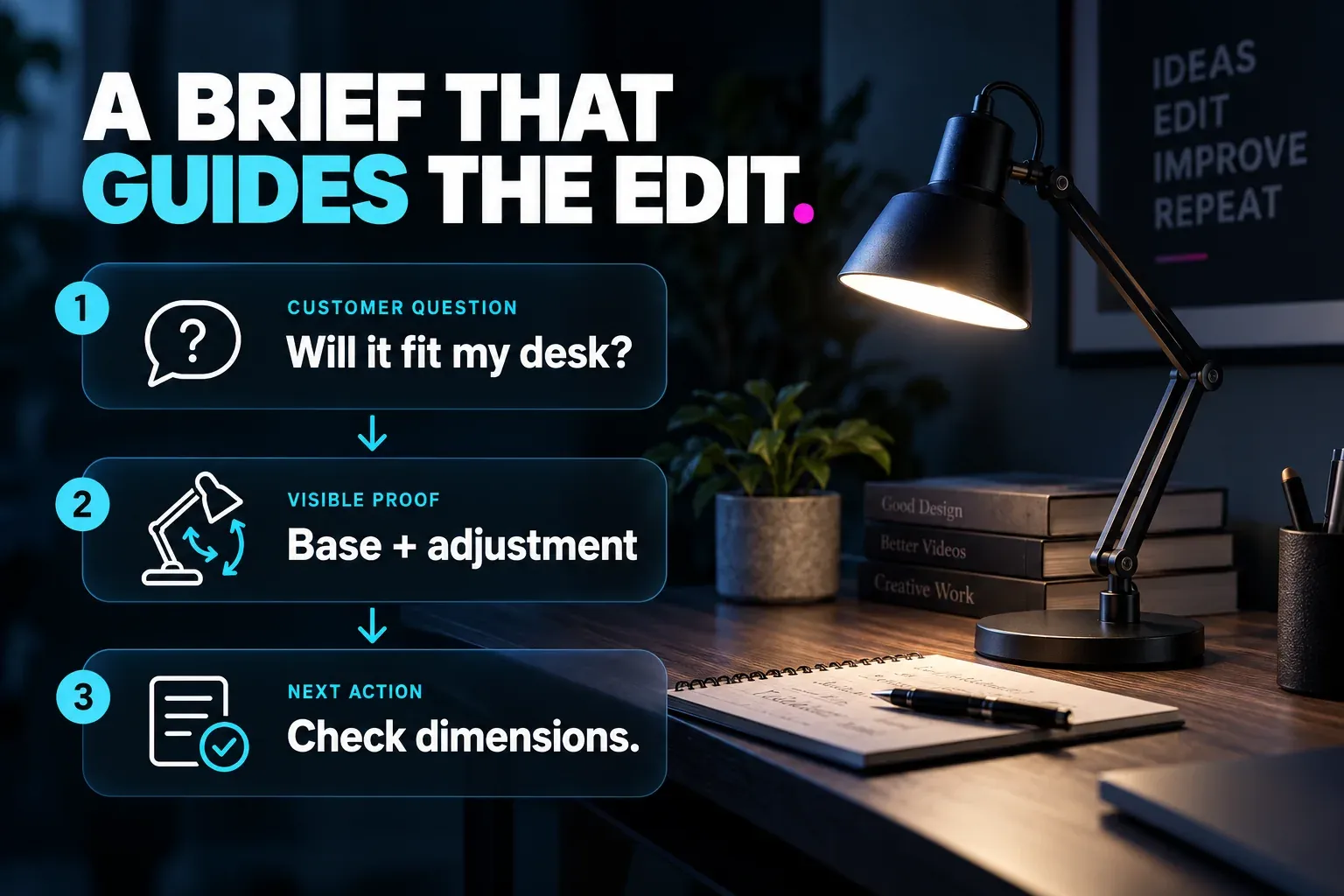
The same structure works for a service: replace the product demonstration with a clearly explained process, eligibility condition or outcome the business can support. Keep promises specific. “See how collection works” is easier to substantiate than “the fastest service in town.”
Settle the tone and reusable design choices once. The CapCut Brand Kit guide covers the separate job of keeping fonts, colours and assets consistent. A brief should identify the approved treatment, rather than reopening the whole visual identity for every clip.
Plan a small set of shots with a purpose
Write the editing sequence before the shot list. For the lamp, a useful sequence is question, demonstration, limitation or detail, then next step. This gives each shot a job.
| Shot | What the viewer needs to see | Production note |
|---|---|---|
| Desk overview | The base beside the notebook and keyboard | Keep the scale understandable; do not hide the footprint |
| Adjustment | A hand moving the head through the relevant positions | Record enough continuous movement to explain the mechanism |
| Detail | The control or hinge being discussed | Leave room for a short label without covering the control |
| Working view | The notebook under the lamp | Avoid exposure changes that falsely suggest a brightness comparison |
| Closing frame | Product name and a clear next action | Make text readable without pausing |
Record an extra composition when the vertical and horizontal versions need different framing. Cropping a wide shot can remove the hand, hinge or notebook that carries the evidence. Keeping the subject near the middle isn't a substitute for checking both frames.
Plan production around capacity. A solo operator might record one product demonstration, finish its useful versions and reserve time to answer comments before filming another. A team with a regular filming slot can group compatible demonstrations. Neither arrangement needs a universal “post three times a week” rule.
If a creator delivers the footage, add usage rights, approved claims, raw-file expectations and revision ownership to the brief. The UGC ad production guide handles that individual-ad workflow in more detail.
Edit versions for their destinations
Create a clean project with named media, readable speech and a clear demonstration before decorating it. In CapCut, the practical editing jobs are selecting useful takes, arranging the sequence, adjusting framing, adding accurate captions where needed and checking the export for the destination.
Keep a version without platform-specific music, stickers or calls to action if you plan to reuse the material. That way a second version won't inherit the wrong rights or instructions.
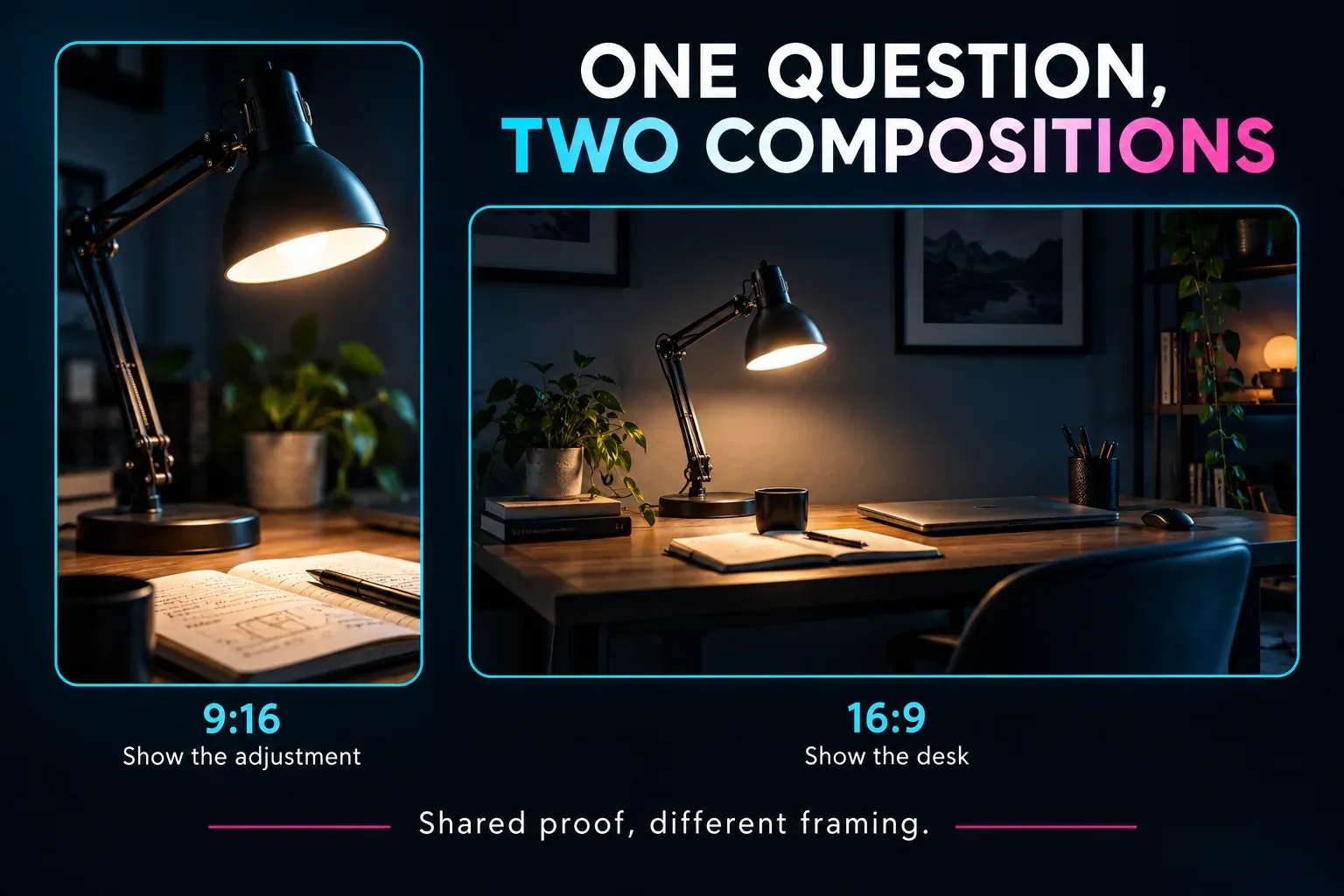
For this brief, the vertical version can open close on the notebook and reveal the adjustment. The horizontal version can start with the desk layout because it has room for the whole setup. Both answer the same question; they don't need the same opening.
Before export, check the complete final sequence: text near interface overlays, captions over a bright surface, spoken product names, music level and the closing instruction. Then check the destination's current format requirements in our social media video size guide. Our CapCut export settings guide explains the editor controls; it doesn't make one resolution, frame rate or bitrate right for every campaign.
Assign approval, rights and distribution
One person should own the final publish decision. Ask them to check the product claim, the destination link, the offer's conditions and the rights to every visible or audible asset. Store that approval with the final filename or project version, so a later edit can't quietly inherit permission it never got.
Music is a common reuse trap. TikTok says businesses should use its Commercial Music Library for commercial activity on TikTok instead of its general music library. That guidance doesn't give you permission to use the same track on another platform. Check the licence for each placement you plan, or use music whose rights cover those placements.
When a creator endorses a product and has a material connection to the brand, the US FTC disclosure guidance says the relationship needs clear disclosure alongside the endorsement. Free products can count. A disclosure tucked away on an About page doesn't fix the placement problem. Other jurisdictions have their own requirements.
Give each published version a distribution role: organic post, paid creative, product-page support or another named placement. Keep paid spend separate from organic comparisons. Record publication time, audience or targeting where relevant, and any later change to the offer. Those conditions help explain differences that editing alone cannot.
Measure the next decision, not a pile of totals
Agree on the measurement window and the meaning of each metric before comparing videos. Cross-platform view totals are especially easy to misread. Since March 31, 2025, YouTube counts a Short starting or replaying as a view with no minimum watch-time requirement, while keeping Engaged views as a separate comparison measure. Read each platform's definition; a “view” isn't the same event everywhere.
For links that send viewers to your site, use one consistent campaign naming scheme. Google Analytics supports campaign URL parameters and creative differentiation with utm_content. Keep source, medium and campaign names consistent, including case, so one campaign doesn't split across accidental variations. Use tagged links wherever the placement allows a clickable destination; text printed inside a video isn't a clickable tracked link.
State the denominator whenever you report a rate. Say the lamp video gets 24 link clicks from 1,200 impressions: that's a 2% impression-based click-through rate. Three enquiries divided by 24 landing-page sessions is a 12.5% session-to-enquiry rate. These are different stages and different denominators. Clicks and sessions can also differ. Neither calculation proves incremental sales or reliable performance from such a small sample.
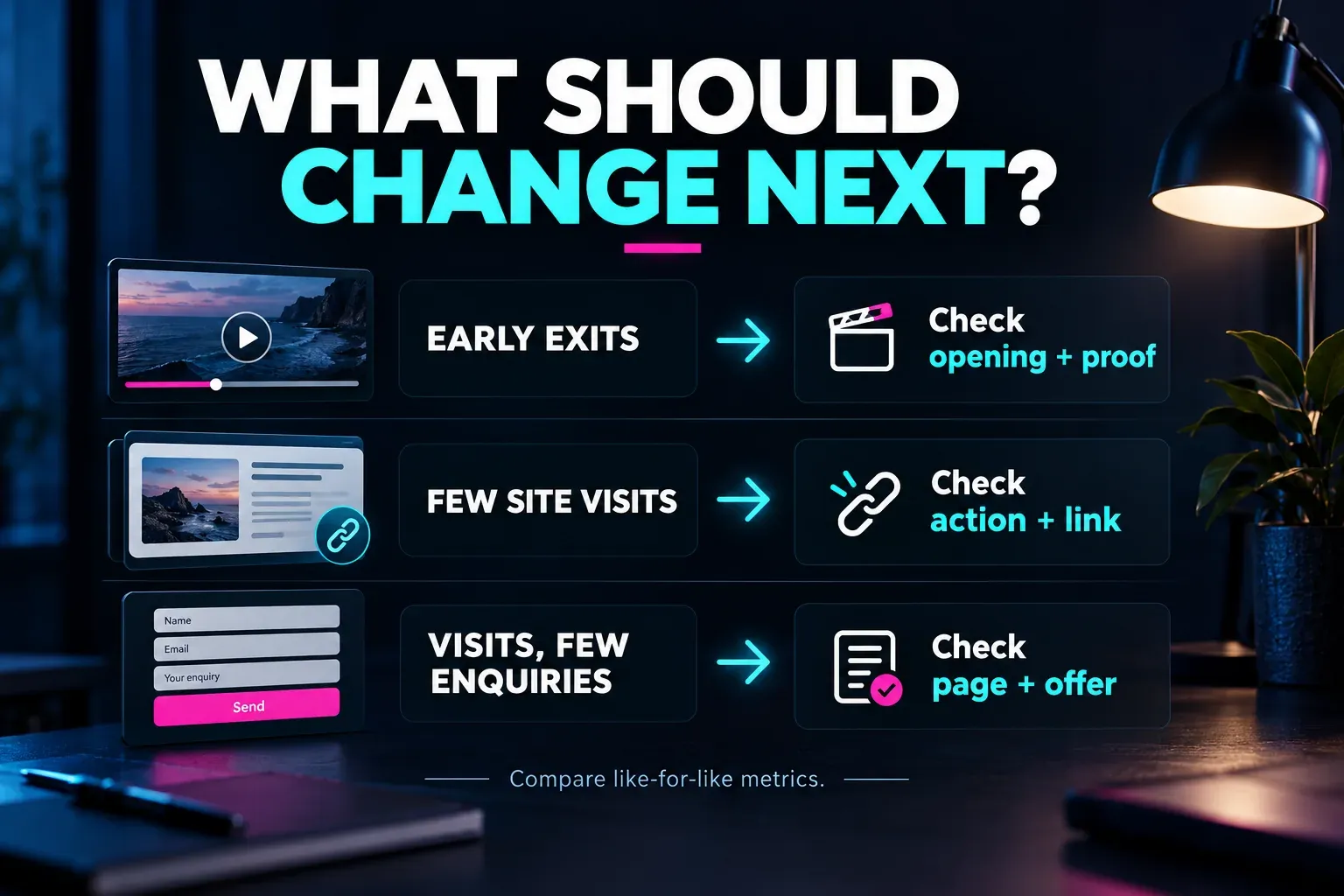
Use the review to choose a specific action:
- People leave before the useful demonstration: inspect whether the opening makes the question clear and whether the evidence arrives too late. Compare with similar videos on the same platform and measurement basis.
- The video holds attention but sends few relevant visits: check the action, placement and link availability. Do not assume a new transition will fix an absent link.
- Relevant visits arrive but enquiries do not: inspect the destination, offer and form before blaming the edit. Confirm that measurement works and that the visitors had a reasonable opportunity to act.
- The evidence is inconclusive: keep the conditions recorded and gather more comparable observations. Do not declare a winning hook from a tiny difference.
Finish each review with one choice: keep the approach, revise a named part, investigate a measurement problem or stop a format that isn't helping. That decision becomes the starting point for the next brief. A video plan you can sustain is a run of clear questions and useful decisions, with a production workload the team can keep up.